
File Details |
|
| File Size | 75.4 MB |
|---|---|
| License | Freeware |
| Operating System | Windows (All) |
| Date Added | December 1, 2020 |
| Total Downloads | 1,982,913 |
| Publisher | Maxthon |
| Homepage | Maxthon Cloud |
Publisher's Description
Maxthon Cloud is a suite of state-of-the-art, cloud-power, next-generation web browsers that work in concert, making it easy for users to maintain a continuous experience, un-tethered to a single device or operating system. It represents the next era of web browsing, leveraging an innovative approach to technology and user experience design for which Maxthon is well known.
Maxthon Cloud Browser for Windows uses a unique, innovative dual-core design that uses both Webkit and Trident. Fast and efficient, our dual-core design displays all web pages quickly and reliably. With its first-place HTML 5 support and "out of the box" features you can't get anywhere else, Maxthon Cloud Browser for Windows frees people to share and send files among different devices and platforms, easily.
Latest Reviews

Dapple reviewed v5.2.5.400 Beta on Sep 19, 2018
I was a long time user since it was called MyIE , but with the latest versions wanting too much control of your service and system . the constant popups are just getting worse. Sometimes it starts up in Chinese language.
All I wanted was the small and fast browser it was once , now it is just a bloated and unsafe mess.

Zootopia3001 reviewed v5.2.2.1000 on May 9, 2018
Now has a service running that you can't disable, nags you with a deceiving popup in systray warning you may not be secure, but what it's really doing is tricking you into making Maxthon your default browser. Got rid of Maxthon promptly.

krgood reviewed v5.1.2.2000 on Sep 26, 2017
no way jose!!

CyberDoc999 reviewed v5.1.0.1900 Beta on Jul 6, 2017
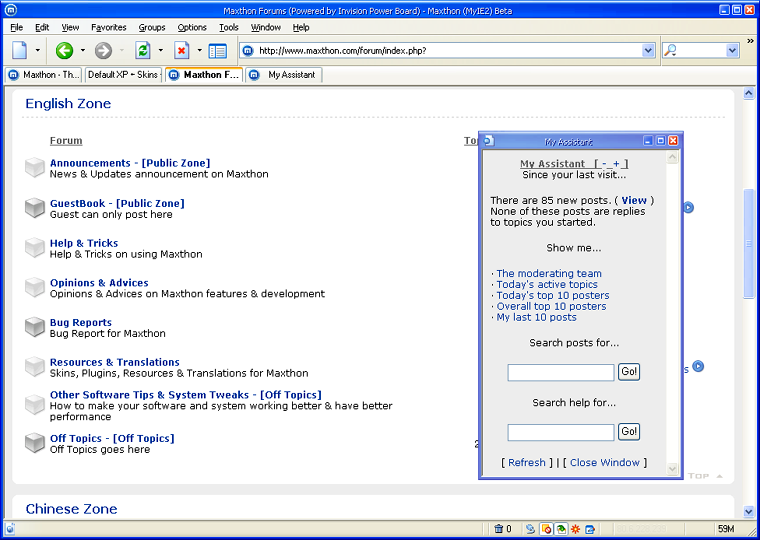
you need to update that screen shot above.... it is from version 2 of Maxthon... that was 10 years ago.
Zootopia3001 reviewed v5.1.0.1900 Beta on Jul 5, 2017
Lots of little bug fixes and improvements being made with this 5.x version. Now my main go to browser. Hope this project sticks around. My prior main browser Firefox went south on me somewhere between version 45 and 52,and not a big fan of Chrome, and Edge is still flaky, even more so with the Creators Update.
Zootopia3001 reviewed v5.0.4.3000 on May 26, 2017
Improvements since last review. Disqus comments load on certain sites where before they would not.
If it had sidebar bookmarks I'd give it 5 stars, I hate pop-downs.
CyberDoc999 reviewed v5.0.3.2000 on Apr 5, 2017
still not very good
CyberDoc999 reviewed v5.0.1.3000 on Oct 30, 2016
this thing is a little bloated and the e-mail app does not work at all
chrome is way better and faster
krgood reviewed v4.9.4.1000 on Oct 12, 2016
Maxthon was reported to "phone Home, China) sending personal info to who knows where/whom. Opera browser does the same thing. Not interested in pgms that do this...Turned all windows 10 report back options off as well.
CyberDoc999 reviewed v4.9.2.1000 on Apr 16, 2016
2 things
first the google voice search does not work
and
second it runs buggy lots of time outs
went back to version 4.8.8.1000
and these problems do not happen
so 1 star for this version

Dapple reviewed v5.2.5.400 Beta on Sep 19, 2018
Pros: Once it was a great browser small and fast
Cons: Now is bloated and unsafe.
Bottom Line: I was a long time user since it was called MyIE , but with the latest versions wanting too much control of your service and system . the constant popups are just getting worse. Sometimes it starts up in Chinese language.
All I wanted was the small and fast browser it was once , now it is just a bloated and unsafe mess.
Zootopia3001 reviewed v5.2.2.1000 on May 9, 2018
Pros:
Cons:
Bottom Line: Now has a service running that you can't disable, nags you with a deceiving popup in systray warning you may not be secure, but what it's really doing is tricking you into making Maxthon your default browser. Got rid of Maxthon promptly.
krgood reviewed v5.1.2.2000 on Sep 26, 2017
Pros: lots of features but still craps out frequently
Cons: Phones hone with my data
Bottom Line: no way jose!!
CyberDoc999 reviewed v5.1.0.1900 Beta on Jul 6, 2017
you need to update that screen shot above.... it is from version 2 of Maxthon... that was 10 years ago.
Zootopia3001 reviewed v5.1.0.1900 Beta on Jul 5, 2017
Lots of little bug fixes and improvements being made with this 5.x version. Now my main go to browser. Hope this project sticks around. My prior main browser Firefox went south on me somewhere between version 45 and 52,and not a big fan of Chrome, and Edge is still flaky, even more so with the Creators Update.
Zootopia3001 reviewed v5.0.4.3000 on May 26, 2017
Improvements since last review. Disqus comments load on certain sites where before they would not.
If it had sidebar bookmarks I'd give it 5 stars, I hate pop-downs.
CyberDoc999 reviewed v5.0.3.2000 on Apr 5, 2017
still not very good
CyberDoc999 reviewed v5.0.1.3000 on Oct 30, 2016
this thing is a little bloated and the e-mail app does not work at all
chrome is way better and faster
krgood reviewed v4.9.4.1000 on Oct 12, 2016
Maxthon was reported to "phone Home, China) sending personal info to who knows where/whom. Opera browser does the same thing. Not interested in pgms that do this...Turned all windows 10 report back options off as well.
CyberDoc999 reviewed v4.9.2.1000 on Apr 16, 2016
2 things
first the google voice search does not work
and
second it runs buggy lots of time outs
went back to version 4.8.8.1000
and these problems do not happen
so 1 star for this version
Zootopia3001 reviewed v4.9.2.1000 RC on Apr 8, 2016
4 1/2 stars...
Just tried out this 'Cloud' version browser this last week after having left Maxthon quite a while back. Not bad, pretty snappy. Couple somewhat drawbacks... Disqus comments will not load on a particular website, so would assume maybe some others as well, and see no way to add a list to its built-in AdBlock, so for now no Fanboy Annoyances list, thus having to put up with all the stupid social networking gadgets that so litter webpages nowadays. There is a Flashblock extension for this browser, so that's a plus, so no more autoload of flash content.
Maxthon does have a forum, and I will make a request as to how to add Fanboy's Annoyances list to compliment Easylist. If they can get that resolved, this might get 4 1/2 stars out of me.
UPDATE:..... Maxthon forum was quick to point me as to how to add Fanboy's Annoyances list. Had to specifically direct it manually to the txt file.
CyberDoc999 reviewed v4.4.8.1000 on Oct 29, 2015
10 stars ********************************

YanAnaY reviewed v4.4.6.2000 on Jul 31, 2015
This browser has included features which are not common in other browsers, I can not understand why everyone love chrome so much - it is scrap.