
File Details |
|
| File Size | 51.2 MB |
|---|---|
| License | Freeware |
| Operating System | Windows 7/8/10/Vista/XP |
| Date Added | November 15, 2023 |
| Total Downloads | 330,829 |
| Publisher | IObit.Com |
| Homepage | Advanced SystemCare |
Publisher's Description
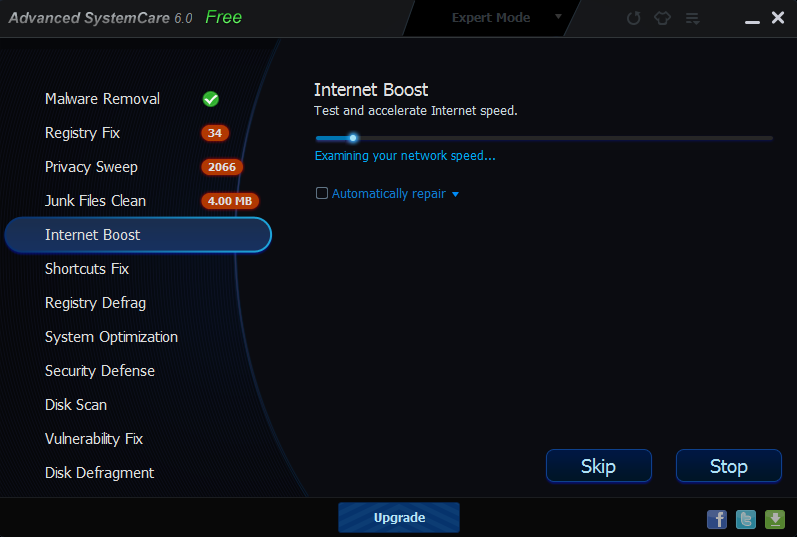
Advanced SystemCare is a comprehensive PC care utility that takes a one-click approach to help protect, repair and optimize your computer. It provides an all-in-one and super convenient solution for PC maintenance and protection. This program is available free of charge.
This program is available free of charge.
Latest Reviews

gustavowoltmann reviewed v14.1.0.204 on Dec 23, 2020
Hello I am new to this site and I liked all information on this site and I will read this site all instructions carefully. Gustavo Woltmann

AlexFinal reviewed v13.5.0.274 on Jul 18, 2020
The people that make this product should not be trused.

Pkshadow reviewed v13.2.0.222 on Mar 26, 2020
The free pro license does not happen as expected. I would guess would have to accept all the PUP's it would like to install and register for news letter to get the free pro license. As was expected it failed to produce.
Also Malwarebytes considers all Iobit programs as PUP's, truly it is not really very good at anything it does.

henrypeck reviewed v11.5.0.240 on Jul 31, 2018
The free version is adequate for most people.

gsteele reviewed v11.5.0.240 on Jul 31, 2018
Good overall tools though some tools are weak

marty reviewed v10.2.0.721 on Feb 15, 2017
Used it for years on all Windows Platforms including servers. Excellent.

CyberDoc999 reviewed v10.0.0.198 Beta on Jul 15, 2016
Marty is the only one that likes it
it is just another reg cleaner
marty reviewed v9.3.0.1121 on May 17, 2016
I've used this program on Windows 7, Windows 8.1. Windows Server 2016. I've had zeor problems. It even handled 29 updates on my wife's Windows 7 machine and I'm still alive!
I've bought the Pro version for a few added tweaks but the free version is just fine.
CyberDoc999 reviewed v9.2.0.1106 on Mar 16, 2016
this is a scam .... avoid it
marty reviewed v9.0.3.1077 on Nov 27, 2015
Peple can pan this program all they want. I've used on all versions of Windows Desktop AND Server products (including Windows Server 2016 TP 4). Never gives me a propblem

gustavowoltmann reviewed v14.1.0.204 on Dec 23, 2020
Pros: 5 RATING
Cons: Gustavo Woltmann
Bottom Line: Hello I am new to this site and I liked all information on this site and I will read this site all instructions carefully. Gustavo Woltmann
AlexFinal reviewed v13.5.0.274 on Jul 18, 2020
Pros: Product URL: /Advanced-SystemCare-Pro/3000-2086_4-75628962.html
Issue Description: Once I purchased Advanced System Care on the iObit website, two phone numbers immediately appeared (on their site) stating that I must call one of the two numbers in order to get the activation code. Once I called the number, an agent stated that he must install a "technical support" applet in order to activate ASC. He asked me what version of Windows I was running and what browser I was using. Directions were given, and I started to lose control of your computer, almost immediately. He continued to alter major system settings until I had almost no more control of my computer anymore. I told him there was something suspicious going on, and he continued to assure me it was standard procedure. When I told him I was going to hang up the phone, he began begging me not to hang up. After returning to my computer, it was extremely slow and most programs didn't work anymore. Within a matter of twenty minutes, my entire computer was frozen. I had to restore an older version of my system, and lost extremely important photographs, documents, etc. It appears to have been ransomware. If you look on the reviews, you'll see that I'm not the first person to experience this. If iObit is unaware of this scam, then how do the scammers know someone just bought ASC, and why is the scammer's page the first thing to come up (immediately) after the purchase goes through? This is way too suspicious to just be a coincidence...
Cons: Product URL: /Advanced-SystemCare-Pro/3000-2086_4-75628962.html
Issue Description: Once I purchased Advanced System Care on the iObit website, two phone numbers immediately appeared (on their site) stating that I must call one of the two numbers in order to get the activation code. Once I called the number, an agent stated that he must install a "technical support" applet in order to activate ASC. He asked me what version of Windows I was running and what browser I was using. Directions were given, and I started to lose control of your computer, almost immediately. He continued to alter major system settings until I had almost no more control of my computer anymore. I told him there was something suspicious going on, and he continued to assure me it was standard procedure. When I told him I was going to hang up the phone, he began begging me not to hang up. After returning to my computer, it was extremely slow and most programs didn't work anymore. Within a matter of twenty minutes, my entire computer was frozen. I had to restore an older version of my system, and lost extremely important photographs, documents, etc. It appears to have been ransomware. If you look on the reviews, you'll see that I'm not the first person to experience this. If iObit is unaware of this scam, then how do the scammers know someone just bought ASC, and why is the scammer's page the first thing to come up (immediately) after the purchase goes through? This is way too suspicious to just be a coincidence...
Bottom Line: The people that make this product should not be trused.
Pkshadow reviewed v13.2.0.222 on Mar 26, 2020
Pros: The free pro license does not happen as expected. I would guess would have to accept all the PUP's it would like to install and register for news letter to get the free pro license. As was expected it failed to produce.
Also Malwarebytes considers all Iobit programs as PUP's, truly it is not really very good at anything it does.
Cons: The free pro license does not happen as expected. I would guess would have to accept all the PUP's it would like to install and register for news letter to get the free pro license. As was expected it failed to produce.
Also Malwarebytes considers all Iobit programs as PUP's, truly it is not really very good at anything it does.
Bottom Line: The free pro license does not happen as expected. I would guess would have to accept all the PUP's it would like to install and register for news letter to get the free pro license. As was expected it failed to produce.
Also Malwarebytes considers all Iobit programs as PUP's, truly it is not really very good at anything it does.
henrypeck reviewed v11.5.0.240 on Jul 31, 2018
Pros: Free version has many tools use, some good some bad.
Cons: Paid version isn't worth the money.
Bottom Line: The free version is adequate for most people.
gsteele reviewed v11.5.0.240 on Jul 31, 2018
Pros: Extensive suite of tools. Easy for a newby to use.
Cons: Some tools are weak
Bottom Line: Good overall tools though some tools are weak
marty reviewed v10.2.0.721 on Feb 15, 2017
Used it for years on all Windows Platforms including servers. Excellent.
CyberDoc999 reviewed v10.0.0.198 Beta on Jul 15, 2016
Marty is the only one that likes it
it is just another reg cleaner
marty reviewed v9.3.0.1121 on May 17, 2016
I've used this program on Windows 7, Windows 8.1. Windows Server 2016. I've had zeor problems. It even handled 29 updates on my wife's Windows 7 machine and I'm still alive!
I've bought the Pro version for a few added tweaks but the free version is just fine.
CyberDoc999 reviewed v9.2.0.1106 on Mar 16, 2016
this is a scam .... avoid it
marty reviewed v9.0.3.1077 on Nov 27, 2015
Peple can pan this program all they want. I've used on all versions of Windows Desktop AND Server products (including Windows Server 2016 TP 4). Never gives me a propblem
henrypeck reviewed v8.2.0.797 on May 8, 2015
Works OK. Don't waste your money on the paid version.
gsteele reviewed v8.2.0.797 on May 8, 2015
Adequate suite of tools for the neophyte PC user.
CyberDoc999 reviewed v8.2.0.795 on Apr 16, 2015
pure junk