
File Details |
|
| File Size | 156.0 MB |
|---|---|
| License | Freeware |
| Operating System | Windows 7/8/10/Vista/XP |
| Date Added | September 9, 2020 |
| Total Downloads | 180,849 |
| Publisher | Avira GmbH |
| Homepage | Avira Free Antivirus |
Publisher's Description
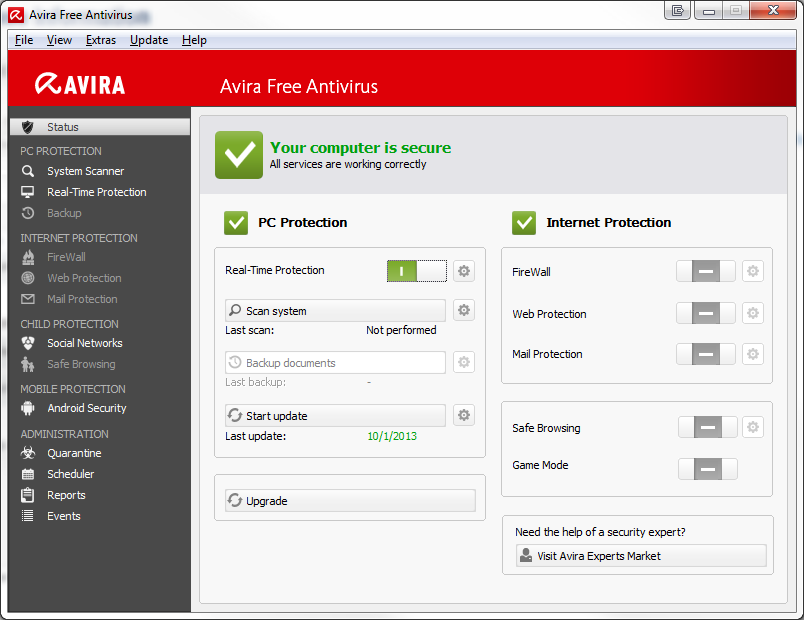
Avira Free Antivirus offers effective protection against computer viruses for the individual and private use on a single PC-workstation. It detects and removes viruses and includes an Internet-Update Wizard for easy updating. The built in resident Virus Guard serves to monitor file movements automatically, for example when downloading files from the Internet. Heuristic scanning protects Protection against previously unknown macro viruses.
Latest Reviews

some guy reviewed v15.0.1908.1579 on Sep 6, 2019
for free it's umm ok at best it has become to bloated speed your pc up and a bunch of other crap

krgood reviewed v15.0.24.146 on Dec 13, 2016
I had Avira for a while. It slowed down my system, locked the hosts file, and started a scan on every start up that I was not able to stop or find out how to control it. When I uninstalled it, several portions of the program remain and refused to be installed. O was finally able to remove the registry items once I found the hidden modules. A reail PIA for me...
some guy reviewed v15.0.22.54 on Oct 14, 2016
I guess they don't read the feed back, BTdefender home free my top pic non bloat with a top 5 detection rate google the beta version or click this http://www.bitdefender.c...ions/free.html?target=1

guti reviewed v15.0.19.164 on Aug 31, 2016
Again forcing the user to install Avira Launcher.
guti reviewed v15.0.19.163 on Aug 20, 2016
Was the best, but now, with the Avira Launcher which cannot be uninstalled it is bloated. I have moved to Avast.

Steve1209 reviewed v15.0.19.163 on Aug 19, 2016
Betanews for Avira NEVER has the latest download when they post here, it's Many versions back, even though this is a GREAT software...
some guy reviewed v15.0.17.273 on Apr 19, 2016
has a good detection rate but way more complicated then needs to be, also way to bloated

johnusa reviewed v15.0.17.273 on Apr 19, 2016
Is this the new 2016 version?
15.0.17.273 does not make this clear.
I gave it 3 stars as its not clear and ambiguous.

Lsavagejt reviewed v15.0.13.202 on Sep 30, 2015
defaults to windows firewall. Kludgy settings.

CyberDoc999 reviewed v15.0.12.420 on Aug 27, 2015
you get what you pay for
see ESET

some guy reviewed v15.0.1908.1579 on Sep 6, 2019
Pros: free
Cons: to bloated
Bottom Line: for free it's umm ok at best it has become to bloated speed your pc up and a bunch of other crap
krgood reviewed v15.0.24.146 on Dec 13, 2016
I had Avira for a while. It slowed down my system, locked the hosts file, and started a scan on every start up that I was not able to stop or find out how to control it. When I uninstalled it, several portions of the program remain and refused to be installed. O was finally able to remove the registry items once I found the hidden modules. A reail PIA for me...
some guy reviewed v15.0.22.54 on Oct 14, 2016
I guess they don't read the feed back, BTdefender home free my top pic non bloat with a top 5 detection rate google the beta version or click this http://www.bitdefender.c...ions/free.html?target=1
guti reviewed v15.0.19.164 on Aug 31, 2016
Again forcing the user to install Avira Launcher.
guti reviewed v15.0.19.163 on Aug 20, 2016
Was the best, but now, with the Avira Launcher which cannot be uninstalled it is bloated. I have moved to Avast.
Steve1209 reviewed v15.0.19.163 on Aug 19, 2016
Betanews for Avira NEVER has the latest download when they post here, it's Many versions back, even though this is a GREAT software...
some guy reviewed v15.0.17.273 on Apr 19, 2016
has a good detection rate but way more complicated then needs to be, also way to bloated
johnusa reviewed v15.0.17.273 on Apr 19, 2016
Is this the new 2016 version?
15.0.17.273 does not make this clear.
I gave it 3 stars as its not clear and ambiguous.
Lsavagejt reviewed v15.0.13.202 on Sep 30, 2015
defaults to windows firewall. Kludgy settings.
CyberDoc999 reviewed v15.0.12.420 on Aug 27, 2015
you get what you pay for
see ESET
some guy reviewed v15.0.11.579 on Jun 28, 2015
way to bloated ! just need a antivirus not speed up my pc crap..or up date this or that...

jr5280 reviewed v15.0.10.434 on May 12, 2015
Windows XP (SP3)
Athlon XP 3000+ CPU (w/SSE but not SSE2 or above support)
I've been using Avira Free Antivirus for several years, but I've been experiencing minor problems with it recently (having anywhere from two to a hundred gavi3.db-related errors on my Event log at each and every start up); I reported the bug to Avira and they informed me that they've ended official support for Windows XP and will not be addressing the bug. Avira still lists Windows XP in their System Requirements, but the Web page they referred me to does indeed show that Windows XP support ended on 08 APR 2015: http://www.avira.com/en/support-product-lifecycle
As such, I've been trying out many of the other well-known free antivirus programs -- AVG, Avast, BitDefender, Comodo, Panda, and one or two others -- and Panda Free Antivirus is by far the least performance robbing of the bunch on my machine. BitDefender is pretty good while it works, but it's a bit touchy and quits auto scanning after a week or so on my machine -- though it works without a hitch (and has for over a year) on my dad's newer Windows 7 machine with SSE2+ CPU. AVG, Avast, and Comodo slow my computer quite dramatically, with even the simplest things (opening the Start menu or Windows Explorer or Notepad) being annoyingly delayed. I suspect that my ancient CPU's lack of support for SSE2 and above may be the problem in some of these cases, as a lot of newer software works better with, or even requires, a CPU with SSE2+ support, so users with a newer CPU may not encounter these problems.
I vaguely recall experimenting with Panda a year and a half ago and having problems, but the current version (15.1.0) is working very smoothly so far. Indeed, Panda has so little impact on my system's performance that it's almost like having no antivirus program installed at all: my computer starts quickly (with no warnings or errors on my Event log), programs launch/open quickly, and files open/load quickly. How well Panda is protecting my system, I haven't a clue, but it tests well in the various antivirus tests I've seen on the Web.
Anyhow, anyone with Windows XP and an old computer who's having problems with Avira might want to give Panda a try.

anonswgeek reviewed v15.0.9.502 on Apr 10, 2015
running latest 15.0.9.504
something new is that it now installs .net framework 4..