
File Details |
|
| File Size | 270.5 MB |
|---|---|
| License | Freeware |
| Operating System | Windows 7/8/10/Vista |
| Date Added | March 31, 2023 |
| Total Downloads | 41,293 |
| Publisher | Ton Roosendaal |
| Homepage | Blender |
Publisher's Description
Blender is the free and open source 3D creation suite. It supports the entirety of the 3D pipeline modeling, rigging, animation, simulation, rendering, compositing and motion tracking, video editing and 2D animation pipeline.
Latest Reviews

empirical reviewed v2.83 on Jun 15, 2020
I have mixed feelings about this release. After spending many years learning and practicing with the interface of the 2.6 and 2.7 series another complete interface overhaul has occurred with the 2.8 series. Spent many hours and bought a few books to learn the 2.6 and 2.7 interface version of this program. Also sent them a donation.
With 2.8 series I am totally lost again, nothing works the way I learned in earlier versions with this new interface. Cannot figure out how to get any decent renders produced. The interface for textures, surfacing, and backgrounds is totally different, although I have learned to pick up on the mesh modeling and sculpting,
Since this program is free I guess there is no reason to complain.
Simply bite the bullet and start all over again or stick with earlier versions.

Aegis69 reviewed v2.78b on Feb 10, 2017
Unbelievable software, probably the best open source project anywhere
Aegis69 reviewed v2.71 RC1 on Jun 16, 2014
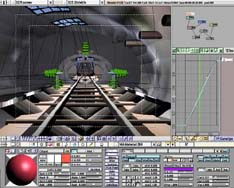
PLEASE UPDATE THE SCREEN SHOT I'LL EVEN MAKE ONE FOR YOU!!!!

lwvtutor reviewed v2.70 on Mar 21, 2014
Absolutely must have!

Qlib reviewed v2.70 RC2 on Mar 18, 2014
the workflow is still like being fisted by a cactus.. but at least there is progress...

chrispaul reviewed v2.69 on Feb 17, 2014
4 stars
Aegis69 reviewed v2.69 RC on Oct 7, 2013
Please update the program image.. that picture is from 5 years ago.

olivergiving reviewed v2.68a on Sep 25, 2013
nice

Vany reviewed v2.67a on May 22, 2013
why is the x64 version missing there?
Aegis69 reviewed v2.64 on Oct 3, 2012
I was a 3D geek and I knew a bunch of programs, 3DMax, Maya, Carrara but I was not a master of any of them, when it came time for me to do a serious project I wanted to do something that required more knowledge then I had any any one of those other programs, so I finally sat down and forced myself to learn Blender.
Damn I'm glad I did, its far easier and in some ways a lot more powerful than some of those other programs, and every single part of it is free, 100% free, including all addons that you might need for any demands of your project. I now use only Blender, all the other stuff went out the window.

empirical reviewed v2.83 on Jun 15, 2020
Pros: Looks pretty and fancy.
Cons: Totally different interface from earlier versions. Cannot open blend files from earlier versions in 2.8 series and vice versa. This interface change is so different I believe this version should have a totally different name than Blender.
Bottom Line: I have mixed feelings about this release. After spending many years learning and practicing with the interface of the 2.6 and 2.7 series another complete interface overhaul has occurred with the 2.8 series. Spent many hours and bought a few books to learn the 2.6 and 2.7 interface version of this program. Also sent them a donation.
With 2.8 series I am totally lost again, nothing works the way I learned in earlier versions with this new interface. Cannot figure out how to get any decent renders produced. The interface for textures, surfacing, and backgrounds is totally different, although I have learned to pick up on the mesh modeling and sculpting,
Since this program is free I guess there is no reason to complain.
Simply bite the bullet and start all over again or stick with earlier versions.
Aegis69 reviewed v2.78b on Feb 10, 2017
Unbelievable software, probably the best open source project anywhere
Aegis69 reviewed v2.71 RC1 on Jun 16, 2014
PLEASE UPDATE THE SCREEN SHOT I'LL EVEN MAKE ONE FOR YOU!!!!
lwvtutor reviewed v2.70 on Mar 21, 2014
Absolutely must have!
Qlib reviewed v2.70 RC2 on Mar 18, 2014
the workflow is still like being fisted by a cactus.. but at least there is progress...
chrispaul reviewed v2.69 on Feb 17, 2014
4 stars
Aegis69 reviewed v2.69 RC on Oct 7, 2013
Please update the program image.. that picture is from 5 years ago.
olivergiving reviewed v2.68a on Sep 25, 2013
nice
Vany reviewed v2.67a on May 22, 2013
why is the x64 version missing there?
Aegis69 reviewed v2.64 on Oct 3, 2012
I was a 3D geek and I knew a bunch of programs, 3DMax, Maya, Carrara but I was not a master of any of them, when it came time for me to do a serious project I wanted to do something that required more knowledge then I had any any one of those other programs, so I finally sat down and forced myself to learn Blender.
Damn I'm glad I did, its far easier and in some ways a lot more powerful than some of those other programs, and every single part of it is free, 100% free, including all addons that you might need for any demands of your project. I now use only Blender, all the other stuff went out the window.

nilst2006 reviewed v2.62 RC1 on Feb 10, 2012
A friend did show me Blender and what it could do. I say.-"WOW !". Really nice stuff i will try to learn use. :)

hariskar reviewed v2.61 Beta on Dec 2, 2011
Great program! It is open source, not just freeware

dsp_418 reviewed v2.61 Beta on Dec 2, 2011
The latest release is another milestone, kudos to the developers.
Ocean Sim, Cycles (new realtime render engine), Dynamic Paint and Camera Tracking - all included in this incredible small package.
Forget the screen shot above, they'll never update it here on fileforum.