
File Details |
|
| File Size | 87.9 MB |
|---|---|
| License | Shareware, $49.95 |
| Operating System | Windows 7/8/10/11 |
| Date Added | September 20, 2022 |
| Total Downloads | 129,420 |
| Publisher | Poikosoft |
| Homepage | EZ CD Audio Converter |
Publisher's Description
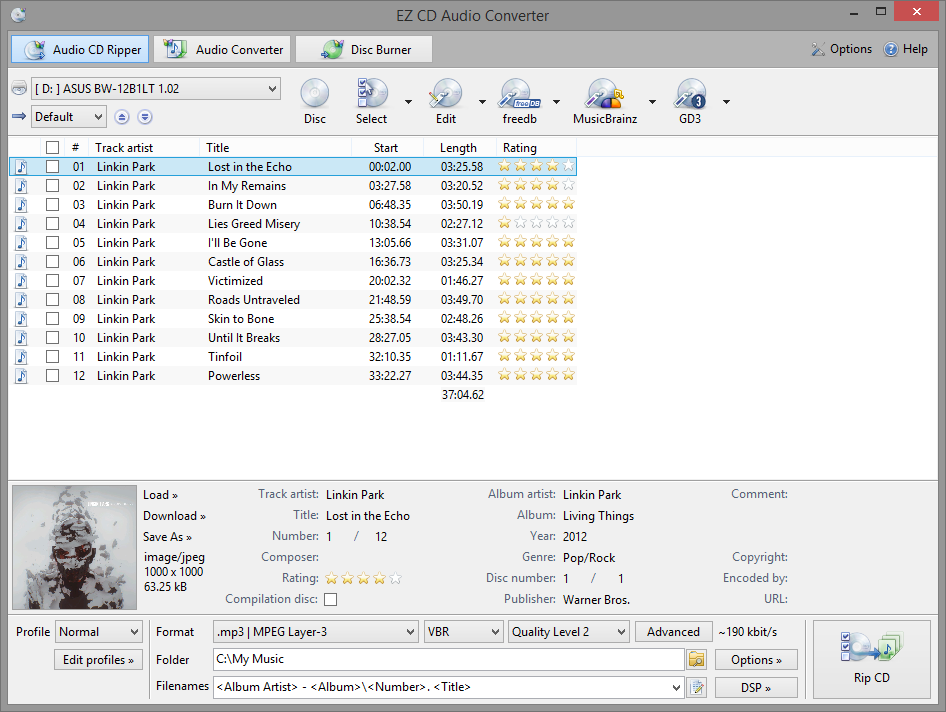
EZ CD Audio Converter is music converter software designed to provide highest quality audio format conversions. Easy to use, the most comprehensive audio file format converter trusted by home users, audio enthusiasts, professionals, studios, and radio stations worldwide.
Convert and encode audio files to/from FLAC, AAC, xHE-AAC, MP3, M4A, DSD, WAV, Opus, Apple Lossless, Vorbis and many more audio file formats. Download music information from 6 metadata services. Edit metadata of audio files with the integrated metadata editor. Keep all the metadata between audio file conversions.
Convert music in highest quality with the ultra-precise (64-bit floating point) audio engine. Sample rate conversions are performed in highest fidelity with the professional quality audio sample rate converter. Convert between PCM and DSD formats with the professional quality DSD converter. All audio conversions are performed in bit-exact accuracy.
Latest Reviews

Oskar69 reviewed v9.0.4 on Oct 29, 2019
Best music converter

DragonSlayer666 reviewed v8.0.5 on Jan 30, 2019
For the money this really can't be beat IMHO. I've tried the free ones but they just can't compare. The closest I've found for Free Is Fre:AC and it still isn't nearly as configurable as EZ CD Audio Converter. This has all the bells and whistles put in a package that even most novices will find intuitive and practical. The resulting rips/conversions are of the utmost quality and free upgrades for life make this a true blessing for audiophiles and casual listeners alike.

legion reviewed v7.0.1 on Sep 23, 2017
Good piece of soft.

Bullwinkle J Moose reviewed v7.0 on Sep 5, 2017
Version 7.0
TOTAL FAIL!
What am I missing?
Version History and bug fixes look like they are the same in each version
Where are the old version history's and bug fixes at your website to compare with this version?
Did you actually change anything or did you just say you did?
Why do you have a new version every few days with no real improvement?
Went to "Advanced" and turned on CRC error protection, then changed quality from "high" to "highest"
Scratched test disk now sounds worse than leaving the settings at stock position (high / no CRC error correction)
Free software at stock settings gives better results than this
Here is my Earlier Review of 6.1 for comparison>
EZ CD Audio Converter v6.1 is CRAP!
1. EZ CD Audio Converter was the worst at correcting errors on a scratched test disk
(NCH Express Rip was FAR Better at correcting errors on my test disk)
2. EZ CD Audio Converter shows "Unknown Artist" on every track of test disk
(NCH Express Rip shows the correct name for each artist on my test disk)
3. EZ CD Audio Converter has an annoying delay at startup
(NCH Express Rip does not have an annoying delay at startup)
4. EZ CD Audio Converter costs $29.95 @ website (why is it listed @ $40 here?
(NCH Express Rip is FREE for non-commercial use)
I DARE YOU to compare NCH Express Rip directly with EZ CD Audio Converter
Heck, I DOUBLE Dare ya!
Bullwinkle J Moose reviewed v6.1 on Aug 23, 2017
EZ CD Audio Converter v6.1 is CRAP!
1. EZ CD Audio Converter was the worst at correcting errors on a scratched test disk
(NCH Express Rip was FAR Better at correcting errors on my test disk)
2. EZ CD Audio Converter shows "Unknown Artist" on every track of test disk
(NCH Express Rip shows the correct name for each artist on my test disk)
3. EZ CD Audio Converter has an annoying delay at startup
(NCH Express Rip does not have an annoying delay at startup)
4. EZ CD Audio Converter costs $29.95 @ website (why is it listed @ $40 here?
(NCH Express Rip is FREE for non-commercial use)
I DARE YOU to compare NCH Express Rip directly with EZ CD Audio Converter
Heck, I DOUBLE Dare ya!

jowtron reviewed v6.0.2 on May 18, 2017
Still the best choice for bulk audio conversion.

FatBastard reviewed v2.2.2 on Nov 12, 2014
This is a very nice program.

mizkitty reviewed v2.2.1.0 on Aug 27, 2014
Not free...

infectiphibian reviewed v15.3.0.1 on Oct 19, 2011
New features:
- New Dolby Pulse AAC / HE AAC encoder
- LAME 3.99 MP3 encoder
- Automatic ReplayGain calculation
- ReplayGain "2.0": Original ReplayGain algorithm replaced with ITU-R BS.1770 (new standard, more accurate, faster)
- Ogg Vorbis codec improved and updated
- Internal sample rate converter set to highest quality mode
- Changes in Audio Converter internal behavior, making it faster in certain conditions
- Fixed AAC/HE AAC encoding problem in multi thread Audio Converter
- Updated Amazon Cover Art Search protocol to the latest version (old version will stop working on Feb 2012)
jowtron reviewed v15.2.5.1 on Aug 29, 2011
This is the best program out there for audio conversion/CD ripping. New version supports multi threading for modern processors and it has the best codec support. The developer is really on the ball with regard to feature requests and it is frequently updated. Well worth the money.

Oskar69 reviewed v9.0.4 on Oct 29, 2019
Pros: Very good audio quality and wide support for audio file formats.
Cons: I wish there would be video converter as ezcd audio file converter
Bottom Line: Best music converter
DragonSlayer666 reviewed v8.0.5 on Jan 30, 2019
Pros: It's great! Does everything one could imagine with audio. Rips, Converts, Tags, Burns, etc... This little gem can even extract audio from video files. This has all of the major and some less known codecs. The audio quality is better than any other audio software I've tried.
Cons: None.
Bottom Line: For the money this really can't be beat IMHO. I've tried the free ones but they just can't compare. The closest I've found for Free Is Fre:AC and it still isn't nearly as configurable as EZ CD Audio Converter. This has all the bells and whistles put in a package that even most novices will find intuitive and practical. The resulting rips/conversions are of the utmost quality and free upgrades for life make this a true blessing for audiophiles and casual listeners alike.
legion reviewed v7.0.1 on Sep 23, 2017
Pros: Functions
Interface
Cons: Hangs sometimes
Bottom Line: Good piece of soft.
Bullwinkle J Moose reviewed v7.0 on Sep 5, 2017
Pros: What Pro's?
Oh yeah, the price here now reflects the price at the website!
Cons: Too many to count
Overpriced.....
Complicated (compared to the competition) and no actual improvements in sound quality when you set it for best quality and error correction
Bottom Line: Version 7.0
TOTAL FAIL!
What am I missing?
Version History and bug fixes look like they are the same in each version
Where are the old version history's and bug fixes at your website to compare with this version?
Did you actually change anything or did you just say you did?
Why do you have a new version every few days with no real improvement?
Went to "Advanced" and turned on CRC error protection, then changed quality from "high" to "highest"
Scratched test disk now sounds worse than leaving the settings at stock position (high / no CRC error correction)
Free software at stock settings gives better results than this
Here is my Earlier Review of 6.1 for comparison>
EZ CD Audio Converter v6.1 is CRAP!
1. EZ CD Audio Converter was the worst at correcting errors on a scratched test disk
(NCH Express Rip was FAR Better at correcting errors on my test disk)
2. EZ CD Audio Converter shows "Unknown Artist" on every track of test disk
(NCH Express Rip shows the correct name for each artist on my test disk)
3. EZ CD Audio Converter has an annoying delay at startup
(NCH Express Rip does not have an annoying delay at startup)
4. EZ CD Audio Converter costs $29.95 @ website (why is it listed @ $40 here?
(NCH Express Rip is FREE for non-commercial use)
I DARE YOU to compare NCH Express Rip directly with EZ CD Audio Converter
Heck, I DOUBLE Dare ya!
Bullwinkle J Moose reviewed v6.1 on Aug 23, 2017
Pros: There are No Pro's found in EZ CD Audio Converter v6.1
Cons: Cons
1. EZ CD Audio Converter was the worst at correcting errors on a scratched test disk
(NCH Express Rip was FAR Better at correcting errors on my test disk)
2. EZ CD Audio Converter shows "Unknown Artist" on every track of test disk
(NCH Express Rip shows the correct name for each artist on my test disk)
3. EZ CD Audio Converter has an annoying delay at startup
(NCH Express Rip does not have an annoying delay at startup)
4. EZ CD Audio Converter costs $29.95
(NCH Express Rip is FREE for non-commercial use)
Bottom Line: EZ CD Audio Converter v6.1 is CRAP!
1. EZ CD Audio Converter was the worst at correcting errors on a scratched test disk
(NCH Express Rip was FAR Better at correcting errors on my test disk)
2. EZ CD Audio Converter shows "Unknown Artist" on every track of test disk
(NCH Express Rip shows the correct name for each artist on my test disk)
3. EZ CD Audio Converter has an annoying delay at startup
(NCH Express Rip does not have an annoying delay at startup)
4. EZ CD Audio Converter costs $29.95 @ website (why is it listed @ $40 here?
(NCH Express Rip is FREE for non-commercial use)
I DARE YOU to compare NCH Express Rip directly with EZ CD Audio Converter
Heck, I DOUBLE Dare ya!
jowtron reviewed v6.0.2 on May 18, 2017
Still the best choice for bulk audio conversion.
FatBastard reviewed v2.2.2 on Nov 12, 2014
This is a very nice program.
mizkitty reviewed v2.2.1.0 on Aug 27, 2014
Not free...
infectiphibian reviewed v15.3.0.1 on Oct 19, 2011
New features:
- New Dolby Pulse AAC / HE AAC encoder
- LAME 3.99 MP3 encoder
- Automatic ReplayGain calculation
- ReplayGain "2.0": Original ReplayGain algorithm replaced with ITU-R BS.1770 (new standard, more accurate, faster)
- Ogg Vorbis codec improved and updated
- Internal sample rate converter set to highest quality mode
- Changes in Audio Converter internal behavior, making it faster in certain conditions
- Fixed AAC/HE AAC encoding problem in multi thread Audio Converter
- Updated Amazon Cover Art Search protocol to the latest version (old version will stop working on Feb 2012)
jowtron reviewed v15.2.5.1 on Aug 29, 2011
This is the best program out there for audio conversion/CD ripping. New version supports multi threading for modern processors and it has the best codec support. The developer is really on the ball with regard to feature requests and it is frequently updated. Well worth the money.

Input Overload reviewed v15.0.0.1 on Jun 9, 2011
CDx does a pretty good job for me & it's free.
Hey I'm a poet!

QQFarmer reviewed v2011.3 on May 3, 2011
Someone mentioned Exact Audio Copy. I tried it and I was not a bit impressed. The damn program wanted me to locate lame.exe in my system. How the hell could I know where that was? Of course I was kidding. I knew where lame.exe was. It's somewhere in the ECDE's installation folder! Easy CD-DA Extractor didn't ask me to do anything after I forked over 47 USD. I like that.

jan norway reviewed v2011 on Apr 8, 2011
I am extremely pleased with the program. However, I tried to get a free program recommended in this tread "Exact Audio Copy ". I pressed the download and ended up nearly to install a program called FoxTab. I stopped in the last second. I even donated 10 $ to this seemingly scam site.
I tryed Easy CD-DA to convert my files from WMA lossless to MP3 320 mbit. It worked super, and I paid the fee to buy it.
Beware of some of the so called free programs, as they may be dangerous.