File Details |
|
| File Size | 4.6 MB |
|---|---|
| License | Open Source |
| Operating System | Windows 7/8/10 |
| Date Added | May 6, 2022 |
| Total Downloads | 35,052 |
| Publisher | Tim Kosse |
| Homepage | FileZilla Server |
Publisher's Description
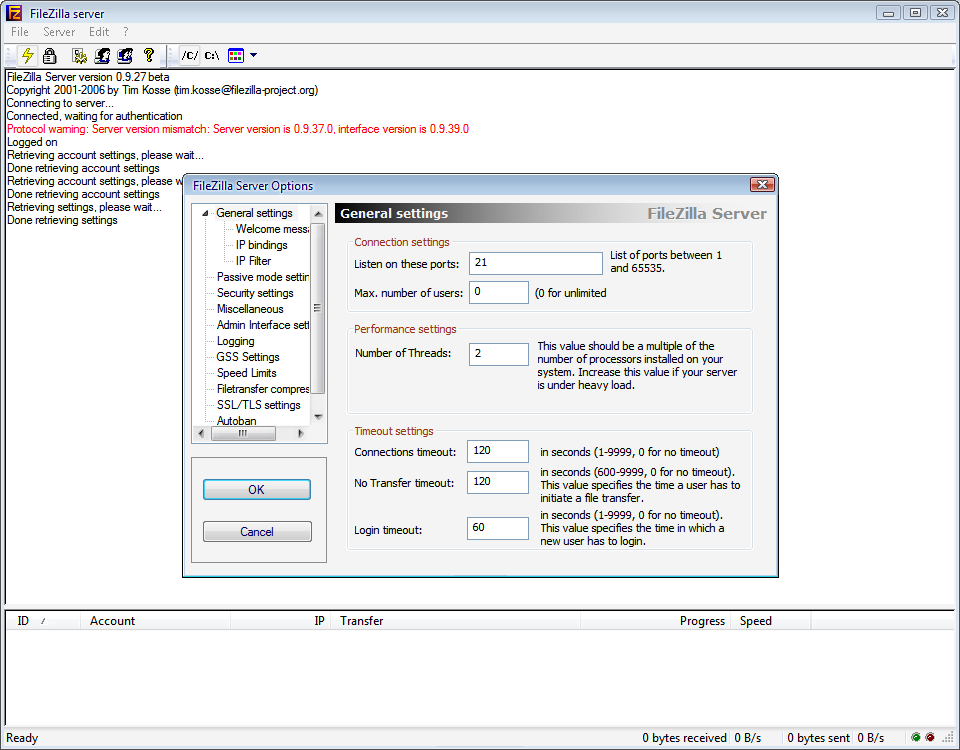
FileZilla Server is an FTP server that supports FTP and FTP over SSL/TLS. FTP over SSL/TLS provides secure encrypted connections to the server. FileZilla supports SSL, the same level of encryption supported by your web browser, to protect your data. When using SSL your data is encrypted so that prying eyes cannot see it, and your confidential information is protected. It also supports on-the-fly data compression, which can improve the transfer rates.
Latest Reviews

Reverb reviewed v0.9.56 on Mar 5, 2016
The best free FTP server for windows supporting all FTP commands (the only free one that supported the REST command). Current version 0.9.56 DOES NOT come bundled with any other software, providing you download it from the Filezilla Server project page.

JethroB reviewed v0.9.47 on Sep 24, 2014
Pretty nasty bundleware, not freeware

smaragdus reviewed v0.9.42 on Dec 19, 2013
FileZilla Server was not bad but degraded to AD-WARE.

inkowyouknow reviewed v0.9.42 on Dec 19, 2013
Works like a charm and has never let me down. Highly recommended.

Aegis69 reviewed v0.9.34 on Dec 31, 2009
I know Linux has a million FTP apps, but please port this one to Linux. I love the interface and the windows client support.

dhry reviewed v0.9.33 on Sep 8, 2009
Absolutely love this program. Have run it for years with absolutely no problems whatsoever. Best thing since my previous favourite, Vermillion FTPD. It doesn't do everything, but what it does do it does very well.

TDreamer reviewed v0.9.31 on Mar 3, 2009
Hey Reverb, as stated on the filezilla info page, and I quote "Support for SFTP (SSH File Transfer Protocol) is not implemented in Filezilla Server. " The client piece supports SFTP. Hope that clears this up.
Reverb reviewed v0.9.30 on Feb 1, 2009
Christian,
I also do a lot of backups with True Image also. You can use any FTP server to do your backups. However you will encounters problems if the server you are using does not properly implement the REST command, which True Image requires to verify and restore from. Likewise if you are downloading a large file but you are somehow disconnected from your FTP server and you want to resume the download REST must be supported. Otherwise it will start from the very beginning.
This new version 0.9.30 does properly support REST as I was able to pause then resume the download of a 100 MB file. With an earlier version I would get a "REST command invalid" in the server's log window.
You can make this portable by selecting the third option during install
"Do not install as service, start server automatically" - this will put the server in your autostart instead of a service. You can use msconfig or manually remove it from the registry after install.
Copy the Filezilla Server directory to your USB flash drive and create shortcuts for the following:
To start, "FileZilla server.exe" /compat /start
To start the interface, just run "FileZilla Server Interface.exe"
All settings are writting to "FileZilla Server.xml" and "FileZilla Server Interface.xml"
Once your done and want to shut down the server make shortcut:
"FileZilla server.exe" /compat /stop and click on to stop and remove it from memory.
Best portable FTP server out there, best free FTP server.

seier reviewed v0.9.29 on Nov 10, 2008
Hey Reverb,
I do a lot of backups using True Image and FileZilla as the FTP recipient. I know backing up works flawlessly, but I'm not sure about restoring. Are you sure there are problems? I have True Image 9 and 11 and both seem to work fine for me. Also I should note, I'm doing this over a 100 to 1000Mbit LAN vs. WAN (aka Internet).
Thanks,
Christian

Scary Guy reviewed v0.9.28 on Nov 7, 2008
TDreamer I could, but I have some stupid friends :D

Reverb reviewed v0.9.56 on Mar 5, 2016
The best free FTP server for windows supporting all FTP commands (the only free one that supported the REST command). Current version 0.9.56 DOES NOT come bundled with any other software, providing you download it from the Filezilla Server project page.
JethroB reviewed v0.9.47 on Sep 24, 2014
Pretty nasty bundleware, not freeware
smaragdus reviewed v0.9.42 on Dec 19, 2013
FileZilla Server was not bad but degraded to AD-WARE.
inkowyouknow reviewed v0.9.42 on Dec 19, 2013
Works like a charm and has never let me down. Highly recommended.
Aegis69 reviewed v0.9.34 on Dec 31, 2009
I know Linux has a million FTP apps, but please port this one to Linux. I love the interface and the windows client support.
dhry reviewed v0.9.33 on Sep 8, 2009
Absolutely love this program. Have run it for years with absolutely no problems whatsoever. Best thing since my previous favourite, Vermillion FTPD. It doesn't do everything, but what it does do it does very well.
TDreamer reviewed v0.9.31 on Mar 3, 2009
Hey Reverb, as stated on the filezilla info page, and I quote "Support for SFTP (SSH File Transfer Protocol) is not implemented in Filezilla Server. " The client piece supports SFTP. Hope that clears this up.
Reverb reviewed v0.9.30 on Feb 1, 2009
Christian,
I also do a lot of backups with True Image also. You can use any FTP server to do your backups. However you will encounters problems if the server you are using does not properly implement the REST command, which True Image requires to verify and restore from. Likewise if you are downloading a large file but you are somehow disconnected from your FTP server and you want to resume the download REST must be supported. Otherwise it will start from the very beginning.
This new version 0.9.30 does properly support REST as I was able to pause then resume the download of a 100 MB file. With an earlier version I would get a "REST command invalid" in the server's log window.
You can make this portable by selecting the third option during install
"Do not install as service, start server automatically" - this will put the server in your autostart instead of a service. You can use msconfig or manually remove it from the registry after install.
Copy the Filezilla Server directory to your USB flash drive and create shortcuts for the following:
To start, "FileZilla server.exe" /compat /start
To start the interface, just run "FileZilla Server Interface.exe"
All settings are writting to "FileZilla Server.xml" and "FileZilla Server Interface.xml"
Once your done and want to shut down the server make shortcut:
"FileZilla server.exe" /compat /stop and click on to stop and remove it from memory.
Best portable FTP server out there, best free FTP server.
seier reviewed v0.9.29 on Nov 10, 2008
Hey Reverb,
I do a lot of backups using True Image and FileZilla as the FTP recipient. I know backing up works flawlessly, but I'm not sure about restoring. Are you sure there are problems? I have True Image 9 and 11 and both seem to work fine for me. Also I should note, I'm doing this over a 100 to 1000Mbit LAN vs. WAN (aka Internet).
Thanks,
Christian
Scary Guy reviewed v0.9.28 on Nov 7, 2008
TDreamer I could, but I have some stupid friends :D
Aegis69 reviewed v0.9.28 on Nov 4, 2008
Autoban feature? Where exactly do you see this? I have been through all the settings and I see nothing...
(edit)
Ah its in the newer versions, I see it now. Ignore me.
Reverb reviewed v0.9.28 on Nov 4, 2008
Probably the best FREE FTP server for Windows.
@TDreamer: Yes, it does have SFTP and FTPS. During
my testing it doesn't appear to properly support the REST command which is required to pause/resume transfers as well as restoring disk images with Acronis and Norton Ghost. If you need a more robust, dedicated FTP server I recommend RAIDENFTP or Serv-U. I haven't tried BPFTP server but the BPFTP client rocks!!
Filezilla server & client have been very useful in scenarios where I had to transfer large amounts of data over LAN/WAN and didn't have the proper permissions to share folders or install software on the PCs. Filezilla is portable and thus saved me time and headaches on numerous occasions. They have a permanent home on my USB flash drive.
Filezilla client portable:
http://portableapps.com/...rnet/filezilla_portable
Filezilla server portable:
http://wiki.uniformserve...r:_Download_and_support
TDreamer reviewed v0.9.27 on Jul 30, 2008
Scary Guy, you could just use the Autoban feature like I do to ban IP after 5 attempts.
I love this software but I wish it could do SFTP.