
File Details |
|
| File Size | 156.3 MB |
|---|---|
| License | Freeware |
| Operating System | Windows (All) |
| Date Added | July 1, 2022 |
| Total Downloads | 187,758 |
| Publisher | Foxit Corporation |
| Homepage | Foxit Reader |
Publisher's Description
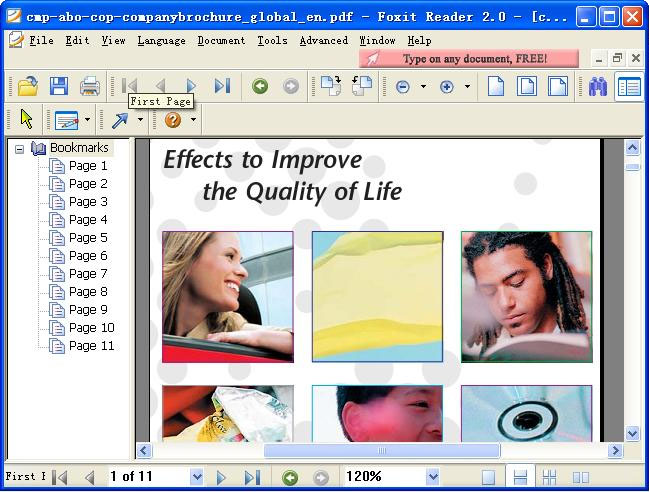
Foxit Reader is a small, fast, and feature rich PDF viewer which allows you to open, view, and print any PDF file. Unlike other free PDF readers, Foxit Reader also includes easy to use collaboration features like the ability to add annotations to PDF, fill out PDF forms, and share information with social networks. Foxit Reader has a small footprint that starts up instantly, renders PDF files quickly and uses very little memory, which is especially important with today's mobile devices. The Foxit Reader is packed full of convenient and easy to use viewing, commenting and printing features that make document collaboration simple. Foxit Reader's PDF secure platform insures worry free operation against malicious virus and provides a secure and reliable digital signature verification platform for PDF documents without putting the user at risk from falsified documents.
Latest Reviews

sophialiu reviewed v8.3.2.25013 on Aug 28, 2017
Today, I come across an wonderful Blu-ray playing software. The F2Fsoft Bluray player can play Blu-ray folder, Blu-ray disc, Blu-ray iso files, different types of DVD and normal videos on TV, PC and PS3. It is powerful but easy-use software. Today, I will share you how to play Blu ray with this player software.

eternia reviewed v8.0.2.805 on Sep 14, 2016
This used to be my favorite pdf reader years ago. But now it sucks. It has big installation file, without any lite version. They installed a lot of unnecessary stuffs into your laptop, namely:
-language proofing tools
-pdf creator
-pdf printer
-browser plugins
-microsoft office plugins
-cloud service
The latter one being the most evil, because we can't opt out. I am pretty sure I ticked the disable check box. But the service is still running. What makes them think I want to store my files in their server? I am very disappointed!

cyberguy reviewed v8.0.2.805 on Aug 9, 2016
This used to be my favorite reader, but I moved away from it when they started adding a lot of unnecessary (to me) stuff. One of the things I liked about foxit was its lightness and no-frills approach to reading pdfs. Sadly Foxit is following Adobe down the bloated reader road. Sad.I can't give it more than a mediocre rating.

Mirage_Etoile reviewed v7.3.4.0311 on Mar 18, 2016
Older versions are light and improve pdf performance.
Anyway better than acrobat yet.

cltx99 reviewed v7.2.0.0722 on Aug 10, 2015
I went to oldapps.com and found Foxit 5.3 For me it's just fine. I don't like or need all of the junk on the newer versions, as my PDF nedds are simple.

nilst2006 reviewed v7.1.5.0425 on Apr 28, 2015
Due to You haven't been able to un-tick their cloud-BS i give it a 3.

reddy.shyam reviewed v7.0.6.1126 on Dec 1, 2014
I love this program. Though getting a bit bloated still best of the PDF readers out their. Constantly improving and listening to the users.

smaragdus reviewed v7.0.3.916 on Sep 24, 2014
Foxit Reader is the worst PDF reader, worse even the Adobe Reader.

FatBastard reviewed v7.0.3.916 on Sep 24, 2014
I loved version 5.x but versions 6.x and 7.x totally suck !!

balanceinmotion reviewed v6.2.3.815 on Sep 24, 2014
great tool

sophialiu reviewed v8.3.2.25013 on Aug 28, 2017
Pros: Today, I come across an wonderful Blu-ray playing software. The F2Fsoft Bluray player can play Blu-ray folder, Blu-ray disc, Blu-ray iso files, different types of DVD and normal videos on TV, PC and PS3. It is powerful but easy-use software. Today, I will share you how to play Blu ray with this player software.
Cons: Today, I come across an wonderful Blu-ray playing software. The F2Fsoft Bluray player can play Blu-ray folder, Blu-ray disc, Blu-ray iso files, different types of DVD and normal videos on TV, PC and PS3. It is powerful but easy-use software. Today, I will share you how to play Blu ray with this player software.
Bottom Line: Today, I come across an wonderful Blu-ray playing software. The F2Fsoft Bluray player can play Blu-ray folder, Blu-ray disc, Blu-ray iso files, different types of DVD and normal videos on TV, PC and PS3. It is powerful but easy-use software. Today, I will share you how to play Blu ray with this player software.
eternia reviewed v8.0.2.805 on Sep 14, 2016
This used to be my favorite pdf reader years ago. But now it sucks. It has big installation file, without any lite version. They installed a lot of unnecessary stuffs into your laptop, namely:
-language proofing tools
-pdf creator
-pdf printer
-browser plugins
-microsoft office plugins
-cloud service
The latter one being the most evil, because we can't opt out. I am pretty sure I ticked the disable check box. But the service is still running. What makes them think I want to store my files in their server? I am very disappointed!
cyberguy reviewed v8.0.2.805 on Aug 9, 2016
This used to be my favorite reader, but I moved away from it when they started adding a lot of unnecessary (to me) stuff. One of the things I liked about foxit was its lightness and no-frills approach to reading pdfs. Sadly Foxit is following Adobe down the bloated reader road. Sad.I can't give it more than a mediocre rating.
Mirage_Etoile reviewed v7.3.4.0311 on Mar 18, 2016
Older versions are light and improve pdf performance.
Anyway better than acrobat yet.
cltx99 reviewed v7.2.0.0722 on Aug 10, 2015
I went to oldapps.com and found Foxit 5.3 For me it's just fine. I don't like or need all of the junk on the newer versions, as my PDF nedds are simple.
nilst2006 reviewed v7.1.5.0425 on Apr 28, 2015
Due to You haven't been able to un-tick their cloud-BS i give it a 3.
reddy.shyam reviewed v7.0.6.1126 on Dec 1, 2014
I love this program. Though getting a bit bloated still best of the PDF readers out their. Constantly improving and listening to the users.
smaragdus reviewed v7.0.3.916 on Sep 24, 2014
Foxit Reader is the worst PDF reader, worse even the Adobe Reader.
FatBastard reviewed v7.0.3.916 on Sep 24, 2014
I loved version 5.x but versions 6.x and 7.x totally suck !!
balanceinmotion reviewed v6.2.3.815 on Sep 24, 2014
great tool
FatBastard reviewed v6.2.3.815 on Aug 20, 2014
I loved 5.x but 6.x totally sucks!

mikebratley reviewed v6.1.4.0217 on Mar 11, 2014
nice

chrispaul reviewed v6.1.2.1224.1 on Feb 17, 2014
pretty good

psycros reviewed v6.1.1.1031 on Nov 3, 2013
Foxit Reader: once a lightweight and non-intrusive alternative to Adobe Reader, it now embodies everything that we hate about Adobe! They actually brag about "social network" features. Do these developers not live in the same reality as the rest of us?

minimarko reviewed v6.1.1.1025 on Oct 29, 2013
I abandoned Foxit a while back but decided to try it again... bad decision. I remember when Foxit first came out and I'm jumped to it to get rid of the giant install print of Adobe Reader. Back when Foxit first came out it was advertised as a much smaller, simpler alternative with a footprint of just over 1 mb. Since then it has ballooned to being almost the same size as Adobe Reader... begging the question: why bother? The unfortunate part of this is that Adobe Reader is almost a required installation on all computers, and 99% of the average novice and intermediate computer users don't use any of the bloated features baked in, except to simply view a PDF.
I suppose if you need plenty features and maybe don't like Adobe Reader it's a nice alternative, but if you want a small, simple reader go with SumatraPDF.

crosseyedlemon reviewed v6.0.6.0722 on Aug 17, 2013
Hilbert brings up some interesting points in his review but personally I don't feel the PDF format was ever designed for the purposes of book reading. I would suggest he convert the books he has in that format to one of the more standard E-book formats. Foxit is a solid replacement for Adobe.

DJE_ reviewed v6.0.6.0722 on Aug 16, 2013
To change to classic toolbar from registry change to 0 from 1
[HKEY_CURRENT_USER\Software\Foxit Software\Foxit Reader 6.0\Windows]
"IsTabbedToolbarMode"=dword:00000000

derekbd reviewed v6.0.3.0524 on Jun 8, 2013
My rating of 4 stars is conditional. I love version 5.4. I know how to adjust everything to suit my simple needs (reading only.)
When I recently allowed the update I was taken aback (quite); the ribbon concept is new to me. For a month or so I just went back to adobe (which I keep on my computer only for those times it's required by some other process.) Then I decided to look at the ribbon, doing a google search and finding some basic help on its use. After a bit of consideration I thought "Why should I change something that has worked for me for years, when I don't have to?"
I deleted v6, went to oldversion.com and grabbed 5.4, put it in place, tweaked all the preferences, including making sure it would never offer me an update. Now I am happy again.
So as far as I am concerned Foxit doesn't need to do any more development. They can shut up shop.

Hilbert reviewed v6.0.3.0524 on May 27, 2013
Well I've just uninstalled Foxit 6x. ...And the uninstall survey at Foxit never even gave me the chance to explain why I did so, so I'll do so here.
Recently, the Foxit PDF viewer has become bloated beyond all recognition--but not so followed by useful function. Why the hell can't Foxit's developers leave well enough alone or just fix its longstanding limitations is beyond me. Foxit has always been promoted as the lightweight viewer that was to outdo Adobe's lumbering behemoth--a feat that's easily accomplished by almost any other PDF viewer product on the market--yet Foxit now stands on the threshold to outdo even Adobe.
Also, the new ribbon UI is absolutely hideous, it's ugly in the extreme but more importantly it takes up far too much valuable screen real estate. Can't these stupid developers realize that vertical resolution is already at a high premium with the wide 'movie-viewing' screens we commonly use today and that such screens are NOT conducive to viewing page or book-shaped data as is so commonly available with the PDF format? Deliberately making the problem worse is just nonsensical.
Even the older standard UI, which you can switch back to if you look hard enough, takes up too much screen real estate (and using full-screen mode isn't necessarily convenient).
It's hard not to get the impression that Foxit's developers spend more time playing games than they do actually using their product or otherwise they'd see what they were doing isn't conducive to user ergonomics when viewing PDF's in a typical PC environment. (And just because Microsoft does something it doesn't mean it's AOK and the world must follow--the ribbon, Vista and Win 8 being three first-class examples of notable M$'s stuff-ups!)
There are many notable issues/problems with Foxit that I could address but I'll limit myself to two: its grindingly slow speed and its essentially useless Text Viewer.
I look at many scanned books in PDF format. If the compression is high and the page background color is noticeable (yellowish/sepia etc.)--which contributes to processing overhead--then Foxit simply grinds to a halt, even on the fastest of PC machines.
By now--with modern machines having plenty of memory--you'd think Foxit would have proper memory management allowing for read-ahead and decompression features that would make the moving around within such books easy to do, however, to put it bluntly moving around a large scanned book with Foxit is simply torturous--painfully tedious in the extreme. With Foxit, it is NOT possible to flip back and forth in a large book without coming to a grinding halt.
On occasions I've been forced to print out several hundred pages to overcome the problem of slow speed. If anyone says I'm exaggerating then I'll gladly provide any number of readily available problematic examples that are on the Internet Archive to illustrate the point. Using Foxit with such books is an excellent example of where the electronic book HAS NOT superseded the traditional physical one. It should not be so.
The second really annoying problem with Foxit is its inanely stupid Text Viewer. This problem has existed with Foxit for generations of versions yet the developers still insist in wasting their with time with nonsense such as the ribbon. It's the usual problem of software development these days--forget the substance of the program and concentrate on useless fluff that's easy to do which is likely to attract the attention of neophytes.
The problem with Foxit's brain-dead Text Viewer is that it adds arbitrary numbers of hard spaces between words as well as hard CR/LFs at end of lines. It does this to give some semblance or justification of the page layout as printed in the book but to do so with fixed-width Courier font is simply farcical. Reformatting this horribly messy text is a nightmare in a word processor as there is any (inconsistent) number of 'random' blanks between words to eliminate to get back to the correct single spacing not to mention eliminating thousands of hard CR/LFs (let alone seeing the adoption of traditional niceties [long-accepted reading ergonomics] of ensuring that sentences are separated by two blank spaces when using fixed-width fonts such as Courier New--a fact known to traditional typewriter typists for well over a 100 years but almost totally lost on the modern IT generation).
At minimum, Foxit should eliminate attempts at justifying text whilst it uses a plain text, fixed-width font output. Ultimately, it would be much better to format pages in HTML, or in Open Document format or even RTF. As it is, the Text Viewer is nigh on useless--one can't even use it to cut-and-paste a title from a book without spending minutes in a word processor reformatting and eliminating unnecessary spaces.
I'll leave the many other problems such as Foxit's inability to properly reduce background (page) colors on old scans, the issue with ads etc. and the longstanding and annoying problem of not holding (remembering) a single page display on wide screens (where it invariably falls back to two pages) for a later review.
If you wish to continue to use Foxit in any serious way then I'd suggest you carefully analyze your usage requirements. I think, in most cases, you'll find that you'd be much better off with earlier versions such as v4.3 or perhaps some other low-footprint PDF viewer that's altogether different.

Artem S. Tashkinov reviewed v6.0.3.0524 on May 26, 2013
Steadily becoming as bloated as Adobe's own PDF reader.

mrainey reviewed v6.0.3.0524 on May 24, 2013
I've used Foxit for years, and still like it. The ribbon can be hidden and the toolbar is highly customizable. Foxit is still fast enough for me.

adamadamadam reviewed v6.0.2.0413 on May 16, 2013
Used to be good but avoid. Becoming ever more bloated and more commercial.
On upgrade without asking my permission it
- made itself default program for PDF
- installed a printer driver
- changed the icon and description for PDF files
On uninstall, it failed to properly undo these steps.

Bos70 reviewed v6.0.2.0413 on Apr 20, 2013
Foxit Reader 6.0.2.0413 -- HORRIBLE. Slower to load than previous version, larger, the ribbon reduces screen space (and, thereby, reduces the vertical space available for the document), and the clutter of icons and text on the ribbon is highly distracting. (It has an unfinished, beta look to it too, as do other programs that use a ribbon.)
I used the previous version of Foxit because it was fast, simple, clean and maximized document area.
I don't see a previous version available on www.foxitsoftware.com . However, I just found the original version that I downloaded last November, FoxitReader543.0920_enu_Setup.exe (15,645,152 bytes), so I'll try to uninstall 6 and reinstall it.
Note -- I previously found that uninstalling Foxit is tricky (not all files removed), when ZoneAlarm reported a virus present in a previous version (ZoneAlarm was happy with 543.0920).
FatBastard reviewed v6.0.2.0413 on Apr 17, 2013
I used to love Foxit Reader but in version 6 they added the ribbon which I bleeping hate!
I will stay with version 5 for now and probably switch to another program in the future
reddy.shyam reviewed v6.0.2.04131 on Apr 16, 2013
Still the best and nice UI changes brought in v6 (if you like windows 8/ribbon UI and stuff).

Zoroaster reviewed v6.0.2.0407 on Apr 11, 2013
Bloated.
Version 5 14MB, version 6 28MB, version 7 on for 56MB ?
Vegas is nice but not for a pdf reader. Slow now, heavy, and version 6 has even become Vegas without the aesthetcs : ugly.
Too many features, I want to fly a Beechcraft when going to PDF, not a A380.
Read a comment stating SumatraPDF, tried it, adopted.

CyberDoc999 reviewed v6.0.2.0407 on Apr 9, 2013
this Bloated and slow
time to use Sumatra pdf

hushthequiet reviewed v5.4.5.1141 on Jan 24, 2013
It would appear that i have made a very grave error using foxit reader.
having saved two completely separate projects in two separate files i assumed when i opened one and the others appeared also- in other tabs- that xing them out wouldn't hurt the file saved elsewhere .
How horrendously wrong I was .
3 hours worth of work lost forever.
I wont bore you with how much I loathe and despise them.
From now on however , if anyone asks me I will tell them the free foxit reader is worth exactly what it costs
or less
a lot less

Music4Ever reviewed v5.4.5.0114 on Jan 16, 2013
Personally Sumatra does the job for me & is faster & smaller, but Foxit is still good & doesn't try to take over the universe like Adobe.

egg83 reviewed v5.4.5.0114 on Jan 16, 2013
Yes, the size of this program has grown over the years, but it still works well for me. Have had no rendering problems with the many documents that I have thrown at it. Still loads quite quickly and handles having several pdf documents open without eating too many resources.

nvic reviewed v5.4.4.1023 on Nov 9, 2012
It's sad seeing this product become bloatware.
Nonetheless, it still works well, is still smaller than Adobe's reader, and doesn't have a pile of crap running in the background.

Lsavagejt reviewed v5.4.3.09201 on Nov 7, 2012
Firefox has built-in pdf capability, but for some reason it is turned off by default. If all you need to do is read pdfs, then you do not need anything else, although Foxit Reader has always been a very reliable product.

Zootopia3001 reviewed v5.4.3.0920 on Sep 27, 2012
Don't see the reason to use this bloated 5 version. Adobe is still supporting Adobe Reader 9.x so all you need is Foxit Reader v4.3.1.0323.
Three stars for this bloated 5 version being that it's still better than the even more bloated Adobe Reader 10 version which I would rate 1 star. Foxit Reader v4.x gets 5 stars.
FatBastard reviewed v5.4.3.0920 on Sep 27, 2012
Haters will hate.
This is a very good pdf-reader.

HeilNizar reviewed v5.4.2.0901 on Sep 6, 2012
My deepest condolences Foxit.
Using PDF-XChange Viewer.

tickleonthetum reviewed v5.3.1.0606 on Jun 11, 2012
Had it's day!
I know use SumatraPDF, which supports PDFs, CBRs, CBZs, EPUBs & MOBI books as well!

jakebathman reviewed v5.3.0.0423 on May 8, 2012
Used to be my go-to, super fast PDF reader alternative, and I swore up and down to anyone that would listen.
Now it's very bloated, slow, etc. Sad to say I'm now uninstalling and switching (probably to Sumatra PDF).

NormanC reviewed v5.3.0.0423 on May 7, 2012
Foxit is becoming as bloated as Adobe now, plus the Ask/spyware/junkware I'm done with it.
Sumatra PDF is now the best PDF viewer out there.
psycros reviewed v5.3.0.0423 on May 3, 2012
Foxit has reached a new low, graduating from pre-checked homepage hijacking and ignoring your file association choices to actually embedding malware in their product. Truly sad..I actually liked this program. ***DANGER - AVOID***
nilst2006 reviewed v5.1.4 on Apr 29, 2012
Fox(sh)*t Malware ! Boycott this BS !

gurgle reviewed v5.1.4 on Feb 15, 2012
was neat and fast, but last three versions are on their way to be as bloated as adobe. useless by now as there are much better unbloated free alternatives

Input Overload reviewed v5.1.4 on Jan 7, 2012
Good but I much prefer Sumatra which is smaller faster & renders even complicated electronic schematics correctly & is totally true Freeware.

guti reviewed v5.1.4 on Jan 7, 2012
Was a regular user during Foxit 1.x and 2.x. Starting with 3.x it bloatted (at the maximum of version 5).
Lots of features available, but less than Acrobat. Maybe you want to try PDF-XChange, SumatraPDF, or SumatraPDFOpt.

paulglassman reviewed v5.1.3 Build 1201 on Dec 16, 2011
Foxit is a very handy tool for making comments on or filling in PDFs that otherwise don't allow for those functions. But BEWARE: even if you specify that it not be the default reader, it will usually be the default reader. And you will waste countless minutes if, for example, you want to print a shipping label from the U. S. Postal Service online, which only works with Adobe Reader. Foxit invades that print option as well and prevents the label from printing. All in all a useful tool with despicable invasive capabilities. I have to confess that I continually install and un-install it, since the type feature, which is hard to find, by the way, is so handy.

ILLEGALien reviewed v5.1.0 Build 1021 on Oct 26, 2011
Classic toolbar view is added back in 5.1 so it's much more acceptable than the 5.0.x atrocity.
gurgle reviewed v5.1.0 Build 1021 on Oct 26, 2011
Why must every good software become bloated by adding completely useless features? It was great soft while being small and fast - sadly more!
Lsavagejt reviewed v5.1.0 Build 1021 on Oct 26, 2011
It's OK.

Sorb reviewed v5.0.2.0718 on Sep 22, 2011
I don't love the new version either but the final straw was when the upgrade installer completely messed up all my desktop icons for the last time. Nobody needs this, just install SumatraPDF instead.

Sinister reviewed v5.0.2.0718 on Jul 25, 2011
Used previous versions extensively and loved them for sleek design and fast operation. Version 5 lacks both speed and visual simplicity. Had to uninstall it and revert to 4.3 (it is still available on the official site). Hopefully, Foxit will listen to users and give us back power and speed of previous versions. Otherwise, I'll have to switch to Sumatra or Adobe.
tickleonthetum reviewed v5.0.2.0718 on Jul 23, 2011
Foxit now forces you to choose from 4 garish colour themes, black, blue, orange and purple. It also now uses non standard Windows as well.
Functionally the Navigation Toolbar has gone. It's also becoming very bloated with unneeded features and bundled spamware...
Quite frankly it looks hideous and is harder to use.!
Used to love it, now hate it and will start looking for something else...
I have now gone back to the official Adobe version!

rafu reviewed v5.0.2.0718 on Jul 23, 2011
I used to use Foxit Reader due to 1 file only and its tiny size. Version 5 is a garbage with size of 50mb!
Lsavagejt reviewed v5.0.2.0718 on Jul 22, 2011
Ask toolbar IS optional. I just downloaded the latest Foxit version and there is no Ask toolbar. Otherwise Foxit stays out of the way, integrates well with Firefox, consumes 0 resources when not in use (don't know about when I am using it), doesn't phone home, doesn't nag or crash. It simply does what I need it to do, which isn't often, and it' STILL free, with no hidden gimmicks.

DaCash reviewed v5.0.2.0718 on Jul 22, 2011
No more portable version, mandatory Ask toolbar, not as agile as used to be.
I'll stick with 4.3.x and other pdf readers

lookmann reviewed v5.0.2.0718 on Jul 22, 2011
i no longer use the drab, bloated foxit reader. try pdf exchange viewer and you'll have no reason to complain. and its gui colour change option in the 'view' menu is simply awesome.
i give 2 points to foxit, just because it works atleast,after all the baggage it carries recently.

no1 reviewed v5.0.2.0718 on Jul 21, 2011
Used to be my favourite PDF viewer, but it's now (especially in v5) become slow and bloated. Foxit have totally lost sight of their original unique selling point of being small, lean and efficient.

GrailKnight reviewed v5.0.2.0718 on Jul 21, 2011
I no longer will use Foxit since the developers decided the Ask Toolbar would be installed even after I unchecked it.
Installed SumatraPDF and it does the job fine.

antigin reviewed v5.0.1.0523 on Jul 19, 2011
Sad to say, but Foxit became a real crap. Installs Ask Toolbar, even after unchecking Toobar installing. Hate this! That's totally lame and unfair.

uzi reviewed v5.0.1.0523 on Jun 5, 2011
While most of the "added value" parasites that are now part of Foxit can be elliminated one way or the other. The Ask Toolbar can be removed, and the ads and first page annoyances can be disabled. It is no longer a "fast and lightware" PDF reader. even after removing all the added annoyances, it is still much heavier than version 4. It seems that while Foxit enjoyed the path that Adobe took to make their reader very heavy, Foxit now goes exactly the same path.
For now I'll continue to use Foxit, Reader but will look for alternatives that support recent PDF standards, while being truly "fast and lightweight".

compmaint reviewed v5.0.1.0523 on Jun 1, 2011
I like Foxit Reader, but this new update is ridiculous as it forces you to install the Ask toolbar and change your search and homepage to Ask. Here's how to avoid that mess:
http://www.computer-main...ating-to-foxit-reader-5

MrBongo reviewed v5.0.1.0523 on May 27, 2011
Whether or not there is a version that doesn't install the Ask toolbar drivel is neither her nor there. Foxit aren't the first to employ this tactic and probably wont be the last. Disappointing to say the least. I've switched to PDF X-Change. http://www.tracker-softw...duct/pdf-xchange-viewer
nvic reviewed v5.0.1.0523 on May 27, 2011
As others have said, the normal installer now forces a toolbar on you. Get the MSI version to avoid the toolbar.
Also of note: The program now has a "Start Page" which shows your PDF history and runs ads for Foxit's commercial products when no PDF is open. You can turn off the "start page" in the settings if you're annoyed by the ads.
Aside froml the advertising, it works as labeled. I've been using Foxit since the 2.x days, and have never been disappointed.
4 of 5 because of forced toolbar in normal installer.

MickyFoley reviewed v5.0.1.0523 on May 26, 2011
FileForums now included the.MSI, which should not have any toolbar inside.

ZenWarrior reviewed v5.0.1.0523 on May 26, 2011
Now no choice but to also install an useless toobar. It was fun while it lasted, Foxit Reader, but I'm off to find software which doesn't force me to install a toolbar--or at least offers me the option of paying to avoid it. Now, where's another PDF reader?
Edit: MajorGeeks and no toolbar? Wrong! Tried it. Same thing there. Foxit Reader is dead.

Bala7 reviewed v5.0.1.0523 on May 26, 2011
WARNING: this thread is being monitored and censored of any critical posts.
Shame on you FileForum!
From the Foxit Forums on forced installation of toolbar:
http://forums.foxitsoftw...installation-of-toolbar
Alternatives:
PDF-XChange Viewer - excellent
Nitro PDF - very good, pro ver available with more features.

nheimler reviewed v5.0.1.0523 on May 26, 2011
I'm seeing everyone that got stuck with the Ask Toolbar, but I've installed this on several PCs today downloading the file from MajorGeeks and I've not seen it install Ask Toolbar once.
Great alternative to Adobe Reader! Can even disable the ads and ad bar in Foxit without a hitch. Very nice and well done!

been reviewed v5.0.1.0523 on May 26, 2011
It's no longer possible to install Foxit without also accepting the Ask toolbar ... as such this program is now adware and I hope FF will reclassify it. I shall certainly be finding a new pdf reader.

Orbitration reviewed v5.0.1.0523 on May 26, 2011
My only criticism is that the godawful Ask Toolbar absolutely installs itself regardless if you uncheck the boxes.
I really really hate the Ask Trojan Bar
reddy.shyam reviewed v5.0.1.0523 on May 26, 2011
Best Adore reader alternative and light weight. Been using it for 2 years now. Serves my purpose. Thanks to the author.
# New Features:
* Supports XFA form filling.
* Supports to open the RMS¨Cprotected PDFs with Foxit Reader.
* Supports to customize shortcut keys for various commands.
* Supports to reload the opened PDF document that is modified by other PDF tools.
* The new Split View mode allows you to divide the PDFs into two panes or four panes.
* Fit Visible mode enables the PDF pages to fit the width of the window.
* Supports Tabbed Toolbar Mode.
* Supports 11 different page transition types in the full screen mode.
* Offers four nice skins for appearance change.
* Supports to search keywords in the comment and bookmark.
* Enables you to preview a PDF attachment in Microsoft Outlook.
* Displays the PDF files in the Windows Explorer as the thumbnails if Foxit Reader has been set as the default PDF viewer.
* Adds more available command lines.
# Bug Fixes:
* Fixed an unexpected termination of Foxit Reader when opening some affected PDF files.

Evalu8 reviewed v4.3.1.0323 on Apr 22, 2011
Finally had enough of Adobe Reader slowing my system down, so turned back to this, now that the version number's gone up. I'm impressed. Very quick. No need for install by downloading the zip file from the foxit website. My laptop is breathing again. Overall resolution is very good, though images in documents could be improved. This has come on leaps and bounds since I last tried it in the early days. A highly recommended alternative for casual pdf readers.
Lsavagejt reviewed v4.3.1.0323 on Mar 25, 2011
It's hard to get excited about a pdf reader but this one's probably the best.
Yes, on install there are options for crap, but those options can be deselected. Otherwise it stays totally out of the way until you need it (integrates perfectly with Firefox with minimal overhead, and is well maintained)--- Good stuff.
Input Overload reviewed v4.3.1.0323 on Mar 24, 2011
Very nice viewer, I don't like Adobe reader/acrobat and this is far less intrusive than that piece of junk. Grrrrrrrr to Adobe.

soldier1st reviewed v4.3.1.0218 on Feb 27, 2011
very good pdf reader and ir works with almost every pdf out there but it is constantky improving. the exe version includes crapware but yet the msi one does not.
tickleonthetum reviewed v4.3.1.0218 on Feb 24, 2011
Been using this for years no complaints.
@SoundMix: The download is 7.5 MB, and the installed program is 11.5 MB so I don't know where you get your 5KB from?! However as Adobe Reader is a 22MB download alone, the point is the same!

SoundMix reviewed v4.3.1.0218 on Feb 24, 2011
This is the BEST PDF file reader out there. Why is it the best? It is the most secure, company is a Microsoft Partner, it does not have ANY crapware as mentioned below, fast, free, fills forms, small footprint, integrates with browser if desired, does not need to be used with installer (zip file version which is not shown on betafiles), portable version (also not shown), and much more. I've been using it for years and have never had a problem. Have it installed on dozens of computers.
YoungOldies: You are clueless about the size of this program, try 7k, look at your Adobe folders, they are way biigger.

Cris3 reviewed v4.3.1.0118 on Feb 2, 2011
Hey, how come I didn't get the ask toolbar? Adobe first made me load the Adobe Download Manager. Then snuck in the Google tool bar. The file was corrupted so wouldn't load. Got it from a different browser but wouldn't open a PDF off an ASUS disc that had the manuals on it.
Loaded up Foxit and I was able to read the manuals and have real functions I can work with.
Complaining about it loading the Ask bar. Uncheck it or uninstall it is all. Try and find good free software that doesn't try to slip in something on you these days. We're in a recession. The software writers have to eat and pay their mortgage. Be glad it works and its free.

kbsoftware reviewed v4.3.1.0118 on Jan 20, 2011
A few years ago used to be my favorite pdf viewer but it's seriously gone downhill, especially with all the crapware, ask yikes.
Now I recommend pdf xchange viewer, what Foxit could of been but missed the mark by a mile. It's free but there's also a paid version.

YoungOldies reviewed v4.3.1.0118 on Jan 20, 2011
Why install this crapware, it's even bigger than Adobe's original.
Do yourself a favor and install a small and fast alternative instead of this malware ridden piece of slow bloat.

johnusa reviewed v4.3.1.0118 on Jan 20, 2011
To "reviewer" and all other users who are complaining about this software's installing the "Ask" toolbar.
You must not be following the correct procedures to not install this toolbar, as I just downloaded the "exe" file from here, installed it and did "reject" the "Ask" license and deselecting all "Ask" option boxes, and when the setup was completed the "Ask" toolbar was NOT installed.
You must be doing something wrong. Please follow proper installation procedures and pay attention on what you are selecting and clicking.

reviewer reviewed v4.3.0.1110 on Jan 15, 2011
Actually it does install the Ask Toolbar (even behind your back) but it depends on what installer you downloaded (yes, there are two, which is a stupid thing but both are signed by Foxit [so they are official installers]).
If you downloaded the:
msi installer, you will NOT be forced to use the ask toolbar.
exe installer, you WILL be forced to use the ask toolbar.
So stop calling each other names and realize that, yes, Foxit is distributing itself with Adware, it might be a nice PDF reader (I use it and hate its guts [it does too many sneaky things while installed]) but the company is practicing shady methods. I would advise you to choose a different product.

maks7 reviewed v4.3.0.1110 on Dec 7, 2010
In my opinion PDF-XChange is the fastest, most feature rich alternative to Acrobat. And it's FREE! I prefer PDF-XChange to Foxit (and Adobe, of course).

pjafrombbay reviewed v4.3.0.1110 on Nov 18, 2010
How does this spy-ware/spam infected rubbish still rate at 4.1 stars? Do yourself a favour and try PDF-XChange Viewer (http://www.tracker-software.com/) - this is what Foxit Reader used to be/could have been like.
I would rate Foxit at "0" if it was possible.
Peter

pjb reviewed v4.2.0.928 on Sep 29, 2010
@ dotnetnightmare - must be your install of FF that is corrupt.
I have not had any issues on loads of PC's I use with Windows 7 and FF 3 & FF 4 Beta and FF Minefield Builds. All PDF's I have needed open ok in the browser with Foxit.
Good application, small download, good functionality and less bloat than Adobe.

dotnetnightmare reviewed v4.1.1.805 on Aug 19, 2010
It lacks a working plug-in for Firefox. You can download a PDF and then open it. Deal Breaker! I even tried the "Phantom" suite and had the same problem. Adobe opens PDF's in Firefox for my viewing pleasure and then, if I choose, download the file.

Virtual_ManPL reviewed v4.1.1.805 on Aug 9, 2010
Download ZIP from the official website and stop crying about installed plugins and toolbars which you can disselect during installation...
Still the fastest in browsing PDFs

FixXxeR reviewed v4.1.1.805 on Aug 8, 2010
Below is a link to a screencast recording of the current installer posted to betanews.
http://www.screencast.co...-4c6f-b344-dc99d2d5ae00
Note, I unchecked 4 boxes and clicked decline. No spyware installed at all, no toolbars, nothing but the main program. Perhaps taking a second to read instead of blindly clicking will solve your problems.
And no, I am not promoting foxit reader, even thou I do own a license for the reader pro pack, and pdf creator. I currently use Adobe reader as it is very quick and responsive on my systems. Just wanted to disspell the bashing and FUD being spread by some of these "reviewers" against this decent alternative reader.

Wilfried reviewed v4.1.1.805 on Aug 7, 2010
The moment you are presented with the FAKE "Should I install ASK crap" window, the spyware is already running on your system.
This spyware runs on a "per-gamble" basis, meaning it will not always install the spyware, so that people would say to others, "Hey, get this one from this site, it's spyware free", while in reality it isn't.
Get SumatraPDF if reading PDF is all that you need, it's lightning fast and doesn't even require installation.
FoxItReader is now on the HpHosts BLACKLIST for continuous spreading of spyware.
Bala7 reviewed v4.1.1.805 on Aug 6, 2010
All you Foxit sycophants are in serious need to re-education.
Foxit continues to use deceptive practices to trick the user into installing the ask toolbar. The very fact Foxit bundles known adware/spyware with their program means Foxit is NOT freeware but Adware.
There are too many high quality PDF readers for absolutely free without any deceptive installs. Example: Nitro PDF and the unbelievably full featured PDF-XChange Viewer available as .exe and .msi installers and also portable version. http://www.docu-track.com/downloads/users/

RWW reviewed v4.1.1.805 on Aug 6, 2010
I really like this program but it still puts the Ask toolbar into my machine even when I clear the boxes.
So I finally give it a four even though the program itself is great.
Input Overload reviewed v4.1.1.805 on Aug 6, 2010
Great reader, quick start, blows Adobe Reader into the weeds. As below you don't have to install the tool-bar.
Bala7, you are as we say in the UK a Fat-Head.
I actually use PDF-Viewer on this PC & have Foxit on one of my laptops & other PC's I care for who want Foxit as choice, none have traces of ask.com in the registry's. Do you think we were all born yesterday?
And as a point, installing the FREE PDF-Viewer using YOUR link my firewall caught the installer attempting to connect with 'Ask Install Checker'. IP 66.235.120.104. Using port 80. dl.iad.ask.com. - Most interesting. the URL the IP points to is:
http://sp.ask.com/toolba...ll/web/ask/download.php. I rest my case.
Virtual_ManPL reviewed v4.1.0.0726 on Aug 6, 2010
Download ZIP from the official website and stop crying about installed plugins and toolbars which you can disselect during installation...
Still the fastest in browsing PDFs
reddy.shyam reviewed v4.1.0.0726 on Aug 4, 2010
Light weight freeware and as good as any professional pdf reader. Guys, just clicking 'Decline' on ask toolbar installation page, will continue with normal installation. Little inconvenience to us but its a freeware and they have to make money someway. Hope you will all understand.

MikeEx reviewed v4.1.0.0726 on Aug 4, 2010
The installer tricks those who jam the 'next' button into installing ask toolbar.
Simply hitting [I Decline] on the ask toolbar screen will continue to the Foxit Reader installer.
Bala7 reviewed v4.1.0.0726 on Aug 3, 2010
Installs the Ask toolbar whether you want it or not. Unchecking Ask during install is not respected. Foxit is ADWARE not freeware.

sammCA reviewed v4.0.0.0619 on Jul 26, 2010
Not sure what the problem is with Ask or other options. There is "Preferences | Internet | Hide Ask.com Search button", if that helps. The other options, typically tied with the purchased version, I simply don't select. Seems a small effort for a good, free tool. /Cheers
pjafrombbay reviewed v4.0.0.0619 on Jul 3, 2010
I've had it with this product. Its a very good PDF reader but they package it with the Ask Toolbar which is installed even when you specifically de-select the option.
I'd rather pay a small shareware fee than put up with this underhand behavior.
I'll go back to Adaobe or another viewer.
Peter
Virtual_ManPL reviewed v4.0.0.0619 on Jul 3, 2010
Download ZIP from the official website and stop crying about installed plugins and toolbars which you can disselect during installation...
Still the fastest in browsing PDFs
Lsavagejt reviewed v4.0.0.0619 on Jun 30, 2010
Have to be careful not to use its updater, and it wants to install a bunch of crap like toolbars and front page b.h.o.s- Yuck! but it does have a nice Firefox plugin. Anyway.....

Jan Walsschaert reviewed v4.0.0.0619 on Jun 29, 2010
It's perhaps more bloated than the original.
For simple a lightning fast viewing, just get SUMATRA PDF Viewer,
you don't even need to install that program.

ac_zr5002002 reviewed v4.0.0.0619 on Jun 29, 2010
I've been using FoxIt happily for a couple years now, until recently. Most pdf that I attempt to open from a webpage hang foxit.
The last straw was Foxit installing an IE and FireFox toolbar, which I can not remove from IE. Onto next free PDF reader. Goodbye

anonymouscowturd reviewed v4.0.0.0619 on Jun 29, 2010
So Foxit just decided to hijack my default setting for PDF reader from PDFX-Change Viewer.
Take a running jump over that cliff Foxit....

therube reviewed v4.0.0.0619 on Jun 29, 2010
* Added a advanced set of professional features
The New Reader 4.0 now includes Comments tools, Text Viewer & Text Converter, Form Filler, Spell Checker and Advanced Editing Tools; and it is still free. No additional licensing is required for more features with PDFs.
* Enhanced Safe Mode Setting
Supports Safe Mode settings during installation, streamlining the workflow and offering better protection with PDF File.
* Bug Fixes:
Fixed the crash issue when opening certain PDF documents.

dirhtml reviewed v4.0.0.0619 on Jun 29, 2010
Good, but a distant second place to PDF X-Change viewer.

DKDude reviewed v3.3.1.0518 on May 30, 2010
How difficult is it to disable the searchbar.
here's a snap from the installing process.
http://img203.imageshack...img203/6548/numbnut.png
Only tools who press next without reading wil get the searvhbar.
Jan Walsschaert reviewed v3.3.1.0518 on May 21, 2010
Top Rated Malware !
Virtual_ManPL reviewed v3.3.1.0518 on May 21, 2010
us3r = butthurted user who cant even read and download ZIP pack without any toolbars...
so CRY SOME MORE...
5/5
P.S. Pierdol sie ;)

us3r reviewed v3.3.1.0518 on May 20, 2010
@Virtual_ManPL
You fk moron. At least read the change log before posting such a retarded comment.
'Many Bug Fixes'
Fixes some bugs from previous versions including an issue where Ask Toolbar may be installed by default.
therube reviewed v3.3.1.0518 on May 20, 2010
Virtual_ManPL reviewed v3.3.0.0430 on May 5, 2010
5/5
lulz for n00bs who installs toolbar clicking only next... next like idiots...

beelzebub360 reviewed v3.3.0.0430 on May 4, 2010
I don't really see whats bad about it.
Its still tremendously faster and less bloated then Adobe & it opens and lets you read PDFs
What do you want from it?
It does what it was made to do.Still a fine program &anyone saying that it is worse then the original without giving any solid reasons are just talking trash.
Do not click through the install w/o reading & you will be fine!![untick toolbar installation]
A version w/o toolbar is availabe too
therube reviewed v3.3.0.0430 on May 4, 2010
v3.3 New features:
* Secure Trust Manager
The new Secure Trust Manager enables users to allow or deny unauthorized actions and data transmission, including URL connection, attachments PDF actions, and JavaScript functions; efficiently avoiding the attack from malicious contents and viruses.
* Improved Ask Search Button Setting
Enables users to show or hide the Ask Search Button in the Preferences menu.
* Many Bug Fixes
Fixes some bugs from previous versions including an issue where Ask Toolbar may be installed by default.

Alexander-GG reviewed v3.2.1.0401 on Apr 26, 2010
Very low quality. Ask/Foxit toolbar is installed by default without permission. Real peace of sh*t.

cricri_pingouin reviewed v3.2.1.0401 on Apr 15, 2010
Install the sodding Ask toolbar (sleazily renamed Foxit toolbar) no matter what your setup choices are, toolbar which is subsequently a pain in the butt to remove. Hence not freeware but adware, and any such software gets a red card from me. Another promising product falling as casualty from greed.

sjk1000 reviewed v3.2.1.0401 on Apr 15, 2010
Update from showing Foxit support this forum:
Hello I am sorry for the changes it's made to your system. Here is a link to
the reader with no toolbars
http://developer.foxitso...oadfile.php?fileId=9774
or the msi version
http://downloads.foxitso...pe=msi&mirror=cdn01
Thank You
My original review on this forum:
Warning. This installs toolbars and changes the home page and default search engines across all browsers without asking for any permissions. Do not install unless you support this kind of thing and/or want to go through and reset all this. Also not sure how many other changes it's made to my system. I consider this as malware.
I've no idea how well the software works. Uninstalling
Note that this software does have an uninstaller

deadzone reviewed v3.2.1.0401 on Apr 14, 2010
I guess the author's greed finally got the better of him, now that he's forcing Ask.com crap on the user without their permission. Thanks for the old versions, but it's time to switch to Sumatra.

uberfly reviewed v3.2.1.0401 on Apr 5, 2010
It works well, but yes, this software does now install the ask.com toolbar and changes the home page on your browsers, without even the slightest tip-off that it's about to do so. Even the custom install route doesn't bother to mention it. So Foxit Software, nice alternative to Acrobat, but you guys are trash.

jotte_ct reviewed v3.2.1.0401 on Apr 5, 2010
Beware! It will install Ask components regardless of your selections during the setup process!
therube reviewed v3.2.1.0401 on Apr 2, 2010
Version 3.2.1 has fixed a security vulnerability.
Vulnerability Fixed: Foxit Reader will run executable program embedded inside a PDF automatically without asking for user’s permission.
Virtual_ManPL reviewed v3.2.0.0303 on Mar 13, 2010
5/5
for superior page caching and image method scaling
Artem S. Tashkinov reviewed v3.2.0.0303 on Mar 12, 2010
It's getting bigger and bigger and soon will match Adobe's own PDF reader? No, thanks.
I'm about to switch to STDU Viewer.
reddy.shyam reviewed v3.2.0.0303 on Mar 12, 2010
Still the best!

ballyhairs reviewed v3.2.0.0303 on Mar 11, 2010
Used to like it till I tried PDF-XChange
Its good one though, but that one is better.
FatBastard reviewed v3.1.4.1125 on Nov 30, 2009
Thank god for this software. It's like a thousand times better than Adobe Reader...

DudeBoyz reviewed v3.1.3.1030 on Nov 22, 2009
My needs are simpler than what this product can provide, but in testing I still find that for accessing / viewing PDF files, this product is not as smooth and consistent as I would like it to be. Sumatra PDF 1.0 provides a better experience for me, though Foxit is no slouch. It's just that it's not as good as I had expected, given the recommendations that I have fielded from fellow users.
Suggestions and feedback has been sent in the hopes that the programmers will take them into consideration. There is little use complaining if you do not make an honest effort to help see the product improved, I guess.
Here's hoping.
Virtual_ManPL reviewed v3.1.2.1013 on Oct 21, 2009
5/5
egg83 reviewed v3.1.2.1013 on Oct 14, 2009
Program works fine, no problem with rendering most PDFs, but have had problem on Vista, the UAC keeps popping up with the most recent releases when program launches. Hmm. Did not do this before.
therube reviewed v3.1.2.1013 on Oct 14, 2009
(3.1.2.1013) Bug Fixed
Fix the memory leak issue where the memory usage will be kept growing while viewing PDF files with Foxit Reader.
http://forums.foxitsoftw.../showthread.php?t=15481

Young Strider reviewed v3.1.2.1013 on Oct 14, 2009
It's getting bigger and bloatier than it's father due to all spyware and nagware.

Diam0nd reviewed v3.1.2.1013 on Oct 14, 2009
Best pdf reader available on the market. Owns Adobe Reader in ANY and every respect.
And sorry guys, I don't see any bloat.

Daddy_Spank reviewed v3.1.2.1013 on Oct 14, 2009
This program is getting bloated compared with earlier versions..... very unfortunate!!!

Joseph A reviewed v3.1.2.1013 on Oct 13, 2009
For anonymouscowturd,
Try this link at the publisher's site:
http://www.foxitsoftware.com/downloads/index.php
There you'll find the true 3.1.2.1013 version (I suppose).
anonymouscowturd reviewed v3.1.2.1013 on Oct 13, 2009
This is getting ridiculous. Again i download and install. And again the result is the previous version 3.1.1.928.Not the version stated on FileForum 3.1.2.1013.
Someone somewhere is dropping the ball on this...
Virtual_ManPL reviewed v3.1.1.0928 on Oct 9, 2009
still 5/5 for me
@ anonymouscowturd - remember that you can download MSI or ZIP file and extract only exe...
and you can disable ad in program if you want ;)
reddy.shyam reviewed v3.1.1.0928 on Sep 29, 2009
On the official site shows Foxit Reader 3.1.1.0901. I cannot find the mentioned version any where.
Though bundled with other software, its optional to install. So thats ok.
Edit: Official site now reflects fileforum version.
anonymouscowturd reviewed v3.1.1.0928 on Sep 28, 2009
Don't know about you guys but downloading from Fileforum still gives me the 3.1.1.901 version not the 3.1.1.0928 as stated.
Secondly what the hell is with bundling google toolbars and e-bay links?
What happened to you Foxit? You used to be cool.
PDF X-Change Viewer is now my first choice.
Diam0nd,
Every other application out there gets a slating for bundling and not just from me. That includes the java installer, Chrome and a myriad of others. Being able to uncheck the option isn't really the point. If you went to buy groceries and the person at the check out asked you a cluster of questions every time would you not get a little bit peeved? People ditch apps because of such things so it's not really a good direction to go in. Just my two cents. Incidentally you mention CCleaner, but i only ever use the zipped/portable version which is why i never picked up on it.
Diam0nd reviewed v3.1.1.0928 on Sep 28, 2009
Simply the best pdf reader around. Some of the others might be OK, but are too simplistic, imho.
I prefer FoxIt Phantom now, since it's basically the same Reader, BUT with an ability to edit PDFs, stamp them (approved, verified, etc) and correct whatever I might see fit. AND it's also as fast the the Reader. Quite an addition to their line-up!
anomoly:
Ever tried installing anything using CUSTOM installation? Almost EVERY program I know tries to install crap by default, I mean, cmon it's the internet age, use custom installation already.
FoxIt Reader is free, and I don't blame authors that they are trying to make a living for themselves.
anonymouscowturd:
Is there a reason you can't UNCHECK all that stuff during installation? I mean, Google Chrome offers installing s*** too, CCleaner too, and I can go on and on. NO program forces you to install stuff.
Diam0nd reviewed v3.1.1.0901 on Sep 11, 2009
This reader is a total must-have for anyone who's ever used a PDF. But their Foxit Phantom is simply amazing. It's basically the same Foxit Reader, BUT with all the functionale of a full-fledged pdf editor. AMAZING!!!

anomoly reviewed v3.1.1.0901 on Sep 3, 2009
The portable version is only 6.95 M using ap compactor.
Too bad it tries to install crap and hijack your browser by default
Virtual_ManPL reviewed v3.1.0.0824 on Aug 25, 2009
5/5
@ uzi - you can disable small ads like Ryusennin said...
and if you dont want bloadware simply download ZIP pack or extract from MSI... ;)

Ryusennin reviewed v3.1.0.0824 on Aug 24, 2009
"there is no way to turn off the internal ads"
Right-click on any toolbar > Advertisement
uzi reviewed v3.1.0.0824 on Aug 24, 2009
I am quite disapponted with the direction Foxit took lately. Version 3.0 is excellent if you are careful enough not to install the unwanted "value added" things, during the installation. Version 3.1 took things further that way. Now it really goes in the direction of becoming a bloatware. Who needs an internet search bar inside a PDF viewer? and now it seems that there is no way to turn off the internal ads (in version 3.0 there is).
Now when I reverted back to version 3.0, it practically means that the version I use will no longer be maintained.

Infidelus reviewed v3.1.0.0824 on Aug 24, 2009
Nice little app that I've been using for ~3 years now. No installer required, just run the exe. Does what it says on the tin, and no crap bloatware like Adobe.
Never liked the Pointless Document Format anyway, but if I absolutely have to use it, Foxit scores a win here.
5/5 from me
Virtual_ManPL reviewed v3.0 Build 1817 on Jul 22, 2009
Lightweight PDF viewer...
anomoly reviewed v3.0 Build 1817 on Jun 30, 2009
No need to install period as there is a compressable portable version. Has too many dead pro options with the "if you do not want to see this again, click here bs" boxes. Advertising is built into the help menu, and Foxit's claims of it being secure and not accessing the internet without asking is PURE BS. All you have to do is open the help menu & it's already reaching without asking I might add.. Looks a 1000 % better than I remember but is an advertising LOAD of crap. I'll stick with pdfxchange. At least they aren't trying to sell you something that has nothing to do with pdf's whatsoever. And pdfxchange never asks until u do.

STDUSupport reviewed v3.0 Build 1817 on Jun 22, 2009
Good software.
But STDU Viewer from stdutility.com more better. And can read images and DjVu files.
egg83 reviewed v3.0 Build 1817 on Jun 22, 2009
Really like this program, lightweight, and not bloated like Adobe, deserves 6 stars. Some may not like the program, that is why they have the uninstaller.
GrailKnight reviewed v3.0 Build 1817 on Jun 22, 2009
Still a fine program and anyone saying that it is worse then the original without giving any reasons are just talking trash.
Do not click through the install and you will be fine.

Zanyth0x42 reviewed v3.0 Build 1817 on Jun 19, 2009
Great PDF Viewer, nice, lightweight and fast, great plugin for Firefox etc;

statm1 reviewed v3.0 Build 1817 on Jun 19, 2009
I don't really see whats bad about it. Its still tremendously faster and less bloated then Adobe and it opens and lets you read PDFs. What do you want from it? It does what it was made to do.

bigmama reviewed v3.0 Build 1817 on Jun 19, 2009
i agree that has become worse than the original.
if you want an alternative portable and free pdf reader try sumatra

Juhandra reviewed v3.0 Build 1817 on Jun 19, 2009
Has become worse than the original.
uzi reviewed v3.0 Build 1506 on Mar 30, 2009
Foxit reader is a much better replacement for Adobe.
Most of the problems it had in former versions are now solved.
One should be careful during the installation if one wants Foxit to be free from an irrelevant toolbar, an irrelevant shortcut to e-bay. During installation, choose custom installation, then choose not to install the Foxit toolbar, and in the next installation screen choose not to add shortcuts to e-bay. Now, the only remained thing is to open the program, and under the vuew menu to uncheck the advertisement. This will permanently disable the internal advertisement, and will let Foxit be free from nagging/unwanted things.

Chocobito reviewed v3.0 Build 1506 on Mar 14, 2009
Its a shame in what its become Foxit Reader, until version 2.X this was a fast and light software, but now its full of nag and other crapware. Im really shame about it. Its time to try other PDF Reader, Foxit no more.

VinzZ reviewed v3.0 Build 1506 on Mar 11, 2009
Exactly Yassgo, I recently descovered PDF Xchange too after I was a bit disappointed about the installer of Foxit (I don't want a toolbar or change my homepage!). And to be honest PDF Xchange is way better and faster to print documents , is fast and they have a portable version. The only advantage of Foxit is that it is x-platform.

yassgo reviewed v3.0 Build 1506 on Mar 11, 2009
Good PDF viewer !
It was the best one until I discovered PDF XChange Viewer (Freeware) !

bobad reviewed v3.0 Build 1506 on Mar 11, 2009
Now unacceptable. Too much garbage. FoxIt is no longer Freeware. It's bloatware, crippleware, nagware, and crapware. Too many strings attached to be called "Freeware" with this release. There are truly free alternatives available. Too bad, FoxIt is a great program beneath all the garbage. I suggest keeping the last clean release or grabbing a clean alternative.

NightFright reviewed v3.0 Build 1506 on Mar 11, 2009
The best alternative to Adobe Reader you can find. To avoid the nagware stuff they are offering you in the installer version, be sure to get the zipped version. You won't need much more than the mere executable file, anyway. Perfect program for USB drives!

moog reviewed v3.0 Build 1506 on Mar 10, 2009
used to love it
but now with all ad ware
takes twice the time to install it
uberfly reviewed v3.0 Build 1506 on Mar 10, 2009
It's good and lighter than Acrobat Reader, but choose custom when installing (and pay close attention). You really run the gauntlet during install removing their own Firefox toolbar, ask.com, ebay icons, the resetting of your home page, and unruly check boxes that nefariously re-enable themselves when your back is turned. Lowering rating because of this BS.

Second Shadow reviewed v3.0 Build 1506 on Mar 10, 2009
Awful! It's now not freeware but CRIPPLEWARE!
Take a look at these links:
- Freeware Foxit pdf Reader too will now install Ask toolbar ... else get crippled ! (http://www.winvistaclub.com/s27.html)
- Beware Foxit Reader Includes AskToolbar! (http://securitygarden.bl...ncludes-asktoolbar.html)
Bye, bye, Foxit! Thanks for the memories when you were actually freeware

eaves reviewed v3.0 Build 1301 on Jan 4, 2009
I've been using FoxIt for well over a year. Never saw any adware in this or any previous version.
The other poster must be hallucinating.

Dwarden reviewed v3.0 Build 1301 on Jan 4, 2009
what adware ?

dreadlox reviewed v3.0 Build 1301 on Jan 3, 2009
Good software, but I just have to rate it 3 for the adware it tries to sneak in.

wiak reviewed v3.0 Build 1301 on Jan 2, 2009
Exellent PDF Reader
It starts like 500% faster than Adobe Reader
It uses 500% less resources than Adobe Reader
btw just say no to the yahoo toolbar and ebay icon
kbsoftware reviewed v3.0 Build 1301 on Jan 2, 2009
I know that I don't have to install all the crap it want's me too, but even so I just can't support it for the adware etc. crap. Once an author goes down that route, well it's a slippery slope.

tbresson reviewed v3.0 Build 1301 on Jan 2, 2009
Excellent PDF reader! It's a small install, it's fast and it works.
The only reason for not giving this piece of software a 5/5 is that it seems the developers are beginning to add "features" which reminds me of all the reasons to find alternate versions like I once did with Adobe.
All sorts of features in the installer most of which I'd pass on and thankfully still can but also the updater features allows me to install all sorts of things I have no idea what's for. This latter features actually reminds me a lot of the same features Adobe has.
Is Foxit PDF Reader beginning to loose it's own reason for existing?
Diam0nd reviewed v3.0 Build 1301 on Jan 2, 2009
The smallest and fastest *.pdf reader around. But: BE CAREFUL WHEN INSTALLING - it offers a lot of adware crap. But well, developers gotta eat too I guess...

jspratjr reviewed v3.0 Build 1301 on Jan 2, 2009
Back to Foxit from Sumatra & CoolPDF - Foxit loads faster and I like the interface much better than others.
Not too difficult to not install the "junk"...sheesh.
therube reviewed v3.0 Build 1222 on Jan 2, 2009
You are not FORCED to install anything.
PS: Current version is build 1301.
Foxit Setup -> Next
License Terms -> Agree
(choose) Custom Install -> Next
Settings & plugins dialog (choose as you wish)
INSTALL
After you click INSTALL, you are presented with another dialog containing 3 checkboxes;
* I accept License Terms & want to install Foxit Toolbar
(Note this is the license terms for the toolbar - NOT for foxit itself. You had already agreed earlier to the foxit license terms.)
* Make Ask.com my default search
* Reset my homepage to Foxit Startpage
All 3 options can be unchecked. Upon unchecking, it does present a warning;
"By NOT installing this toolbar the following items will not be available for free use; Typewriter Tools, Text Viewer & Text Converter."
Typewriter DOES work. It is only that if you SAVE the document it is watermarked. AFAIK, this is the way it has always been with the free version. (The two Text tools, I really don't use, so I don't know if there is a difference there?)
NEXT
Setup Completed!
At that point, you are then presented with yet another dialog that by default will create eBay icons.
Uncheck it & click Finish.
Done.

halc reviewed v3.0 Build 1222 on Jan 2, 2009
Great SW, although lacking some high-end features of Adobe Reader.
However, deducted two stars for the forced install of Ask spyware crap toolbar.

ALFT22 reviewed v3.0 Build 1222 on Dec 31, 2008
I just downloaded this and although I have only used it twice now it seems to be 100% better than adobe! It took only a couple of minutes to download, compare that to Adobe which takes 30 minutes or more (and I still could not get Adobe 9 to download).
I just give up on Adobe - have Adobe 8 on my computer and it won't uninstall to install version 9. Adobe reader 8 is corrupted and won't open and during 9 partial installation it took off my even older version of Adobe so I couldn't read any of my PDFs anymore. After two days of fiddling with Adobe and starting to pull my hair out, I found Foxit. Never heard of it before but I'm glad I downloaded it.
I do recommend to install this with custom settings and not install all the extras like Ask.com and ebay toolbar. So far I am very happy with this. (I have XP and downloaded on Mozilla)
I would give a rating of 5 but I have only had it for a day. But seems to be 110% better than Adobe.

Aegis69 reviewed v3.0 Build 1222 on Dec 29, 2008
Uh oh, this app now installs ASK toolbar in your browsers, appears to be no way to opt out of that during install...
I smell evil...
Sumatra here I come!

BelgianWaffle reviewed v3.0 Build 1222 on Dec 28, 2008
Great free PDF program. I wish adobe reader was this light, fast and useful :)

simko reviewed v3.0 Build 1222 on Dec 28, 2008
Best free pdf reader out there , eod
And as already been said if you dont want the toolbar etc dont install them.

Galifray reviewed v3.0 Build 1222 on Dec 26, 2008
While overall it's a good program. It seems to be suffering from some bloat. It's up to 6 MB unpacked, plus at least 3 MB more if you install the recommended toolbars, East Asian, plugins and other "extras."

horsecharles reviewed v3.0 Build 1222 on Dec 26, 2008
Galifray: so then don't install the 'optional' "bloat"... what's the matter with you? Nix the editor, creator, image extractor, Asian fonts, toolbar, online space collaborator, etc.
Those ONLY get installed if you go into Options and mark them anyway.
HenryPeck: i actually find this release renders even faster. This program is improving impressively by leaps and bounds.
Latest Foxit release auto installs FF plugin in most Moz browser variants-- even K-Meleon & Flock.... you must manually copy it over to work in Opera 9.xxx also if you wish(v10 already comes with built-in Foxit).
FYI if you already edited pdf extension in FF, to open in exterior Foxit, you MUST re-edit it(within FF options of course) to now utilize Foxit Plugin).
PDF Creator install still buggy on Vista...installs on one of my systems(ironically one with lots of problems), will not install in the main one...go figure.

henrypeck reviewed v3.0 Build 1120 on Nov 25, 2008
The best way to eliminate Adobe's bloat.
Chocobito reviewed v3.0 Build 1120 on Nov 24, 2008
The speed for render documents in this version is quite slow that version 2.

fenixproductions reviewed v3.0 Build 1120 on Nov 21, 2008
Wery nice PDF viewer UT the newest version, the more issues.
Currently there is the problem with toolbars settings. Last editions were correctly saving buttons visibility. This one still loads the same crap.
I don't believe it will be fixed once for good. My pessimism came from years of waiting for similar feature for browsers integration. Nothing changed in this area so far.
I will rate it for 4 but keep older version.

betasun reviewed v3.0 Build 1120 on Nov 21, 2008
Much better than the last version .
improvements are welcome .

xapaox reviewed v3.0 Build 1120 on Nov 21, 2008
really fast to just read pdf documents (it can really do more of course). a must have piece of software

zapatero reviewed v3.0 Build 1120 on Nov 20, 2008
The installer reported that "Mozilla firefox is not installed", but of course it is. To use certain simple functions in the free version, a toolbar "powered by Ask" must be installed. It wants to create icons to eBay (what for?)... I prefer PDF-XChange Viewer, which has more options in the free version.
NightFright reviewed v3.0 Build 1120 on Nov 20, 2008
Who needs Adobe Reader when you can use this just by downloading the zipped version and just click on the exe file to load it?
You have now an option in the program to remove advertising ("View" -> "Advertisement") - even if it will be back on next startup.
Only thing that still has to improve: There's no other language than English, and language packs available on the site are very old and don't work with this new build. Translators, go for it now!
Diam0nd reviewed v3.0 Build 1120 on Nov 20, 2008
Best pdf reader around, hands down!
Sumantra is good, but doesnt even come close.
Ryusennin reviewed v3.0 Build 1120 on Nov 20, 2008
Lightning fast.
Only problem is, Firefox beta builds (Gran Paradiso, Minefield) aren't detected by the updater, which will prevent the installation of the Firefox plugin. Not a big deal though, you can still will online docs in the standalone viewer.
us3r reviewed v3.0 Build 1120 on Nov 20, 2008
Great PDF reader, but since it's 'freeware' it shouldn't prompt a user to install like a dozen of adware/spyware toolbars, links and other useless crap during the installation :X. And there's this banner in the program itself. Seriously they should decide whether it's freeware or adware.

Stoerpser reviewed v2.3 Build 3309 on Sep 19, 2008
I believe that the download-link ist broken
Try this download page:
http://www.foxitsoftware.com/downloads/
Zoroaster reviewed v2.3 Build 3309 on Sep 17, 2008
"Maybe Adobe Reader isn't that bad after all". For sure it isn't, and moreover the font rendering is as to what I've seen rather lousy with Foxit. Adobe Reader Lite loads as fast as Foxit, and has the touch of authentic quality.

Undesired Username reviewed v2.3 Build 3309 on Sep 17, 2008
I'm getting sick of this turd. I had to come here to download the full installer, since the thing was unable to download and install the update the usual way. Sick of the bugs and limitations as well.
Maybe Adobe Reader isn't that bad after all. Plus, using Adobe Reader, the DOpus preview plugin works...
Artem S. Tashkinov reviewed v2.3 Build 3309 on Sep 17, 2008
It's still incompatible with some PDF files but much better than a resource hog named Adobe Reader.

ninjeratu reviewed v2.3 Build 3309 on Sep 17, 2008
It's great!
Fast and lightweight.
Daddy_Spank reviewed v2.3 Build 3309 on Sep 17, 2008
I love this software. Everyone should use it instead of the BLOAT that adobe puts out there
Diam0nd reviewed v2.3 Build 3309 on Sep 17, 2008
This is WAY faster than the adobe reader ever was and/or will be.

Salmanazar reviewed v2.3 Build 3201 on Sep 1, 2008
Not impressed by the "save as text" option only being available in the paid-for version. Also, rendering of vector artwork is sometimes very slow compared to Adobe Reader - I can virtually watch the illustrations being drawn - and something is not quite right with the font rendering. As far as startup speed goes, Adobe Reader 8.1 starts up nearly as quickly on my PC which is not a high-end machine.
Undesired Username reviewed v2.3 Build 3201 on Aug 15, 2008
The known issue with the Find feature ignoring the Enter key upon initial use is still not fixed. And now, you can't disable the advertisement. (Or, at least, on my system I can't turn it off as I could before.)

n8p reviewed v2.3 Build 3201 on Aug 6, 2008
Foxit has been the best PDF reader for me for some time, but now that they fixed the bookmark window issue, it's even better. For a good laugh, read this review of Adobe 9:
http://blog.micropledge.com/2008/07/adobe-reader-9/

Yakumo reviewed v2.3 Build 3201 on Aug 5, 2008
"Adobe Acrobat Reader 9 is still better."
please explain how so.
PDF's opening direcly in foxit open instantly, and are very fast to use. It's LACK of a browser plugin is an absolute plus, it never causes a browser to lockup or crash.

mflip reviewed v2.3 Build 3201 on Aug 5, 2008
Adobe Acrobat Reader 9 is still better.
pjb reviewed v2.3 Build 3201 on Aug 5, 2008
Fixes the watermark error from previous version.
Work really well.

legion reviewed v2.3 Build 3201 on Aug 5, 2008
Best PDF viewer for me :)
zapatero reviewed v2.3 Build 3201 on Aug 5, 2008
Good, but for me PDF-XChange Viewer is better. For one thing, it allows to annotate PDFs in the free version.

Landsnes reviewed v2.3 Build 2923 on Jul 19, 2008
Good!
Works great for me! Fast and good, but I really dislike the bookmarks pane, which I can't permanently remove.
Chocobito reviewed v2.3 Build 2923 on May 25, 2008
This last version had improved a lot, the bug and vulnerabilities are gone.

finalcut reviewed v2.3 Build 2923 on May 25, 2008
5/5! no more slow adobe
this is a great software 100% compatible, ive never had a single problem and im using it everyday

gate1975mlm reviewed v2.3 Build 2923 on May 24, 2008
No thank you I will stick with the "slower" but "more compatible" Adobe Reader 8 :)

Dreimanis reviewed v2.3 Build 2923 on May 24, 2008
name one and provide a trusted link.
foxit reader is great, fast and excels at what it's built for - viewing pdf documents.

pnutts reviewed v2.3 Build 2923 on May 23, 2008
Too many vulnerabilities.
Diam0nd reviewed v2.3 Build 2923 on May 23, 2008
Simply amazing. Lightning fast and supports tabs. Simply WOW!

yabun reviewed v2.3 Build 2923 on May 23, 2008
Awesome!! Been using it for years.

gamiras reviewed v2.3 Build 2825 on May 21, 2008
Two words. Unicode names. Is this a joke? It's totally unacceptable for a PDF viewer to refuse unicode-named files. PDF files can be written in many languages, yet this software defeats the purpose of PDF. LOL.

Sephiroth... reviewed v2.3 Build 2825 on May 3, 2008
I like very much Foxit Reader and I don't find other reader better that this, and all of you that find Foxit incompatible just click in check updates in the reader and download the asian language compatibility pack ;)
halc reviewed v2.3 Build 2825 on Apr 28, 2008
I have to agree with those who say Foxit is incompatible. I have several non-latin PDF files that Foxit refuses to properly render for some parts of the document.
I have no idea why. The slow and bloated Adobe reader renders these documents fine.
I wish it would just work.
I would be willing to pay $100 for the Pro pack, if it was just 99.9999999999999999% compatible and had really good markup tools that allowed me to keep the original PDF intact, but still put my own notes on them.
Ah well, maybe Adobe will... forget it :)
Chocobito reviewed v2.3 Build 2825 on Apr 27, 2008
I don't like the last version, is a little buggy, so I stick with the 2.2 version for a while, but Foxit is the best PDF reader at all, is the most fast and is very compatible. PDF X-Change Viewer is awfull and slow, Sumatra is very fast but don't show very well all the files.

stisev reviewed v2.3 Build 2825 on Apr 27, 2008
"To all you PDF-XChange Viewer developers that are writing negtive reviews here. Compared with Foxit Reader, PDF-XChange Viewer is total crapware.
I am NOT a PDF-XChange Viewer developer. I think it's quite irritating that any negative reviews are debased as insignificant or from te competition. If anything, you may be a FoxIt developer trying to downplay FoxIt's problems.
PDF XChanger > FoxIt > 1000 year old turd > Adobe products.

De Julien reviewed v2.3 Build 2825 on Apr 26, 2008
I wonder why they are so busy hiding what's new...

SandraDuboix reviewed v2.3 Build 2825 on Apr 26, 2008
It has become almost as bloated as the bloat-champs from Adobe.

improvelence reviewed v2.3 Build 2825 on Apr 25, 2008
Foxit sucks and lacks true compatibility and it's buggy. I say Fixit or Fuxit.
Its a lot faster than Adobe though.
reddy.shyam reviewed v2.3 Build 2822 on Apr 25, 2008
Excellent freeware! I love the multitab feature.

Dave \o/ reviewed v2.3 Build 2822 on Apr 25, 2008
stunning little program. I use this exclusively when doing all my assignments for university.
5/5

boaz reviewed v2.3 Build 2822 on Apr 25, 2008
Reads PDF files ok. But when I printed a PDF file that is several pages, it takes forever to print from this program. It took around 10 minutes to print a several page PDF on a HP laser printer. Adobe reader, although bloated, doesn't have this problem for some reason. Bottom line is; I like this program for reading PDF's, but it's terrible for printing them.

wodez reviewed v2.3 Build 2822 on Apr 25, 2008
I really like foxit reader. Easy to use and light weight compared to PDF-XChange Viewer or Adobes own bloatware. Also if you dont like the small AD for the pro version that Foxit displays or that it adds some red text when saving a PDF you just modifed. You can easily remove those annoying features using Resource hacker.
To all you PDF-XChange Viewer developers that are writing negtive reviews here. Compared with Foxit Reader, PDF-XChange Viewer is total crapware.
stisev reviewed v2.3 Build 2822 on Apr 25, 2008
**** THAT'S IT ****
I am FINALLY dumping FoxIt. PDF-XChange Viewer is my new viewer.
FINALLY a portable PDF viewer that works better than FoxIt.

Eric20 reviewed v2.3 Build 2822 on Apr 25, 2008
Was using this for a while.
But it seems that Foxit is getting worse.
More interested in selling pro features than making a reliable free viewer.
PDF-XChange Viewer is my new PDF app of choice.

Stingray57 reviewed v2.3 Build 2822 on Apr 24, 2008
Oh man, I just dropped Foxit. I tried PDF-XChange Viewer, and I'm done with Foxit. Foxit's GUI has been clunky for a while the last release was crappy (toolbars all over the place and some you couldn't remove). And in this version; I just tried it, the bookmarks on the left hand side don't work- not even listed.
I liked Foxit because it was small (was 1.5mb, now it's almost 3mb), fast and portable, but whats with the fact it handles audio and video now? There goes the bloatware diet...
PDF-XChange has the typewriter and you can enter & save the contents to the PDF (crappy ploy- Foxit would never let you save the typed information), you can extract the images in the PDF and the GUI; And someone besides a closet programmer was refining the GUI because it's clean. It's portable, it's tabbed - I likes it.
Sorry Foxit, but seems like these guys have been listening to the users in the support forums and you haven't.
It's been real and it's been good, but not real good. See ya!

some guy reviewed v2.3 Build 2822 on Apr 24, 2008
best non bloat free reader....
madmike
dodcudesk is crap

madmike reviewed v2.3 Build 2822 on Apr 24, 2008
Tis no good for the professional print company, dones output in CMYK, Docudesk is a better alternative

SELonBN reviewed v2.3 Build 2822 on Apr 24, 2008
Foxit has been a great alternative to the monstrous Adobe product and this version makes it even better. I'm curious about the X-Change viewer mentioned below. I can't find it - can anyone supply a url or more accurate name?
anonymouscowturd reviewed v2.3 Build 2822 on Apr 24, 2008
Better than previous release. And still way better than Acrobat. However i must agree with some others here. I think this has been eclipsed by x-change viewer which is simply superb. However this still earns a 5.

Blaxima reviewed v2.3 Build 2822 on Apr 24, 2008
while it has made some improvements my biggest gripe is still here. This little guy is just way too pushy when it comes to file association. It basicly doesn't let go even when I choose to open pdf's with another program.
I tried sumatra but it bogs down on large pdf files. Give X-change viewer a try its freeware too. Someone on here suggested it and I'm glad they did because it is an excellent viewer which handles files big and small and with speed on them all

Joco reviewed v2.3 Build 2822 on Apr 24, 2008
Now I can go back to Foxit. Version 2.3 has fixed all my previous gripes which got me go back to Acrobat. Foxit 2.3 now opens faster, no longer alter system fonts rendering, and more importantly it remembers the page and the zoom level of the documents from the last time. Even better it now has tabbed interface for multiple PDFs. The GUI is also sleeker. The search form now is on par with Acrobat reader.
Personnally, I find there are a lots of improvements in this 2.3 release. Congratulations.
Diam0nd reviewed v2.3 Build 2822 on Apr 24, 2008
Best pdf reader around!
Adobe Reader SUCKS!
De Julien reviewed v2.2 Build 2129 on Feb 26, 2008
Big corporates suck, freeware rock.

bballboy1205 reviewed v2.2 Build 2129 on Feb 4, 2008
Everyone knows the strength of this small nifty software. so I am not going to repeat it here. iono what u guys talking about here about the toolbar and everything... In their website, they have the setup file with toolbar or without toolbar. even if u get the with toobar setup file, u can uncheck the toolbar option. here is the url if u wanna check it out...http://www.foxitsoftware.com/downloads/

Cooledit reviewed v2.2 Build 2129 on Nov 24, 2007
Been using Foxit build 1606 and now trying 2129.
Toolbars keeps popping up after i disabled some
of them - really annoying!
Therefore not happy with build 2129...

xyzcb1 reviewed v2.2 Build 2129 on Nov 22, 2007
While I admit this is light weight, however wtf were they thinking install Yahoo toolbar and Yahoo messenger altoghter w/o options to deselect at installation? Who knows what else they install.
And when uninstalling yahoo messenger, it reset the computer, without any option to save anything. Lost so much data.

Dystopian1984 reviewed v2.2 Build 2129 on Nov 18, 2007
Excellent, fast and simple, everything you need for the average user.

stevesim89 reviewed v2.2 Build 2129 on Nov 11, 2007
can foxit reader open pdf in browser window like adobe reader?
Landsnes reviewed v2.2 Build 2129 on Nov 10, 2007
Great!
This program replaced Adobe's Reader on my computer a while ago. Adobe Reader was huge, slow and cluttered, while this program is small, fast and simple, and gives me all the PDF features I need. Full score!
anomoly reviewed v2.2 Build 2129 on Oct 2, 2007
Pff. Even the pro version has a cheesy gui. I switched to pdf-xchange viewer. NOTHING beats acrobat pro. nothing
zapatero reviewed v2.2 Build 2129 on Oct 1, 2007
Good, it is getting closer in quality and options to Adobe Reader, less the bloat.
Diam0nd reviewed v2.2 Build 2129 on Oct 1, 2007
Top notch!

zeeZee reviewed v2.2 Build 2129 on Oct 1, 2007
pdf files? it's like neon green condoms. it was invented use it.
cricri_pingouin reviewed v2.1 Build 2023 on Sep 3, 2007
I give it a 3 for the good old days. As someone pointed out, there are so many features that nag you that they are only available in the paid Pro version, alongside the banner, that this does not qualify as freeware anymore.
If you do not want any of the pay-only features and nags, you'll have to dig out versions prior to 2.0
Diam0nd reviewed v2.1 Build 2023 on Aug 25, 2007
Best pdf reader around. Adobe - slow, bloated crap.
anomoly reviewed v2.1 Build 2023 on Aug 25, 2007
Adobe is the #1 'reader'. (pro). It's like, if you're gonna buy one , Adobe is IT..
If this is crippled, I will use another.
Stingray57 reviewed v2.1 Build 2023 on Aug 24, 2007
Wow - they really packed in the extras in to this version. My last version was 2.8mb and this version almost doubles that. Agreed the toolbars; all should be removable. Not everyone needs all that stuff. and this version far exceeds it's name as a 'reader'.
It still opens fast, requires not install, can run from a USB stick, but they need to ease up on the bulk. It's a PDF reader.
Hey Foxit- Don't go 'Adobe' on us...
Galifray reviewed v2.1 Build 2023 on Aug 24, 2007
All of the new features, and toolbars are more than a bit annoying. If you access them, they say that they are part of a "ProPack" and will leave "evaluation marks" that you will have to put up with. So the entire program is now adware for the Pro version of FoxIt Reader.
In addition, I do not care for the fact that only some of the toolbars can be removed. Others stay around. And why the duplication of Zoom In / Out tools?
Finally, to the reviewer claiming FoxIt Reader is smaller. They why does it now take up 5.27 MB of hard drive space?
Joco reviewed v2.1 Build 2023 on Aug 23, 2007
Annoying for reading big document: no way to sync Content - Bookmark, at each page scroll the last line of the previous page is lost and the 1st line of the new page is 50% of time unreadable).
Big toolbar, with plenty of tools (attachment, form, drawing, etc.). These tools are not necessary for reading a PDF. They take room on the toolbar and reduce the space that could be used to display the content. There is no way to make these tools invisibles. Who is going to need a "Quadrilateral Link Tool" when reading a PDF?
Buggy: Alt+1 (bookmark), Alt-2(full screen) don't work when focus is on bookmark bar. In full screen mode, pressing Alt-1 freeze the application.
Search (one hit at a time) is not as powerful as Acrobat Reader (a list of all hits).
On the plus side: GUI is better. Foxit now open the document and resumes to the position when it was closed.

coover reviewed v2.1 Build 2023 on Aug 23, 2007
The latest build is a bit more than 2 MB while the former was more than 3 MB. Great work, Foxit.
anonymouscowturd reviewed v2.1 Build 2023 on Aug 23, 2007
This is a great program, but i don't really feel the "improvements" were all that handy (atleast for me). Most of the time i use PDF is for reading. Not for creating forms or marking up. So all those extra bit for annotating is useless to me. What i really needed was a proper bookmark system (why the heck is it so difficult to implement for PDF readers? you have to use a JS hack in Acrobat). Remembering where the document was read up to (a new feature) goes some way to solving that of course it won't allow you to create multiple bookmarks which would be ideal. Still, way better than Acrobat.
therube reviewed v2.1 Build 2023 on Aug 23, 2007
This new version introduces many exciting features, including interactive form filler, form designer, loupe tool, zoom tool, measure tool, image tool, file attachment tool, link tools and much more.
More here, What's new in Version 2.1?

maria_madonna reviewed v2.1 Build 2023 on Aug 23, 2007
sumatra is better

h377r1d3r reviewed v2.0 Build 1606 on Jun 4, 2007
Briliand and lightweight pdf reader.
some guy reviewed v2.0 Build 1606 on Apr 8, 2007
nice lightwieght, I personally not a big fan of PDF format but use this to read them. Can't go wrong.

yobby reviewed v2.0 Build 1606 on Apr 7, 2007
Extremely fast startup and rendering, but bad with print.
I have Adobe Reader installed (with its startup-sections disabled) only for printing.

sjc001 reviewed v2.0 Build 1606 on Apr 7, 2007
Great. Much easier to use than Adobe's reader.
Diam0nd reviewed v2.0 Build 1606 on Apr 7, 2007
Fox > *

zridling reviewed v2.0 Build 1606 on Apr 6, 2007
Same here. Foxit "luv-me-long-time," but I've moved to Sumatra PDF Viewer for good.

ModderXManiac reviewed v2.0 Build 1606 on Apr 6, 2007
It may be smaller than Adobe Reader, muuch smaller, but it doesn't render nor print nearly as well.
I'm willing to sacrifice the memory for quality. I'm sticking with Adobe in the meantime.

Argai reviewed v2.0 Build 1606 on Apr 6, 2007
Foxit PDF Reader is a nice, fast and easy to use PDF reader.

Corbit reviewed v2.0 Build 1606 on Apr 6, 2007
Does just what it says and is light and very, very quick.
As an aside, the Sumatra fannies should ease off on the juice maybe.

Mandeep reviewed v2.0 Build 1606 on Apr 6, 2007
Haha, what is up with these people obviously affiliated with the other pdf reader? Anyway, is there a change log?

Ain Soph Aur reviewed v2.0 Build 1606 on Apr 6, 2007
WOW, thats amazing! As yokozuna wrote, the Sumatra PDF Software are realy a better alternative as Foxit PDF Reader!!!! Foxit is extremly good but Sumatra is even better! Check it out please at: http://blog.kowalczyk.info/software/sumatrapdf
My new favorite :)

yokozuna reviewed v2.0 Build 1606 on Apr 6, 2007
Foxit is really very good, however, I decided to install and use another alternative PDF viewer known as Sumatra PDF http://blog.kowalczyk.info/software/sumatrapdf I find it even better than Foxit PDF Reader.
bigmama reviewed v2.0 Build 1606 on Apr 6, 2007
good, free, portable and fast
i would have given it 5 out of 5 if it had the decode .dlls in the same file.
however they are available for download @ the homepage

viperiii reviewed v2.0 Build 1606 on Apr 6, 2007
It is a small file (lower memory requirement and disk space) that mean faster loading time & last thing, it is FREE!!

brunok reviewed v2.0 Build 1516 on Apr 2, 2007
It's just horrible to read documents in it. Yes it's really fast, but the font quality with ClearType on is horrible, it's very uncomfortable to read text in it. And the search and bookmark features are a little flawed...
zridling reviewed v2.0 Build 1516 on Mar 31, 2007
Fortunately, Foxit has been kept simple and quick (so far). If you need more persuasion, just compare the size of the installation files. For those with rendering problems like mjm01010101, be sure to download the Microsoft GDI+ module.
Although this is irrelevant, I do wish the rest of Foxit's PDF software was more affordable. They split their software into too many fragmented functions, and If I'm going to spend that kind of money, I'll just spit on it and give it to Adobe. (WARNING: While Acrobat 8 works fine on Vista, Adobe Reader is not supported.)
horsecharles reviewed v2.0 Build 1516 on Mar 17, 2007
I agree w/ jspratjr :
for personal i would get Foxit & "never" Adobe Reader...
for business i would 'never get Foxit'...esp. for $$$-- i would swallow the considerably higher price & system resource hogging of Acrobat.
jspratjr reviewed v2.0 Build 1516 on Mar 16, 2007
Good for personal use, but doesn't cut it for the business world.

grum36 reviewed v2.0 Build 1516 on Mar 16, 2007
test it and you'll never use adobe

amweiss157 reviewed v2.0 Build 1516 on Mar 16, 2007
Much faster than adobe, never had rendering problems. Great program all around!

mjm01010101 reviewed v2.0 Build 1516 on Mar 16, 2007
Acrobat 8 renders *much* better, prints *much* better, and is marginally slower. Unless all you do is view pdf's, this isn't quite a good option.
Yes, many people use PDF's for printing, document control, documentation, it's not just this format for viewing on a screen.
As far as speed, Acrobat 8 is better than 6 and 7, which is good enough for our uses.
Foxit had this annoying habit of starting to advertise and drop these javascript dll's in it's executable directory.

steveso reviewed v2.0 Build 1516 on Mar 16, 2007
So much better than Adobe's bloated reader.
I cannot understand why a company, with Adobe's resources cannot make a free reader better than what they make available. Adobe's is a 27.5MB download that (by default) downloads and installs a download manager on your computer, and then takes minutes to unpack and install, thanks to the ridiculous netopsystems installer provided.
Get this one instead, install it and be glad you did.
Dreimanis reviewed v2.0 Build 1516 on Mar 16, 2007
awesome app. since i don't use all the features in acrobat, this is perfect for me.

vcorvinus reviewed v2.0 Build 1414 on Feb 22, 2007
I hated Foxit Reader 1.x -- it was a piece of crap. I love version 2, though. Even updates are easy. Beats waiting a month for Adobe to load...

greenglen reviewed v2.0 Build 1414 on Feb 19, 2007
Never mind all the tech chat, this is the pdf reader you want. I've tried several and this is what fits the bill. Fast, compact, no nonsense...does all I want/need from a pdf reader. Such joyous celebrations when I uninstalled Adobe!

RaGhul reviewed v2.0 Build 1414 on Feb 16, 2007
The rendering is just a 'tad' lower quality than Adobe's. Barely noticeable for most users.
But what you will notice is:
• Takes up MUCH less HDD space.
• Uses less RAM.
• Faster. Loads in less than a second.
So, do I prefer it to Adobe Bloatware? Hell yes!!
Diam0nd reviewed v2.0 Build 1414 on Feb 15, 2007
Best pdf reader.
anomoly reviewed v2.0 Build 1419 on Feb 10, 2007
As a standalone executable it can be compressed to 1.57MB

erolyavuz reviewed v2.0 Build 1419 on Feb 9, 2007
1419-10=1409
It has copy/paste Turkish text problem. Turkish characters can not copy. Very fast, small and single exe file... Great.
Avast!
TuneUp Utilities
Ccleaner
Foxit Reader
These are great.
Diam0nd reviewed v2.0 Build 1419 on Feb 9, 2007
Best pdf reader around. Period.
anonymouscowturd reviewed v2.0 Build 1419 on Feb 9, 2007
This link is still pointint to the old version with build 1409. Still that version works fine and is excellent.

Yggdrazil reviewed v2.0 Build 1316 on Feb 7, 2007
Compared to Adobe Reader view quality is really bad. But it's a great app to place on your usb stick!
An easier way to get rid of the banner ist to import the following registry keys:
[HKEY_CURRENT_USER\Software\Foxit Software\Foxit Reader\MainFrame]
"AdvertiseIndex"="0"
"ShowEditorAd_908"="0"
"ShowReaderAd_908"="0"
"ShowTypewriterAd_908"="0"
"ShowPOAd_908"="0"
"ShowSDKAd_908"="0"
Cooledit reviewed v2.0 Build 1316 on Jan 31, 2007
This reader is quite good, but not perfect.
Want to disable the Ad for good?
Start Foxit exe-file, goto View menu
and turn off Ad, close Foxit.
Repeat above 5-10 times.
Works for me :)
DudeBoyz reviewed v2.0 Build 1316 on Jan 29, 2007
I still prefer 1.3 instead of 2.x cause 1.3 is faster and leaner.
Plus, I wish they would get rid of that ad. Yeah, you can turn it off, but you have to do it each time you run it.
But it is a LOT better than Adobe's PDF reader.
anomoly reviewed v2.0 Build 1316 on Jan 18, 2007
I find it interesting that as a standalone executable at 3.78mb it can be compressed down to 1.57mb (alpx). Why would u want to have anything more than one executable? Just zip the file alone (after compression). the uninstaller is rediculous

-Lord- reviewed v2.0 Build 1316 on Jan 18, 2007
Foxit is excellent as an alternative to Adobe... It's faster, lighter, not so bloated and doesn't try to load itself or it's functions every time the OS is started. It does have one flaw that I've noticed. In pro, when the typewriter feature is used, and the document is saved.... when another user tries to open the file in adobe or another reader, the type written portion is not visible. It's as if it doesn't exist and never did. Fix that, include a PROPER installer so the app can register itself in the OS so you don't have to create your own associations and links, and you'd have it mastered. I would like to give a 3.5 but since I can't, rounding up nets you a 4.

billweh reviewed v2.0 Build 1316 on Jan 17, 2007
I love the speed of Foxit over Adobe, however I have to agree with some of the other posters that Foxit does not show the PDFs in the best light. I have had a number of them come out difficult to read, almost like the font wasn't drawing completely - which is not quite right, but maybe the font was too thin?
Sometimes the document was just off. One of the users below posted this link:
http://www.flickr.com/ph...id=166568765&size=o
And this is exactly what I was seeing.

HelgeFossmo reviewed v2.0 Build 1316 on Jan 17, 2007
Dont listen to [deXter], he's a idiot.
Foxit is excellent replacement for Adobe Reader, smaller and faster. The UI is very similar to Adobe Reader aswell.
Diam0nd reviewed v2.0 Build 1316 on Jan 17, 2007
[deXter], you underaged retard. You should have at least TRY the program before writing a comment and rating it. Dumass.
Best PDF reader out there. Fast, secure, feature-rich and FREE.

twosheds reviewed v2.0 Build 1312 on Jan 13, 2007
deXter,
You are surely joking - are there any programs anywhere that can get anything useful done while a PC is occupied at 100% load? And Foxit is MADE for older PCs that cannot run Adobe Bloatware at any usable speed or efficiency. I have to agree that you sound like you're working for 'The Man'... lol

George43 reviewed v2.0 Build 1312 on Jan 13, 2007
deXter,
You are joking are you not? If not I suspect you work for the bloatware company you suggest as an alternative.
bobad reviewed v2.0 Build 1312 on Jan 13, 2007
FoxIt is a perfect replacement for the slow and bloated Acrobat Reader. It's a real pleasure to click on PDF files and watch them load instantly. All software should be so easy to fast, easy to set up, and work so well.
![[deXter]](https://www.gravatar.com/avatar/228cde722f0fa085f3ff9a4709a93060?s=16)
[deXter] reviewed v2.0 Build 1312 on Jan 13, 2007
smarterthanyou:
http://ardownload.adobe....enu/AdbeRdr80_en_US.exe
You don't to download a download manager. Infact, I got this link from FileForum itself.
I rate Foxit a 3 because althogh its small, it comes at a price: Its horribly slow, low on features and interface/usability is below par.
Surprised? Well, you'll really know Foxit is slow when a) You're opening a VERY large PDF file or b) You have a very old pc like I do or c) Your system is under heavy (100%) load and you're trying to open a pdf. Under these conditions, compare Foxit and Adobe Reader. You'll find that the Adobe reader handles the PDFs very well. Sure, Foxit may startup faster, but when it comes to the actual rendering of PDFs, its slow. And very difficult to navigate. I can't believe they don't a feature as simple as Ctrl+Scroll to zoom a pdf! Ctrl+Scroll has become a very standard feature in all GUI/document apps, so its surprising that they haven't included it. Again, it makes the whole exercise of going through a PDF very difficult. I had stopped using Adobe a few years back, when Foxit was out, and because Adobe was turning to be a bloat. But guess what? bloat doesn't necessarily mean slow. Adobe 8 also has the advantage of using 2D GPU acceleration for your PDFs, meaning which you'll be able to scroll and zoom even more effortlessly, without any lag. Lag, thats another issue in Foxit. You zoom in a document or pan around a large-res document, you'll find Foxit lagging and sluggish.
Guess small doesn't necessarily mean fast.

WillBeKicked reviewed v2.0 Build 1312 on Jan 12, 2007
To "smarterthanyou" (really?):
What's wrong with their ftp site, why don't you just download the full installer there? Have a look here: http://tinyurl.com/ymgjnj (Preview http://preview.tinyurl.com/ymgjnj)
Whining but having no clue...

Pensador reviewed v2.0 Build 1312 on Jan 12, 2007
After I replaced the official Adobe Reader by Foxit, I've never looked back! I use it mainly to view my university assignments and project descriptions. It is just so fast and so far I have not found any downside to it.

AntiochMedia reviewed v2.0 Build 1312 on Jan 12, 2007
It's great for casual PDF reading. Compatible is nice. My reason for sticking with the bloatware that is Adobe Reader is that there is not an image selection tool. The snapshot tool does allow users to select an area, but being able to click on an image, have it automaticallly select (especially when layed) and copy to clipboard is a feature I use in Adobe Reader in the work that I do.
Please add this!

smarterthanyou reviewed v2.0 Build 1312 on Jan 12, 2007
The main reason I use Foxit PDF Reader is because of Adobe's requirement that you use their download manager to get their PDF Reader 8 software. I think Foxit is a lot faster but this is a moot point considering my desktop computer has 3GB of RAM, a Western Digital Raptor hard drive and an AMD Athlon 64 X2 processor.
I would probably switch back to Adobe's PDF Reader software if I could just download the whole executable file to my hard disk instead of using a download manager.
Diam0nd reviewed v2.0 Build 1312 on Jan 12, 2007
Best pdf reader around. Fast, reliable, free.
zapatero reviewed v2.0 Build 1312 on Jan 12, 2007
It works, but Adobe Reader is much better. The main justifications for using this program used to be that Adobe Reader was slow and big. V. 8 is still big, but faster, and has a pretty face and many options. So the case for Foxit Reader is not as strong as before.

polysius reviewed v2.0 Build 0930 on Jan 8, 2007
Slow and inefficient when reading large PDFs with big images. Scrolling speed is severely slow in such conditions.
Has DRM rubbish built in as well, and therefore is just as frustrating as Acrobat Reader.
Better than the official reader, but not by any wide margin. There are better viewers out there.
Diam0nd reviewed v2.0 Build 0930 on Dec 15, 2006
Simply the best reader around. Quick (to say the least). Flexible. Constantly updated. Small. Free.
RaGhul reviewed v2.0 Build 0930 on Dec 7, 2006
I've been using this for about a year now. So, either it's good and I like it, OR I don't like change. (No, it's the FIRST one.)
Not for editing, and the display image isn't as clear as Adobe. But for the overwhelming majority of PC users who just need to read/print a document, it beats the pants off of Adobe. Less resources, WAY less hard drive space. Starts in a snap, prints quickly.
As for the printer issue the other guy mentioned... weird. I've had no print problems. One happy-camper here.
cricri_pingouin reviewed v2.0 Build 0930 on Dec 7, 2006
Works great and fast, BUT text selection and copy/paste are very erratic. I had to reverse to Adobe Acrobat Reader to improve my efficiency after suffering Foxit's flaw (albeit the only one I found, but a massive drawback for my usage). Hence a 3 this time, sorry.

Nikkie reviewed v2.0 Build 0930 on Oct 31, 2006
Always a pleasure!!
This is what i put on all fresh installs of xp..

Stephen Bungert reviewed v2.0 Build 0930 on Oct 12, 2006
Installs in less than a second and starts up almost as fast... get rid of adobe crap!

notomat reviewed v2.0 Build 0930 on Oct 2, 2006
The slow printing is NOT a printer issue. It's as if Foxit is sending bitmap renderings of the pages to the printer. In my case, this happens on 6 out of 6 computers connected to 3 different printers. A local printer doesn't seem as bad, but two of mine are network printers (on two separate networks), and a medium-sized PDF can take 45 minutes to print - spit out a page, pause 90 seconds, spit out a page, ... !
Check out the printer / spooler / whatever window - you'll see HUGE document sizes streaming out. Like the others, I always make sure to have Adobe Reader an "Open with ..." away to use when I need to print.
Foxit is my default, though. It's great for quick viewing.

Umapathy reviewed v2.0 Build 0930 on Oct 2, 2006
Seems like Foxes are performing well :)
Just follow the tradition like Firefox small and yet powerful. Like this software. Cool :)
twosheds reviewed v2.0 Build 0930 on Oct 1, 2006
Would be nice if they bothered to mention (here or on their site)what has actually changed in this version...?

Tosawyer reviewed v2.0 Build 0930 on Oct 1, 2006
Love this software been using it for months now. It has a very small footprint is very quick and it's free. I have not experienced the printing delays reported by the other reviewer so this may be a printer specific issue.

maxwyler reviewed v2.0 Build 0930 on Oct 1, 2006
Foxit PDF Reader is an amazing piece of software, and is very useful when you need to open a PDF file on someone else's PC that doesn't have a PDF Reader installed or has older versions of Adobe Acrobat Reader, since it doesn't need to be installed.
The Ad/Banner can be removed, right-click anywhere and uncheck the appropriate option (something "Show Ad Banner").
zridling reviewed v2.0 Build 0930 on Sep 30, 2006
Whatever you think of Foxit, can we all agree that we hate Adobe? Foxit wouldn't be so popular if Adobe didn't get fatter and slower with every release... throughout their product line.

Skyfrog reviewed v2.0 Build 0930 on Sep 30, 2006
It runs nice if you have an old system, otherwise Adobe is much better. This is also adware, and I don't like programs that show banners trying to get me to buy their other products.

InSuboRdiNaTioN reviewed v2.0 Build 0930 on Sep 30, 2006
Fast & Light, a superb alternative to Acrobat reader. However, you lose some browser functionality (such as the ability to print USPS Postal labels on the USPS website).
I have yet to experience the slow printing issue others complain about, it is lightening fast for me.
Adobe Reader 8.0 isn't too far out on the horizon. I'm hoping Adobe has listened to their customer base, but I'm doubtful.

pyridox reviewed v2.0 Build 0930 on Sep 30, 2006
It's a fast reader for PDF files. However, like another reviewer mentioned, it's not very good at printing the PDF file. If the PDF file is only a couple of pages it prints fine, but if the document contains several pages or more; see how long it takes to print out!! I used this until I found out how long the printing took, then I reverted back to Adobe reader. For me, 9 out of 10 times I need to be able to print out the PDF document, and I really don't feel like waiting 15 minutes (or longer) to wait for it to finish printing! Adobe reader does'n exhibit this printing delay issue/
If they improve the printing issue, I would glady go back to using this program, as I can't stand Adobe reader. There is no "changelog" as to what they fix?

mkeeley reviewed v2.0 Build 0930 on Sep 30, 2006
Good points:
Nice and small, therefore also loads faster.
Bad Points:
By default screen rendering is no where near as good as Adobe Reader, i.e. both text and graphics are blurred in Foxit whereas they're nice and crisp in Adobe Reader. Setting "Display text optimized for LCD screen" does improve the text but doesn't help graphics.
If they sort the rendering problems out it will be a fine replacement for Adobe Reader, but not as it stands (unless, perhaps, if all your PDF's are text only).

Tom Pix1 reviewed v2.0 Build 0930 on Sep 30, 2006
It would be nice to change the "less than 1 MB" to "less than 2 MB" either
Realy fast, usefull and nice program

Treize reviewed v2.0 Build 0930 on Sep 30, 2006
Small, fast, easy to use. Basically it's Adobe Acrobat without the bloat. Excellent replacement.
mjm01010101 reviewed v2.0 Build 0930 on Sep 30, 2006
We started to pull this reader because of the annoying nag messages. Even adobe doesn't nag you with upgrading to pro with popups.
zipped version is always the same link:
http://www.foxitsoftware...treader/foxitreader.zip
some guy reviewed v2.0 Build 0930 on Sep 30, 2006
5 plain and simpile fast and not all the bloaded crap like Adobe. my only pdf reader you need.
give it a lowwer rating because it won't run on 95 is stupid time to upgrade.

jerry4dos reviewed v2.0 Build 0922 on Sep 25, 2006
v2.0 no longer runs on Win95 (although v1.3 ran fine). As I write this, FF/BN has it listed as "OS Support: Windows (All)". Perhaps that needs to be changed to "Windows 98 and later".

urbanriot reviewed v2.0 Build 0922 on Sep 24, 2006
Wow... ! I can not believe how FAST this is. So far I haven't had a problem with a single PDF file. I always thought the issue with large PDF's opening was a problem with the PDF itself, but it seems as though Adobe is hugely dropping the ball.
boaz reviewed v2.0 Build 0922 on Sep 22, 2006
I really like this for PDF reader, because it's very fast to open up. However, I don't like it when I have to print a multi-page PDF document. When I try to print a PDF file, with perhaps 10 pages, it takes FOREVER to print. It's a great reader, but it doesn't print PDF's very well.

^M^ reviewed v2.0 Build 0922 on Sep 22, 2006
I didn't notice how Slow was Acrobat Reader till I tried Fox-It.
It's fast, clean and light, I love it.

Higgy reviewed v2.0 Build 0922 on Sep 22, 2006
No problems viewing any PDF so far.
mjm01010101 and Pixelsmack,
The single executable is still available here:
http://www.foxitsoftware...treader/foxitreader.zip

Pixelsmack reviewed v2.0 Build 0922 on Sep 22, 2006
I drop my rating a notch for the best and fastest PDF reader out there only because it now has to be installed. It is also slightly larger in size.
I really hope the creators don't fall prey to feature bloat and forget the mission, "A small, fast, executable for reading PDFs".
mjm01010101 reviewed v2.0 Build 0922 on Sep 22, 2006
What happened to the single executable?

rhoadesb reviewed v2.0 Build 0912 on Sep 16, 2006
JEdwardP wrote, I agree with, and see no reason to say it differently:
" don't like the PDF format, generally speaking, but some of my dislike for the format was due to my dislike of the Adobe Reader. The Foxit reader allows me to not dread PDF files anymore, and for that, its authors have my thanks."

abear27 reviewed v2.0 Build 0912 on Sep 13, 2006
An excellent viewer for the casual PDF user... If you're looking at game manuals or simple documents, this can't be beat.
However...
I've found that there continues to be a problem with complex documents loosing their formatting when viewed with Foxit PDF Reader, something that PDF was created to eliminate!

Ian C. reviewed v2.0 Build 0912 on Sep 13, 2006
Great light weight PDF Viewer.

JEdwardP reviewed v2.0 Build 0912 on Sep 12, 2006
In spite of one misinformed report to the contrary, version 2.0 of this excellent product IS STILL FREEWARE.
For some time now, I've been uninstalling the bloated Adobe reader from Windows machines I overhaul, and replacing it with this.
I don't like the PDF format, generally speaking, but some of my dislike for the format was due to my dislike of the Adobe Reader. The Foxit reader allows me to not dread PDF files anymore, and for that, its authors have my thanks.

Perth, Australia reviewed v2.0 Build 0912 on Sep 12, 2006
To Matt2971 and other Foxit-Reader users...
This great piece of non-bloated [unlike the original PDF maker] is still FREE! It also comes with its "check for updates" function and a PDF printer to save it in a PDF format for printing later.
The website as a web face-lift :^) also.
+++++++++++
Free Reader; http://www.foxitsoftware.com/pdf/rd_intro.php
Foxit Reader 2.0 itself is free. For add-ons, the critical add-ons are free while advanced add-ons are non-free. For example, you can use the following functions for free:
View or print PDF document
Fill out PDF forms and save them
Convert PDF document into text file
Critical add-ons, such as UI language package, JPEG2000/JBIG decoder, CJK package, GDI+ for early Windows version, etc
The followings are several examples of non-free, advance add-ons:
You can try out annotation tool for free. However when you save the annotated document, it will be stamped with an evaluation mark on the top-right corner of the annotated pages. If you purchase a Pro Pack add-on, then there will be no evaluation mark.
Foxit Converter which allows you to convert non-PDF file into PDF file is non-free.
Foxit Editor which allows you to modify contents of a PDF file is non-free.

solitaryexplorer reviewed v2.0 Build 0912 on Sep 12, 2006
Go to http://www.foxitsoftware.com/products/ and enjoy free 2.0 version!

anarkhy reviewed v2.0 Build 0912 on Sep 12, 2006
from their site, this is still free, the only pay is FOXIT PDF EDITOR
Foxit Reader(.zip) Info 2.0 1.7 MB Free
Foxit PDF Editor Info 1.4 Build 1531 1.4 MB Price

matt2971 reviewed v2.0 Build 0912 on Sep 12, 2006
When I download this it's still the 1.3 version. When I got to the site it looks like the 2.0 version is a pay product.
Hope I'm wrong as it's a great product - who would pay for a PDF reader? I'll be sticking with 1.3 if that's the case.
Tosawyer reviewed v2.0 Build 0912 on Sep 12, 2006
Very well written software, works great, very fast.
anonymouscowturd reviewed v2.0 Build 0912 on Sep 12, 2006
Awesome. But still needs a scroll zoom. Other than well nigh perfect!

dejavu reviewed v2.0 Build 0912 on Sep 12, 2006
Fantastic!
Install: Unzip FoxitReader.exe in a folder of your choice, right click on it and put a shortcut in the desktop!
Uninstall: Highlight the folder above and simply delete! Don't forget the shortcut in Desktop!

yagood reviewed v2.0 Build 0912 on Sep 12, 2006
Quote from below: "Complete garbage for one simple reason; NO UNINSTALLER." - ROTFL!

alphatrigon reviewed v2.0 Beta Build 0609 on Sep 10, 2006
fantastic software...sadly some people don't read, and there is simply no room for that in this information age. :)
Lightning quick and basically zero footprint/resource app.

ecjs reviewed v2.0 Beta Build 0609 on Aug 31, 2006
There is no need of an uninstaller as one just puts the executable in the dust bin to uninstall it.

rav0 reviewed v2.0 Beta Build 0609 on Aug 29, 2006
Complete garbage for one simple reason; NO UNINSTALLER.

benZin reviewed v2.0 Beta Build 0609 on Jul 10, 2006
The greatest !

Madjock reviewed v2.0 Beta Build 0609 on Jun 16, 2006
Great app, no install required, just drop the exe in to a suitable folder, let it associate with pdf and open, super fast.

Richardky reviewed v2.0 Beta Build 0609 on Jun 16, 2006
simple fast and free
works perfect ..i used to avoid anything pdf due to the bloated adobe hog..
thanks you foxit

kpouer reviewed v2.0 Beta Build 0609 on Jun 15, 2006
Pantagruel, did you report your bug to them ? They are cool, I did once, they answered me and fixed it.
I like this reader

toolsmith reviewed v2.0 Beta Build 0609 on Jun 14, 2006
I agree with pantagruel - the boxes around (what are they, links?) are drawn in thicker lines in foxit than in Reader - and in some cases they actually obscure the numbers. Surely this can be tweaked.

Don Juan reviewed v2.0 Beta Build 0609 on Jun 13, 2006
That PDF looks perfectly readable to me, I don't see the problem. Great program.

DJHasis reviewed v2.0 Beta Build 0609 on Jun 13, 2006
Free and now it's multilingual!
Not fully 100 % compatible with all pdf-files BUT the support has been improved alot in previous versions.

Pantagruel reviewed v2.0 Beta Build 0609 on Jun 13, 2006
Yes, it is light. But it doesnt properly display all pdf files. Examlple:
Here is the picture of a pdf file with acrobat reader:
http://www.flickr.com/ph...id=166568764&size=o
And here is the same file with Foxit:
http://www.flickr.com/ph...id=166568765&size=o
Looks horrible if you ask me. But if you know how to fix it, please let me know, and I will gladly use foxit reader from now on.

rip_pit reviewed v2.0 Beta Build 0609 on Jun 13, 2006
The best free and light replacement for acrobat (which is about 60 Mo) and take a lot of resources. This one doesn't.
betasun reviewed v2.0 Beta Build 0609 on Jun 13, 2006
for the last 2 relaeses the link is broken for me ,anybody the same problem ?

Zerbe reviewed v2.0 Beta Build 0609 on Jun 12, 2006
Lightweight and fast...everything Adobe isnt. Does what I need it to do.
dejavu reviewed v2.0 Beta Build 0609 on Jun 12, 2006
Wonderful work!
mjm01010101 reviewed v2.0 Beta Build 0609 on Jun 12, 2006
We use when Acrobat fails.

spiked reviewed v2.0 Beta Build 0602 on Jun 3, 2006
With 2.0, Foxit finally tackles more than basic PDF viewing. In this beta, I was able to fill out simple forms (as actual PDF forms, not using the "Typewriter" function) but the JavaScript add-on was very buggy. Automatic downloading of the JavaScript add-on went smoothly, but it dropped the 2 DLL files in the same directory as the EXE without giving me any choice. Fortunately, these were not COM DLLs, so I could move them freely without worrying about the registry. If you're like me and kept the Foxit 1.0 EXE in a directory with a bunch of other single-EXE utilities, you may want to rethink and give Foxit 2.0 a directory of its own if it's going to be growing itself via automatic download of add-ons. Size-wise, I think it would have to download thousands of add-ons before coming close to Adobe, so I'm worried about bloat in Foxit yet.
anomoly reviewed v2.0 Beta Build 0602 on Jun 2, 2006
compresses fine with alpx 1.2.85 down to 1.27mb
http://fileforum.betanew...etail/Alpx/1110410043/1

BootBlock reviewed v2.0 Beta Build 0602 on Jun 2, 2006
Finally, the quality of ClearType text is much better - although the Times Roman font seems to fade along the top of its characters. Kinda hard to explain. The anti-aliasing along the top could be stronger; would be nice if there were options to control how fonts are rendered. Anyway, this definately deserves a 5!

jmmeaux reviewed v2.0 Beta Build 0602 on Jun 2, 2006
This is a really great program! After fooling with Acrobat reader for the past many years, I recently dumped it for Foxit. Foxit really is much better. Lighter weight, faster, smaller, easier to use and fewer bugs. Acrobat Reader has really gone down hill the past few years, I'm glad I found Foxit! Now I’m Acrobat free!
bobad reviewed v2.0 Beta Build 0602 on Jun 2, 2006
This is one of the most useful programs to come out in a long time. I appreciate being freed from the slow, bloated Acrobat Reader. I like no-install 1 file programs. Having said that, 2.x jumped up considerable in size. That's disappointing, but it's still fast and simple. I just hope it doesn't get any bigger, a my USB drive is getting full!
Richardky reviewed v2.0 Beta Build 0602 on Jun 2, 2006
lean loads fast .. rendering is fine for me .. its the only PDF reader i use and best of all its free
i would do without before i would ever install adobes bloated crap.
thank you FOXIT !!
zapatero reviewed v2.0 Beta Build 0602 on Jun 2, 2006
V. 2.0 - Build 0602
Rendering of pages is still noticeably inferior to that of Adobe Reader, it looks "amateur". Searching for text is a two-step process (Tools > Text Viewer, Edit > Find Text). Print preview in FinePrint is very bad, Reader´s is perfect.

sanawar reviewed v2.0 Beta Build 0602 on Jun 2, 2006
Foxit is just Awesome!! Lean and mean alternative to Adobe Acorbat Reader.

drumcat reviewed v2.0 Beta Build 0602 on Jun 2, 2006
Beta2 seems even faster. No install, and no 50MB of ram wasted by Acrobat. Love it. So do many Adobe employees. =)

ogman reviewed v1.3 Build 1621 on May 31, 2006
Finally, a great alternative to Adobe crapware.
zapatero reviewed v1.3 Build 1621 on May 26, 2006
V. 1.3 build 1621
The search function does not work.
When I print to FinePrint, the text in the preview cannot be read (ok with Adobe Reader).
AntiochMedia reviewed v1.3 Build 1621 on Apr 21, 2006
As a web developer who receives a large amount of resources via PDF file -- I found that the disadvantage to Fox-It is that it does not allow copy/paste of individual elements in the PDF document. For viewing - it's much faster than Adobe Acrobat.
I will not reinstall Acrobat on my system due to the bloat and Adobe's auto-update system that fails on every download, every time.
It should check upon program launch of a new update. It's not that difficult.
Anyway - Fox-It isn't where I'd like it to be for a 5, but it deserves a 4. Adobe is a 2.
mjm01010101 reviewed v1.3 Build 1621 on Apr 21, 2006
I'm increasingly suspicious of all PDF viewers. I cannot get good, reliable printing from any PDF viewer across many ranges of printers using PS or PCL6 drivers.
pyridox reviewed v1.3 Build 1621 on Apr 21, 2006
It's a nice .pdf reader, but did anyone try printing a pdf file that was several pages or more? It took a very, very, long time to print a 6 page pdf file from Foxit Reader, around 15 minutes on my HP Laserjet 5M. It printed one page every couple of minutes, very annoying. I thought that it may have been fixed in this release, but the same problem exists. The Adobe reader seems to buffer & print better.
It is a very fast reader though, it loads up much faster than Acrobat Reader. I give it a 4, because of the printing issues.
Zerbe reviewed v1.3 Build 1621 on Apr 21, 2006
Great app, much faster and less bloated than adobe. If you need a simple fast reader, this is for you. You can even download a zip file from their site so you dont even need to install it.
horsecharles reviewed v1.3 Build 1621 on Apr 21, 2006
Better than sliced bread...
"Foxit Reader version 1.3 build 1621 fixes some printing bugs and it also improves the displaying quality."
This is such a great alternative to Adobe & commercial products, that one doesn't mind tagging along while glitches get fixed.

ArabianNight reviewed v1.3 Build 1522 on Apr 15, 2006
The best pdf reader.

oopl reviewed v1.3 Build 1522 on Mar 30, 2006
wow, major props for this release!

davereid20 reviewed v1.3 Build 1522 on Mar 28, 2006
They have fixed the printing problem (page printing one solid black box over the entire page) I had on my Epson Stylus CX6600. Many thanks for the new version and I'm now giving it a better rating.
pyridox reviewed v1.3 Build 1522 on Mar 28, 2006
Works very fast as a PDF file viewer, no problems vieing documents so far. However, it took very long to print a 4 page PDF file. It took several minutes to print out on a HP b&w laser printer.
twosheds reviewed v1.3 Build 1522 on Mar 25, 2006
Delighted to see that this version does not restore the registry entries that show the unpleasant ad-banner in the top-right corner. It gets the final star for that!
eaves reviewed v1.3 Build 1522 on Mar 24, 2006
Works excellently. I use it multiple times per day in my job, and I've never had any rendering problems with it, up to PDF's that are over 40 pages long.

Kramy reviewed v1.3 Build 1522 on Mar 23, 2006
AMAZING!!! This version fixed every single text/graphics rendering problem I encountered in all previous betas. I've been archiving broken PDFs, and now 100% of them look absolutely fine.
This is the first version that deserves a 5 based on render quality, not just its speed.

Esquire reviewed v1.3 Build 1522 on Mar 23, 2006
Sadly, I have to revert to the bloated Adobe Reader.
There is no doubt this is an excellent PDF reader! It loads immediately; it's so much smaller than Adobe, but its brilliance is marred by constant printing issues (still won't print PDF I generated of reports over 3 pages long using CutePDF Writer) and doesn't handle online PDF on secured sites well (I get an error trying to read PDF generated by online banking services that I use).
benZin reviewed v1.3 Build 1522 on Mar 23, 2006
yeah, it s very good
horsecharles reviewed v1.3 Build 1522 on Mar 23, 2006
I've severely chastised Google for bundling Adopey instead of this, which i use instead.
drumcat reviewed v1.3 Build 1522 on Mar 23, 2006
I could rave, but I'd just rather tell you that Adobe employees use this tool. That says it all.
mjm01010101 reviewed v1.3 Build 1522 on Mar 23, 2006
Awesome, they fixed the printing issue that I mentioned a while back.
some guy reviewed v1.3 Build 1413 on Mar 10, 2006
This is the best freeware pdf reader, hell I like this better then Adobe's overbloated 20 procsess running reader. Light weight and fast great job guys

W2k4EVER reviewed v1.3 Build 1413 on Feb 20, 2006
Good idea - bad software. First: Printing is a nightmare with this software; some pages (not all!) are printed only half of the sheet, others are not readable. Second: The first time you start it, it asks to set FoxIt as the default PDF reader. If you choose "No" and activate the "Do not ask again", it will continue to ask this questions after some time (randomely). This is just not acceptable.
twosheds reviewed v1.3 Build 1413 on Feb 14, 2006
Since I now have to hack the registry to get rid of the ads, I won't be updating this otherwise-nice PDF viewer. Loses one star just for imitating an annoying feature of the free Adobe Reader when it dispenses with so many others.

jogygeorge reviewed v1.3 Build 1413 on Feb 14, 2006
I still rate this very high, though in reality, its not really version 1.3 build 1413. Yes, the about box says it is, but if you click on the file without opening it and look at the status bar, it says version 2 build 1413.
This now includes all the features of the pro version with the difference being a note on the first page stating that the pdf has been edited by Foxit software.
I feared a drastic increase in size upon this addition, but, well, its really only minimal!

phamductri reviewed v1.3 Build 1413 on Feb 13, 2006
Who would really use Adobe Reader when you already have this program ? I'm so glad that I don't have to install Adobe Reader on my new computer

QBgreen reviewed v1.3 Build 1413 on Feb 13, 2006
Stellar freeware! How many truly need the ridiculous bloat and drag of Acrobat Reader? This program is perfect for reading the ocassional PDF file. A no-brainer.
Kramy reviewed v1.3 Build 1413 on Feb 13, 2006
This version starts in under a second(cold start) on an IBM Thinkpad 390e(333mhz)! Amazing!
mjm01010101: Download the zip off their site. As for "small"...graphics. It's just like Media Player Classic - 5mb+ exe, but most is graphics.
Doubledoom: Fully compatible with
http://sourceforge.net/projects/pdfcreator/
horsecharles reviewed v1.3 Build 1413 on Feb 13, 2006
EDIT: those of you who have either migrated your Program Files elsewhere, or who have Foxit already installed: select Custom Install!!!! The setup routine detects previous Foxit installed but does NOT attempt to replace it, also it default installs to C:\Program Files: does not detect where it's been moved: like 99.99% of most apps(except for ironically, a couple of MS extras-- just a couple though, most correctly detect the moved location though, so not bashing MS needlessly here). ALSO: if you click Browse to point install routine to your present Foxit folder, it will try to install in a new Foxit Subfolder of that one: Foxit Reader\Foxit Reader\... watch out for that. All in all, I'm still ecstatic over this app!!!!!!!!
I can't say enough good things about this great app.
And yeah, kind of silly to bust walnuts for having a setup routine-- the author's in a no-win situation: one camp says it's not professional enough w/o one...
Actually a setup routine is especially good for unattended windows installs, just include this program's setup routine w/ its install switches in your win install package and you're good to go.

TC17 reviewed v1.3 Build 1413 on Feb 13, 2006
I have been ranking this a 5, but now when I use it, for whatever reason, the stupid thing is spamming trying to get me to buy a "pro" version??? And has now limited features. This is no longer freeware.
I'm really sick of companies that do this. Sucker you in with a free product so they can charge you later.

DaveBG reviewed v1.3 Build 1413 on Feb 13, 2006
1 bad thing only - when you scroll down on specific docs it sucks more and more memory...
benZin reviewed v1.3 Build 1413 on Feb 13, 2006
yeah, excellent, no installation, very fast!
anomoly reviewed v1.3 Build 1413 on Feb 13, 2006
I use snagit for making pdf's (saves hyperlinks in firefox) & this because it does not use adobe's annoying startup exe's which just take resources. Printing? no problems here hp psc 2210
mjm01010101 reviewed v1.3 Build 1413 on Feb 13, 2006
It's no longer small, and it does require setup. :(

Doubledoom reviewed v1.3 Build 1413 on Feb 13, 2006
Although it opens quick and views pdfs created with acrobat writer 4 & 5, it is much slower handling acrobat writer 6 & 7 files. Text quality appeared more blurred on these as well when compared to acrobat 7.

pjlasl reviewed v1.3 Build 0104 on Feb 6, 2006
Too bad you can only give this five stars! Very good program! Very small, compared to 70meg bloat. For those complaining about the ad banner, you can deactivate it from inside the app (view...advertisement)...as for the printing, I didn't have any problems printing.
Use CutePDF to create your PDF and this to view it
davereid20 reviewed v1.3 Build 0104 on Jan 22, 2006
I do like that it's fast and small (good for older machines like my girlfriend's hand-me-down computer), but there's no form-fill feature in the free version, and printing is horrible. I tried to print several PDFs and all that came out were pages covered in blank ink. Installed Acrobat Reader and all the PDFs printed fine (printing from other applications like OpenOffice, Firefox worked fine throughout).
As of now, AVOID this software. This bug has been needed to be fixed since November. You will find much better use from Adobe Acrobat Reader with Acrobat Reader Speed-Up (http://fileforum.betanew...er_SpeedUp/1069854583/1).
Banquo reviewed v1.3 Build 0104 on Jan 20, 2006
I didn't really like it; first I don't like any program with ad banners and second it's basically a crippled version of Adobe Reader. Sure it's small and loads faster, if that's really important in this day of 400GB hard drives and 3+GHz processors.
Stingray57 reviewed v1.3 Build 0104 on Jan 6, 2006
This program is an absolute no brainer. It's awesome. Overall it's awesome, I have dropped Adobe altogether.
Two things:
1. I was testing with it the other day and I did notice the 'form filler' was having some issues. I filled out a PDF and tried to save it w/the information I put in and it didn't get saved, but if I printed it to PDF using another app the information got saved.
I am not sure this is the way it's supposed to work or a bug.
2. More of a request, but it would be nice to be able to extract images from the PDF your viewing.
Kudos to the authors! Saving the world one line of code at a time.
mjm01010101 reviewed v1.3 Build 0104 on Jan 5, 2006
I've had inconsistent printing results from this product compared to acrobat, so it's back to acrobat for me. In particular, printing to a color xerox phaser printer would bring black "splotches" where there was blue dithering to white color.
Can't use it. Printing WYSIWYG is too important.
anomoly reviewed v1.3 Build 0104 on Jan 5, 2006
it does open links in pdf's. it just can't create them. I like the date format better than random numbers too

wellsjs reviewed v1.3 Build 0104 on Jan 5, 2006
I also uninstalled Adobe Reader and installed Foxit PDF Reader. Works great on native PDF files. It doesn't read embedded web-based PDF files, so that makes it half a solution! So I give it half a rating = 3! :(
QBgreen reviewed v1.3 Build 0104 on Jan 5, 2006
Terrific! This is a no-brainer for those that just need to read and print PDFs.

CyberDog reviewed v1.3 Build 0104 on Jan 5, 2006
Excellent as always.
FYI, build 0104 comes after build 1231 because the builds are named for their release dates (Dec 31 -> Jan 4). I think they'll need to start adding the year in there pretty soon, however.
Zoroaster reviewed v1.3 Build 0104 on Jan 5, 2006
Great software. Fullfills my pdf needs.
Forgive my computing terminology ignorance, but how does build 0104 come after build 1231?

ranasrule reviewed v1.3 Build 0104 on Jan 5, 2006
awesome

CapZap reviewed v1.3 Build 0104 on Jan 5, 2006
Wow. I'm impressed. So very fast with such a small footprint. I just tried it and switched -- uninstalled Acrobat.
I tried it for the file size but the speed is what hooked me.
Kramy reviewed v1.3 Build 0104 on Jan 5, 2006
That's funny joeshmoe7, since I would have said a "quick and clean" way of providing PDF support, since Adobe leaves megabytes of s*** lying around and oodles of registry keys.
Adobe...pretty much as bad as Symantec. Makes me very glad to have Foxit!

bellgamin reviewed v1.3 Build 0104 on Jan 4, 2006
It's a superb PDF reader. Compared to Adobe's bloated PDF program, Foxit is faster, lighter, & more stable.

joeshmoe7 reviewed v1.3 Build 1231 on Jan 4, 2006
excellent, a quick and dirty way to give a pc PDF reading support. Much nicer then Adobe's monstrosity.
horsecharles reviewed v1.3 Build 1231 on Jan 4, 2006
Good changelog items. btw folks, this download here is not an installer, just extract it to your foxit folder.
BootBlock reviewed v1.3 Build 1231 on Jan 4, 2006
Gives Adobe's terrible reader a good kick in the pods. My only complaint is about how bad the ClearType quality is, but other than that..
benZin reviewed v1.3 Build 1231 on Jan 4, 2006
always on top !

Eldar reviewed v1.3 Build 1231 on Jan 4, 2006
oneroan: Download the latest build at Foxit's website. It's what I always do and it's always the latest version. :-)

oneroan reviewed v1.3 Build 1231 on Jan 4, 2006
The verison in ABOUT window is build 0104???
matt2971 reviewed v1.3 Build 1231 on Jan 4, 2006
Great! Been looking to dump that Adobe bloatware for years but never got round to looking.
Uninstalled Adobe Reader 7.0.5 - on an XP system mind - and it asked for a reboot. Says it all really. :-)

googun reviewed v1.3 Build 1231 on Jan 4, 2006
This is a nice little reader. It does what one expects it to do - it reads PDF files. It makes Adobe Reader look ridiculous - which it is.
Slightly off-topic but... the Foxit website looks a bit amateur.
sanawar reviewed v1.3 Build 1231 on Jan 4, 2006
This is exactly what we need!! Does what it says and is slim and trim.
I hope Foxit Reader is made more and more functional and feature rich as is the Adobe without the bloat.
Go foxit!!!
mjm01010101 reviewed v1.3 Build 1231 on Jan 3, 2006
Fast, but crashes when attempting to print to some of the network printers I use.
Kramy reviewed v1.3 Build 1231 on Jan 3, 2006
This thing starts up incredibly fast...on my system, v1.3 b1231 is starting up instantly. Opening an 8mb PDF file is also instant(takes less time than tapping enter twice).
Anyone that wants to stick with Adobe Reader...I'm happy for you. ;)
Edit: Hey, the download size is only less than 1mb if it's 7-zipped!

peterw999 reviewed v1.3 Build 1231 on Jan 3, 2006
I wihs they made a Firefox plugin for this ... I'm tired of having to wait for adobe to open up when viewing PDF links in browser. And then to have it crash teh browser half the time .. and then for hte program to sit resident in memory long after the browser is closed. this would seem like an ideal app for a small browser plugin.
somebody make one. thanks.
JEdwardP reviewed v1.3 Build 1231 on Jan 3, 2006
For me, choosing this program over Adobe's isn't a function of whether I could afford the space required by Adobe's.
It's rather a question of whether Adobe's extra features are worth any of the space they take up, and for me, the answer is a resounding "No."
All I ever need my PDF reader to do is read, and for that, Foxit reader has been wonderful. For MY purposes, it's an almost dream-like improvement over the bloated, system invasive creature the Adobe product had become.
I had gotten to the point of only reading PDF when absolutely necessary, but now I no longer shy away when I see a link to one or an e-book that's PDF-only.

Webgenie reviewed v1.3 Build 1209 on Dec 26, 2005
Stingray57: "hehe. I just DL the latest 'patch' from Adobe. over 16mb. I want to see those poor dialup customers pull down 16mb for a 'patch'."
Hey, I could do 16MB on dial-up, but wouldn't want to do it for a patch! I tried to get Open Office, which is almost 80MB, but that is just not possible without some real speed.
Because of the slowness of Adobe, I have long avoided reading pdf files, even though I have a load of documents that are excellent reading. I got Foxit, and now I will have to retrain myself when I run into a pdf - it's fast, light and painless to use. I can do without extra features, because without Foxit, I just don't read pdfs.
Stingray57 reviewed v1.3 Build 1209 on Dec 20, 2005
I freakin love this app. Small compact, fast and doesn't require a installation. Just run it.
hehe. I just DL the latest 'patch' from Adobe. over 16mb. I want to see those poor dialup customers pull down 16mb for a 'patch'.
Bottom line- it's great! If the ratings had a 10; I would ask for an 11.. It's that good.

precurgent reviewed v1.3 Build 1209 on Dec 18, 2005
>Foxit Reader actually loads slower for me than >Adobe Reader 7.0.5 does
"This is a lie."
Not a lie, since it is true for me too. Adobe 7.0.5 is faster for me. Though I have used Adobe Reader SpeedUp.
Foxit sucks due to lack of features, plain and simple. Whine about the size of Adobe, but who cannot afford 70 mb of space for a free program?

galtroarc reviewed v1.3 Build 1209 on Dec 13, 2005
This is top-notch. The speed and quality are amazing. You've just got to wonder why would Adobe make such a fat reader - at the very least they should be providing for a 'lite' version that comes near foxit's performance.
mjm01010101 reviewed v1.3 Build 1209 on Dec 13, 2005
My company is considering moving to this reader since we have had one too many issues with acrobat 7.0.5, and Adobe has ignored our pleas for help. In my testing the foxit reader has addressed my concerns.
benZin reviewed v1.3 Build 1209 on Dec 13, 2005
excellent, free, simply, very fast, in short : adobe reader is dead

oomingmak reviewed v1.3 Build 1209 on Dec 13, 2005
Excellent program.
I got sick an tired waiting around for Adobe Acrobat to haul its fat a$$ into memory. Admittedly the latest Acobat version opens quick (but only because of the start up caching). Acrobat still doesn't beat the small, simple, stand-alone, no-install nature of Foxit.
Has Adobe EVER made a program that opens even half quickly?

The Seeker 11 reviewed v1.3 Build 1209 on Dec 13, 2005
Does exactly what you want it to - no more, no less.
Great for older PCs too.

hurzx reviewed v1.3 Build 1209 on Dec 13, 2005
A must-have utility that I recommend to all friends and collegues. Speed is just incredible.

utomo reviewed v1.3 Build 1209 on Dec 12, 2005
OK this is good reader for desktop.
but people also need PDF reader for pocket PC.
meanwhile the Adobe reader for pocket PC is too big. and there is NO alternative in the Pocket PC market.
I hope somebody make it. and I believe it will become popular.
Thanks
drumcat reviewed v1.3 Build 1209 on Dec 12, 2005
I've actually recommended this to friends at Adobe, and they use it. Figure that out!
You can put foxit on, and still use reader. You have to open your fillable forms in Adobe Reader, but for "normal" pdf viewing, there's nothing better! Also works inside your browser, so when you click that pdf link, it doesn't "hang" waiting around for Adobe Reader to chug along.
Fantastico!
Don Juan reviewed v1.3 Build 1209 on Dec 12, 2005
Love this program. It opens in about 3 seconds instead of 30 seconds like Acrobat Reader.

kikoboy reviewed v1.3 Build 1130 on Dec 11, 2005
fast and light - the only drawback is that it doesn't support fillable forms...other than that it works dandy

DJPM reviewed v1.3 Build 1130 on Dec 7, 2005
Down with corporate spawned bloatware! Thank heavens for these little gems that truly increase productivity, instead of just yapping on and on about it.

Yogurth reviewed v1.3 Build 1130 on Dec 6, 2005
The only problems in this wonderful program I have are quirky text selection, and lack of mousewheel support in bookmarks part of viewer.
Great!
horsecharles reviewed v1.3 Build 1130 on Dec 6, 2005
Ahhh, 1mb-- what a breath of fresh air! I just compared install sizes-- Foxit: 2-2/3mb, Adobe7: 150mb!!!!!!!!!!!!!! I certainly don't miss having that huge benemoth loaded in cache, waiting for it to be opened & used. I come into contact daily with pdf files and have not noticed any issues or missing features-- in fact, now i'm able to keep a lot of documents open w/o any problem or taking a performance hit. Impossible not to give this a 5-- i'd even have tolerated a couple of bugs or problems in exchange for its benefits-- but can't seem to find any. Great job.

Cool-Gui reviewed v1.3 Build 1130 on Dec 6, 2005
I love it! Been using it for a while, and it does garble some adobe generated PDFs... but I tend to blame adobe for that most of the time. Also to the previous reviewer... they offer both a zip file with the exe and an installer. Some people are just more comfortable with an installer.
http://www.foxitsoftware.com/download.htm

terracesider reviewed v1.3 Build 1130 on Dec 6, 2005
At last a credible alternative to Adobe.
There's a few minor problems which have already been mentioned by summoner, but I've had no problem with the highlighting. It loads very quickly: a 40mb pdf with a lot of graphics in a about a second.
It links ok with Firefox, using the download manager to open a link in Foxit automatically. So far, unlike Adaobe it hassn't crashed FF.

skgan60 reviewed v1.3 Build 1130 on Dec 6, 2005
altou it's small and fast, i think this software has bad rendering in printing. it created a much bigger file size to my printer than the acrobat did.
Joco reviewed v1.3 Build 1130 on Dec 5, 2005
How come this software can do the same job than the creator of PDF format with a reader 30 times smaller?
4/5 because search feature doesn't work very well. The highlight is not correctly positionned on the right word.
anomoly reviewed v1.3 Build 1130 on Dec 5, 2005
acrotray which runs at startup (adobe) is lame & the #1 reason to use this
bellgamin reviewed v1.3 Build 1130 on Dec 5, 2005
Thanks to FoxIt I finally got rid of my computer's flatulence (aka Adobe).
FoxIt is fast. Intuitive. SPLENDID!
ModderXManiac reviewed v1.3 Build 1130 on Dec 5, 2005
AH!
An alternative reason to dump Acrobat reader entirely!
Fast, non-bloated. You get the picture...

summoner reviewed v1.3 Build 1130 on Dec 5, 2005
Very nice, especially the print menu shows that the developers carefully considered functionality (print multiple pages per sheet, even if the printer driver doesn't support this).
Shame that the bookmark function doesn't work properly, as it can be very useful when reading through long user-manuals. Another let down is the fact that the app saves it's settings in the registry and not in a local ini file, as that would be usefull for mobile users hopping from computer to computer (I added Foxit to my USB thumb drive non-the-less).
I give the app a four out of five because it emulates Adobe Acrobat Reader very well, surpasses it in some points and demonstrates just how bloated Adobe Acrobat Reader really is.
hurzx reviewed v1.3 Build 1130 on Dec 5, 2005
You're simply the best! ;))
bobad reviewed v1.3 Build 1130 on Dec 5, 2005
Excellent! It's a "1-File Wonder", with no install. That's about as "green" as software gets. The Acrobat reader was getting crazy big and slow, and used a "BHO" (browser helper object) commonly used by spyware programs. When there is software put on the Web just to speed up a program, the authors should have gotten a clue it was getting too fat. Foxit is the "Anti-Adobe"... get it!

lookwhatifound reviewed v1.3 Build 1130 on Dec 5, 2005
very useful app.
however as for the comparision with acrobat reader, after using reader speedup (i only have IA32.api and Search.api plugins left, coz that's enough for reading pdf files), the acrobat reader also loads as fast as this one.
but the best part with this one is that there's no need to download huge bulky adobe acrobat reader and go through the long setup process. just downlaod and open pdf files. as simple as that.
dejavu reviewed v1.3 Build 1130 on Dec 5, 2005
Faster! Excellent Software!

PetePat reviewed v1.3 Build 1130 on Dec 5, 2005
Small, portable, fast. I use pdf reader just to read, perfect for me.
>Foxit Reader actually loads slower for me than >Adobe Reader 7.0.5 does
This is a lie.

Comit reviewed v1.3 Build 1130 on Dec 5, 2005
Exactly what I was looking for. Anything to get rid of Adobe Reader, as it's turned into a bloated behemoth now.

retroK reviewed v1.3 Build 1130 on Dec 5, 2005
great little program! never loaded adobe reader again since i have this one..

Klusternisse reviewed v1.3 Build 1111 on Nov 29, 2005
very fast .pdf-reader :) you won't regret it

httpd.confused reviewed v1.3 Build 1111 on Nov 27, 2005
Oh boy, a third-party PDF reader. This thing is to Adobe Reader what µTorrent is to Azureus.
Foxit Reader actually loads slower for me than Adobe Reader 7.0.5 does (no, I don't use the Adobe Reader Speed Launch feature). And Foxit Reader's find feature isn't anywhere near as useful as the one in Adobe Reader.
I see no way to control security settings, such as whether JavaScript imbedded in PDF files is allowed to run.
No Clear-Type option.
And at least with Adobe Reader, I know how to get rid of that stupid advertisement.
In short, I see absolutely no reason to use this decrepit thing. Adobe Reader may take a slightly-ridiculous ~70 MB or so, but at least it has the damned features that belong there.

Tokar reviewed v1.3 Build 1111 on Nov 27, 2005
Thank god they chose a new icon for PDF files.
I hated that green/yellow icon that earlier betas gave PDF icons in Windows Explorer. The icon is now more blue/black which is a lot nicer.

mp4city reviewed v1.3 Build 1111 on Nov 23, 2005
i been using this pdf viewer since the first version came out loll, it was less then 569 KB now its still under 1mb cool isn't it, apart from adobe over 20 MB that's crazy !

gawd21 reviewed v1.3 Build 1111 on Nov 22, 2005
If I am forced into using PDF crap, at least I have Foxit to make it less painful. I love this little guy.

emrldjetta reviewed v1.3 Build 1111 on Nov 22, 2005
Very fast and can easily be run from a USB thumbdrive.

OroKen reviewed v1.3 Build 1111 on Nov 21, 2005
I agree. It's the best, too fast and simple. Awesome!!!

Tukkan reviewed v1.3 Build 1111 on Nov 21, 2005
Excellent and free, what else is there to say. A great companion for PDFCamp http://www.deprice.com/pdfcamp.htm
benZin reviewed v1.3 Build 1111 on Nov 15, 2005
Excellent!!

ye110mann reviewed v1.3 Build 0929 on Oct 28, 2005
Adobe Acro-what?
Ditch that bloat. Foxit PDF Reader is all you need. There's a CJK plugin on their website too if you need East Asian support.

ArKay74 reviewed v1.3 Build 0929 on Oct 24, 2005
First run:
"Foxit Reader, Best Reader for Everyday Use! has encountered a problem and needs to close. We are sorry for the inconvenience."
Anyway, still a good idea... Now if there only was a browser plugin I'd be happy (since I have PDFs on my harddisks) :)

dataman2ya reviewed v1.3 Build 0929 on Oct 6, 2005
Adobe pdf reader 7.0 requires about 62 mb of your hard drive and takes a few more seconds to load up. But if your like me, disk space is limited on a laptop hard drive and Adobe 62 mb is too much space, than Foxit pdf reader will be your best choice out there. It free, it's fast, it's only takes 2 mb disk space and it be updated. I will always use Foxit pdf reader on my laptop period. So if want save space on your hard drive and want awesome pdf reader this is the one. As Ebay feedback would say A++++++++++++++++ fast, would download updates!!
benZin reviewed v1.3 Build 0929 on Oct 6, 2005
EXCELLENT! Just an executable program! Fast, verys fast! And powerful!
cricri_pingouin reviewed v1.3 Build 0929 on Sep 30, 2005
Just unzip it, it contains a single file: the program executable. No need to install, and very portable. And it opened all the files I threw at it! Simply excellent, I've been long hoping for something like this. Top marks from me!
TC17 reviewed v1.3 Build 0913 on Sep 24, 2005
I've always used the Adobe Reader for so long. After trying this program, its amazing how much faster Foxit loads pdf files. Its night and day difference. Obviously the Adobe Reader has become way too bloated.
I'll be using Foxit from now on as long as it works with everything. The only thing it really needs though is an installer. (edit: after I type that I see there is an installer, however the one I downloaded didn't have it)
Kramy reviewed v1.3 Build 0913 on Sep 16, 2005
Great PDF viewer! Fast - takes like 2 seconds to start up the first time even on a slow system, and then starts up instantly after that.
Twosheds: Until recently the ad could be disabled, but they removed the option since most people never bothered turning it off...
Besides, it adds some colour to non-XP systems.
Edit: Oh, and yes, the latest version's ad is slightly more annoying as it draws your attention more.
twosheds reviewed v1.3 Build 0913 on Sep 16, 2005
Very nice, quick; what a pity is chooses to emulate Adobe Reader's most hated function, the spam advertising in the top right corner (though the product it advertises is FoxIt's own 'pro' application, not Acrobat Pro).
benZin reviewed v1.3 Build 0913 on Sep 16, 2005
EXCELLENT! Adobe Reader is dead mouahah ^^
dejavu reviewed v1.3 Build 0913 on Sep 16, 2005
I use Foxit and sometimes Brava Reader. Standalone file, Foxit PDF viewer is light and do all I need to see my PDF files!

ckjnigel reviewed v1.3 Build 0913 on Sep 16, 2005
Super!
And it works like a dream opening PDFs in a Firefox tab.

Ruffus2000 reviewed v1.3 Build 0913 on Sep 16, 2005
It is the best Application for PDF Viewing. It's small, no Installation needed and does what is says.
Hi zridling!
Do you know a free alternative to Adobe Acrobat Reader? I don't think so.

tp reviewed v1.3 Build 0913 on Sep 15, 2005
great app..

netean reviewed v1.3 Build 0913 on Sep 15, 2005
zridling... wierd you think the font rendering sucks.
It looks perfectly ok to me - it's not something I sat back and noticed was either great or poor.
great pdf reader, loads quickly, does all I need from a pdf reader - i.e. reads pdfs
zridling reviewed v1.3 Build 0913 on Sep 15, 2005
Terrible font rendering makes this useless.

darkpepe reviewed v1.3 Build 0913 on Sep 15, 2005
Blazing fast at loading, but super slow scrolling pages with certain pdf files.

madk0w reviewed v1.3 Build 0913 on Sep 15, 2005
Found out about the program a month ago, and i'm never installing acrobat ever again..
this stuff is like pure gold
Tom Pix1 reviewed v1.3 Beta Build 0819 on Sep 10, 2005
I start using this in order of acrobat (big fat) reader
the one & only problem I have is that I can't do find in hebrew documents, just in english ones
hurzx reviewed v1.3 Beta Build 0819 on Sep 8, 2005
More than excellent. How can you do without it?

azmantek reviewed v1.3 Beta Build 0819 on Sep 3, 2005
EXCELLENT. Period :)

ciayko reviewed v1.3 Beta Build 0819 on Aug 30, 2005
Absolutely wonderful. Very small size. It loads PDF documents in a snap. No installation required. Forget the bloated & elephantine Acrobat reader.

reidyn reviewed v1.3 Beta Build 0819 on Aug 25, 2005
This is a fantastic tool. Small, free, lightweight, fast. I use it instead of the Adobe tool precisely because it's so quick and lightweight. It is minimal on features, but more often you're just wanting to read and maybe print a PDF, and don't want to wait for the full reader to load. I wouldn't downgrade the rating on this for not performing EVERY feature of the full Adobe reader. If you need those, use the real one. Judge this on its own terms -- as a small, light, minimal reader.

tronds reviewed v1.3 Beta Build 0819 on Aug 24, 2005
Can you extract pages from a PDF with Foxit?
twosheds reviewed v1.3 Beta Build 0819 on Aug 23, 2005
Absolutely fantastic - turns the PDF file format from being semi-useful to being as essential as TXT files, just by doing what the format's creators can't or won't do - creating an INSTANTLY loading fully-featured PDF reader without spyware or nags.
That said, be aware that this is upware, a 'lite' version of a paid-for product, though a little research should turn up the small 170kb .reg file that will disable the app's Adobe-imitating corner-banner.
horsecharles reviewed v1.3 Beta Build 0819 on Aug 21, 2005
I have to agree with ZenWarrior-- there's just no excuse for all the Adobe bloat, esp. when it's ONLY a reader...even if it also had edit/create capabilities, it'd still be too big.
If it was up to me, we wouldn't even have a pdf format-- instead i prefer the pdb Palm format.
Second Shadow: I also run maxthon in place of IE--
your issue may lie in a subsequent IE patch's change to your security /privacy /custom/ advanced /script /etc. settings, ditto for any change made by firewall/AV, a spywareblocker / spybot immunizer/tea timer, or by yourself(& since forgotten?).
Maybe if you register the foxit dll, or even copy it to your system folder & register it there. You may have to edit the pdf file-type properties-- use another extension like doc for reference...Or you may have to remove from your system & registry all Adobe instances.
My beef with MS is that they arbritrarily disable functionalities & change settings--but to boot still leave IE at risk-- as of this writing, to get all necessary web work done, too much time is wasted sleuthing settings changes, unnecessary services, plugins/extensions for other browsers-- & after all that wasted time, there is no ONE browser compatible w/ all sites & all embedded content.
Yeah, Adobe may be faster than Foxit, but sleuth windows Cache & Temp, plus TIF, task manager, ram vcache, etc. to see how many complete instances of Adobe(with all plugins & recent files worked on) are ongoing & using up gobs of resources...By itself it may not mean much, but try having simultaneously open a browser w/ two/three different pdf documents, another browser page w/ embedded multimedia or flash, an office document and just one/two more of the following: a Mapquest for directions / picture editor / voip call / large file transfer....
Any app that can be made 10/20 times smaller than its competitors and to boot does not need installing, plus has none or very-little ongoing processes, is invaluable in my book-- enough to make up for minor incompatibilities or bugs. Keep up the good work.
ZenWarrior reviewed v1.3 Beta Build 0819 on Aug 21, 2005
Foxit's PDF reader stomps all over Adobe's 20+ Mb super-bloated reader. It's leaner, meaner, and *much* faster. Browser integration has been flawless. (Hmmm...20+ Mb vs. 1.5 Mb to do the exact same thing--read PDF files--in 99.5 percent of cases. That one is a no-brainer.) Unless you have exceptionally special needs, stop wasting your time and resources with Adobe and adopt Foxit.

stevvie reviewed v1.3 Beta Build 0819 on Aug 21, 2005
I used to use Acrobate Reader speeder to trrim Acrobat. But I've been using this for the past few months and it's simply AMAZING. It's fast and has a MUCH small footprint.
dejavu reviewed v1.3 Beta Build 0819 on Aug 21, 2005
Excellent!!!
Second Shadow reviewed v1.3 Beta Build 0708 on Aug 12, 2005
I don´t mean to be a party pooper, but my personal experience with Foxit reader isn't all that great. For some unknown reason a few days after I installed it, it lost its browser integration feature, so every time i tried to open a pdf file INSIDE my Internet browser (maxthon 1.3.3), it just popped a dialog box offering to save it to disk. Very annoying. "Preferences" didn't show a section where I could reset it.
Appart from that, though basic it offers every feature you need to read a pdf file, except maybe "fit to width", which would be a welcome addition.
Speedwise, it's fast, but maybe not much faster than Acrobat reader AFTER you trim it with "Reader SpeedUp" (http://www.tnk-bootblock...uk/prods/misc/index.php).
Just my $0.02 ....
JEdwardP reviewed v1.3 Beta Build 0708 on Aug 5, 2005
This is a wonderfully fast and lightweight antidote for the slow-footed behemoth the Adobe product has become.
Yes, I've seen the reviews that mention some printing problems, but I can't consider that, because I never print PDF.
I just read them, and for a reader, this 1MB, single-file executable is a thing of digital beauty.

DACWILSOL reviewed v1.3 Beta Build 0708 on Jul 22, 2005
I stand corrected. After uninstalling Adobe Reader 7 and all it's updates, I tried a few alternative pdf reader. Foxit Reader is the best.
It opens very quickly and printing is very clean. Future versions of this program can only improve performance overall.

benoitdelmelle reviewed v1.3 Beta Build 0708 on Jul 19, 2005
Very great and light PDF reader. Of course, it just has basic functions but it is sufficient for people who just want to read PDF files.

taxis reviewed v1.3 Beta Build 0708 on Jul 13, 2005
Very small, so it loads very fast and I use it as regular PDF viewer. It has problems with printing documents, and there are a few documents that only load in Acrobat Reader, but in all other respects I like the program.
One little feature of Acrobat that I miss in Foxit Reader is the automatic zoom to the actual page width (WITHOUT margins).

Mountain_Man reviewed v1.3 Beta Build 0708 on Jul 12, 2005
i tried foxit reader and i love it. its fast and i mean really fast, not to mention u dont need to install it. an installer would be useful tho. i use this instead of acrobat reader because sometimes i just want to read a pdf and thats it.

Ulmo reviewed v1.3 Beta Build 0701 on Jul 4, 2005
Simply FAST.
bobad reviewed v1.3 Beta Build 0701 on Jul 3, 2005
Man, FoxIt is FAST! It's nice to be rid of the slow, cheesy Acrobat Reader. I really like the way FoxIt went to a 1 file executable. No Windows bloat, no registry bloat.

waves reviewed v1.3 Beta Build 0701 on Jul 3, 2005
Finally a non-resource hog pdf viewer.
ecjs reviewed v1.3 Beta Build 0701 on Jul 2, 2005
I prefer the official Adobe product. But why not ?

viserov reviewed v1.3 Beta Build 0701 on Jul 1, 2005
Great app. I love how quickly it loads and don't mind that it doesn't open up inside Firefox itself. I like it opening in a separate program anyway.

devilofadawg reviewed v1.3 Beta Build 0701 on Jul 1, 2005
Best thing since apple pie...actually loads quickly so I can read the files.....Im not interested in the science of PDF....acrobat is a glutton memory pig.
DACWILSOL reviewed v1.3 Beta Build 0701 on Jul 1, 2005
Fine for just reading pdf but it has some issues with printing them. Program is going in the right direction, but Brava Reader is a better alternative product to Adobe at this time.

ibod reviewed v1.3 Beta Build 0701 on Jul 1, 2005
No adware here. There is a link to buy foxit pro but that's static; it doesn't connect to the internet and download fresh ads.
It has displayed every pdf so far fine, a bit slow on the graphics but still up & running significantly faster than the latest acrobat reader.
hurzx reviewed v1.3 Beta Build 0617 on Jun 24, 2005
For just reading, which is 100% of my needs, Foxit is perfect. Light, speedy and no problem of integration with all browsers. Just perfect.
zridling reviewed v1.3 Beta Build 0617 on Jun 19, 2005
Yet another piece of adware I don't need on my system, and Foxit's font rendering is still horrid and overall, it lacks many features the free Adobe Reader has. Foxit is just interested in selling you something else.
viserov reviewed v1.3 Beta Build 0617 on Jun 17, 2005
This program is great! It is LOADS faster than Adobe Reader. Keep up the GREAT work with this app!

wingo reviewed v1.3 Beta Build 0617 on Jun 17, 2005
much faster than adobe acrobit_h. haven't had any problems with hidden pictures yet. :)

skonrad reviewed v1.3 Beta Build 0617 on Jun 17, 2005
i'd love to use this program instead of acrobat, but the legibility on my laptop is just so much worse. (yes, i already turned on the option for lcd optimization). but good effort guys, keep it coming.

SuperVegeta reviewed v1.3 Beta Build 0617 on Jun 17, 2005
Good program, but actually it doesn't support images correctly. Some PDF document are images free and unfortunately I need of them.

Bischoff reviewed v1.3 Beta Build 0519 on May 21, 2005
What can one say other than Brilliant!
For me it definetly is. Many hours of my life are wasted on waiting for Acrobat Reader to load ANNOYING!, But no more:D
And It has showed great compatibility with pdf docs.
Gotta Luv it
jogygeorge reviewed v1.3 Beta Build 0519 on May 21, 2005
Want to know .... I've never, ever bothered even looking at a link that had a pdf extension until I found the Foxit PDF Reader! Yes, I always thought that people should either use html or a plain text file rather than force users to download some crazy 8+MB file (over dialup) just to see some document.

fourte3n reviewed v1.3 Beta Build 0519 on May 20, 2005
Love it... just got my dad on to it also. I use it on my usb flash drive as a portable pdf viewer.
ibod reviewed v1.3 Beta Build 0519 on May 20, 2005
no problems here, works well for opening pdf's in ie based browsers too.

Cerviperus reviewed v1.3 Beta Build 0519 on May 20, 2005
I rate this a 4 only because there is always room for improvement. Otherwise I think it's top-notch so far. Unlike alexweber15, I have had no problems opening documents. I even tried it on a 2500+ page file and it opened just fine, and still quicker than Adobe on the same document.
The only trouble I've had so far is opening a document that is very image heavy---by that I mean that each page is almost entirely created with images, not text. Even then, it opens the document, it just takes a long time, and hesitates greatly from one page to the next.
Still, for everyday PDF files, this program is great. The ease of installation (there is none) and the minimal download size make this a necessity for anyone that hates to wait on bulkier viewers. Best yet, it's free.
guti reviewed v1.3 Beta Build 0519 on May 20, 2005
Great, better and faster than eXpert PDF Reader, and a lot of faster than Acrobat.
It has still some compatibility issues, and some lacking features, but is fine for 90% of the users.
egg83 reviewed v1.3 Beta Build 0519 on May 20, 2005
This is great for me. Dont need all of those other features that Adobe reader has, just want to view PDF files. Quick and dirty, has my vote!
viserov reviewed v1.3 Beta Build 0504 on May 10, 2005
This program loads VERY quickly, and the small footprint and download size is a DEFINITE plus. I uninstalled the bloatware Adobe Reader, and don't plan on looking back.

guitardave78 reviewed v1.3 Beta Build 0504 on May 6, 2005
Superb. Small Fast Free!!
Acrobot is good, but big and bloated. This is just the sort of thing you want a client to download to read pdfs and not have to worry about connection speeds and download times!
950k vs 13-26mb!!!
Keep it up and keep it free!

patel reviewed v1.3 Beta Build 0504 on May 5, 2005
Cool App.
Unlike Adobe Reader, It has very good support/functionality to view documents in Full Screen. While in FUll Screen, scrolling is really good. Also, It does not have Adobe Speed Loader running in the memory all the time to load documents Faster.

wong888 reviewed v1.3 Beta Build 0504 on May 5, 2005
Firefox and Foxit integration extension is available now, get it here:
https://addons.update.mo...tion=firefox&id=636

Kamael reviewed v1.3 Beta Build 0504 on May 5, 2005
Acrobat Reader is soo bloated...this thingy loads in a flash and it does what it's supposed to do...read pdf documents, and very well...

allsiante reviewed v1.3 Beta Build 0504 on May 5, 2005
We don't need this. We have Acroread, Ghostview, both free.
zridling reviewed v1.3 Beta Build 0504 on May 5, 2005
I got nothing against this product, yet in this latest release it still renders fuzzy fonts, even with ClearType. Remind me, how is that good in a reader? Is Adobe Reader not "free enough" now? Both have the exact same interface except FoxIt is adware, constantly displaying a big fat ad to get you to buy their other products.
yokozuna reviewed v1.3 Beta Build 0504 on May 5, 2005
zridling, my experience is just the opposite - please, take a look at e.g. this document http://images.industrycl...s/127/404VSsfeature.pdf Do you see the difference? Believe me that in displaying CKJ languages Foxit beats Adobe Reader, so the comparison would not be fair for AR (however, what a shame for Adobe!). European languages displayed by Foxit are at least on par with the Adobe product.
Tokar, you are right ;-)
Nikkie, I use Opera and so what? I can manually show what should be open by what. I guess FF should be able to do the same.
Tokar reviewed v1.3 Beta Build 0504 on May 5, 2005
maybe no firefox support is saying that you should be using Internet Explorer... ;)
Nikkie reviewed v1.3 Beta Build 0429 on May 3, 2005
no firefox support .. no download . sorry .next !!

lls reviewed v1.3 Beta Build 0429 on May 2, 2005
First of all it should open ALL pdf documents. But it doesn't.
Tokar reviewed v1.3 Beta Build 0429 on May 2, 2005
So much faster than Adobe...its unbelievable.
Still no FireFox support...HUZZAH! Hail IE!
HAHA...
One thing i would like to see though is when you click the page numbers in the left column for it to go to the actual page like Adobe PDF reader does...
zridling reviewed v1.3 Beta Build 0429 on May 1, 2005
On the two different system setups that I loaded Foxit onto, it failed to render the fonts properly, leaving them fuzzy except when zoomed at 100%. What good is a reader if you can't read from it? Also, it doesn't allow you to fill and print forms like Adobe Reader. Not sure why Adobe's free Reader is bloated since it's fast now and you can manually remove any of the DLLs you don't use, such as accessibility, etc.

wagner reatto reviewed v1.3 Beta Build 0429 on May 1, 2005
just like this one.

fair_is_fair reviewed v1.3 Beta Build 0429 on Apr 30, 2005
One word.
Excellent.
cltx99 reviewed v1.3 Beta Build 0429 on Apr 30, 2005
Good-bye Adobe. An excellent PDF reader with speed and no bloat.

PaceyPimps reviewed v1.3 Beta Build 0429 on Apr 30, 2005
Fast and smaller and less resorces than Adobe reader 7.0 but is missing ...........
Internet Explorer 6 Intergration!
Maybe the next version

GSMAN reviewed v1.3 Beta Build 0429 on Apr 30, 2005
Best I've seen in a while, This version also has a crop screen shot-to clipboard button.
The file icon is more distinguishable now too!

devilrider reviewed v1.3 Beta Build 0429 on Apr 30, 2005
Hm.
This thing roxx.
Juts a few comments on previous reviews.
- What applet ? its just like a "menu" item that points to Homepage. Its not anoying realy.
- Search: Shure there is
- Text Select: are you bind ?
This thing needs no installation, just start it.
Cool to put on a USB Stick.
btw. Screenshot is outdated. Looks diffrent now.

uranos227 reviewed v1.3 Beta Build 0429 on Apr 29, 2005
East Asian Language Support.
It can be downloaded in homepage.

war593122 reviewed v1.3 Beta Build 0429 on Apr 29, 2005
lol
Ctrl+ f guys.
and ad is pretty easy to get rid of ;)

ryanb0885 reviewed v1.3 Beta Build 0429 on Apr 29, 2005
While I personally don't use search functions for the majority of .pdf documents I view, it is definetly a needed feature as other users have mentioned. Alas, I will still continue to use Foxit.
Joco reviewed v1.3 Beta Build 0429 on Apr 29, 2005
No search, no text selector, annoying ad applet an the top right of the window.

Johnoost reviewed v1.2 Build 0114 on Feb 2, 2005
Still lacks a search function.
bobad reviewed v1.2 Build 0114 on Feb 1, 2005
Nice, very nice. Light, dead fast, and just enough features, now including "Search". Wish it had a BHO or hook for Explorer. Note this is not V. 1.2.0114, but 1.2.0201. Here's the change log...o Hyperlink opening (didn't work with Firefox);
o Empty warning dialog for non-privileged user;
o Added support for some non-standard Chinese fonts;
o Crashing on a number of documents;
o Rendering problem for tiling patterns;
o Text selecting problem for certain documents.

fUnkYth99 reviewed v1.2 Build 0114 on Feb 1, 2005
Small and very fast, highly recomended for every day use. I was just looking for a program like this.