File Details |
|
| File Size | 9.4 MB |
|---|---|
| License | Freeware |
| Operating System | Windows (All) |
| Date Added | December 21, 2009 |
| Total Downloads | 32,885 |
| Publisher | Avant Force |
| Homepage | Orca Browser |
Publisher's Description
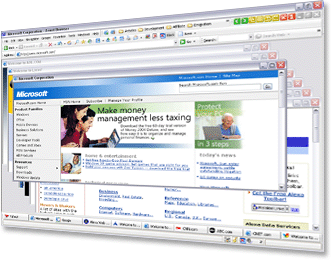
Orca Browser is an extremely fast and user friendly web browser, designed to add more functions on the latest Firefox. Not only Orca Browser contains all features, such as security, low memory usage, spell-checker, built-in download manager etc from Firefox, it also improves the speed, added more features, such as AD Blocker, Flash Blocker, Online Profile Storage, Auto Form-Filler, Outlook-Style RSS Reader etc. Auto Form-Filler would help to memorize/fill different types of web forms/passwords, and protect them with master security password. Online Profile Storage allows users to create their own account; with user name and password uses can choose to save/access their personal data such as bookmarks, AutoFills and RSS Feeds etc remotely from any computer.
Latest Reviews

Cosmo00 reviewed v1.2 Build 6 on Dec 9, 2011
Now, orca browser has been merged into avant 2012.New version very good

swiggy reviewed v1.2 Build 6 on Sep 6, 2011
Good news! Good news! After 3 year years,orca browser finally alive again. It just updated its engine to firefox 7.0, the latest.
Another thing I need to say is that orca browser is no more a separated browser since now,It will exist as a part of Avant browser. What you need to do is just switch the rendering engine to firefox.
One browser means two.Great!

Sheldon reviewed v1.2 Build 6 on Dec 29, 2010
Excellent browser,good work.
i used avant one years ,its so amazing .
fast&easy to use,functionality
now ,i used the lastest version ,2010 build 128

beautifulyao reviewed v1.2 Build 6 on Nov 2, 2010
Excellent browser,good work.

judejude reviewed v1.2 Build 6 on Oct 19, 2010
its amzing
very useful software . i think it will save much time during the downloadint.

elfsun reviewed v1.2 Build 6 on Apr 14, 2010
Actually, Orca browser has been around for a while. It only fairly recently began using firefox as a base rather than internet explorer (it switched because firefox is better), and was originally based on my old browser, Avant. So it's not actually a firefox clone, since it was originally a totally different browser with its own set of features (autofills was my favorite before I discovered LastPass), but it saw a good thing in firefox and decided to merge features

vitorsequeira reviewed v1.2 Build 6 on Jan 2, 2010
the best browser, ever!

LiLButterfly reviewed v1.2 Build 5 on Aug 14, 2009
This build seems pretty fast. I like Orca but I will have to give it 4 stars because the mouse gestures dont seem to work that well. If you dont move your mouse far enough you get a popup and it doesnt follow through.

statm1 reviewed v1.2 Build 3 on Aug 13, 2009
"Dohickey", I appoligize for not getting back to you sooner. But, open up the options window, click on miscellaneous on the left towards the bottom and the checkbox for show splash screen is the first one on the list. Uncheck it and you will not see the splash screen anymore.. And yes, turning it off does make it faster, since it has one less thing to load when opening.

Harry Mckenzie reviewed v1.2 Build 2 on Jul 23, 2009
use IE8 or Firefox

Cosmo00 reviewed v1.2 Build 6 on Dec 9, 2011
Now, orca browser has been merged into avant 2012.New version very good
swiggy reviewed v1.2 Build 6 on Sep 6, 2011
Good news! Good news! After 3 year years,orca browser finally alive again. It just updated its engine to firefox 7.0, the latest.
Another thing I need to say is that orca browser is no more a separated browser since now,It will exist as a part of Avant browser. What you need to do is just switch the rendering engine to firefox.
One browser means two.Great!
Sheldon reviewed v1.2 Build 6 on Dec 29, 2010
Excellent browser,good work.
i used avant one years ,its so amazing .
fast&easy to use,functionality
now ,i used the lastest version ,2010 build 128
beautifulyao reviewed v1.2 Build 6 on Nov 2, 2010
Excellent browser,good work.
judejude reviewed v1.2 Build 6 on Oct 19, 2010
its amzing
very useful software . i think it will save much time during the downloadint.
elfsun reviewed v1.2 Build 6 on Apr 14, 2010
Actually, Orca browser has been around for a while. It only fairly recently began using firefox as a base rather than internet explorer (it switched because firefox is better), and was originally based on my old browser, Avant. So it's not actually a firefox clone, since it was originally a totally different browser with its own set of features (autofills was my favorite before I discovered LastPass), but it saw a good thing in firefox and decided to merge features
vitorsequeira reviewed v1.2 Build 6 on Jan 2, 2010
the best browser, ever!
LiLButterfly reviewed v1.2 Build 5 on Aug 14, 2009
This build seems pretty fast. I like Orca but I will have to give it 4 stars because the mouse gestures dont seem to work that well. If you dont move your mouse far enough you get a popup and it doesnt follow through.
statm1 reviewed v1.2 Build 3 on Aug 13, 2009
"Dohickey", I appoligize for not getting back to you sooner. But, open up the options window, click on miscellaneous on the left towards the bottom and the checkbox for show splash screen is the first one on the list. Uncheck it and you will not see the splash screen anymore.. And yes, turning it off does make it faster, since it has one less thing to load when opening.
Harry Mckenzie reviewed v1.2 Build 2 on Jul 23, 2009
use IE8 or Firefox

DoHickey reviewed v1.2 Build 1 on Jul 15, 2009
Thanks statm1, (notice I spelled your name correctly) but is that in the new build or the old build?
I couldn't find the splash screen option & I looked at everything. 3 or 4 times over.
I did try selecting the Live mail from the (other) option and it wasn't showing up anyplace. After 30 minutes of looking, I just gave up.
This is the last version I'm talking about. Not this new one.
PS: does taking away the show splash screen make it load faster? if not I'm not interested in Orca.
statm1 reviewed v1.2 Build 1 on Jul 15, 2009
DoHicky, you can turn off the splash screen from within Misc in the Options Window. You can also select Windows Live Mail by adding it to the "Other Program" option instead of Outlook Express.
DoHickey reviewed v1.1 Build 7 on Jun 11, 2009
I didn't really have much trouble with this browser.
I don't like and wish we had the option to stop the Orca splash start up. (I also don't like the same thing happening with the Seamonkey browser) It doesn't hide the fact that your browsers take longer to load, so please don't try & fool us with a start up splash.
After the uninstall, I had to manually go into the temp folders and delete the images this browser had saved. I see they didn't fix that problem.
When trying to choose an email option for Orca, it wouldn't let me choose the Windows Live Mail, only outlook express. Windows Live is suppose to be an upgrade from Outlook, or so I thought.
Anyway, it's not bad, just work out the problems & take our suggestions to heart.