- The new SitePhone plug-in offers support for SIP gateways as well as Skype and lets you use VoIP including rate-based billing directly from within SiteKiosk
- Digital Signage mode allows you to play back play lists containing files of different formats. Digital Signage/screensaver mode can be controlled by motion sensor, Web cam and pressure mat as well as mouse and keyboard
- Revised portal Start Page. Links can be grouped together
- SiteKiosk features its own player for playing back video, audio, flash, etc. (a matching codec must be installed)
- SiteKiosk's download manager is now also able to handle redirects, making the special treatment of specific downloads, e.g. from different mail portals, unnecessary
- New SiteCash device: CashCode bill reader (CCNET protocol)
- You can now implement any credit card gateway by embedding them individually using an adjustable script. In addition, you can create your own credit card payment solutions
- New credit card gateway DPS PaymentExpress for Australia, New Zealand, Pacific Islands, Singapore, South Africa, USA, and the UK
- CVC verification for PayPal and iPayment credit card gateways
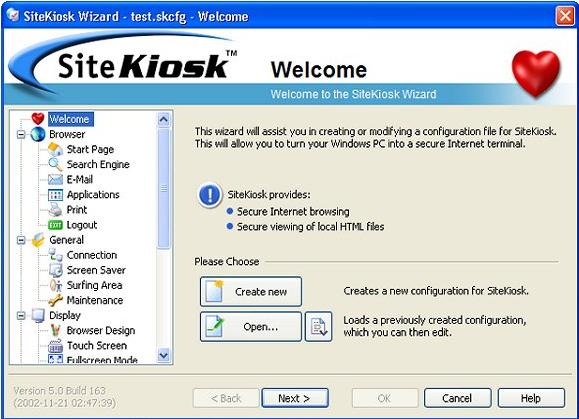
- Multi-lingual Configuration Wizard (German, English, French, Spanish, and Russian)
- Use the ProgramPatcher to modify SiteKiosk Windows registry values as well as file and folder permissions at runtime
- You can register several SiteKiosk installations simply by using a USB stick. You can also use the USB stick rather than your password to exit SiteKiosk
- Entering registration information and altering an existing registration of SiteKiosk is now possible directly in the Configuration Wizard
- The latest version lets you freely choose the starting position of the floating touchscreen keyboards
- You can now view RSS feeds directly in SiteKiosk
- Private certificates can be deleted upon logout
- Improved Web cam detection in SiteCam. Identical camera designs no longer have to be set up individually when using the same configuration on different machines
- You can now use file manager to copy entire directories
- Various problems when using USB sticks with the SiteKiosk file manager fixed
- Possible script errors when renaming files in file manager corrected
- Calling the SiteKiosk Object Model function DeleteTempInternetFiles now also works flawlessly in fullscreen mode
- Files to be deleted will still be deleted at the end of a session if they are open in a different application at the time the session ends. The same applies to files that were burnt using SiteKiosk's burning function
- The SiteCash zone model correctly detects indirect Web server transfers
- CcTalk-capable NRI G13 coin acceptors that have to communicate with SiliconLabs drivers can now be selected as ccTalk devices
- The occurrence of a "Track 2 data missing" error during a credit card transaction no longer requires that you restart SiteKiosk to reset the error
- Logging out on the navigation error page no longer causes an error message when using the Surftime Limiter
- Problems solved that sometimes occurred when no Internet connection is available when SiteKiosk is launched and checking for an Internet connection is enabled in SiteKiosk
- Files accessed via a network path can be viewed on a second monitor again
- The ejection lock for CD-ROM drives no longer remains active when the Windows user is locked out from within SiteKiosk
- The timeout of script jobs submitted by SiteRemote are now realistic
- Pressing the Del key to delete the main folder from the favorites list now no longer causes SiteKiosk's Configuration Wizard to freeze
- Touchscreen keyboards are correctly reset to their start values upon logout/the end of the session
- SiteKiosk configurations that are copied from another machine, but do not overwrite existing configurations, now launch without a problem
- The combination of dial-up connections and the use of Start Page templates, SiteCash, and SiteRemote now no longer causes navigation error messages when SiteKiosk is launched
- Several minor bug fixes and corrections in the Help files