
File Details |
|
| File Size | 57.2 MB |
|---|---|
| License | Freeware |
| Operating System | Windows (All) |
| Date Added | August 27, 2020 |
| Total Downloads | 25,540 |
| Publisher | Jared Breland |
| Homepage | Universal Extractor |
Publisher's Description
Universal Extractor is a program do to exactly what it says: extract files from any type of archive, whether it's a simple zip file, an installation program, or even a Windows Installer (.msi) package.
Latest Reviews

BANDIT- reviewed v1.7.9.95 (unofficial) on Jan 9, 2014
Use U-Xtractor v1.7x .. at your .... VERY OWN DISCRETION..!!
#NOTE:- The addition of "Unofficial" in the Title.
HERE IS THE ORIGINAL ... v1.6.1 .. Rel'd: 05/12/2010 ..... My Rating ---->> (5*)
@http://legroom.net/software/uniextract
Thank @nvic for pointing out about updating Innounp..... ^_^
Here's a link for Innounp v0.40
-http://sourceforge.net/projects/innounp/files/latest/download?source=files
-Un-Rar & pop a copy into the Bin Folder of Original Uni-Extract v1.6.1
While you're at it...lol. Pop a copy into System32/64 for CMD line Ops.
The Rar file includes a html for the CMD: Switches.
Keep Safe Guys ... ~_^

nvic reviewed v1.7.8.93 on Dec 30, 2013
The file in this archive is a passworded 7zip SFX and an NFO file that looks very much like those of warez groups. This release is fake.
Current official version is still 1.6.1, and it still works on almost everything I throw at it. I'd recommend downloading a newer innounp.exe and throwing it in the bin folder (the Inno Setup unpacker in 1.6 is outdated), but other than that, keep using 1.6.
BANDIT- reviewed v1.7.0.68 on Apr 15, 2013
Thanx @jorgosch
Were still on v1.6.1 @Official site. However, I downloaded this file,
Unpacked & had a look inside, purely on the remark by jorgosch.
C:\Documents and Settings\#\Desktop\Universal_Extractor_1.7.0.68_sl2p_130415_08-32\Files\ForceCopy\SVCPACK ... UExtract.exe
1) I Rclicked the file & was given an Unpack option. I was asked for a password.??
2) I looked in the NFO file & found the original Site/Post @
h**p://forum.oszone.net/thread-81059.html
3) The file is credited to gora-sah, & the only gora-sah i can find using Goo:
h**p://gora-sah.ya.ru/
Five Stars for the "original" proggy ;) .. -10 for v1.7.0.68 & associates.
Another word enters the Dictionary. SPOOFWARE

jorgosch reviewed v1.7.0.68 on Apr 15, 2013
The file linked here as "Universal Extractor 1.7.0.68" has nothing to with the actual program. Beware!

Plumber reviewed v1.6.1 on May 12, 2010
Actually MSI Unpacker has been available for years (jsware.net).
nvic reviewed v1.6.1 on May 12, 2010
Can't live without it. I use this almost daily. For some installers, this is the only tool that will unpack them.

jblane reviewed v1.6.1 on May 12, 2010
Great software, it does what it says, and I'm not certainly talking about zip or rar archives but installers, packed EXEs and unusual packers.

anomoly reviewed v1.6.1 on May 12, 2010
Winrar has nothing on this. I use it for extracting installers to a portable location of my choice. Some are locked and some are passworded and others just don't extract well and have to be installed, copied, and then uninstalled.
Take the siw setup a few links above this and use ue to grab the {app} folder.
Why some stuff even has an installer I don't know.
Portable too go figure.
http://download.c1pher.c...niextract161_noinst.rar

JustForMyMemory reviewed v1.6 on Feb 11, 2010
@felixml: are you mad or something?
the developer said it is not intended to replace extractor. it contains numberous of small extension-based extractors to extract.
it was still smart and wise. great soft.

felixml reviewed v1.6 on Apr 13, 2009
good, but not as good as WinRAR

BANDIT- reviewed v1.7.9.95 (unofficial) on Jan 9, 2014
Use U-Xtractor v1.7x .. at your .... VERY OWN DISCRETION..!!
#NOTE:- The addition of "Unofficial" in the Title.
HERE IS THE ORIGINAL ... v1.6.1 .. Rel'd: 05/12/2010 ..... My Rating ---->> (5*)
@http://legroom.net/software/uniextract
Thank @nvic for pointing out about updating Innounp..... ^_^
Here's a link for Innounp v0.40
-http://sourceforge.net/projects/innounp/files/latest/download?source=files
-Un-Rar & pop a copy into the Bin Folder of Original Uni-Extract v1.6.1
While you're at it...lol. Pop a copy into System32/64 for CMD line Ops.
The Rar file includes a html for the CMD: Switches.
Keep Safe Guys ... ~_^
nvic reviewed v1.7.8.93 on Dec 30, 2013
The file in this archive is a passworded 7zip SFX and an NFO file that looks very much like those of warez groups. This release is fake.
Current official version is still 1.6.1, and it still works on almost everything I throw at it. I'd recommend downloading a newer innounp.exe and throwing it in the bin folder (the Inno Setup unpacker in 1.6 is outdated), but other than that, keep using 1.6.
BANDIT- reviewed v1.7.0.68 on Apr 15, 2013
Thanx @jorgosch
Were still on v1.6.1 @Official site. However, I downloaded this file,
Unpacked & had a look inside, purely on the remark by jorgosch.
C:\Documents and Settings\#\Desktop\Universal_Extractor_1.7.0.68_sl2p_130415_08-32\Files\ForceCopy\SVCPACK ... UExtract.exe
1) I Rclicked the file & was given an Unpack option. I was asked for a password.??
2) I looked in the NFO file & found the original Site/Post @
h**p://forum.oszone.net/thread-81059.html
3) The file is credited to gora-sah, & the only gora-sah i can find using Goo:
h**p://gora-sah.ya.ru/
Five Stars for the "original" proggy ;) .. -10 for v1.7.0.68 & associates.
Another word enters the Dictionary. SPOOFWARE
jorgosch reviewed v1.7.0.68 on Apr 15, 2013
The file linked here as "Universal Extractor 1.7.0.68" has nothing to with the actual program. Beware!
Plumber reviewed v1.6.1 on May 12, 2010
Actually MSI Unpacker has been available for years (jsware.net).
nvic reviewed v1.6.1 on May 12, 2010
Can't live without it. I use this almost daily. For some installers, this is the only tool that will unpack them.
jblane reviewed v1.6.1 on May 12, 2010
Great software, it does what it says, and I'm not certainly talking about zip or rar archives but installers, packed EXEs and unusual packers.
anomoly reviewed v1.6.1 on May 12, 2010
Winrar has nothing on this. I use it for extracting installers to a portable location of my choice. Some are locked and some are passworded and others just don't extract well and have to be installed, copied, and then uninstalled.
Take the siw setup a few links above this and use ue to grab the {app} folder.
Why some stuff even has an installer I don't know.
Portable too go figure.
http://download.c1pher.c...niextract161_noinst.rar
JustForMyMemory reviewed v1.6 on Feb 11, 2010
@felixml: are you mad or something?
the developer said it is not intended to replace extractor. it contains numberous of small extension-based extractors to extract.
it was still smart and wise. great soft.
felixml reviewed v1.6 on Apr 13, 2009
good, but not as good as WinRAR

SuzzyWoozy reviewed v1.6 on Mar 25, 2009
Mandatory program on my computer, along with 7zip (see horsecharles'review below why).
While 7zip simply extracts the content of the installer (if possible), the Universal Extractor seems to sanbox the installer run and get the files inside. I'm using 7zip as first choice or Universal Installer if the first don't work.
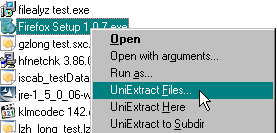
What I would like to see is a cascading context menu option, putting 3+ new items on explorer's right click is not the best approach.

Virtual_ManPL reviewed v1.6 on Oct 25, 2008
Awesome... !!!
Unpack almost every installer...

horsecharles reviewed v1.6 on Oct 22, 2008
One of my most useful programs... i use it, along with 7zip, to extract all kinds of file types.
Up until this latest update, it used to be that both progs complemented each other / were able to handle types the other one couldn't.
Universal Extractor thus merited more of a 4-4½ rating...but we gave it 5 because of its freeware status-- favorably comparing with payware like Power Archiver.
However, as 7zip updated more and more, it pulled ahead to favored status.
But now, with this much-needed & overdue latest release, Universal Extractor has caught up to 7zip.
1.6 (10/17/2008):
Added support for individual user preferences for better Vista support;
by default, this is enabled for standalone, disabled for installed
when enabled, UniExtract uses single .ini file as with previous version
when disabled, individual prefs/history are saved to registry in HKCU
this can be changed by modifying globalprefs setting in .ini file
Added menu bar to main GUI;
includes options to quit, edit preferences, and visit UniExtract website
Added separate preferences GUI to provide easy access to all options;
can be invoked through Edit menu or through '/prefs' argument
Added support for DiscJuggler CDI CD-ROM images via cdirip.exe
Added support for FEAD Optimizer packages (eg, Adobe Reader installers)
Added support for LZMA compressed files via lzma
Added support for LZX compressed files via unlzx
Added support for Nero NRG CD-ROM images (data only) via nrg2iso
Added support for Reflexive Arcade installer wrapper via RAIU
Added support for RoboForm installers
Added support for WIM (Windows Imaging Format) images via 7-Zip
Added "Not an InstallShield installer" option to InstallShield method select
dialog to force UniExtract to handle TrID InstallShield false positives
Added components section to installer; makes installation of
docs, languages, and certain (large) binaries optional
Added SendTo icon option to installer
Added internationalization support for decompressed ASPack and UPX files
Added Croatian, Dutch, Hungarian, Portuguese, Romanian, Taiwanese, Turkish,
and Valencian (Catalan) translations
Added return codes to indicated status of extraction (actually added in 1.5):
0 = successful exit or user-initiated cancel
1 = supposedly supported file, but extraction failed
2 = debug file is not writable, aborted
3 = unknown executable - cannot be extracted
4 = unknown filetype - cannot be extracted
5 = invalid output directory specified
Fixed bug that displayed debugging message box during Inno Setup extraction
Fixed bug in InstallShield CAB file support; now properly extracts files
with spaces in the filename
Fixed support for (non-tar) gzip files
Fixed support for Microsoft hotfixes (again)
Fixed support for relative paths
Fixed support for UNC paths
Fixed missing Spanish language option during installation
Removed support for Windows 9x due to new Unicode version of AutoIt;
9x was never officially supported, but it will not even execute now
Removed Adobe-specific report (now handled by generic FEAD support)
Updated UniExtract to prompt user before executing files for extraction;
can be disabled via warnexecute option
Updated UniExtract to make ACE, KGB, Pea, and StuffIt support optional
Updated UniExtract to read English.ini from root install directory
Updated UniExtract to output debug files to %temp% by default
Updated UniExtract to verify that debug file location can be written to;
user's temp directory will be used if selected dir fails test
Updated UniExtract to disable appendext option by default
Updated UniExtract changelog to add notice of Vietnamese translation in 1.5
Updated TrID detection of MS Self-Extracting CAB (Type 1) archives
Updated TrID detection of Windows Installer (MSI) packages
Updated TrID detection of Zip Self-Extracting archives
Updated CD-ROM image support to bypass TrID detection and rely on extensions
Updated Inno Setup support for increased detection reliability
Updated Inno Setup support to extract all files, including renamed duplicates
Updated UHARC support to detect and extract SFX files
Updated Windows Install patch (.msp) to include pure 7-zip option
Updated installer to use Start Menu icons page and include uninstall icon
Updated installer language initialization code for simplicity
Updated installer to require administrative privileges;
non-admin users should use binary archive (portable) version,
or use a copy installed by the system administrator
Updated installer to require Windows NT-based systems; 9x will not work
Updated installer to prevent association with CHM files under Vista
Updated installer to support new /nowarnexecute paramater
Updated installer to support reversed appendext default preference;
now use /appendext to enable instead of /noappendext to disable
Updated installer to add {app} in addition to {app}\bin to %PATH% if enabled;
restores ability easily to call UniExtract.exe from command line
Updated 7-Zip to 4.57
Updated AutoIt to 3.2.10.0
Updated innounp to 0.20
Updated Inno Setup to 5.2.2
Updated msi2xml to 2.2.1.957
Updated Pea to 1.6 (cannot use newer version due to broken GUI controls)
Updated UnRAR to 3.80
Updated UPX to 3.03