
File Details |
|
| File Size | 570.3 MB |
|---|---|
| License | Freeware |
| Operating System | Linux, Windows (All) |
| Date Added | October 14, 2021 |
| Total Downloads | 52,118 |
| Publisher | VMware, Inc. |
| Homepage | VMware Workstation Player |
Publisher's Description
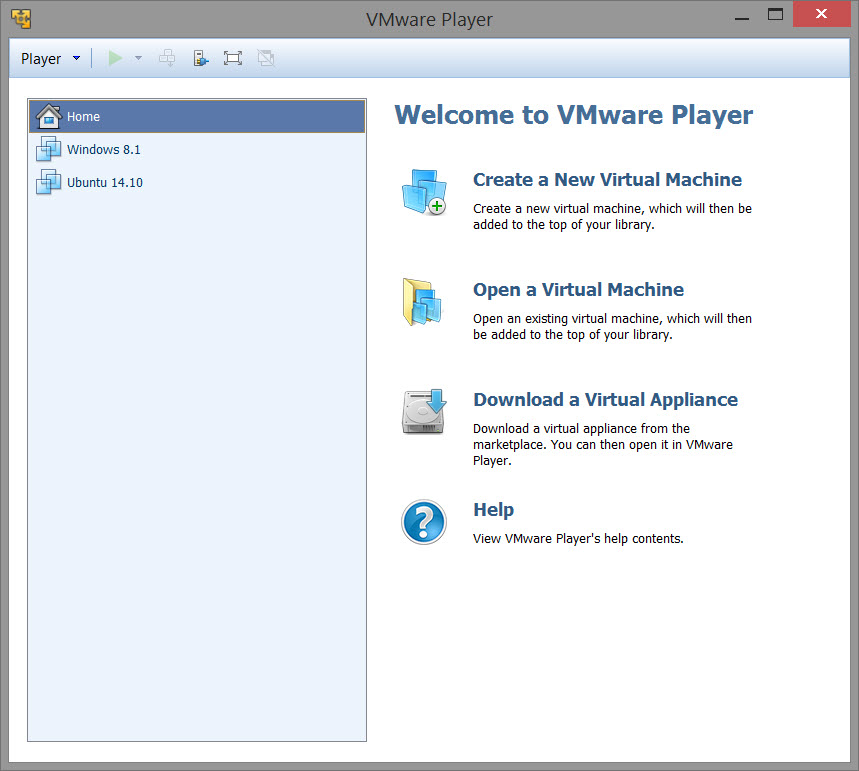
VMware Player is free software that enables PC users to easily run any virtual machine on a Windows or Linux PC. VMware Player runs virtual machines created by VMware Workstation, GSX Server or ESX Server and also supports Microsoft virtual machines and Symantec LiveState Recovery disk formats.
VMware Player is ideal for safely evaluating pre-built application environments, beta software, or other software distributed in virtual machines. With VMware Player, anyone can easily experience the benefits of preconfigured products rapidly without any installation or configuration hassles.
Latest Reviews

Bullwinkle J Moose reviewed v14.0.0-6661328 on Sep 27, 2017
V14 is Pure Crap
Not compatible with my hardware and "IS NOT" compatible with ALL Windows Versions (Not a Valid Win32 App / will not install under XP)
Only Installs on newer Windows Platforms
V14 Will NOT install a VM in 64bit Windows 8.1 with 8GB Ram on "my" hardware
(your results may vary)
Gives error saying Intel VT-x is disabled in BIOS
(No it's not, Virtualbox, Virtual PC and older versions of VMware's Player still work fine) and Virtualization "IS" ENABLED in BIOS
v7.0 is compatible and DOES NOT have a nag screen
v10.0 is somewhat compatible but includes a (14-day?) nag screen
v14 does not have a nag screen, but will no longer work with my hardware
3 different install components access the Internet during install
Javascript is required to view the ONLINE ONLY help files
Common problem help files should be OFFLINE ONLY!
We shouldn't need to jeopardize our security just to install or fix this Workstation malware
VMWare has no concept of "END USER" security
Oh well..........Back to VirtualBox!
FREE / OPEN SOURCE and STILL the BEST!

Karol Mily reviewed v7.0.0-2305329 on Dec 3, 2014
Where is comparisson of Player 7 vs. Workstation 11?

Dakm4 reviewed v5.0.2 on Apr 3, 2013
VMware player is free and easy to use. I think the ability to download a vm for hte virtual appliance workspace makes it very usage for testing. The run a vm on multiple machines for a lab environment could be a cool use

jdvip5531 reviewed v5.0.1 on Nov 8, 2012
http://www.vmware.com/products/player/faqs.html
--- VMware Player is free for personal non-commercial use. VMware Player is available for commercial use as part of VMware Fusion Professional
Their licensing changed with version 4 I think, so I dont consider that free.

kaso_Da_Zmok reviewed v5.0.0-812388 on Aug 26, 2012
this software is must to have

HeilNizar reviewed v4.0.4 on Jun 14, 2012
Until its portable like VirtualBox its 2 stars.

Luc72 reviewed v4.0.0 Build 471780 on Oct 7, 2011
Absolutely the best virtualization software!

wpure93 reviewed v3.1.3 on Aug 18, 2011
It works well. As a web application developer, this makes a lot of sense. I can have several different OS's installed on my machine.

trents reviewed v3.1.3 on Dec 2, 2010
Hi,
it is nice that VMware player is the updated and more likely us WMware player..
Thanks for the information where can we download it?

acascianelli reviewed v3.1.1.282343 on Aug 15, 2010
Excellent piece of software. VMWare player has evolved to replace VMWare Workstation now.

Bullwinkle J Moose reviewed v14.0.0-6661328 on Sep 27, 2017
Pros: None
Cons: Will not work
Bottom Line: V14 is Pure Crap
Not compatible with my hardware and "IS NOT" compatible with ALL Windows Versions (Not a Valid Win32 App / will not install under XP)
Only Installs on newer Windows Platforms
V14 Will NOT install a VM in 64bit Windows 8.1 with 8GB Ram on "my" hardware
(your results may vary)
Gives error saying Intel VT-x is disabled in BIOS
(No it's not, Virtualbox, Virtual PC and older versions of VMware's Player still work fine) and Virtualization "IS" ENABLED in BIOS
v7.0 is compatible and DOES NOT have a nag screen
v10.0 is somewhat compatible but includes a (14-day?) nag screen
v14 does not have a nag screen, but will no longer work with my hardware
3 different install components access the Internet during install
Javascript is required to view the ONLINE ONLY help files
Common problem help files should be OFFLINE ONLY!
We shouldn't need to jeopardize our security just to install or fix this Workstation malware
VMWare has no concept of "END USER" security
Oh well..........Back to VirtualBox!
FREE / OPEN SOURCE and STILL the BEST!
Karol Mily reviewed v7.0.0-2305329 on Dec 3, 2014
Where is comparisson of Player 7 vs. Workstation 11?
Dakm4 reviewed v5.0.2 on Apr 3, 2013
VMware player is free and easy to use. I think the ability to download a vm for hte virtual appliance workspace makes it very usage for testing. The run a vm on multiple machines for a lab environment could be a cool use
jdvip5531 reviewed v5.0.1 on Nov 8, 2012
http://www.vmware.com/products/player/faqs.html
--- VMware Player is free for personal non-commercial use. VMware Player is available for commercial use as part of VMware Fusion Professional
Their licensing changed with version 4 I think, so I dont consider that free.
kaso_Da_Zmok reviewed v5.0.0-812388 on Aug 26, 2012
this software is must to have
HeilNizar reviewed v4.0.4 on Jun 14, 2012
Until its portable like VirtualBox its 2 stars.
Luc72 reviewed v4.0.0 Build 471780 on Oct 7, 2011
Absolutely the best virtualization software!
wpure93 reviewed v3.1.3 on Aug 18, 2011
It works well. As a web application developer, this makes a lot of sense. I can have several different OS's installed on my machine.
trents reviewed v3.1.3 on Dec 2, 2010
Hi,
it is nice that VMware player is the updated and more likely us WMware player..
Thanks for the information where can we download it?
acascianelli reviewed v3.1.1.282343 on Aug 15, 2010
Excellent piece of software. VMWare player has evolved to replace VMWare Workstation now.

anomoly reviewed v3.1.1.282343 on Aug 14, 2010
It looks as if it will not run in linux with a windows machine. ??
Windows with a linux machine yes, but why bother. Just buy a cheap minipc.
Down link does not work and what's with the having to give them your firstborn just do download it?

man friday reviewed v3.1.1.282343 on Aug 14, 2010
WOW, someone with a rock solid VIsta install. Lost touch with VMware and the like but recently back into and it works as designed on 7U_x64

UniversityofKentucky reviewed v3.1.1.282343 on Aug 13, 2010
I switched from virtualbox to vmware player b/c of superior usb support. i am still a fan of virtualbox, but they really need to address this problem.

Artem S. Tashkinov reviewed v3.1.1.282343 on Aug 13, 2010
Two previous men obviously have their Windows installations broken.
It's rock solid, I've been using VMWare for more than ten years.

CyberDoc999 reviewed v3.1.1.282343 on Aug 13, 2010
I also had the same bad experence with vmware..... I had to reformat

B__B reviewed v3.0.1.227600 on Apr 8, 2010
I was driven away from VMware Server due to its totally unusable web-UI, and its huge burden of bugs.
I gave VMware another chance testing Player, and I installed it on a rock solid Vista system with good hardware and all updates applied.
The result: VMware Player totally crashed the system twice in a few hours.
The last hours of my life I allow a VMware product to waste.
Goodbye VMware, I hope to not hear you any more in the future!

wadedesk reviewed v2.5.2.156735 on Apr 3, 2009
I have found VMware Player the best way to run Windows applications on Linux (Ubuntu). For example: running WinXp in VMware Player allows you to use TaxCut for your taxesI Or for that matter QuickBooks for your accounting.
I have found the performance of VMware Player much better on a 1-GHz host than QtEmu or VirtualBox. And Wine is fine for many portable win32 apps, but does not yet have enough compatibility for things like Tax Preparation software.
I look forward to the day when serious financial software will be available in for Linux so there is no need for emulators. Office productivity and Internet applications are pretty much there now.

spiked reviewed v2.0.4-93057 on Jun 1, 2008
The ISO images included now are simply the VMTools (similar to "guest additions" in the terminology of competing products) for all supported operating systems. It's really about time VMware started providing these for Player; they were already freely available in the Server product. Their absence from Player was meant to reflect the fact that Player is not intended for creating VMs, just running them. Of course, everyone has figured out how to create them without buying Workstation or installing Server, and their slow VMs without VMTools were making Player look bad.

rseiler reviewed v2.0.0.45731 on May 9, 2007
In case anyone's wondering why this is so incredibly large compared to prior versions, it's because they include a couple .ISO images with it.

mindarch reviewed v1.0.2 Build 29634 on Sep 1, 2006
I've only used it a little, but like the idea. As a web application developer, this makes a lot of sense. I can have several different OS's installed on my machine and as I develop a site or some code for an online app, I can check it out with different versions of the same browser and also different browsers for different systems. I've started using this for just this reason. If you develop, this is a great reason to use this.
The biggest problem I had was some of the pre-made packs had wrong user/pass or ran poorly etc. If you have the full VMWare, you can create your own OS for the player for your company.
I have a small review (http://www.mindarch.com/b2/?p=3) if anyone is interested.

roj reviewed v1.0.2 Build 29634 on Aug 11, 2006
I hope they've fixed that damnable inexcusable buffer bug that plagues copy and paste operation both indside a VM and on the host that Player is installed on. It's annoying as hell.
FOUR stars.

mmebane reviewed v1.0.1 Build 19317 on Dec 21, 2005
"supports SVGA directly" as in "emulates a common video card and doesn't require special drivers for accelerated video". Yeah, that's really my only gripe about VMware. Other than that, VMware Workstation and this free Player are quite nice.

dejavu reviewed v1.0.0 Build 18587 on Dec 14, 2005
You Can Get for Linux Too on Vmware Website! Splendid!

Mark Gillespie reviewed v1.0.0 Build 18587 on Dec 13, 2005
well my VMWARE supports SVGA, it runs at all the resolutions I throw at it, on all OSes I have tried.
Perhaps you have not installed the VMWare tools package, or perhaps you are a troll...

httpd.confused reviewed v1.0.0 Build 18007 Beta 2 on Nov 26, 2005
Give me a break; Microsoft isn't ignoring the competition posed by VMware. At least Virtual PC supports SVGA directly.
But listing isn't for VMware, and the VMware Player is a nice idea.
Mark Gillespie reviewed v1.0.0 Build 18007 Beta 2 on Nov 10, 2005
Virtual PC Who? Never heard of it.
VMWare 5.5 with the free player, really is the final nail in the Connectix Microsoft VirtualPC coffin, it's soooo dated, compared the VMWare product.

englishmen reviewed v1.0.0 Build 18007 Beta 2 on Nov 10, 2005
Brilliant program especially being free, i would prefer a change log tho so i could see what has actualy changed.

robmanic44 reviewed v1.0 Build 16981 on Oct 21, 2005
This is a great addition to security as well. Combine it wit a web filter and good firewall, it will boost your system security. Just a great product!

complexity reviewed v1.0 Build 16981 on Oct 21, 2005
This sounds like a great idea. And i love it already
snowflake: if your on dial-up it probley took longer to post on this site, then it would to download 5 more megabytes?

Metshrine reviewed v1.0 Build 16981 on Oct 21, 2005
This is a great idea. Wish microsoft would take virtualpc this way, but we cant have everything we want can we ;-) VMWare has always been a great company and this just proves it. Way to go guys!
To snowflake, a review should be about a software's functionality, not the fact that you have to wait 10-15 more seconds on a high speed connection to download 5MB more. If you are going to spend that much time to simply try and recompress the file than I think you need a breath of fresh air outside your house ;-)

photonboy reviewed v1.0 Build 16981 on Oct 21, 2005
I haven't seen such a great idea as downloading prebuilt environments in a long time. I've said in the past that I question VMWare's usefulness, but it look's like I was wrong.
Excellent work.
rseiler reviewed v1.0 Build 16981 on Oct 20, 2005
Look at this, there are even pre-built VM's you can download and utilize:
http://www.vmware.com/vmtn/vm

deadmonkey reviewed v1.0 Build 16981 on Oct 20, 2005
A genius idea. This might be enough to make the company I work for switch over to VMware from Virtual PC. Microsoft need to do something similar as VMware just set a new standard for virtualization software.

sn0wflake reviewed v1.0 Build 16981 on Oct 20, 2005
Damn. Hate to break the perfect 5 point rating and I havn't even installed it but after compressing it with WinRAR 3.51 I saved 20%. I'm certain that it's a great product but please compress it with WinRAR like Nero Burning ROM. There's no point in downloading an additional 5.4 MB.

Vantorax reviewed v1.0 Build 16981 on Oct 20, 2005
Awesome idea, VMWare! This will actually help us cut down on licenses since sales agents don't need the full product anymore. They just need the player. And this will help a lot to send pre-configured environments to customers for product evaluation.