
File Details |
|
| File Size | 570.3 MB |
|---|---|
| License | Freeware |
| Operating System | Linux, Windows (All) |
| Date Added | October 14, 2021 |
| Total Downloads | 52,118 |
| Publisher | VMware, Inc. |
| Homepage | VMware Workstation Player |
Publisher's Description
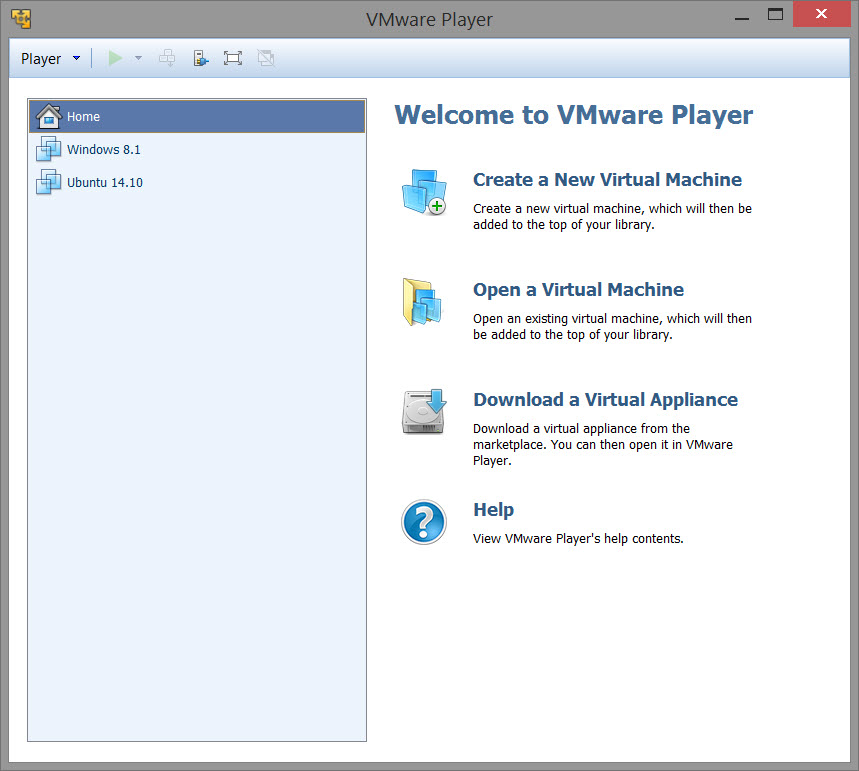
VMware Player is free software that enables PC users to easily run any virtual machine on a Windows or Linux PC. VMware Player runs virtual machines created by VMware Workstation, GSX Server or ESX Server and also supports Microsoft virtual machines and Symantec LiveState Recovery disk formats.
VMware Player is ideal for safely evaluating pre-built application environments, beta software, or other software distributed in virtual machines. With VMware Player, anyone can easily experience the benefits of preconfigured products rapidly without any installation or configuration hassles.
Latest Reviews

Bullwinkle J Moose reviewed v14.0.0-6661328 on Sep 27, 2017
V14 is Pure Crap
Not compatible with my hardware and "IS NOT" compatible with ALL Windows Versions (Not a Valid Win32 App / will not install under XP)
Only Installs on newer Windows Platforms
V14 Will NOT install a VM in 64bit Windows 8.1 with 8GB Ram on "my" hardware
(your results may vary)
Gives error saying Intel VT-x is disabled in BIOS
(No it's not, Virtualbox, Virtual PC and older versions of VMware's Player still work fine) and Virtualization "IS" ENABLED in BIOS
v7.0 is compatible and DOES NOT have a nag screen
v10.0 is somewhat compatible but includes a (14-day?) nag screen
v14 does not have a nag screen, but will no longer work with my hardware
3 different install components access the Internet during install
Javascript is required to view the ONLINE ONLY help files
Common problem help files should be OFFLINE ONLY!
We shouldn't need to jeopardize our security just to install or fix this Workstation malware
VMWare has no concept of "END USER" security
Oh well..........Back to VirtualBox!
FREE / OPEN SOURCE and STILL the BEST!

Karol Mily reviewed v7.0.0-2305329 on Dec 3, 2014
Where is comparisson of Player 7 vs. Workstation 11?

Dakm4 reviewed v5.0.2 on Apr 3, 2013
VMware player is free and easy to use. I think the ability to download a vm for hte virtual appliance workspace makes it very usage for testing. The run a vm on multiple machines for a lab environment could be a cool use

jdvip5531 reviewed v5.0.1 on Nov 8, 2012
http://www.vmware.com/products/player/faqs.html
--- VMware Player is free for personal non-commercial use. VMware Player is available for commercial use as part of VMware Fusion Professional
Their licensing changed with version 4 I think, so I dont consider that free.

kaso_Da_Zmok reviewed v5.0.0-812388 on Aug 26, 2012
this software is must to have

HeilNizar reviewed v4.0.4 on Jun 14, 2012
Until its portable like VirtualBox its 2 stars.

Luc72 reviewed v4.0.0 Build 471780 on Oct 7, 2011
Absolutely the best virtualization software!

wpure93 reviewed v3.1.3 on Aug 18, 2011
It works well. As a web application developer, this makes a lot of sense. I can have several different OS's installed on my machine.

trents reviewed v3.1.3 on Dec 2, 2010
Hi,
it is nice that VMware player is the updated and more likely us WMware player..
Thanks for the information where can we download it?

acascianelli reviewed v3.1.1.282343 on Aug 15, 2010
Excellent piece of software. VMWare player has evolved to replace VMWare Workstation now.

Bullwinkle J Moose reviewed v14.0.0-6661328 on Sep 27, 2017
Pros: None
Cons: Will not work
Bottom Line: V14 is Pure Crap
Not compatible with my hardware and "IS NOT" compatible with ALL Windows Versions (Not a Valid Win32 App / will not install under XP)
Only Installs on newer Windows Platforms
V14 Will NOT install a VM in 64bit Windows 8.1 with 8GB Ram on "my" hardware
(your results may vary)
Gives error saying Intel VT-x is disabled in BIOS
(No it's not, Virtualbox, Virtual PC and older versions of VMware's Player still work fine) and Virtualization "IS" ENABLED in BIOS
v7.0 is compatible and DOES NOT have a nag screen
v10.0 is somewhat compatible but includes a (14-day?) nag screen
v14 does not have a nag screen, but will no longer work with my hardware
3 different install components access the Internet during install
Javascript is required to view the ONLINE ONLY help files
Common problem help files should be OFFLINE ONLY!
We shouldn't need to jeopardize our security just to install or fix this Workstation malware
VMWare has no concept of "END USER" security
Oh well..........Back to VirtualBox!
FREE / OPEN SOURCE and STILL the BEST!
Karol Mily reviewed v7.0.0-2305329 on Dec 3, 2014
Where is comparisson of Player 7 vs. Workstation 11?
Dakm4 reviewed v5.0.2 on Apr 3, 2013
VMware player is free and easy to use. I think the ability to download a vm for hte virtual appliance workspace makes it very usage for testing. The run a vm on multiple machines for a lab environment could be a cool use
jdvip5531 reviewed v5.0.1 on Nov 8, 2012
http://www.vmware.com/products/player/faqs.html
--- VMware Player is free for personal non-commercial use. VMware Player is available for commercial use as part of VMware Fusion Professional
Their licensing changed with version 4 I think, so I dont consider that free.
kaso_Da_Zmok reviewed v5.0.0-812388 on Aug 26, 2012
this software is must to have
HeilNizar reviewed v4.0.4 on Jun 14, 2012
Until its portable like VirtualBox its 2 stars.
Luc72 reviewed v4.0.0 Build 471780 on Oct 7, 2011
Absolutely the best virtualization software!
wpure93 reviewed v3.1.3 on Aug 18, 2011
It works well. As a web application developer, this makes a lot of sense. I can have several different OS's installed on my machine.
trents reviewed v3.1.3 on Dec 2, 2010
Hi,
it is nice that VMware player is the updated and more likely us WMware player..
Thanks for the information where can we download it?
acascianelli reviewed v3.1.1.282343 on Aug 15, 2010
Excellent piece of software. VMWare player has evolved to replace VMWare Workstation now.

anomoly reviewed v3.1.1.282343 on Aug 14, 2010
It looks as if it will not run in linux with a windows machine. ??
Windows with a linux machine yes, but why bother. Just buy a cheap minipc.
Down link does not work and what's with the having to give them your firstborn just do download it?

man friday reviewed v3.1.1.282343 on Aug 14, 2010
WOW, someone with a rock solid VIsta install. Lost touch with VMware and the like but recently back into and it works as designed on 7U_x64

UniversityofKentucky reviewed v3.1.1.282343 on Aug 13, 2010
I switched from virtualbox to vmware player b/c of superior usb support. i am still a fan of virtualbox, but they really need to address this problem.