File Details |
|
| File Size | 13.5 MB |
|---|---|
| License | Shareware, $29.99 |
| Operating System | Windows 7/8/2000/Server 2003/Vista/XP |
| Date Added | January 25, 2013 |
| Total Downloads | 344,837 |
| Publisher | Vso-Software |
| Homepage | VSO CopyTo |
Publisher's Description
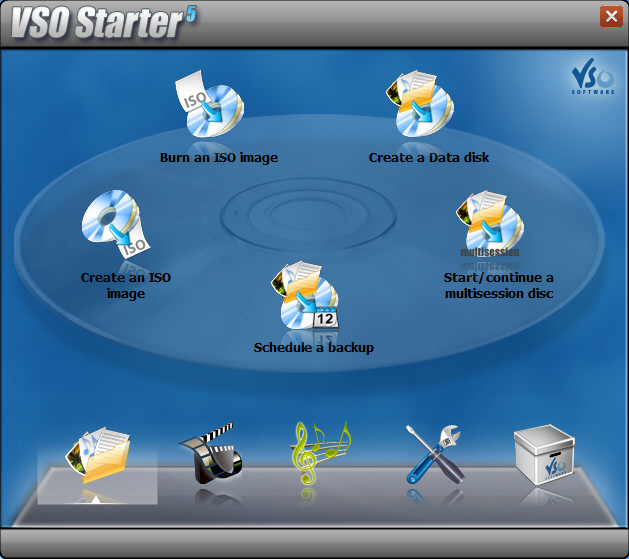
CopyTo is a new generation tool to backup all your music and data files. It contains several methods to build your CDs ,DVDs or Blu-rays, such as integration to shell, user friendly frontend or FileDepot technology. With a few clicks you can burn files, folders, pictures, and music (MP3/Ogg Vorbis/WMA) to CD/DVD/Blu-ray. It uses a smart data analyzer which suggest the best output format (audio CD, MP3 disk, DVD Video, Blu-ray disk). Create ISO files and Multisession disks. Designed for beginners, CopyTo also has all the advanced features and settings advanced users may want just a click away.
Latest Reviews

Keith. reviewed v5.0.2.1 on Jan 6, 2012
This is for version 5.0.1.2 and not 5.0.2.1
Early days yet but it is an improvement over copy to dvd 4

buckshee reviewed v4.2.3.0 on Aug 7, 2009
This program is okay and forms part if the 1ClickDVD family but I think this program its a bit lacking considering the price. There isn't a CD-Text option and (unless something has recently changed) there is no option to verify data. I think there arte better options out there

some guy reviewed v4.2.3.0 on Aug 6, 2009
to many freewares do the same thing. Not saying the products bad but I personally would not buy it .
and the developers and investors ratings don't count lol
Image burn + DVD flick enough said

vesku reviewed v4.2.2.26 on Aug 1, 2009
I gave this 5 start because i tried many burning programs in my laptop, and so many failed (they burned coasters), but this one has succeeded to burn every time working CD / DVD. I use very cheap bulk media,which can be the cause that some programs fail (Roxio Creator 2009, Complex Evolution, Easy Cd-Da Extractor). But this program does what it promises and it is very light on resources and extremely reliable. Also the program is so easy to use that there is no learning curve.
I once purchased a Gold member key for VSO, and got licenses for all their programs. I haven't had any regrets of my purchase. (Other VSO programs like convertXtoDVD for example, are top class as well.)

bobad reviewed v4.2.2.15 on Mar 18, 2009
This has to be the quickest, easiest, most versatile burning program. I can't imagine any program being more hassle free. My favorite features is the right click context menu, and the 1 click image burning. It's a bit expensive, but if you are careful, you can find good discounts.

Morningdove reviewed v4.2.2.6 on Jan 13, 2009
This appears to be a good burning program with a couple of very nice features, however I just cannot justify the $35 price difference over CDBurnerXP or ImgBurn. To make matters worse, VSO's upgrade policy is free updates/upgrades for one year.

speedwaystar reviewed v4.1.9 on Dec 6, 2008
@equivalent
Were you using a crack? The software might check your key against a blacklist, or, if a checksum of the executable fails, deliberately write coasters. The fact that they pass verification makes me even more suspicious.
My apologies if this is not the case.

equivalent reviewed v4.1.1 on Oct 11, 2008
I must apologise for my previous review. CopyToDVD always worked fine for me but both this version and the last version I reviewed seemed to write data, and even verified (!), but the data written contains no information (video files seek wihout a timecode, like a 'fake' media file, and cannot be repaired with header-repairers like 'MPEG-corrector').
I'm sorry to say I've never had such a data-unsafe burning program as the last 2 versions of CopyToDVD. If you try this program, check your burnt files execute OK, don't just verify/copy!
equivalent reviewed v4.1.0 on Sep 29, 2008
Right-click DVD burning is something you'll wish you discovered ages ago, I use it all the time now!
I must protest at the review which claimed you need to renew subscription annually. I bought copytodvd over 2 years ago, before version 4, and when v4 came along VSO just emailed me an updated serial number (no charge), which has worked for every version since.
Give the trial a go!

MickyFoley reviewed v6.0.6 on Mar 30, 2008
Did all Jobs well :)
BlindWrite - 6.0.6 - 28th of March 2008
- fix an exception "système singulier"
BlindWrite - 6.0.5
- introduce a new reading method ( new profil : nibbles ) this method is for damaged disc with a lot of bad sectors, or protection using large number of bad sectors.
- updated with latest burning part
- updated translations.

Keith. reviewed v5.0.2.1 on Jan 6, 2012
This is for version 5.0.1.2 and not 5.0.2.1
Early days yet but it is an improvement over copy to dvd 4
buckshee reviewed v4.2.3.0 on Aug 7, 2009
This program is okay and forms part if the 1ClickDVD family but I think this program its a bit lacking considering the price. There isn't a CD-Text option and (unless something has recently changed) there is no option to verify data. I think there arte better options out there
some guy reviewed v4.2.3.0 on Aug 6, 2009
to many freewares do the same thing. Not saying the products bad but I personally would not buy it .
and the developers and investors ratings don't count lol
Image burn + DVD flick enough said
vesku reviewed v4.2.2.26 on Aug 1, 2009
I gave this 5 start because i tried many burning programs in my laptop, and so many failed (they burned coasters), but this one has succeeded to burn every time working CD / DVD. I use very cheap bulk media,which can be the cause that some programs fail (Roxio Creator 2009, Complex Evolution, Easy Cd-Da Extractor). But this program does what it promises and it is very light on resources and extremely reliable. Also the program is so easy to use that there is no learning curve.
I once purchased a Gold member key for VSO, and got licenses for all their programs. I haven't had any regrets of my purchase. (Other VSO programs like convertXtoDVD for example, are top class as well.)
bobad reviewed v4.2.2.15 on Mar 18, 2009
This has to be the quickest, easiest, most versatile burning program. I can't imagine any program being more hassle free. My favorite features is the right click context menu, and the 1 click image burning. It's a bit expensive, but if you are careful, you can find good discounts.
Morningdove reviewed v4.2.2.6 on Jan 13, 2009
This appears to be a good burning program with a couple of very nice features, however I just cannot justify the $35 price difference over CDBurnerXP or ImgBurn. To make matters worse, VSO's upgrade policy is free updates/upgrades for one year.
speedwaystar reviewed v4.1.9 on Dec 6, 2008
@equivalent
Were you using a crack? The software might check your key against a blacklist, or, if a checksum of the executable fails, deliberately write coasters. The fact that they pass verification makes me even more suspicious.
My apologies if this is not the case.
equivalent reviewed v4.1.1 on Oct 11, 2008
I must apologise for my previous review. CopyToDVD always worked fine for me but both this version and the last version I reviewed seemed to write data, and even verified (!), but the data written contains no information (video files seek wihout a timecode, like a 'fake' media file, and cannot be repaired with header-repairers like 'MPEG-corrector').
I'm sorry to say I've never had such a data-unsafe burning program as the last 2 versions of CopyToDVD. If you try this program, check your burnt files execute OK, don't just verify/copy!
equivalent reviewed v4.1.0 on Sep 29, 2008
Right-click DVD burning is something you'll wish you discovered ages ago, I use it all the time now!
I must protest at the review which claimed you need to renew subscription annually. I bought copytodvd over 2 years ago, before version 4, and when v4 came along VSO just emailed me an updated serial number (no charge), which has worked for every version since.
Give the trial a go!
MickyFoley reviewed v6.0.6 on Mar 30, 2008
Did all Jobs well :)
BlindWrite - 6.0.6 - 28th of March 2008
- fix an exception "système singulier"
BlindWrite - 6.0.5
- introduce a new reading method ( new profil : nibbles ) this method is for damaged disc with a lot of bad sectors, or protection using large number of bad sectors.
- updated with latest burning part
- updated translations.

colok reviewed v4.0.4b on Oct 12, 2007
Simply the best program for burning.

rkennedy01 reviewed v6.0.4.33 on May 9, 2007
After pulling my hair out trying to identify the source of repeated hard lock-ups (i.e. frozen mouse pointer) under Windows Vista Ultimate (32-bit) I took a guess and uninstalled the only recent addition to my otherwise rock-stable Dell XPS M1710 configuration: BlindWrite 6.4.
Problem solved! :-)
Note to the Author: A little more testing before releasing something that can hose the Windows kernel!
RCK

Verdauga Greeneyes reviewed v6.0.4 on May 2, 2007
Changelog since 6.0.1 (from the whatsnew.txt):
BlindWrite - 6.0.4
==================
Solves issues with rewritable media, improves detection of free space of the media to write
- 0000467: [Bug] impossible to burn with verbatim, memorex, and intenso dvd+rws Code 00 00 00
- 0000531: [Bug] v6.0.1 plextor cannot correctly determine size of media . . . . ?
- 0000600: [Bug] v6.0.2 write onto a RW no warning on erasing media
- 0000601: [Bug] error occrus when erasing RW media
- 0000816: [Bug] incorrect bin/cue not detected
- 0000815: [Bug] v6.0.3.21: Cannot use the COPY option with DVD Media
EZ-Play Driver - 8.0.1.2
========================
Added support of some drives, improves compatibility with online decryption drivers and burning applications
- 0000300: [Bug] EZ-Play backup doesn't work on Toshiba drive
- 0000371: [Bug] Not possible to erase RW with EZ Play enabled
6.0.3
- include new audio library
Patin-Couffin Driver - 37B
==========================
Better VISTA installation and DMA reset support
- 0000669: [Bug] VISTA installation: The progress bar overlap the confirmation dialog
- 0000670: [Feature Request] Reset DMA speed to max. speed