
File Details |
|
| File Size | 36.1 MB |
|---|---|
| License | Freeware |
| Operating System | Windows (All) |
| Date Added | December 22, 2023 |
| Total Downloads | 590,416 |
| Publisher | Inmatrix LTD |
| Homepage | Zoom Player |
Publisher's Description
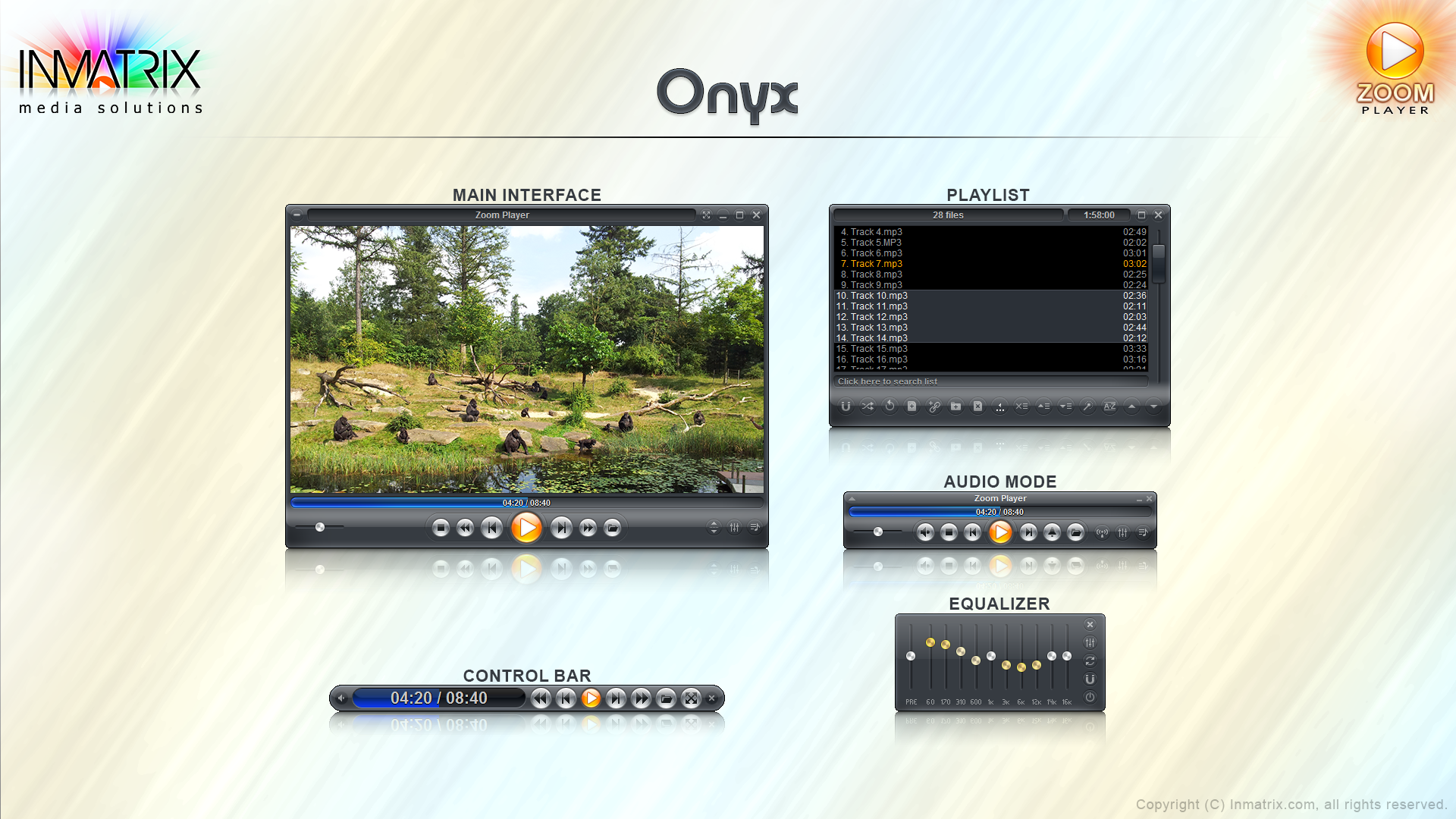
Zoom Player is a robust media and DVD front-end player. It was designed to be simple at first glance while being remarkably dynamic and flexible when used to its full potential. It works in two modes: a Media mode which can play any file supported by DirectShow (any file which plays in MediaPlayer) and a DVD mode which uses pre-installed DirectShow DVD filters to play DVD content. It supersedes media player in all it's functions and provides several important functions that media player lacks. It provides special zooming functions to improve TV-output quality by eliminating overscan.
Free for Non-Commercial use.
Latest Reviews

jensrodi reviewed v17.2.0 on Aug 31, 2023
Tried out the Free version and uninstalled just as quick. It does not support HD monitors, useless software on a 5K screen running Windows 11. Or at least I could not figure how to set it up, expected it to work out-of-the-box.

CyberDoc999 reviewed v13.7 on Jul 5, 2017
I give it a 2 stars and that is all
see mpc be for the best
also smooth video project for the ultimate

freesoft15 reviewed v9.4.0 on Sep 23, 2014
Zoom Player , one of the most recomended player to play videp and audio files formats .
see more
Zoom Player Free

OAKsider reviewed v8.5.1 on Jan 2, 2013
Still an incredible media player after all these years, and now it's free. I don't know where to start, and it's probably already been said anyway, so let me just say: download Zoom Player, check it out. Customize the hell out of it if you want, it's possible. "Never gonna give you up..." Thanks Inmatrix.

stisev reviewed v7.00 on Sep 5, 2011
Zoomplayer is the GOD of all PC video players. It creates the gold-standard for all other video players to be benchmarked to.
Make no mistake, this is the best HTPC video player on the market, hands down. It is stable, configurable in every way imaginable and controllable from a remote using Eventghost or girder.
Ignore these nincompoops below. They are purposely decreasing the rating for some reason
Best video player ever. Nothing even comes close and I've tried all of them (including MPC-HC + VLC + GOM + KMplayer)
stisev reviewed v5.50 Beta 1 on Sep 5, 2011
Using v8.0 RC3
Zoomplayer is the GOD of all PC video players. It creates the gold-standard for all other video players to be benchmarked to.
Make no mistake, this is the best HTPC video player on the market, hands down. It is stable, configurable in every way imaginable and controllable from a remote using Eventghost or girder.
Ignore these nincompoops below. They are purposely decreasing the rating for some reason
Best video player ever. Nothing even comes close and I've tried all of them (including MPC-HC + VLC + GOM + KMplayer)

jamikabg reviewed v8.00 RC1 on Mar 18, 2011
No trial version, expires after 30-60-any days, just a good one that I don't have to pay for.
https://www.google.com/b...DZg%2FBDQyIggoQ7eK2wewl
CyberDoc999 reviewed v8.00 RC1 on Mar 18, 2011
watch out for that Bing tool bar

radiomaffia reviewed v7.00 RC1 on Oct 3, 2009
There a lot of videoplayers, first generation did nothing to support codecs and they were leaving you into the desert of the unknown files and codecs.The generation that we see now are more grown up and there are some suksesfull ones like KMPlayer(lot of features), GOMPlayer(lost my intrest) and offcourse Zoom Player. Zoomplayer has a nice feature to update all neccessary codecs by an install center and even not all files directly worked with this player, after some inspection & configuration it worked fast like a rock it is definitily a keeper. With skinselector (press on N with mouse on the player) you can make any color you want. Highly recommended I rate it 5*
Only one question : Why are there so many versions out there? One freeware and one shareware would be enough i guess..

doctorsmith reviewed v6.00 RC3 on Aug 19, 2008
excellent piece of software.
jensrodi reviewed v17.2.0 on Aug 31, 2023
Pros: None
Cons: Does support 4K/5K desktop usage
Bottom Line: Tried out the Free version and uninstalled just as quick. It does not support HD monitors, useless software on a 5K screen running Windows 11. Or at least I could not figure how to set it up, expected it to work out-of-the-box.

CyberDoc999 reviewed v13.7 on Jul 5, 2017
I give it a 2 stars and that is all
see mpc be for the best
also smooth video project for the ultimate
freesoft15 reviewed v9.4.0 on Sep 23, 2014
Zoom Player , one of the most recomended player to play videp and audio files formats .
see more
Zoom Player Free
OAKsider reviewed v8.5.1 on Jan 2, 2013
Still an incredible media player after all these years, and now it's free. I don't know where to start, and it's probably already been said anyway, so let me just say: download Zoom Player, check it out. Customize the hell out of it if you want, it's possible. "Never gonna give you up..." Thanks Inmatrix.
stisev reviewed v7.00 on Sep 5, 2011
Zoomplayer is the GOD of all PC video players. It creates the gold-standard for all other video players to be benchmarked to.
Make no mistake, this is the best HTPC video player on the market, hands down. It is stable, configurable in every way imaginable and controllable from a remote using Eventghost or girder.
Ignore these nincompoops below. They are purposely decreasing the rating for some reason
Best video player ever. Nothing even comes close and I've tried all of them (including MPC-HC + VLC + GOM + KMplayer)
stisev reviewed v5.50 Beta 1 on Sep 5, 2011
Using v8.0 RC3
Zoomplayer is the GOD of all PC video players. It creates the gold-standard for all other video players to be benchmarked to.
Make no mistake, this is the best HTPC video player on the market, hands down. It is stable, configurable in every way imaginable and controllable from a remote using Eventghost or girder.
Ignore these nincompoops below. They are purposely decreasing the rating for some reason
Best video player ever. Nothing even comes close and I've tried all of them (including MPC-HC + VLC + GOM + KMplayer)
jamikabg reviewed v8.00 RC1 on Mar 18, 2011
No trial version, expires after 30-60-any days, just a good one that I don't have to pay for.
https://www.google.com/b...DZg%2FBDQyIggoQ7eK2wewl
CyberDoc999 reviewed v8.00 RC1 on Mar 18, 2011
watch out for that Bing tool bar
radiomaffia reviewed v7.00 RC1 on Oct 3, 2009
There a lot of videoplayers, first generation did nothing to support codecs and they were leaving you into the desert of the unknown files and codecs.The generation that we see now are more grown up and there are some suksesfull ones like KMPlayer(lot of features), GOMPlayer(lost my intrest) and offcourse Zoom Player. Zoomplayer has a nice feature to update all neccessary codecs by an install center and even not all files directly worked with this player, after some inspection & configuration it worked fast like a rock it is definitily a keeper. With skinselector (press on N with mouse on the player) you can make any color you want. Highly recommended I rate it 5*
Only one question : Why are there so many versions out there? One freeware and one shareware would be enough i guess..
doctorsmith reviewed v6.00 RC3 on Aug 19, 2008
excellent piece of software.

photonboy reviewed v6.00 RC1 on Jan 28, 2008
I'm surprised at some of the low scores and comments. I've been using it for years and I'm really into video. Maybe it's a matter of tweaking it; there's a lot to modify.
Basically, I pretty much use FFDSHOW audio and video decoders for most video. I installed my external decoders via the latest CCCP.
I still have KMPlayer, WMP11, WMP Classic etc. but Zoom Player was the only one that allowed me to get every last thing just the way I want it. One notable thing is dual audio and subtitles. I typed "english" in Settings to allow English audio even if another language like Japanese is first. On my Control bar I can quickly toggle the Subtitles and audio if need be. Anamorphic Matroska is another thing not all players have. There's too much to mention.
I've never had a single stability issue in two years with any version and I've tried all of them.
Honestly, very few people need to purchase this, but I bought it a couple years ago and just love it. I'm happy to see that changing version numbers didn't require me to upgrade like some programs I bought in the past.
Perfect for my needs! Very configurable and stable.

Reverb reviewed v6.00 Beta 2 on Nov 30, 2007
I used this for about a year before discovering KMPlayer/GOMPlayer. Not bad, basically a replacement for Windows Media Player (DirectShow) with better DVD navigation but no visuals.
Nothing that would make me want spend money on this when there are better free alternatives out there.

Point Zero reviewed v6.00 Beta 2 on Nov 30, 2007
New review :
This program is really worth the money, much better than the free MPC, and really cleverly programmed.
Keep it up !