File Details |
|
| File Size | 0.9 MB |
|---|---|
| License | Freeware |
| Operating System | Windows 2000/XP |
| Date Added | October 25, 2007 |
| Total Downloads | 3,439 |
| Publisher | Konrad Papala |
| Homepage | Autostart and Process Viewer |
Publisher's Description
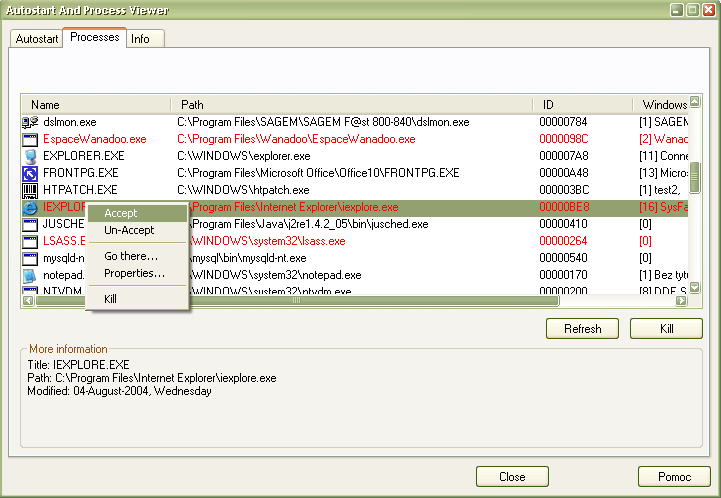
Autostart and Process Viewer gives you a control over applications which start with Windows, and shows which processes are running on your computer. But the most important thing is that it helps you find out which processes and autostart entries are new. You can "accept" a process or a program starting with windows, and if a new ("unaccepted") item appears - the program tells you about it.
Latest Reviews

new_here reviewed v1.2 on Feb 18, 2006
It does its job very well, without impacting system performance, it's small and fast. Five.
@SlowNeasy: it's well documented how to uninstall this app, just please press F1 (you simply do not have to uninstall it, just delete its installation folder, just like you do with every small program not having an installation procedure).

SlowNeasy reviewed v1.0 on Feb 17, 2006
Very poorly written application with no uninstall or instructions on how to uninstall it. The author should be paying users to install this on their system.

new_here reviewed v1.2 on Feb 18, 2006
It does its job very well, without impacting system performance, it's small and fast. Five.
@SlowNeasy: it's well documented how to uninstall this app, just please press F1 (you simply do not have to uninstall it, just delete its installation folder, just like you do with every small program not having an installation procedure).
SlowNeasy reviewed v1.0 on Feb 17, 2006
Very poorly written application with no uninstall or instructions on how to uninstall it. The author should be paying users to install this on their system.