File Details |
|
| File Size | 0.1 MB |
|---|---|
| License | Freeware |
| Operating System | Windows 7/8/Vista/XP |
| Date Added | March 2, 2015 |
| Total Downloads | 2,463 |
| Publisher | My Portable Software |
| Homepage | Free USB Guard |
Publisher's Description
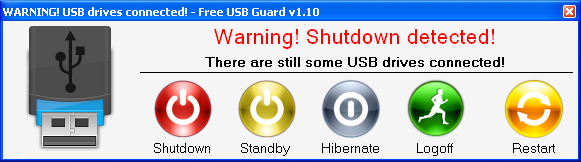
Free USB Guard will alert you in case a flash drive (or another external drive) is attached during the shutdown process. The shutdown will be blocked allowing you to take out the flash drive. You can also be alerted if an external HDD remains attached: just open the menu and select the drive under the menu "monitor the presence of these drives".
Latest Reviews

Zoroaster reviewed v0.6 on Nov 16, 2011
Requirements: Windows XP / Vista / 7 (32 & 64 bit) - .NET Framework 2.0
Pertinent.

Zoroaster reviewed v0.6 on Nov 16, 2011
Requirements: Windows XP / Vista / 7 (32 & 64 bit) - .NET Framework 2.0
Pertinent.