File Details |
|
| File Size | 2.0 MB |
|---|---|
| License | Freeware |
| Operating System | Windows (All) |
| Date Added | October 15, 2012 |
| Total Downloads | 11,150 |
| Publisher | Freshdevices Corp. |
| Homepage | Fresh View |
Publisher's Description
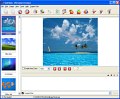
Fresh View gives you the ability to organize and view multimedia files (images, audio, video). Watch movies, listen to music, and view graphics in a slide show. Image files in a folder can be displayed using a number of views, including a thumbnail view that lets you quickly see what your images are without having to open them. You can convert graphics from one type to another, print, and even create an HTML album.
Latest Reviews

smaragdus reviewed v7.92 on Apr 26, 2010
The version is 7.94, but still so basic. It is not a very fast viewer, it takes a lot of time to index a bigger folder. It provides no mouse control in full screen mode. It cannot automatically rotate image according to EXIF information (although it shows EXIF data), which is a serious flaw for a modern image viewer/browser, in fact most viewers can do it (with the exception of the expensive but rather poor Firegraphic). It still has menus which are inacessible, (for example change language), and the right panel (hue & saturation, image effects, brightness & contrast, zoom and rotating) is unusable. Why are all these there, for decorative purposes? And this is the same version after version. It does not offer even a basic set of editing tools. Yes, it is a viewer, not an editor, but it is so simple and has nothing that will make it special or at least memorable, just another viewer. Yes, it can create watermarks and html albums, but both tools are very basic and lack features, this lack of features is characteristic for this viewer in general. On the good side it can minimize to tray and provides a lot of transition effects in slideshow mode, which I do not use because I find these effects annoying, I want to watch images, not effects. It can convert and resize but both converter and resizer are again basic, and the only supported file formats are jpg, bmp and tiff (no png- amazing). I check this viewer from time to time and I always get disappointed, no visible progress. Yes, it is free, but it should be registered after the trial period of 23 days is over, so it is not actually freeware, but registerware.

Dsfargeg reviewed v7.24 on Jun 29, 2007
It shouldn't be rated as "Freeware" with that ugly nag-screen.
Besides, the interface is quite ugly.

ajua reviewed v7.0 on Jan 26, 2007
after the installation i tried to look some photos and a nag screen told me that i have been using the app for 112 days, wich i havent. also the nag windows can only be closed if you wait 300 secs (yes, 300). there are better alternatives such as XnView and Fast Stone Image Viewer.

danilloOc reviewed v4.20 on Mar 28, 2005
The interface is horrible (bad pink icons), have to press a button to viu an image in fullscreen (it's don't accept double clik for it), when is in fullscreen you can't press a key to move for the next or previous image, don't accept any mouse interaction in fullscreen and don't accepted any kind of video format that i tried to open.
this program have nice features and a great potential, i hope they upgrade it and add some of this missing actions on next versions, i will keep an eye on this program.
PS: It's only my PERSONAL opinion, go ahead and give a try maybe you will not agree with me ;)

edbro reviewed v3.20 on Oct 14, 2004
Very nice interface

smaragdus reviewed v7.92 on Apr 26, 2010
The version is 7.94, but still so basic. It is not a very fast viewer, it takes a lot of time to index a bigger folder. It provides no mouse control in full screen mode. It cannot automatically rotate image according to EXIF information (although it shows EXIF data), which is a serious flaw for a modern image viewer/browser, in fact most viewers can do it (with the exception of the expensive but rather poor Firegraphic). It still has menus which are inacessible, (for example change language), and the right panel (hue & saturation, image effects, brightness & contrast, zoom and rotating) is unusable. Why are all these there, for decorative purposes? And this is the same version after version. It does not offer even a basic set of editing tools. Yes, it is a viewer, not an editor, but it is so simple and has nothing that will make it special or at least memorable, just another viewer. Yes, it can create watermarks and html albums, but both tools are very basic and lack features, this lack of features is characteristic for this viewer in general. On the good side it can minimize to tray and provides a lot of transition effects in slideshow mode, which I do not use because I find these effects annoying, I want to watch images, not effects. It can convert and resize but both converter and resizer are again basic, and the only supported file formats are jpg, bmp and tiff (no png- amazing). I check this viewer from time to time and I always get disappointed, no visible progress. Yes, it is free, but it should be registered after the trial period of 23 days is over, so it is not actually freeware, but registerware.
Dsfargeg reviewed v7.24 on Jun 29, 2007
It shouldn't be rated as "Freeware" with that ugly nag-screen.
Besides, the interface is quite ugly.
ajua reviewed v7.0 on Jan 26, 2007
after the installation i tried to look some photos and a nag screen told me that i have been using the app for 112 days, wich i havent. also the nag windows can only be closed if you wait 300 secs (yes, 300). there are better alternatives such as XnView and Fast Stone Image Viewer.
danilloOc reviewed v4.20 on Mar 28, 2005
The interface is horrible (bad pink icons), have to press a button to viu an image in fullscreen (it's don't accept double clik for it), when is in fullscreen you can't press a key to move for the next or previous image, don't accept any mouse interaction in fullscreen and don't accepted any kind of video format that i tried to open.
this program have nice features and a great potential, i hope they upgrade it and add some of this missing actions on next versions, i will keep an eye on this program.
PS: It's only my PERSONAL opinion, go ahead and give a try maybe you will not agree with me ;)
edbro reviewed v3.20 on Oct 14, 2004
Very nice interface