File Details |
|
| File Size | 0.1 MB |
|---|---|
| License | Shareware, $19.95 |
| Operating System | Windows 2000/9x/XP |
| Date Added | July 1, 2010 |
| Total Downloads | 3,233 |
| Publisher | Resulttia Software |
| Homepage | Remove |
Publisher's Description
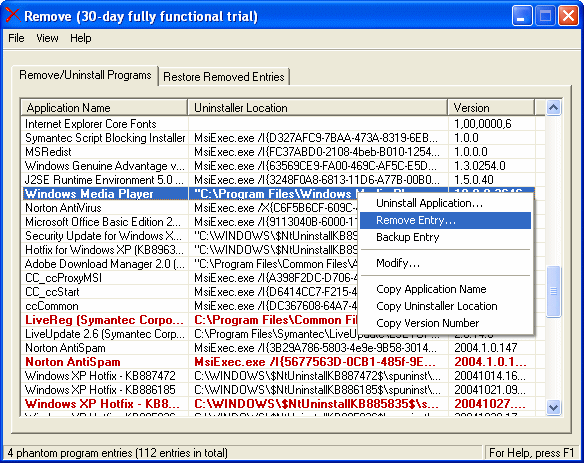
Remove is a full-featured uninstaller for uninstalling software and removing program entries from the Windows Add/Remove Programs applet in the Control Panel. In addition to the standard uninstall option, Remove highlights phantom program entries and lets you remove, modify, and backup them. Best of all, it gives you the ability to get rid of hidden software, unwanted and partially installed applications, and obsolete program entries.
Latest Reviews

scodan reviewed v3.1.1 on Sep 12, 2003
Wow--a "utility" that lets you delete registry keys. I never cease to be amazed at how some programmers offer truly powerful and usefull applications for free (witness Total Uninstall), while others whip up crap like this and want money for it. Don't be suckered into buying this waste of disk space.

scodan reviewed v3.1.1 on Sep 12, 2003
Wow--a "utility" that lets you delete registry keys. I never cease to be amazed at how some programmers offer truly powerful and usefull applications for free (witness Total Uninstall), while others whip up crap like this and want money for it. Don't be suckered into buying this waste of disk space.