File Details |
|
| File Size | 0.4 MB |
|---|---|
| License | Freeware |
| Operating System | Windows 2000/9x/Server 2003/XP |
| Date Added | June 19, 2002 |
| Total Downloads | 969 |
| Publisher | Bruce Levett |
| Homepage | Trouts GIF Optimizer |
Publisher's Description
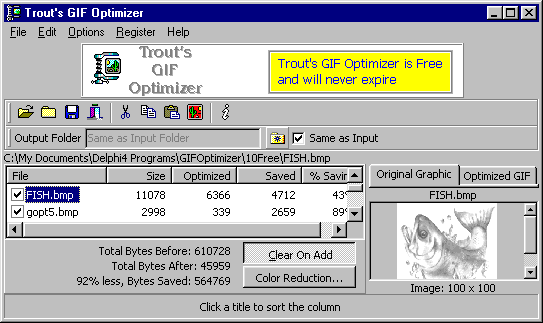
Trouts GIF Optimizer shrinks GIFs and converts other graphics to optimized GIFs: Bitmaps (*.bmp), JPEGs (*.jpg; *jpeg), Icons (*.ico), Metafiles (*.wmf; *.emf). Just drag-and-drop files then save. It supports animated GIFs and the Windows clipboard. You can also search for graphics optimize recursively through subfolders and view previews of optimized GIFs.