
File Details |
|
| File Size | 22.5 MB |
|---|---|
| License | Shareware, $19.95 |
| Operating System | Windows 7/8/10/11/Vista/XP |
| Date Added | April 9, 2024 |
| Total Downloads | 119,077 |
| Publisher | Burnaware |
| Homepage | BurnAware |
Publisher's Description
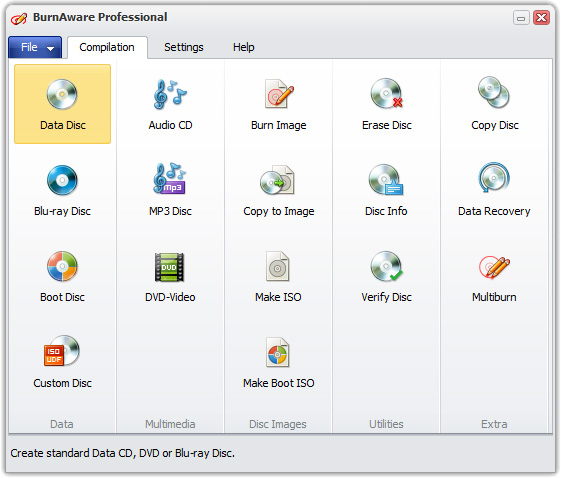
BurnAware is a full-featured and free burning software to create CD, DVD and Blu-ray of all types, including M-Disc. Home users can easily burn bootable discs, multisession discs, high-quality audio CDs and video DVDs, make, copy and burn disc images. Power users will benefit from BurnAware's advanced options, including control of boot settings, UDF partition and ISO levels, session selection, audio CD text, data recovering, disc spanning and direct copying.
BurnAware Premium is a CD, DVD and Blu-ray Disc burning and copying software designed specifically for users who need additional functionality, besides disc burning, such as disc-to-disc copying, audio track extraction or data recovering.
Latest Reviews

kumarankittravel reviewed v16.3 on Feb 23, 2023
Very useful

chrispaul reviewed v6.9.2 on Feb 17, 2014
very nice

Uriel reviewed v3.2 on Apr 22, 2011
After dumping Nero I tried both Ashampoo and BurnAware. BurnAware is by far the best out of the three. Ashampoo is written in Java and has wrecked too many disks while Nero is bloated and can only be used on one computer per license. BurnAware is light on the resources, the GUI is clean, and it doesn't make coasters out of my disks.

bobad reviewed v3.0.3 on Aug 17, 2010
I tried this program a while back, and it was "Just OK". It's in constant development, so I gave it another spin. During installation, I had to dodge attempts at changing my browser's home page, and installing junk programs like Ask. The GUI is simple, which I like , but not so attractive. The feature set is actually pretty good. The first thing I tried was making a music CD. It went through the motions, and finished very quickly. Unfortunately, the "burned" disk wouldn't play, so I didn't test any further. I use Win7-64, so it may work for you. Fortunately, it seems to have uninstalled cleanly.

Bala7 reviewed v3.0 Beta 10 on May 13, 2010
star747,
I have no problems burning .CDA files. Getting high quality burns is somewhat of a black art. Go to your burner's website and install the latest firmware for your device. I have used the free edition for some years now and strongly recommend this over those full featured bloated packages.

sgt.bt reviewed v2.3.7 on Mar 14, 2010
The free edition is fine, but don't pay for the cd copy function. I got burned and not the CD. Stay AWAY

star747 reviewed v2.3.7 on Mar 11, 2010
Don't buy this software due to false advertising. Not much different from any similar software. Their blurg says you can copy music CDs but not with the Free edition. I bought the Home edition because I wanted to copy an AUDIO CD but I couldn't get it to work.
Somewhere deep in the Help file it say it cannot AUDIO CDs. I wrote them demanding a refund and they refused. It says one thing on their site and another in their Help file so $30 down the drain.
Don't encourage rogue software developers by using their software. Not even for free.

comeoffit reviewed v1.2.9 on Mar 25, 2008
I got this software from GAOTD and so far I like it.

BUSIAK reviewed v1.2.8 on Mar 3, 2008
Lower the price and you can conquer the world.

kumarankittravel reviewed v16.3 on Feb 23, 2023
Pros: very useful.
Cons: very useful
Bottom Line: Very useful
chrispaul reviewed v6.9.2 on Feb 17, 2014
very nice
Uriel reviewed v3.2 on Apr 22, 2011
After dumping Nero I tried both Ashampoo and BurnAware. BurnAware is by far the best out of the three. Ashampoo is written in Java and has wrecked too many disks while Nero is bloated and can only be used on one computer per license. BurnAware is light on the resources, the GUI is clean, and it doesn't make coasters out of my disks.
bobad reviewed v3.0.3 on Aug 17, 2010
I tried this program a while back, and it was "Just OK". It's in constant development, so I gave it another spin. During installation, I had to dodge attempts at changing my browser's home page, and installing junk programs like Ask. The GUI is simple, which I like , but not so attractive. The feature set is actually pretty good. The first thing I tried was making a music CD. It went through the motions, and finished very quickly. Unfortunately, the "burned" disk wouldn't play, so I didn't test any further. I use Win7-64, so it may work for you. Fortunately, it seems to have uninstalled cleanly.
Bala7 reviewed v3.0 Beta 10 on May 13, 2010
star747,
I have no problems burning .CDA files. Getting high quality burns is somewhat of a black art. Go to your burner's website and install the latest firmware for your device. I have used the free edition for some years now and strongly recommend this over those full featured bloated packages.
sgt.bt reviewed v2.3.7 on Mar 14, 2010
The free edition is fine, but don't pay for the cd copy function. I got burned and not the CD. Stay AWAY
star747 reviewed v2.3.7 on Mar 11, 2010
Don't buy this software due to false advertising. Not much different from any similar software. Their blurg says you can copy music CDs but not with the Free edition. I bought the Home edition because I wanted to copy an AUDIO CD but I couldn't get it to work.
Somewhere deep in the Help file it say it cannot AUDIO CDs. I wrote them demanding a refund and they refused. It says one thing on their site and another in their Help file so $30 down the drain.
Don't encourage rogue software developers by using their software. Not even for free.
comeoffit reviewed v1.2.9 on Mar 25, 2008
I got this software from GAOTD and so far I like it.
BUSIAK reviewed v1.2.8 on Mar 3, 2008
Lower the price and you can conquer the world.