File Details |
|
| File Size | 2.0 MB |
|---|---|
| License | Freeware |
| Operating System | Windows 2000/XP |
| Date Added | December 9, 2005 |
| Total Downloads | 2,174 |
| Publisher | Fuzzy Duck |
| Homepage | Fuzzy Duck Note |
Publisher's Description
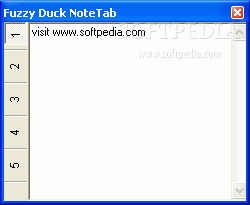
Fuzzy Duck Note is a small utility for taking quick notes that lives in your task tray. The notes are saved in an RSS 2 formatted xml file for safe keeping.
Latest Reviews

daverage reviewed v1.0.6 on Jan 13, 2006
Still works well. 1.0.6 comes with all of the DLLs to work. Also the file that is saved (notes.xml) cannot be deleted unless you delete it.
Did you email the author to ask, or just come straight here?
As for review, new features seem to work, but does need a bit of stablilising in some areas. Also would be nice to see more convertors.
Been using it since first release and am still using the same notes file and never had similar problems.

Da5id reviewed v1.0.6 on Dec 20, 2005
I know it's free, and it's a good idea, but nevertheless, it's not ready for prime time. It was working and I had some valuable information in it -- then it quit working.
I just don't have time to download drivers and/or otherwise troubleshoot this program.
I use NoteTab which is not as easy, but hold "stuff" in easy-to-retrieve folders in txt files. Never lost anything.
I have a WinTel machine running XP which I keep updated. Reasonable software should come with >everything< needed to run P-E-R-I-O-D
I uninstalled FuzzyDuck. I lost my valuable time and some of my data. And now I'm taking more time to let the author and others know about it.
daverage reviewed v1.0.4 RC4 on Nov 20, 2005
Author must have changed the read me as the typo is gone now.
Had a problem after install, few bits didnt work (import and save were the ones) so emailed author. Then read the read me and it tells me to install the vb6 runtimes or the dll pack from http://www.fuzzyd.co.uk/notetabdllpack.exe. After that it worked fine. Also got an email from the author telling me the same...not bad for a sunday! He explained they are not included as he hasnt got round to working out how to only write over older files with nsis so includes them as a seperate download. All features seem to work for me now.
The help file tells you how to use most features, including the reminder.
Lots of features, spell checker is a bit slow, but good for the odd word.
Still some work to be done but one of the most complete post it style progs I have seen.
And to the last reviewer, email the author for help or read the readme file.

alcvanamelsvoort reviewed v1.0.4 RC4 on Nov 20, 2005
Fresh installation. Several features don't work such as "Send To","Help" and "Import" (I haven't tried them all). I'm not at all sure how "Reminder" works as it asks for a "File to Launch". What file should I launch? The readme.txt file includes the following instruction: "Click the **** icon to bring the notetab to the front". Typo or deliberate? Come on guys. Grow up! More work is needed here.

nylyst reviewed v0.9.7 on Sep 6, 2005
danilloOc: here's a link to a page that will help you correct the error you're encountering - http://windowsxp.mvps.org/comdlg32.htm
It has a copy of the file you're having problems with and step by step directions on how to 'install' it properly. Should you still encounter problems, you can contact me at nylyst.no(AT)spam.gmail.com [replace .no(AT)spam. with @]
While not quite as feature packed as some other note taking utilities, I must say I love the simplicity and ease of use of this program, given time it will surely pass competitors!

war593122 reviewed v0.9.7 on Sep 6, 2005
Well no install issue here either. Running Windows XP SP2. Maybe time for others to upgrade their OS . :p
But yeah I agree you should probally just include the requried files with installer. And only install them if needed. Meaning do no over ride newer files.
Well at first glance I notice its eating 10MB of memory. The most on my PC besides explorer.exe and svchost.exe which just, well, sucks.
Though not a big deal to me, with my PC3500 1GB of RAM, but still.
Over all I like this little app.
Perpahs a downloadable zip file though would be nice. So you dont have to install. :)

lab-techie reviewed v0.9.6 on Sep 2, 2005
Nice & useful. I like it!
It's written in Visual Basic, so you will need the VB6 runtime files mentioned by "guitardave78" below. I happened to already have them from another app. I installed.

marcopolo1930 reviewed v0.9.6 on Sep 2, 2005
Worked first time for me.
Has a lot of features, the spell check is nice for quickly checking the spelling of single word, or a couple of words. Is a bit slow checking lots of text, but for free i will forgive that.
Shame somone rated it so low because it wouldnt work, without asking the author for help first (or reading the readme)
Room for some improvment but for a free beta it is top notch and worth 5 of my stars...i can see me using this everyday!!

guitardave78 reviewed v0.9.6 on Sep 2, 2005
In the readme file it explains that some users now download the visual basic runtime files.
http://www.microsoft.com...FB3C&displaylang=en
To keep the download size down the dlls where not included as many users find they have them already. Sorry for any problems.

danilloOc reviewed v0.9.6 on Sep 2, 2005
I'm sorry for ignore the readme.
Thanks for the tips about download and install the run-time.
I downloaded the VB Runtime from the link the developer left, installed it and then tried to run the Fuzzy Duck Note Tab again (a fresh installation)
and..... yeah, same error, here is the screenshot: http://img352.imageshack...mg352/8379/error0mn.jpg
I'm sorry if i caused any problem to the developers but in my personal opinion you guys should add the runtime to the software to make it easy for non experienced users, this will help to make the software more popular, just a personal opinion. Too bad i can't try it but i wish you all the best.

daverage reviewed v1.0.6 on Jan 13, 2006
Still works well. 1.0.6 comes with all of the DLLs to work. Also the file that is saved (notes.xml) cannot be deleted unless you delete it.
Did you email the author to ask, or just come straight here?
As for review, new features seem to work, but does need a bit of stablilising in some areas. Also would be nice to see more convertors.
Been using it since first release and am still using the same notes file and never had similar problems.
Da5id reviewed v1.0.6 on Dec 20, 2005
I know it's free, and it's a good idea, but nevertheless, it's not ready for prime time. It was working and I had some valuable information in it -- then it quit working.
I just don't have time to download drivers and/or otherwise troubleshoot this program.
I use NoteTab which is not as easy, but hold "stuff" in easy-to-retrieve folders in txt files. Never lost anything.
I have a WinTel machine running XP which I keep updated. Reasonable software should come with >everything< needed to run P-E-R-I-O-D
I uninstalled FuzzyDuck. I lost my valuable time and some of my data. And now I'm taking more time to let the author and others know about it.
daverage reviewed v1.0.4 RC4 on Nov 20, 2005
Author must have changed the read me as the typo is gone now.
Had a problem after install, few bits didnt work (import and save were the ones) so emailed author. Then read the read me and it tells me to install the vb6 runtimes or the dll pack from http://www.fuzzyd.co.uk/notetabdllpack.exe. After that it worked fine. Also got an email from the author telling me the same...not bad for a sunday! He explained they are not included as he hasnt got round to working out how to only write over older files with nsis so includes them as a seperate download. All features seem to work for me now.
The help file tells you how to use most features, including the reminder.
Lots of features, spell checker is a bit slow, but good for the odd word.
Still some work to be done but one of the most complete post it style progs I have seen.
And to the last reviewer, email the author for help or read the readme file.
alcvanamelsvoort reviewed v1.0.4 RC4 on Nov 20, 2005
Fresh installation. Several features don't work such as "Send To","Help" and "Import" (I haven't tried them all). I'm not at all sure how "Reminder" works as it asks for a "File to Launch". What file should I launch? The readme.txt file includes the following instruction: "Click the **** icon to bring the notetab to the front". Typo or deliberate? Come on guys. Grow up! More work is needed here.
nylyst reviewed v0.9.7 on Sep 6, 2005
danilloOc: here's a link to a page that will help you correct the error you're encountering - http://windowsxp.mvps.org/comdlg32.htm
It has a copy of the file you're having problems with and step by step directions on how to 'install' it properly. Should you still encounter problems, you can contact me at nylyst.no(AT)spam.gmail.com [replace .no(AT)spam. with @]
While not quite as feature packed as some other note taking utilities, I must say I love the simplicity and ease of use of this program, given time it will surely pass competitors!
war593122 reviewed v0.9.7 on Sep 6, 2005
Well no install issue here either. Running Windows XP SP2. Maybe time for others to upgrade their OS . :p
But yeah I agree you should probally just include the requried files with installer. And only install them if needed. Meaning do no over ride newer files.
Well at first glance I notice its eating 10MB of memory. The most on my PC besides explorer.exe and svchost.exe which just, well, sucks.
Though not a big deal to me, with my PC3500 1GB of RAM, but still.
Over all I like this little app.
Perpahs a downloadable zip file though would be nice. So you dont have to install. :)
lab-techie reviewed v0.9.6 on Sep 2, 2005
Nice & useful. I like it!
It's written in Visual Basic, so you will need the VB6 runtime files mentioned by "guitardave78" below. I happened to already have them from another app. I installed.
marcopolo1930 reviewed v0.9.6 on Sep 2, 2005
Worked first time for me.
Has a lot of features, the spell check is nice for quickly checking the spelling of single word, or a couple of words. Is a bit slow checking lots of text, but for free i will forgive that.
Shame somone rated it so low because it wouldnt work, without asking the author for help first (or reading the readme)
Room for some improvment but for a free beta it is top notch and worth 5 of my stars...i can see me using this everyday!!
guitardave78 reviewed v0.9.6 on Sep 2, 2005
In the readme file it explains that some users now download the visual basic runtime files.
http://www.microsoft.com...FB3C&displaylang=en
To keep the download size down the dlls where not included as many users find they have them already. Sorry for any problems.
danilloOc reviewed v0.9.6 on Sep 2, 2005
I'm sorry for ignore the readme.
Thanks for the tips about download and install the run-time.
I downloaded the VB Runtime from the link the developer left, installed it and then tried to run the Fuzzy Duck Note Tab again (a fresh installation)
and..... yeah, same error, here is the screenshot: http://img352.imageshack...mg352/8379/error0mn.jpg
I'm sorry if i caused any problem to the developers but in my personal opinion you guys should add the runtime to the software to make it easy for non experienced users, this will help to make the software more popular, just a personal opinion. Too bad i can't try it but i wish you all the best.