File Details |
|
| File Size | 4.0 MB |
|---|---|
| License | Freeware |
| Operating System | Windows 7/8/2000/Vista/XP |
| Date Added | April 1, 2017 |
| Total Downloads | 53,722 |
| Publisher | Xavier Roche |
| Homepage | HTTrack Website Copier |
Publisher's Description
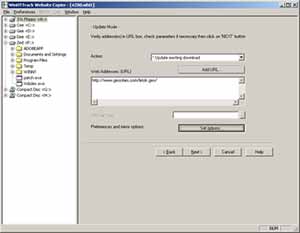
HTTrack is an offline browser utility that allows you to download a website from the Internet to a local directory, building recursively all directories, getting html, images, and other files from the server to your computer. It arranges the original site's relative link-structure. Simply open a page of the "mirrored" website in your browser, and you can browse the site from link to link, as if you were viewing it online. It can also update an existing mirrored site, and resume interrupted downloads. It is fully configurable, and has an integrated help system.
Latest Reviews

mikebratley reviewed v3.47-27 on Mar 11, 2014
very nice!!

Assirius reviewed v3.47-23 on Aug 21, 2013
It works , but the interface settings need some restyling ,
very poor thing , it wouldn't much work to transform it in a powerful instrument under the average user profile .

BANDIT- reviewed v3.47-22 on Aug 13, 2013
It's a good app. It does the same as Lots of the Crawlers & Bots.
Most people would want to use This and Similar Apps to scrape the
Web for Media. A lot of similar Apps will respect (Robots.txt) &
Certain Apps will allow you to configure your Bot to Ignore Meta
data, Tags, Robots.txt etc. If you don't understand the WebSite
strategies or HTML code h**p://www.w3schools.com/ I would suggest
to read the Helpfiles & do as much research as possible before
using Crawlers, Sniffers, Bots. h**p://www.httrack.com/html/abuse.html
5* For being highly configurable & a favorite.
If ya wanna sniff media. Some OK stuff in this package: h**p://www.nirsoft.net/network_tools.html ... (~_^)
All "singin n Dancin" with a fancy UI. But It'll cost ya.
h**p://www.wrensoft.com/

Obren reviewed v3.47-15 on Jun 2, 2013
It generally works, if you manage to understand it's one-hundred options (default settings are not usable for me). Also, user interface is from stone age of computing, I remember this application looking the same 10 or 12 years ago.

Karol Mily reviewed v3.44-3 on Jan 27, 2012
Excelent software. Works well, many options what files to download, from which part of web.
Sometimes, for a simple downloads I prefer - Wget for Windows (http://gnuwin32.sourceforge.net/packages/wget.htm).

anomoly reviewed v3.43-6 on Jul 21, 2009
You might want to consider the fact some sites simply may not like web crawlers regardless. something doesn't work is a lame review

Juhandra reviewed v3.43-4 on Mar 21, 2009
Crap!
Whatever you try, there's always something not working.
No wonder the creator advises people to use some 5 year old version.
anomoly reviewed v3.43 RC1 on Sep 15, 2008
As far as I'm aware, the ability to "get html files first" is an option.

Mick Leong reviewed v3.43 Beta 2 on Aug 26, 2008
Generally a good software.
Unfortunately, it shares the same fate with majority of off-line browsers by being shut-out by many web-sites because it does a depth-first download instead of current document-first followed by depth. By doing depth-first the app randomly download items and will appear as a intruder/scanner/etc ... and many web-sites will shut you off.

Qlib reviewed v3.42 on Nov 29, 2007
its free.. great... apart from that.. not so much..

mikebratley reviewed v3.47-27 on Mar 11, 2014
very nice!!
Assirius reviewed v3.47-23 on Aug 21, 2013
It works , but the interface settings need some restyling ,
very poor thing , it wouldn't much work to transform it in a powerful instrument under the average user profile .
BANDIT- reviewed v3.47-22 on Aug 13, 2013
It's a good app. It does the same as Lots of the Crawlers & Bots.
Most people would want to use This and Similar Apps to scrape the
Web for Media. A lot of similar Apps will respect (Robots.txt) &
Certain Apps will allow you to configure your Bot to Ignore Meta
data, Tags, Robots.txt etc. If you don't understand the WebSite
strategies or HTML code h**p://www.w3schools.com/ I would suggest
to read the Helpfiles & do as much research as possible before
using Crawlers, Sniffers, Bots. h**p://www.httrack.com/html/abuse.html
5* For being highly configurable & a favorite.
If ya wanna sniff media. Some OK stuff in this package: h**p://www.nirsoft.net/network_tools.html ... (~_^)
All "singin n Dancin" with a fancy UI. But It'll cost ya.
h**p://www.wrensoft.com/
Obren reviewed v3.47-15 on Jun 2, 2013
It generally works, if you manage to understand it's one-hundred options (default settings are not usable for me). Also, user interface is from stone age of computing, I remember this application looking the same 10 or 12 years ago.
Karol Mily reviewed v3.44-3 on Jan 27, 2012
Excelent software. Works well, many options what files to download, from which part of web.
Sometimes, for a simple downloads I prefer - Wget for Windows (http://gnuwin32.sourceforge.net/packages/wget.htm).
anomoly reviewed v3.43-6 on Jul 21, 2009
You might want to consider the fact some sites simply may not like web crawlers regardless. something doesn't work is a lame review
Juhandra reviewed v3.43-4 on Mar 21, 2009
Crap!
Whatever you try, there's always something not working.
No wonder the creator advises people to use some 5 year old version.
anomoly reviewed v3.43 RC1 on Sep 15, 2008
As far as I'm aware, the ability to "get html files first" is an option.
Mick Leong reviewed v3.43 Beta 2 on Aug 26, 2008
Generally a good software.
Unfortunately, it shares the same fate with majority of off-line browsers by being shut-out by many web-sites because it does a depth-first download instead of current document-first followed by depth. By doing depth-first the app randomly download items and will appear as a intruder/scanner/etc ... and many web-sites will shut you off.
Qlib reviewed v3.42 on Nov 29, 2007
its free.. great... apart from that.. not so much..

betabet reviewed v3.42 on Nov 24, 2007
Man that was quick!!!!!!!!!!!!

philosopher_dog reviewed v3.42 on Nov 21, 2007
Brilliant! Download it.

bgronas reviewed v3.42 on Nov 21, 2007
How about http://www.tensons.com/ - Has anyone used it, and how does it compare to this one??