
File Details |
|
| File Size | 61.0 MB |
|---|---|
| License | Open Source |
| Operating System | Windows 10/11 |
| Date Added | March 6, 2024 |
| Total Downloads | 5,662,863 |
| Publisher | Paint.NET Team |
| Homepage | Paint.NET |
Publisher's Description
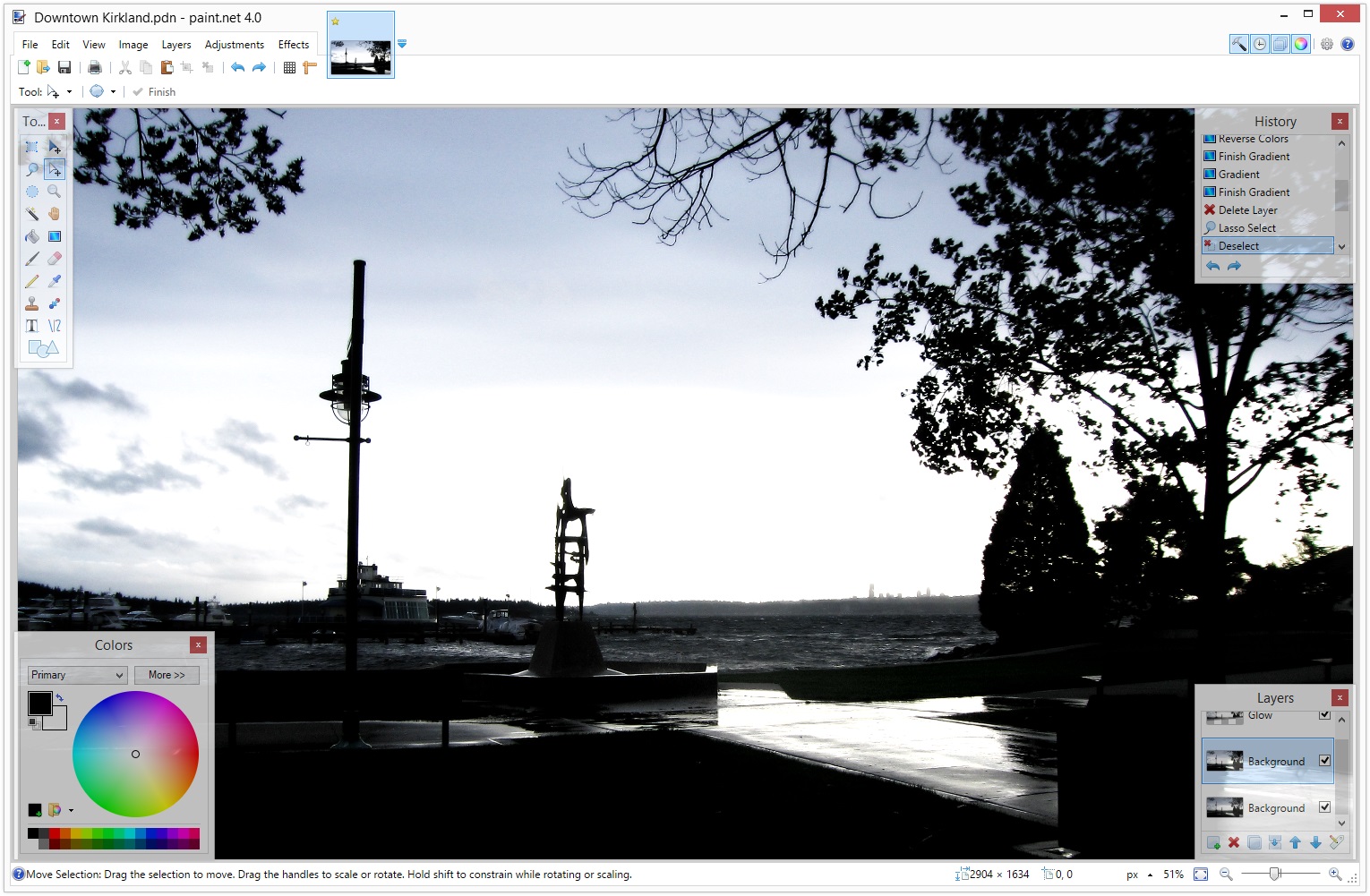
Paint.NET is image and photo manipulation software designed to be used on computers that run Windows. It supports layers, unlimited undo, special effects, and a wide variety of useful and powerful tools. It started development as an undergraduate college senior design project mentored by Microsoft, and is currently being maintained by some of the alumni that originally worked on it. Originally intended as a free replacement for the MS Paint software that comes with Windows, it has grown into a powerful yet simple tool for photo and image editing. The programming language used to create Paint.NET is C#, with a small amount of C++ for installation and shell-integration related functionality.
Paint.NET is freeware, but the team is accepting donations here.
Latest Reviews

Someone reviewed v5.0.8 Final on Aug 3, 2023
Popular and user-friendly raster graphics editing programme for Windows platforms is Paint.NET. It started out as a college project and has since expanded into a feature-rich programme that is appropriate for both novice users and more experienced designers. An affordable and lightweight replacement for pricey professional software like Adobe Photoshop is Paint.NET, which was introduced in 2004.

raavikant reviewed v5.0.8 Final on Aug 2, 2023
This is one of my favorite tools.

Tech 011 reviewed v5.0.6 Final on May 26, 2023
Paint.NET is a Windows-based software for photo and image manipulation which offers a simple interface, support for layers and unlimited undo options, as well as special effects and a wide range of tools that are useful. The program was originally designed to be a free replacement to MS Paint, it has developed into a robust yet user-friendly tool for photo and editing. Though it doesn't have the sophisticated capabilities that you would find in professional grade software, it is an ideal solution for simple to intermediate editing requirements.
Tech 011 reviewed v5.0.5 Final on May 23, 2023
It was initially designed as a no-cost alternative to MS Paint, it has been a favorite choice to edit photos. It's developed primarily using C#
Someone reviewed v4.2.9 on May 7, 2020
This post is so useful, I have looked all over the internet for it, thank you so much for sharing it. The article is so clear, without this post, I won’t be able to understand its use. minecraft mods pc

carlvui reviewed v4.0.4 on Dec 8, 2014
Many bugs has gone, the application itself got faster. Nice job.
carlvui reviewed v4.0.2 on Jul 20, 2014
Very user friendly, easy to use, but much too buggy. The previous versions often crashed, than the newer releases sometimes didn't load, the present one refuses to change language even after changing it in the option window. ( Accepts changes in language settings but whatever language I chose it will only display system’s default language ).
Their forum moderators are occasionally unnecessarily impolite and rude.
I opted for GIMP but yet, after Paint.net will get fixes and start working reliably I would be happy to download and use it for simple and quick, less demanding works. Unfortunately the last few versions were disappointing, I removed it and gave up further experimenting.

uberfly reviewed v4.0 on Jun 26, 2014
The reviews speak for themselves. 5 stars and free.
Monkey_Punch: "does damn near everything Photoshop does"
When you learn how to use Photoshop beyond opening photos and applying the sharpen filter you'll feel stupid for your comment.

Monkey_Punch reviewed v4.0 on Jun 25, 2014
Dear Adobe:
What's it like to not have a program that installs from a 6.1MB installer, does damn near everything Photoshop does, has gobs of free filters available and is free itself? Suck it long. Suck it hard.
Amazing app that handles almost any image file format you can throw at it.

Andem reviewed v3.5.10 on Oct 3, 2012
Paint.NET is the program I use on all of the systems where I don't have a license for Adobe Photoshop, that is on all of the systems where I sometimes need to do light image editing such as resizing, cropping, adding text, etc.
It is extremely fast and if you're not doing much more than minor image modifications, then Paint.NET is perfect. I have it installed on our home PC (which is a touch screen) and the kids love creating things with the touch screen.
Someone reviewed v5.0.8 Final on Aug 3, 2023
Pros: User-Friendly Interface: Paint.NET offers a clean and intuitive user interface, making it easy for beginners to get started with basic image editing tasks.
Feature Set: Despite being a free software, Paint.NET includes a good range of essential image editing tools, such as layers, color adjustments, special effects, and selection tools.
Extensible with Plugins: Paint.NET allows users to enhance its capabilities through a variety of community-created plugins, providing additional filters and tools.
Frequent Updates: The developers of Paint.NET are actively engaged in improving the software and releasing regular updates, ensuring bug fixes and new features are consistently added.
Performance: Paint.NET is designed to be fast and efficient, even on older or less powerful hardware, making it accessible to a wide range of users.
Cons: I suggest visiting the official website of Paint.NET or relevant software repositories to verify the latest version and download it directly from the official source. Downloading software from official channels helps ensure that you get the genuine and safe version without any potential risks of malware or unauthorized modifications. Always be cautious when downloading software from third-party websites, as they may offer altered or unsafe versions that could harm your computer or compromise your privacy.
Bottom Line: Popular and user-friendly raster graphics editing programme for Windows platforms is Paint.NET. It started out as a college project and has since expanded into a feature-rich programme that is appropriate for both novice users and more experienced designers. An affordable and lightweight replacement for pricey professional software like Adobe Photoshop is Paint.NET, which was introduced in 2004.
raavikant reviewed v5.0.8 Final on Aug 2, 2023
Pros: User-Friendly Interface: Paint.NET offers an intuitive and easy-to-navigate interface, making it accessible to both beginners and experienced users.
Feature-Rich Editing Tools: Despite being free, Paint.NET provides a wide range of powerful editing tools, including layers, filters, effects, and a variety of brushes, enabling users to create and enhance images effectively.
Active Community Support: Paint.NET has an active and dedicated community that contributes plugins, tutorials, and assistance, enriching the overall user experience.
Regular Updates: The software receives regular updates, ensuring bug fixes, performance enhancements, and the addition of new features to keep up with evolving user needs.
Lightweight and Fast: Paint.NET is lightweight and runs smoothly even on older systems, making it a suitable choice for quick image editing tasks without excessive resource consumption.
Cons: Limited OS Support: Paint.NET is primarily designed for Windows and does not have native versions for other operating systems like macOS or Linux.
Advanced Features Missing: While Paint.NET is a competent image editing tool, it lacks some of the more advanced capabilities found in professional-grade software like Adobe Photoshop, which might limit its suitability for complex graphic design projects.
Bottom Line: This is one of my favorite tools.
Tech 011 reviewed v5.0.6 Final on May 26, 2023
Pros: User-friendly interface.
The layers feature allows for editing with advanced features.
Unlimited undo functionality.
Provides an extensive range of effects.
The software was developed and is maintained by Microsoft Alumni.
Cons: Only available for Windows This limits its availability to other operating systems.
The software has a few limitations when compared with high-end photo editing software.
Not appropriate for professional or complex task of editing images.
Bottom Line: Paint.NET is a Windows-based software for photo and image manipulation which offers a simple interface, support for layers and unlimited undo options, as well as special effects and a wide range of tools that are useful. The program was originally designed to be a free replacement to MS Paint, it has developed into a robust yet user-friendly tool for photo and editing. Though it doesn't have the sophisticated capabilities that you would find in professional grade software, it is an ideal solution for simple to intermediate editing requirements.
Tech 011 reviewed v5.0.5 Final on May 23, 2023
Pros: Paint.NET is a robust and easy-to-use image editing program that runs on Windows.
Cons: It works with layers, provides numerous tools and effects and offers unlimited undo..
Bottom Line: It was initially designed as a no-cost alternative to MS Paint, it has been a favorite choice to edit photos. It's developed primarily using C#
Someone reviewed v4.2.9 on May 7, 2020
Pros: I love you work, the article is so helpful to me. Thank you so much for sharing this content. I’m looking forward to seeing your next post, please share useful information like this next time.
Cons: Thank you for the useful information, I won’t be able to understand without your clear description. I really appreciate that I have also followed you to get informed on your next post.
Bottom Line: This post is so useful, I have looked all over the internet for it, thank you so much for sharing it. The article is so clear, without this post, I won’t be able to understand its use. minecraft mods pc
carlvui reviewed v4.0.4 on Dec 8, 2014
Many bugs has gone, the application itself got faster. Nice job.
carlvui reviewed v4.0.2 on Jul 20, 2014
Very user friendly, easy to use, but much too buggy. The previous versions often crashed, than the newer releases sometimes didn't load, the present one refuses to change language even after changing it in the option window. ( Accepts changes in language settings but whatever language I chose it will only display system’s default language ).
Their forum moderators are occasionally unnecessarily impolite and rude.
I opted for GIMP but yet, after Paint.net will get fixes and start working reliably I would be happy to download and use it for simple and quick, less demanding works. Unfortunately the last few versions were disappointing, I removed it and gave up further experimenting.
uberfly reviewed v4.0 on Jun 26, 2014
The reviews speak for themselves. 5 stars and free.
Monkey_Punch: "does damn near everything Photoshop does"
When you learn how to use Photoshop beyond opening photos and applying the sharpen filter you'll feel stupid for your comment.
Monkey_Punch reviewed v4.0 on Jun 25, 2014
Dear Adobe:
What's it like to not have a program that installs from a 6.1MB installer, does damn near everything Photoshop does, has gobs of free filters available and is free itself? Suck it long. Suck it hard.
Amazing app that handles almost any image file format you can throw at it.
Andem reviewed v3.5.10 on Oct 3, 2012
Paint.NET is the program I use on all of the systems where I don't have a license for Adobe Photoshop, that is on all of the systems where I sometimes need to do light image editing such as resizing, cropping, adding text, etc.
It is extremely fast and if you're not doing much more than minor image modifications, then Paint.NET is perfect. I have it installed on our home PC (which is a touch screen) and the kids love creating things with the touch screen.

MikeTechno reviewed v3.5.8 on Mar 8, 2011
I absolutely love this program. I am a professional photographer and use Paint.net for editing on 95% of the shots that I take now. Sure, there are things that this program can't do and that you need a program like Photoshop for, but those are things that most people are likely to need to do only once in a great while (and maybe never). Since this program came out, I have (almost) stopped using Photoshop all together. This program is so much smaller, lighter, faster, less boated and easier to use than a huge editing applications like Photoshop, that unless there is a specific reason to have to do so, Paint.net is just a far better tool to use for nearly all of your editing needs, at just about every level. Well done!

PaulWilliams reviewed v3.5.6 on Jan 21, 2011
This is so much easier to use than Photoshop. You can save in almost any image format, resize, crop, add layers, adjustments and effects. Basically Paint.NET is everything that Microsoft and Adobe programs should be, but aren't. Thanks for your hard work.

us3r reviewed v3.5.5 on Apr 27, 2010
Paint.NET v3.5.5 - Download, released on April 25th, 2010
This update fixes a bug when saving 8-bit images, improves layer composition and Gaussian Blur performance, and is now updated to support the new .NET Framework 4.0 in some cases.
* Fixed the bug where saving as 8-bit PNG/GIF/BMP wasn't always working, usually with larger images.
* Improved the performance of the Gaussian Blur effect by 30-40%.
* Improved the performance of all the layer blending modes by 15-30%.
* Improved the performance of zooming with the mouse wheel on dual-core Intel Atom systems.
* Updated to support .NET 4.0 if no other version of .NET is installed.
* Reduced download size from 4.8MB down to 3.5MB.
* Fixed a small error in the Chinese translation.
Please note that the system requirements have been updated. For Windows XP, you must now have Service Pack 3 (SP3) installed; SP2 is no longer supported. For Windows Vista, you must now have Service Pack 1 installed.