File Details |
|
| File Size | 7.0 MB |
|---|---|
| License | Shareware, $39.99 |
| Operating System | Windows (All) |
| Date Added | June 7, 2008 |
| Total Downloads | 1,117 |
| Publisher | Lamantine Software |
| Homepage | Romeo Burner |
Publisher's Description
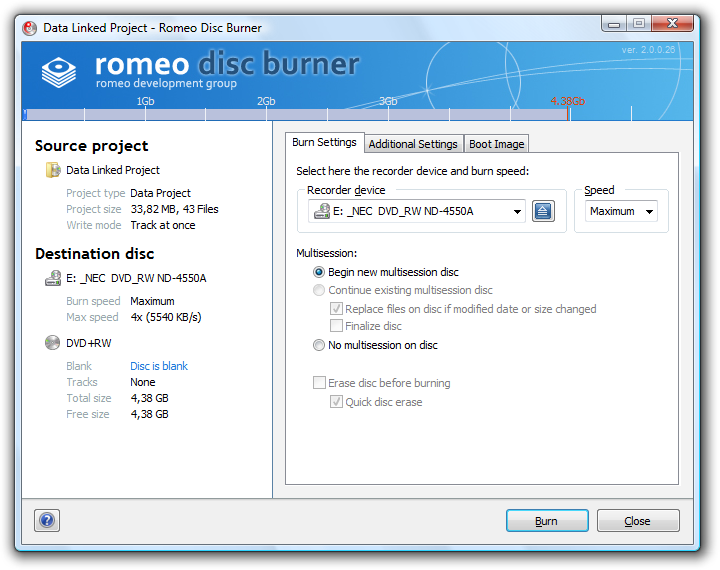
Romeo Burner is a CD and DVD burning software that perfectly integrated in Windows Explorer. It allows to burn discs using only well known operations that performed in every-day work with computer. You can compose and burn CD or DVD project without passing numerous wizards and running additional software.
Latest Reviews

bobad reviewed v2.1 on Jan 20, 2008
Agree with Carlos. Windows already has an excellent built in file browser (Explorer), so the shell extensions are great. The little basic menu screen provided is also nice. The entire program is aimed at size, speed, and user-friendliness. Can't argue with that!
1 point off for not having global settings options, and a few more convenience options. One that's missing is being able to burn ISO's by clicking on the file with no further user input. Another is the option to shut down the program when burning is complete. A few tweaks here and there, and Romeo will threaten to overtake VSO CopyToDVD as the most useful and user-friendly burning suite. Good luck to the developer on this nice little app.

Carlospr reviewed v2.1 on Jan 18, 2008
Since I work with projects before start to burning, Romeo was a nice surprise.
It's fully integrated with Explorer and to start a project you don't have to start the program itself. You have just to right click the folders or files to add them to an existing or new project.
That's what Windows should have as its default burner.
The support is great and fast.
It's worth to at least try!

bobad reviewed v2.1 on Jan 20, 2008
Agree with Carlos. Windows already has an excellent built in file browser (Explorer), so the shell extensions are great. The little basic menu screen provided is also nice. The entire program is aimed at size, speed, and user-friendliness. Can't argue with that!
1 point off for not having global settings options, and a few more convenience options. One that's missing is being able to burn ISO's by clicking on the file with no further user input. Another is the option to shut down the program when burning is complete. A few tweaks here and there, and Romeo will threaten to overtake VSO CopyToDVD as the most useful and user-friendly burning suite. Good luck to the developer on this nice little app.
Carlospr reviewed v2.1 on Jan 18, 2008
Since I work with projects before start to burning, Romeo was a nice surprise.
It's fully integrated with Explorer and to start a project you don't have to start the program itself. You have just to right click the folders or files to add them to an existing or new project.
That's what Windows should have as its default burner.
The support is great and fast.
It's worth to at least try!