File Details |
|
| File Size | 0.7 MB |
|---|---|
| License | Freeware |
| Operating System | Windows 2000/Vista/XP |
| Date Added | July 29, 2009 |
| Total Downloads | 3,096 |
| Publisher | Daniel Green |
| Homepage | Shup |
Publisher's Description
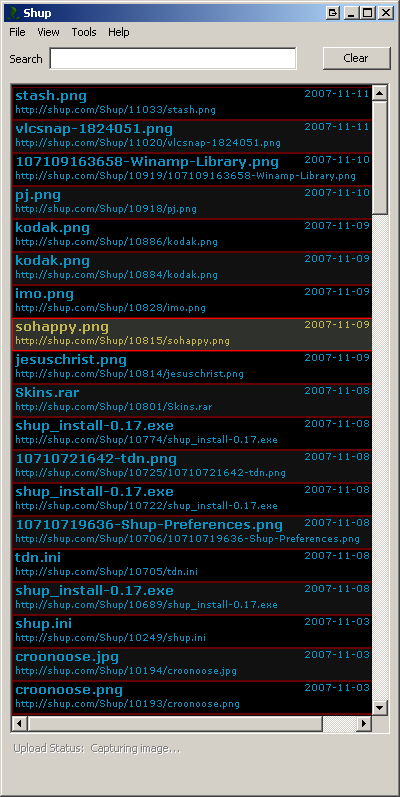
Shup is a small program that lives in your system tray, waiting for you to activate it via customizable hotkeys. Once activated, it captures your desktop or the currently active window and opens the builtin image editor, which allows you to paint, crop, etc; you can also rename the file and add upload tags. After you are done editing the image, it is uploaded to any of the supported file hosts (Stashbox.org, Flickr, PhotoBucket, WaffleImages, ImageShack, REAPER Resources, ScrnShots) and the new URL is placed into your clipboard for easy access.
Latest Reviews

Kylde reviewed v0.27 on Jul 30, 2009
Lovely piece of software, I would like the option for Shup to close itself after uploading an image via the context-menu

seier reviewed v0.23 on Mar 31, 2008
Can someone who's tried both GreenShot and Shup tell me which they liked better? Because I think GreenShot is the bees knees.

jim39n reviewed v0.21 on Jan 22, 2008
SHUP RULES
ALL GLORY TO THE BIN!!!!

Nighted reviewed v0.20 on Dec 20, 2007
Not a great rating, I know. But that doesn't mean this isn't good. It is extremely handy. Being able to upload to several sites from the context menu it great, and the dialog that logs your URL's it brilliant.
What really sucks it that you can't save your custom settings and the editor is so rudimentary that it's next to useless...which is a shame as the sparse features included are cleverly done. The editor really needs text support and some border effects. The options menu could also use an overhaul as the dialogs look hastily done and barren.

Lawrence01 reviewed v0.19 on Nov 19, 2007
I don't get it as far as you can hit alt-printscreen, then open photoshop, create a new image, and do a control-v to paste your screenshot. No software is needed to do screenshots...
This will work with any image editor that I have tried. Why add another program to do something already built into windows?

xavarri reviewed v0.13 on Jun 29, 2007
Use it once and you'll wonder how you ever lived without it.
If only there was a Linux version!

herzog reviewed v0.13 on Jun 29, 2007
I use Shup constantly to quickly screen capture my work in progress. It's a great tool, very well written and easy to use.
It even archives all the captures you create so you can pull them up later.

jacobhemming76 reviewed v0.13 on Jun 29, 2007
i needed a quick way of sending screenshots to work colegues when i found this program and it works rly well. i have found a thousand different uses for this program. it stays proudly on my system tray at work and home.

waffel reviewed v0.13 on Jun 29, 2007
Amazing program written by the upstart programming guru Daniel Green. Shup has (and will continue to) revolutionize screenshotting, image editing, and uploading. It runs very clean with a small footprint which is amazing considering the capabilities of such a small program. Also, new features are constantly being added due to user requests.
Get it now folks! IGNITE the world on fire!

FOAMYFROMTDN reviewed v0.13 on Jun 29, 2007
Ive been using this program for a while, and I dont know how I ever got by without it. Its the simplest idea, but it saves a heck of a lot of time. There seem to be new features added all the time too. Highly recomended.

Kylde reviewed v0.27 on Jul 30, 2009
Lovely piece of software, I would like the option for Shup to close itself after uploading an image via the context-menu
seier reviewed v0.23 on Mar 31, 2008
Can someone who's tried both GreenShot and Shup tell me which they liked better? Because I think GreenShot is the bees knees.
jim39n reviewed v0.21 on Jan 22, 2008
SHUP RULES
ALL GLORY TO THE BIN!!!!
Nighted reviewed v0.20 on Dec 20, 2007
Not a great rating, I know. But that doesn't mean this isn't good. It is extremely handy. Being able to upload to several sites from the context menu it great, and the dialog that logs your URL's it brilliant.
What really sucks it that you can't save your custom settings and the editor is so rudimentary that it's next to useless...which is a shame as the sparse features included are cleverly done. The editor really needs text support and some border effects. The options menu could also use an overhaul as the dialogs look hastily done and barren.
Lawrence01 reviewed v0.19 on Nov 19, 2007
I don't get it as far as you can hit alt-printscreen, then open photoshop, create a new image, and do a control-v to paste your screenshot. No software is needed to do screenshots...
This will work with any image editor that I have tried. Why add another program to do something already built into windows?
xavarri reviewed v0.13 on Jun 29, 2007
Use it once and you'll wonder how you ever lived without it.
If only there was a Linux version!
herzog reviewed v0.13 on Jun 29, 2007
I use Shup constantly to quickly screen capture my work in progress. It's a great tool, very well written and easy to use.
It even archives all the captures you create so you can pull them up later.
jacobhemming76 reviewed v0.13 on Jun 29, 2007
i needed a quick way of sending screenshots to work colegues when i found this program and it works rly well. i have found a thousand different uses for this program. it stays proudly on my system tray at work and home.
waffel reviewed v0.13 on Jun 29, 2007
Amazing program written by the upstart programming guru Daniel Green. Shup has (and will continue to) revolutionize screenshotting, image editing, and uploading. It runs very clean with a small footprint which is amazing considering the capabilities of such a small program. Also, new features are constantly being added due to user requests.
Get it now folks! IGNITE the world on fire!
FOAMYFROMTDN reviewed v0.13 on Jun 29, 2007
Ive been using this program for a while, and I dont know how I ever got by without it. Its the simplest idea, but it saves a heck of a lot of time. There seem to be new features added all the time too. Highly recomended.