File Details |
|
| File Size | 1.0 MB |
|---|---|
| License | Shareware, $27.00 |
| Operating System | Windows 2000/9x/Server 2003/XP |
| Date Added | August 29, 2017 |
| Total Downloads | 5,473 |
| Publisher | XDESKSOFTWARE |
| Homepage | XFilesDialog |
Publisher's Description
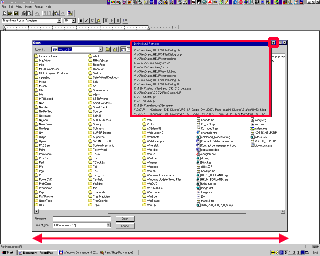
XFilesDialog will improve the Open and Save dialogs for all normal program with new features: a) It will be possible to automatically resize all that file dialogs - and as a result on a 1600x1200 or 1280x1024 desktop you will no longer be forced to "scroll 3 lines at a time" inside a tiny window which was initially designed for a 640x480 resolution - it is also possible to automatically select the type of view that you want, the sort type and sort order. b) It will be possible to have a history of recently-used files and folders.
Latest Reviews

raveren reviewed v4.00.211 on Sep 16, 2010
Laughably bad. The application interface is even worse than their site and it's a quite expensive shareware.
Though supported on win7 now, it still uses XP buttons, which look bad even on XP. Ungh.

CyberDoc999 reviewed v4.00.205 Beta on Jul 28, 2010
renting this to you for a yearly fee..... what a joke

Plumber reviewed v4.00.205 Beta on Jul 28, 2010
This software doesn't take advantage of security holes in Windows. It merely uses documented methods (i.e. hooks) to accomplish what it does.
Which isn't much.
It's unstable, and the GUI sucks. And a recurring fee of $35? Come on now.
One star for unusably-unstable software.

The MAZZTer reviewed v4.00.205 Beta on Jul 27, 2010
sbeckstead: How can it be a security problem when you specifically download and run it itself? Plus modifications to other windows like this can't jump security boundaries (IE this can't modify elevated apps unless it too is elevated).
I don't run shareware but rating 4 since there are few apps like this around and there really should be a few more...

sbeckstead reviewed v3.60.193 Beta on Jan 26, 2009
The fact that this works scares me. Yet another security hole in Windows.

Choda_Boy reviewed v3.50.187 Beta on Apr 15, 2008
If the download link is mangled, try this:
http://xdesksoftware.com...7_beta_mdump_signed.exe

guti reviewed v3.30.175 Beta on Jul 3, 2006
Nice app, but in that case, a x64 native version, is almost mandatory.

nikko11 reviewed v3.30.174 Beta on Jun 5, 2006
Very solid program, the buttons is places on the windows are easily removed, works very effectively, does as described.

hardgiant reviewed v3.30.174 Beta on Jun 3, 2006
If only Microsoft would design better dialog boxes so an app like this wouldn't be neccessary.
1. The dialog should have an option to set the size.
2. Allow list, thumbs, details mode, etc,
3. Allow a good list of folders like Office 2003 has on the side.
4. Double clicking title bar should maxmize the dialog box.
guti reviewed v3.20.166 Beta on Oct 16, 2005
3.20.168 beta released.

raveren reviewed v4.00.211 on Sep 16, 2010
Laughably bad. The application interface is even worse than their site and it's a quite expensive shareware.
Though supported on win7 now, it still uses XP buttons, which look bad even on XP. Ungh.
CyberDoc999 reviewed v4.00.205 Beta on Jul 28, 2010
renting this to you for a yearly fee..... what a joke
Plumber reviewed v4.00.205 Beta on Jul 28, 2010
This software doesn't take advantage of security holes in Windows. It merely uses documented methods (i.e. hooks) to accomplish what it does.
Which isn't much.
It's unstable, and the GUI sucks. And a recurring fee of $35? Come on now.
One star for unusably-unstable software.
The MAZZTer reviewed v4.00.205 Beta on Jul 27, 2010
sbeckstead: How can it be a security problem when you specifically download and run it itself? Plus modifications to other windows like this can't jump security boundaries (IE this can't modify elevated apps unless it too is elevated).
I don't run shareware but rating 4 since there are few apps like this around and there really should be a few more...
sbeckstead reviewed v3.60.193 Beta on Jan 26, 2009
The fact that this works scares me. Yet another security hole in Windows.
Choda_Boy reviewed v3.50.187 Beta on Apr 15, 2008
If the download link is mangled, try this:
http://xdesksoftware.com...7_beta_mdump_signed.exe
guti reviewed v3.30.175 Beta on Jul 3, 2006
Nice app, but in that case, a x64 native version, is almost mandatory.
nikko11 reviewed v3.30.174 Beta on Jun 5, 2006
Very solid program, the buttons is places on the windows are easily removed, works very effectively, does as described.
hardgiant reviewed v3.30.174 Beta on Jun 3, 2006
If only Microsoft would design better dialog boxes so an app like this wouldn't be neccessary.
1. The dialog should have an option to set the size.
2. Allow list, thumbs, details mode, etc,
3. Allow a good list of folders like Office 2003 has on the side.
4. Double clicking title bar should maxmize the dialog box.
guti reviewed v3.20.166 Beta on Oct 16, 2005
3.20.168 beta released.

httpd.confused reviewed v3.20.163 Beta on Aug 6, 2005
I find it funny how much more senseless, pointless, and useless the reviews are that happen to be written only when a bit of software appears on the front page. That's because the impetus for blathering on was "Hey, duh... It's on the front page, I think I'll skip downloading and testing, and go straight to writing."
OK, what is meant by "6pack"? I'm not much of a drinker, but thanks for caring. At least make a point when reviewing software. Oddly enough, doing so helps when writing a ... review.
On the subscription model... Not sure that, in this case, it's really any different or worse than a typical shareware scheme. If you paid for an older version of XFilesDialog, you will pay $18 for the upgrade--no matter how long it has been since the original purchase. That includes one year of free upgrades.
While that only represents a ~30% discount (and I feel that 50% is more reasonable), and time-based upgrade offers are idiotic, it doesn't amount to anything vastly different from what typical shareware author does. Don't get blindly hung up on the word "subscription".
As I've said a million times before, if someone is looking for a particular type of software, they ought to be able to search for the best-rated in that particular category, and sort or exclude by price--as a separate criteria. All decent software sites allow for this, and for a reason.
And while it's not perfect, XFilesDialog is still the most full-featured of its type.

allsiante reviewed v3.20.163 Beta on Aug 2, 2005
Alright, one more example of: you don't need to make exceptional or even good stuff, you just need a large enough market so as enough 6packs pay for your crap to make your "work" worthwhile. I know places on this planet where you could put that cash for better use.

ibod reviewed v3.20.163 Beta on Aug 1, 2005
unlike httpd, whose comments really have this app sewn up, I cannot forgive/won't support the subscription model.