
File Details |
|
| File Size | 3.0 MB |
|---|---|
| License | Open Source |
| Operating System | Windows (All) |
| Date Added | May 8, 2022 |
| Total Downloads | 43,089 |
| Publisher | Chris Mallet |
| Homepage | AutoHotkey |
Publisher's Description
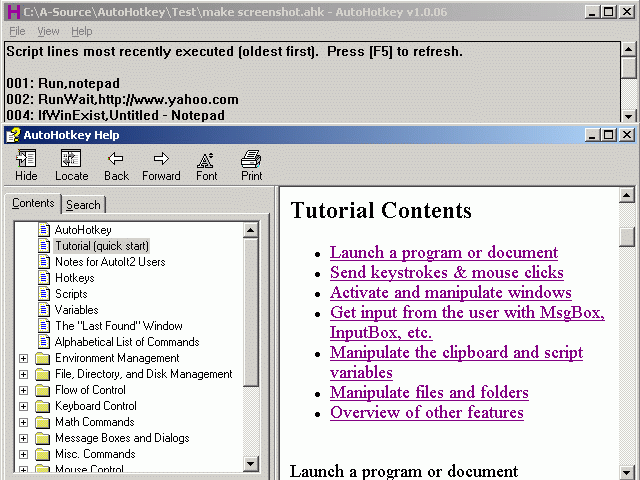
Customize your keyboard, joystick and mouse with an open source automation and hotkey utility that is backward compatible with AutoIt. It includes a quick-start tutorial, an automatic script writer that records and plays back your keystrokes and mouse clicks, and a comprehensive help file. The program can remap keys and buttons, and make almost any key, joystick button, mouse button, or combination into a hotkey. It also allows you to define abbreviations that expand as you type them (auto-replace); create custom GUI windows and menu bars; retrieve or change the volume, mute, and other settings of any soundcard; hide/close/resize any window; use a joystick as a mouse; retrieve and change the clipboard's contents; display dialog boxes, tooltips, balloon tips, and popup menus; and create your own stand-alone EXE files that can be run on any computer.
Latest Reviews

chrispaul reviewed v1.1.14.02 on Feb 17, 2014
not too bad

olivergiving reviewed v1.1.13.00 on Sep 25, 2013
very useful

paulperry reviewed v1.1.12.00 on Aug 24, 2013
autohotkey is awesome

Sativarg reviewed v1.1.07.00 on Feb 28, 2012
@Neanderthal66
AutoHotkeyU - AutoHotkeyAutoHotkeyU is a Unicode version of AutoHotkey based on AutoHotkey_L. It also provides some additional features. Windows versions prior to Windows 2000 are not supported.
The codes has been merged into AutoHotkey_L start from L42.

HeilNizar reviewed v1.1.05.03 on Dec 1, 2011
Sexy, too sexy

brotherS reviewed v1.1.05.01 on Nov 17, 2011
Running here 24/7. Plus I got some great little tools based on it from http://www.donationcoder.com/Forums/ - all for free!

netean reviewed v1.1.04.00 on Sep 12, 2011
great program, if only I could get it to work in the games I play, but sadly it can't. But either way, still a great program

Neanderthal66 reviewed v1.1.03.00 on Sep 1, 2011
Too bad, a once great automation tool was completely raped to only allow some autdated UTF-8 codepage. Whatever the lamer was that came to this idea.......

whatevers reviewed v1.1.02.01 on Aug 19, 2011
Creme de la creme of all launchers, with unlimited potential and minimal footprint. Highly recommended for the novice, intermediate and experienced users.

war593122 reviewed v1.0.97.01 on Apr 4, 2011
Fixed the 64-bit build to not truncate HWNDs or SendMessage/PostMessage params to 32 bits.
Fixed */:: being treated as an invalid hotkey (broken since L54).
Fixed the icons.
Source: http://www.autohotkey.ne...docs/AHKL_ChangeLog.htm

chrispaul reviewed v1.1.14.02 on Feb 17, 2014
not too bad
olivergiving reviewed v1.1.13.00 on Sep 25, 2013
very useful
paulperry reviewed v1.1.12.00 on Aug 24, 2013
autohotkey is awesome
Sativarg reviewed v1.1.07.00 on Feb 28, 2012
@Neanderthal66
AutoHotkeyU - AutoHotkeyAutoHotkeyU is a Unicode version of AutoHotkey based on AutoHotkey_L. It also provides some additional features. Windows versions prior to Windows 2000 are not supported.
The codes has been merged into AutoHotkey_L start from L42.
HeilNizar reviewed v1.1.05.03 on Dec 1, 2011
Sexy, too sexy
brotherS reviewed v1.1.05.01 on Nov 17, 2011
Running here 24/7. Plus I got some great little tools based on it from http://www.donationcoder.com/Forums/ - all for free!
netean reviewed v1.1.04.00 on Sep 12, 2011
great program, if only I could get it to work in the games I play, but sadly it can't. But either way, still a great program
Neanderthal66 reviewed v1.1.03.00 on Sep 1, 2011
Too bad, a once great automation tool was completely raped to only allow some autdated UTF-8 codepage. Whatever the lamer was that came to this idea.......
whatevers reviewed v1.1.02.01 on Aug 19, 2011
Creme de la creme of all launchers, with unlimited potential and minimal footprint. Highly recommended for the novice, intermediate and experienced users.
war593122 reviewed v1.0.97.01 on Apr 4, 2011
Fixed the 64-bit build to not truncate HWNDs or SendMessage/PostMessage params to 32 bits.
Fixed */:: being treated as an invalid hotkey (broken since L54).
Fixed the icons.
Source: http://www.autohotkey.ne...docs/AHKL_ChangeLog.htm

ballyhairs reviewed v1.0.92.02 on Jan 19, 2011
Slowly its becoming a programming language.

dhry reviewed v1.0.48.05 on Jul 12, 2010
Freaking AMAZING program - within a week this became something I absolutely cannot live without.
For those interested in a little more functionality, Lexikos has some enhanced builds of AHK here (http://2.gp/8r4). Unicode support, obj-oriented file IO, enhanced icon support and more. Fairly frequently updated.

loebner reviewed v1.0.48.05 on Apr 25, 2010
I've been using AHK for about a week, and I am extremely impressed.
AHK has the ability to construct extremely powerful macros. For basic string replacements, the syntax is simple, the options are numerous, and the speed is extremely fast.
I haven't yet delved deeply into the more powerful "run" options, but they seem extensive.
Certainly the price is right.