File Details |
|
| File Size | 1.9 MB |
|---|---|
| License | Open Source |
| Operating System | Windows 2000/Server 2003/Server 2008/Vista/XP |
| Date Added | May 20, 2010 |
| Total Downloads | 7,416 |
| Publisher | J.C. Kessels |
| Homepage | MyDefrag |
Publisher's Description
MyDefrag is a disk defragmenter and optimizer for Windows. Completely automatic and very easy to use, fast, low overhead, with several optimization strategies, and can handle floppies, USB disks, memory sticks, and anything else that looks like a disk to Windows.
Latest Reviews

Enlightenment reviewed v4.3.1 on Dec 19, 2014
Old school look, but very powerful. It just works without problems and that's what's important.
You can edit the script files with a text editor, add various file types and directories that you want to push towards the end of the drive during the full drive defrag, and I love this capability.
It doesn't have boot-time defrag, but I'll install another program to do it from time to time.

dhry reviewed v4.2.9 on Mar 8, 2010
Changelog:
* Added a check to * MoveToEndOfDisk to exit more quickly if the program is stopped prematurely.
* Fixed an installation bug that causes an "unable to execute file" error for the MyDefragScreenSaver.scr file.
* Changed the * MoveToEndOfDisk fileaction so it will skip a file faster if there is no gap large enough above the file.
* Changed the * MoveToEndOfDisk fileaction so it will stop faster when MyDefrag is stopped by the user.
* Fixed a bug that limited the value of constant numbers in a script to 2147483647.
* The ZoneBegin will no longer be automatically moved by a zone that contains a MoveToEndOfDisk fileaction.
* Removed the automatic disk filters from most of the default scripts. For example, the script for flash memory disks will now run for all the selected disks, and not only for removable disks.
* Fixed a problem where enlarging a gap for FastFill would be extremely slow if the file to be moved away was a NTFS compressed file.
* Fixed a bug in MaxRunTime statement that would cause it to always use zero as maximum runtime.
* Fixed a bug that could cause the subroutine that enlarges gaps for FastFill(WithShuffling) to move items that were already processed (placed in a previous zone).
* Fixed a bug in the grammar that prevented the WhenFinished(Shutdown) setting from accepting the sub-options.
* Fixed 2 bugs in string variables.
* Changed PreventScreenSaving() into * SetScreenSaver.
* Changed PreventPowerSaving() into * SetScreenPowerSaver.
* Changed the subroutine that vacates the NTFS reserved area, Previously it would not count NTFS reserved area free space that was already there, resulting in unnecessary data movement.
* Fixed a bug in NTFS scanner so it will now load a minimum of 1 sector when loading the first record of the MFT. On ultra-big harddisks the size of an MFT record (1 kilobyte) can be smaller than the number of bytes per sector.
* The * ImportListFromProgramHints fileboolean is now oompatibel with Windows XP.
AFAIC the most important fix (haven't tested it yet, but I sure will tonight - 5 stars for the moment) is the longstanding issue with the massive slowdowns due to NTFS compressed files. If he's fixed this, the program instantly becomes the best defragger currently available on Windows - and that includes the commercial equivalents.
EDIT: This thing is still broken. Crashed with a dialog telling me to send the debuglog to the author's forum. Reading the debuglog, it tells me it doesn't have enough info and NOT to post it on the forum. WTF? This thing is still far from stable - avoid and get something trustworthy that won't potentially sh1tcan your boot drive - either Defraggler or PerfectDisk, whichever fits your budget.
dhry reviewed v4.2.8 on Feb 25, 2010
Great idea, very configurable, but still has a major bug that needs to be ironed out. Basically, the program can use 100% of your CPU and spend HOURS moving an incredibly small amount of data. The author claims this is due to NTFS compression on a drive, but no other defragmenter has this problem and it manifests even when there is no NTFS-compressed files on the drive at all. In addition, I've found that the program can be closed but will continue to run for ages in the background (still using 100% CPU) before it finally decides to quit out. On smaller drives, or if you're lucky, the program will work fast and does everything you'd expect. However, it's pretty far from something you should trust your important data to. Stick with one of the commercial guys, like PerfectDisk, or else something solid and reliable like Defraggler for the moment.
Forum post: http://www.mydefrag.com/...=3165.msg21010#msg21010

mikewt reviewed v4.2.8 on Feb 17, 2010
Defragging USB sticks will break them (see draculla's review) or at the very least shorten their lifespan. Don't EVER do it. The reason: USB are solid state devices, hard disks are magnetic devices. Solid state devices can only write to each cell a limited number of times (50,000 - 1M) before they become stuck - read only. Hard disks being magnetic can be written (millions).
Do NOT defrag USB drives.

JustForMyMemory reviewed v4.2.8 on Feb 16, 2010
this program needs so much tweak and editing
- The installer is stupid and not-so-much-smart, you have to remove old version before install a new one.
- The screensaver is not smart, can not be portable
- Did not remember view setting
- Pretty slow, sometimes crash

cltx99 reviewed v4.2.8 on Feb 15, 2010
Does the job well, but is incredibly slow.

univers4113 reviewed v4.2.8 on Feb 15, 2010
MyDefrag 4.2.8
And not 2.4.8
Nice and pretty version
see changelog 4 more informations

Ramp4me reviewed v4.2.7 on Dec 22, 2009
Is maturing nice, 4 stars for still having some optimization inconsistencies.

draculla reviewed v4.2.7 on Dec 16, 2009
Reviewing 4.2.5
I defrag on my Western Passport 160GB (external USB), with Memory Stick mode, then all files in the disk is not usable anymore. So dont ever try with it.
dhry reviewed v4.2.5 on Nov 3, 2009
In addition to my note below, this version also takes an unnecessarily long time to analyze the drive. There's still opportunity for some major procedural optimization in this area. Every other defrag program generates a drive analysis about five times faster. Perfectdisk screams by comparison. I'm definitely hanging around to see what develops with MyDefrag but there's still plenty of sawdust on the ground with this program right now.

Enlightenment reviewed v4.3.1 on Dec 19, 2014
Old school look, but very powerful. It just works without problems and that's what's important.
You can edit the script files with a text editor, add various file types and directories that you want to push towards the end of the drive during the full drive defrag, and I love this capability.
It doesn't have boot-time defrag, but I'll install another program to do it from time to time.
dhry reviewed v4.2.9 on Mar 8, 2010
Changelog:
* Added a check to * MoveToEndOfDisk to exit more quickly if the program is stopped prematurely.
* Fixed an installation bug that causes an "unable to execute file" error for the MyDefragScreenSaver.scr file.
* Changed the * MoveToEndOfDisk fileaction so it will skip a file faster if there is no gap large enough above the file.
* Changed the * MoveToEndOfDisk fileaction so it will stop faster when MyDefrag is stopped by the user.
* Fixed a bug that limited the value of constant numbers in a script to 2147483647.
* The ZoneBegin will no longer be automatically moved by a zone that contains a MoveToEndOfDisk fileaction.
* Removed the automatic disk filters from most of the default scripts. For example, the script for flash memory disks will now run for all the selected disks, and not only for removable disks.
* Fixed a problem where enlarging a gap for FastFill would be extremely slow if the file to be moved away was a NTFS compressed file.
* Fixed a bug in MaxRunTime statement that would cause it to always use zero as maximum runtime.
* Fixed a bug that could cause the subroutine that enlarges gaps for FastFill(WithShuffling) to move items that were already processed (placed in a previous zone).
* Fixed a bug in the grammar that prevented the WhenFinished(Shutdown) setting from accepting the sub-options.
* Fixed 2 bugs in string variables.
* Changed PreventScreenSaving() into * SetScreenSaver.
* Changed PreventPowerSaving() into * SetScreenPowerSaver.
* Changed the subroutine that vacates the NTFS reserved area, Previously it would not count NTFS reserved area free space that was already there, resulting in unnecessary data movement.
* Fixed a bug in NTFS scanner so it will now load a minimum of 1 sector when loading the first record of the MFT. On ultra-big harddisks the size of an MFT record (1 kilobyte) can be smaller than the number of bytes per sector.
* The * ImportListFromProgramHints fileboolean is now oompatibel with Windows XP.
AFAIC the most important fix (haven't tested it yet, but I sure will tonight - 5 stars for the moment) is the longstanding issue with the massive slowdowns due to NTFS compressed files. If he's fixed this, the program instantly becomes the best defragger currently available on Windows - and that includes the commercial equivalents.
EDIT: This thing is still broken. Crashed with a dialog telling me to send the debuglog to the author's forum. Reading the debuglog, it tells me it doesn't have enough info and NOT to post it on the forum. WTF? This thing is still far from stable - avoid and get something trustworthy that won't potentially sh1tcan your boot drive - either Defraggler or PerfectDisk, whichever fits your budget.
dhry reviewed v4.2.8 on Feb 25, 2010
Great idea, very configurable, but still has a major bug that needs to be ironed out. Basically, the program can use 100% of your CPU and spend HOURS moving an incredibly small amount of data. The author claims this is due to NTFS compression on a drive, but no other defragmenter has this problem and it manifests even when there is no NTFS-compressed files on the drive at all. In addition, I've found that the program can be closed but will continue to run for ages in the background (still using 100% CPU) before it finally decides to quit out. On smaller drives, or if you're lucky, the program will work fast and does everything you'd expect. However, it's pretty far from something you should trust your important data to. Stick with one of the commercial guys, like PerfectDisk, or else something solid and reliable like Defraggler for the moment.
Forum post: http://www.mydefrag.com/...=3165.msg21010#msg21010
mikewt reviewed v4.2.8 on Feb 17, 2010
Defragging USB sticks will break them (see draculla's review) or at the very least shorten their lifespan. Don't EVER do it. The reason: USB are solid state devices, hard disks are magnetic devices. Solid state devices can only write to each cell a limited number of times (50,000 - 1M) before they become stuck - read only. Hard disks being magnetic can be written (millions).
Do NOT defrag USB drives.
JustForMyMemory reviewed v4.2.8 on Feb 16, 2010
this program needs so much tweak and editing
- The installer is stupid and not-so-much-smart, you have to remove old version before install a new one.
- The screensaver is not smart, can not be portable
- Did not remember view setting
- Pretty slow, sometimes crash
cltx99 reviewed v4.2.8 on Feb 15, 2010
Does the job well, but is incredibly slow.
univers4113 reviewed v4.2.8 on Feb 15, 2010
MyDefrag 4.2.8
And not 2.4.8
Nice and pretty version
see changelog 4 more informations
Ramp4me reviewed v4.2.7 on Dec 22, 2009
Is maturing nice, 4 stars for still having some optimization inconsistencies.
draculla reviewed v4.2.7 on Dec 16, 2009
Reviewing 4.2.5
I defrag on my Western Passport 160GB (external USB), with Memory Stick mode, then all files in the disk is not usable anymore. So dont ever try with it.
dhry reviewed v4.2.5 on Nov 3, 2009
In addition to my note below, this version also takes an unnecessarily long time to analyze the drive. There's still opportunity for some major procedural optimization in this area. Every other defrag program generates a drive analysis about five times faster. Perfectdisk screams by comparison. I'm definitely hanging around to see what develops with MyDefrag but there's still plenty of sawdust on the ground with this program right now.

Ulmo reviewed v4.2.5 on Nov 3, 2009
This simply is the best Defrag soft out there.
It only lacks a portable version like JkDefrag had ;)
dhry reviewed v4.2.4 on Oct 27, 2009
Update: v4.2.5 is out. STILL not usable. Ran for about 8 hours on my C: last night and never got past 13% of completing zone 1 of 15. I recommend people continue to avoid this until the major bugs (such as running for over 8 hours without getting more than 13% of the first zone completed) are ironed out.
Changelog for v4.2.5:
* Added the !InstallDirectory! macro.
* Added the !ScriptDirectory! macro.
* Added the !ExecutableDirectory! macro.
* It is now possible to use macros inside included files.
* Added the * ProcessPriority setting.
* The MakeGap() and AddGap() functions before v4.2.4 would automatically scale down a gap if it would not leave enough room for the remaining data to be processed. This limiting is now removed.
* Added an extra test to make sure the script chooser will only list "*.MyD" files, and not for example "*.MyD~".
* Fixed an infinite loop for unmovable NTFS compressed files.
* Fixed a bug that prevented the PreventScreenSaving() and PreventPowerSaving() settings from working if they were placed in the Settings.MyD file.
* Fixed an infinite loop problem for extremely rare cases where the Microsoft defragmentation api returns an empty list of extends.
* Change the tree locking timeout from 15 minutes to 2 minutes.
----------
v4.2.4 is probably worth trying again for those people who thought it was slow. The slowness was usually due to the presence of compressed files on your HD which the program always had a problem with - note that when I say "compressed" I'm talking about NTFS compression, not things like zip. This version has a bugfix for that.. giving a tentative four stars until I test it tonight. In the meantime, here's the changelog for this release:
* Fixed a bug in the Title() setting that caused it not to replace macros.
* Fixed a bug where a change in the size of the windows would not be remembered if the windows were not moved away from the top-left of the screen.
* Added a parameter to * PlaceNtfsSystemFiles to set the size of the NTFS reserved area.
* Added the !ProgressPercentage! macro.
* The script chooser will no longer display volumes that are excluded with ExcludeVolumes() in the Settings.MyD file.
* Changed the syntax of the * MakeGap and * AddGap actions. It is now possible to place zones anywhere, they do not have to be placed one-after-another from the beginning of the disk.
* Changed the default scripts so that the MFT, some other NTFS system files, and the directories, are now placed 30% into the data on the disk.
* Fixed a bug in the screensaver that would not display the progress percentage.
* Fixed a bug in the graphics code that will properly show StatusBar(path) if StatusBar(Status) is not specified.
* Changed the vacate function so that when there are no gaps above the end of the zone, it will use the highest gap available. Before it would use the first gap available.
* Changed the default script for the screensaver into Optimize Daily. Before it was Optimize Weekly.
* Changed the default setting for the status bar of the screensaver into Full Status Bar. Before it was No Status Bar.
* The positions of the windows are now also saved when the windows are moved and not only when they are resized.
* If the Windows defragmentation API has not succesfully moved an NTFS compressed file then MyDefrag will no longer try to move the file with the alternative method, but leave the file where it is and mark it as unmovable. The alternative method is extremely slow for compressed files.
* Made a change that should increase the chance of succesfully moving files on Windows 2000 machines. Sometimes files could not be succesfully moved and they would be marked as unmovable.
* Fixed a bug that caused unnecessary work and unfilled gaps at the end of a zone for the SortBy fileactions.
* The script chooser window will now list scripts that contain a syntax error. The description of the script shows the error.
* Fixed a bug where the subroutine that determines if a file is fragmented (see the IgnoreWrapAroundFragmentation setting) would treat gaps as unmovable.
* Fixed a bug that caused the program to skip very big FAT volumes.
* If the Sortby fileactions find two files to be equal (for example SortBySize and files with equal size) then the program will now also compare the Inodes. This reduces the number of filemovements.
* The !Include PATH! macro is now evaluated before any other macros, so that macros inside the included file will be processed.

swreynolds reviewed v4.2.3 on Oct 12, 2009
Pros: works well, works fast. I run 2 passes, one to defrag files and the other to consolidate free space.
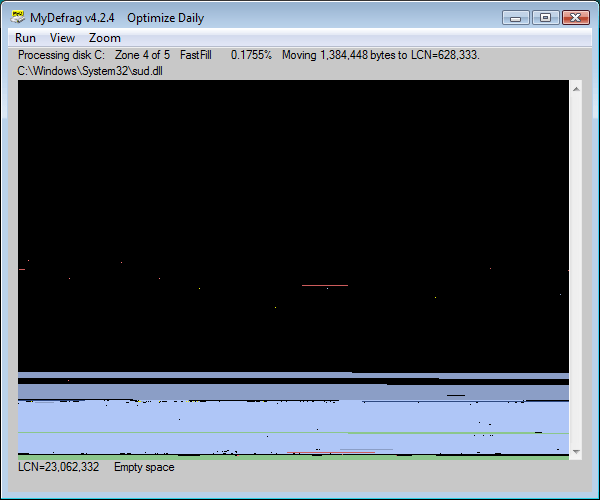
Cons: It has 2 displays you can choose from while it is defragging. One is a diskmap which presents a completely useless display of the disk fragmentation.
The other is the statistics page which presents many clearly wrong numbers.
For example, I'm currently consodatine free space on an 80GB hard drive. The total bytes is correct, but it lists 98GB of unfragmented items!
At the end of the defragmentation run, the statistics are replaced by nonsense for either view.
Who tested this before release?