File Details |
|
| File Size | 12.0 MB |
|---|---|
| License | Freeware |
| Operating System | Windows 7/8/2000/Vista/XP |
| Date Added | December 1, 2020 |
| Total Downloads | 258,255 |
| Publisher | Symantec Corp. |
| Homepage | Norton Remove and Reinstall |
Publisher's Description
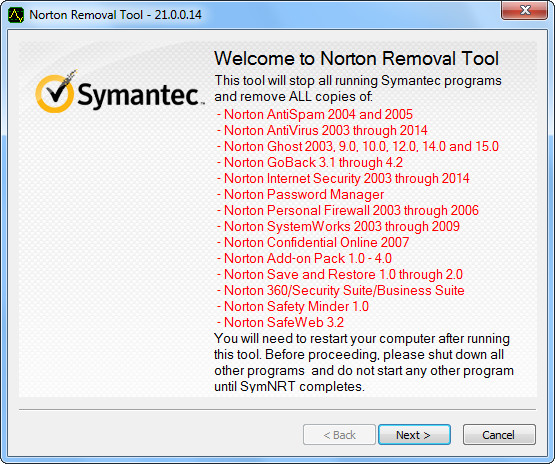
Norton Remove and Reinstall tool uninstalls most Norton products, and reinstalls the latest version. Before you proceed, make sure that you meet the following requirements: You need to have an Internet connection, the tool does not remove Norton Utilities or Norton Family, and the tool does not remove your Norton Identity Safe local vault.
Latest Reviews

CyberDoc999 reviewed v22.5.0.4 on Jun 24, 2015
Best tool for Norton..... I tell everyone to use ESET

Music4Ever reviewed v20.0.0.21 on Sep 15, 2012
I beta tested NIS & 360 (2013) Both the beta's & the final leave behind large amount of files & folders, and some are hidden, also large amount of registry entries are also left behind & some are legacy & can be difficult to remove.
MS first used an un-installer in Win95 & 17 years later still far too much junk is left behind after a so called un-install - it's just plain idleness on the part of the software writers - Norton should point you to a standalone un-installer at the time they enquire by a re-directed web page why you are leaving Norton - Norton is not alone in this though, try removing MS Office 2010 -
A guide to removing MS Office - http://www.youtube.com/watch?v=yd_O7-rqcHc ;-)

Mirage_Etoile reviewed v2012.0.0.19 on Dec 31, 2011
How to note give 5 stars to this great tool

some guy reviewed v2012.0.0.19 on Jun 15, 2011
agreed MM

madmike reviewed v2011.0.1.9 on Nov 8, 2010
Best tool ever produced, to remove it

Budgie29 reviewed v2011.0.1.8 on Oct 27, 2010
Great Tool Guys keep improving it
it makes my life easier when I remove Norton from computers and use tell the client to use the disk as a drink coaster

nvic reviewed v2011.0.0.15 on Jun 17, 2010
Still the best Norton product made.
New versions of Norton seem to uninstall pretty cleanly now, so I find myself needing this app less.

cekicen reviewed v2011.0.0.15 on Jun 16, 2010
Best Norton Tool :)

Slipped it in reviewed v2010.0.5.18 on Feb 7, 2010
Can anyone say PEBKAC? If Symantec software won't uninstall the normal way then it's probably a mistake the user made, not Symantec's mistake.
some guy reviewed v2010.0.5.18 on Feb 5, 2010
to funny they have to create a tool to remove their own crap, as the other guy said it's the best thing they ever made

CyberDoc999 reviewed v22.5.0.4 on Jun 24, 2015
Best tool for Norton..... I tell everyone to use ESET
Music4Ever reviewed v20.0.0.21 on Sep 15, 2012
I beta tested NIS & 360 (2013) Both the beta's & the final leave behind large amount of files & folders, and some are hidden, also large amount of registry entries are also left behind & some are legacy & can be difficult to remove.
MS first used an un-installer in Win95 & 17 years later still far too much junk is left behind after a so called un-install - it's just plain idleness on the part of the software writers - Norton should point you to a standalone un-installer at the time they enquire by a re-directed web page why you are leaving Norton - Norton is not alone in this though, try removing MS Office 2010 -
A guide to removing MS Office - http://www.youtube.com/watch?v=yd_O7-rqcHc ;-)
Mirage_Etoile reviewed v2012.0.0.19 on Dec 31, 2011
How to note give 5 stars to this great tool
some guy reviewed v2012.0.0.19 on Jun 15, 2011
agreed MM
madmike reviewed v2011.0.1.9 on Nov 8, 2010
Best tool ever produced, to remove it
Budgie29 reviewed v2011.0.1.8 on Oct 27, 2010
Great Tool Guys keep improving it
it makes my life easier when I remove Norton from computers and use tell the client to use the disk as a drink coaster
nvic reviewed v2011.0.0.15 on Jun 17, 2010
Still the best Norton product made.
New versions of Norton seem to uninstall pretty cleanly now, so I find myself needing this app less.
cekicen reviewed v2011.0.0.15 on Jun 16, 2010
Best Norton Tool :)
Slipped it in reviewed v2010.0.5.18 on Feb 7, 2010
Can anyone say PEBKAC? If Symantec software won't uninstall the normal way then it's probably a mistake the user made, not Symantec's mistake.
some guy reviewed v2010.0.5.18 on Feb 5, 2010
to funny they have to create a tool to remove their own crap, as the other guy said it's the best thing they ever made

x-ray reviewed v2010.0.0.98 on Jan 10, 2010
need aupport for ghost 15

Tenoq reviewed v2010.0.0.98 on Sep 21, 2009
Does exactly what it advertises - and is fairly thorough. Doesn't get ALL Norton traces, but 99% ain't bad. And it's a helluva lot better than CA (no removal tool that works), AVG (broken removal tool), McAfee (not bad, but not as good as Norton) or ZoneAlarm (none and uninstaller doesn't work more often than not).
For those bagging Norton - probably worth trying it again. It isn't 2006 anymore, and Norton's 2009-2010 product is arguably the fastest integrated product on the market (NIS, not 360).
madmike reviewed v2010.0.0.98 on Sep 15, 2009
Great tool for removing this bloatware