
File Details |
|
| File Size | 2.4 MB |
|---|---|
| License | Shareware, $39.95 |
| Operating System | Windows 7/8/10/Vista/XP |
| Date Added | October 4, 2018 |
| Total Downloads | 13,734 |
| Publisher | Realtime Soft |
| Homepage | UltraMon |
Publisher's Description
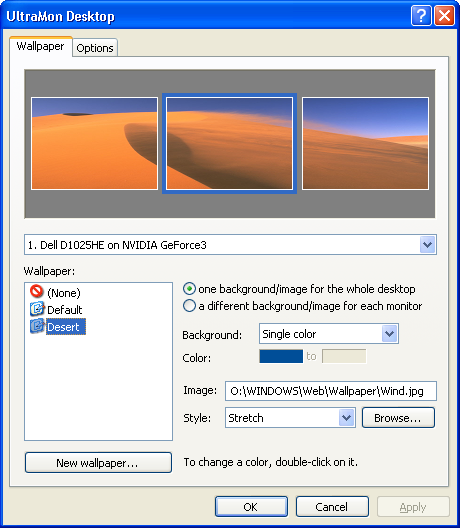
UltraMon is a utility for multi-monitor systems, designed to increase productivity and unlock the full potential of multiple monitors. With additional window buttons, you can quickly move windows or stretch a window across the desktop. Use the Smart Taskbar to manage more applications, with a taskbar on each monitor and each taskbar only showing the tasks from the monitor it is on. Shortcut extensions make it easy to position applications on the desired monitor. The UltraMon screen saver and wallpaper manager make it possible to use a different wallpaper and screen saver on each monitor. It also includes a flexible mirroring feature, with support for mirroring one or more monitors, and use different resolutions for each monitor.
Latest Reviews

mikebratley reviewed v3.2.2 on Mar 11, 2014
good stuff

chrispaul reviewed v3.2.2 on Feb 17, 2014
nice!

paulperry reviewed v3.2.2 on Aug 24, 2013
4 stars out of 5!

tomkelly reviewed v3.2.2 on Aug 22, 2013
love this tool

dubstepmaker reviewed v3.2.2 on Feb 14, 2013
i have to agree.. windows manager came along and made this program obsolete. was good while it lasted thoug!

statm1 reviewed v3.0.10 on Feb 16, 2010
Finally its Final! Congrats!

mjm01010101 reviewed v3.0.8 Beta on Dec 23, 2009
Still beta. Man up and release this thing. Grow a pair.
mjm01010101 reviewed v3.0.6 Beta on Jul 18, 2009
Wow almost 3 years on beta.

kingprad reviewed v3.0.5 Beta on May 7, 2009
Indispensable for multiple monitors! Very excellent software - solid, dependable, and excellent features.

Paul Skinner reviewed v3.0.4 Beta on Jan 12, 2009
Ah excellent! The button lag has been fixed. This keeps getting better and better.
Indispensible on a multi-monitor setup.

mikebratley reviewed v3.2.2 on Mar 11, 2014
good stuff
chrispaul reviewed v3.2.2 on Feb 17, 2014
nice!
paulperry reviewed v3.2.2 on Aug 24, 2013
4 stars out of 5!
tomkelly reviewed v3.2.2 on Aug 22, 2013
love this tool
dubstepmaker reviewed v3.2.2 on Feb 14, 2013
i have to agree.. windows manager came along and made this program obsolete. was good while it lasted thoug!
statm1 reviewed v3.0.10 on Feb 16, 2010
Finally its Final! Congrats!
mjm01010101 reviewed v3.0.8 Beta on Dec 23, 2009
Still beta. Man up and release this thing. Grow a pair.
mjm01010101 reviewed v3.0.6 Beta on Jul 18, 2009
Wow almost 3 years on beta.
kingprad reviewed v3.0.5 Beta on May 7, 2009
Indispensable for multiple monitors! Very excellent software - solid, dependable, and excellent features.
Paul Skinner reviewed v3.0.4 Beta on Jan 12, 2009
Ah excellent! The button lag has been fixed. This keeps getting better and better.
Indispensible on a multi-monitor setup.
Paul Skinner reviewed v3.0.3 Beta on Dec 16, 2008
Christ, this "update" has been out for a long time.
This program is excellent if only for its smart taskbar setting.

SteveJohnSteele reviewed v3.0.2 (3.0 Beta 2.1) on Jan 21, 2008
On Vista
Much better now.
Windows buttons integrate correctly with Aero theme.
statm1 reviewed v3.0.0 Beta 2 (3.0.1) on Dec 17, 2007
Beta is GREATLY improved. I love that I can't make it crash anymore. All in all great release!