
File Details |
|
| File Size | 72.0 MB |
|---|---|
| License | Shareware, $19.99 |
| Operating System | Windows 10/11 |
| Date Added | December 1, 2022 |
| Total Downloads | 346,718 |
| Publisher | Stardock Corp. |
| Homepage | WindowBlinds |
Publisher's Description
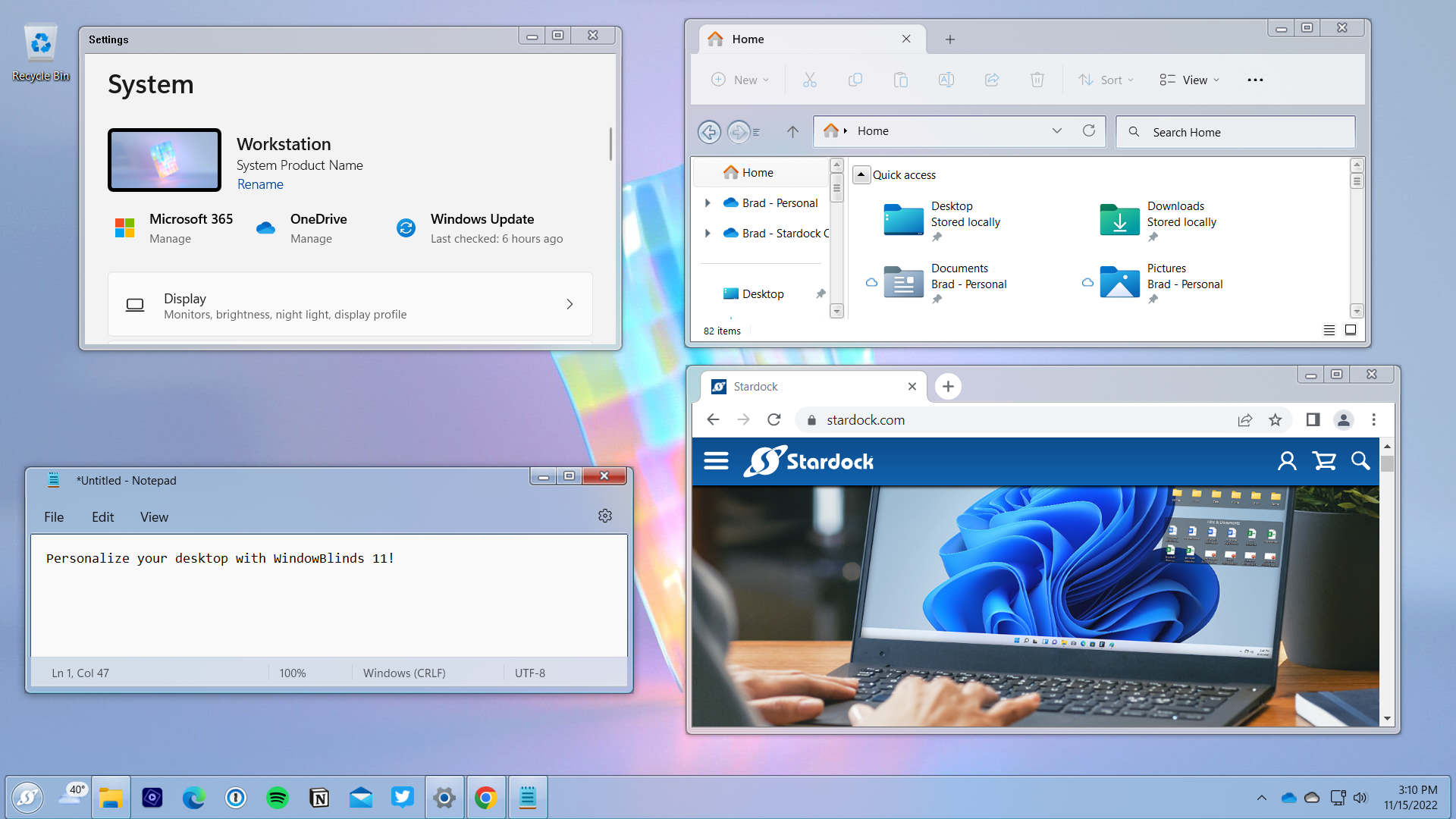
WindowBlinds is a program that allows you to completely change the look and feel of Windows to however you want it to look like. It allows you to completely customize your desktop by changing the style of title bars, buttons, and toolbars. You can change the look of buttons and check boxes by assigning them skins, or personalities, and you can assign buttons that will launch programs to toolbars. You can create your own skins, choose from the four that are included in the program, or download additional ones. You can also choose to exclude certain programs from WindowBlinds if you don't want to change their appearances.
Latest Reviews

krgood reviewed v10.5 on Nov 6, 2016
I also do not use because of the license issue. Having to re buy the program every few months is a real turnoff..Give me the option of upgrading but do not invalidate my current install just because I do not choose to upgrade. Too many Shareware companies are doing this and I just do not go there for that reason. OK Star-dock, what say you??
krgood reviewed v10.07 on Jul 20, 2016
It has some good but having to rebuy the program every few months is a turn off for me. Put it out there and then charge for updates if necessary...but give the option to the user to upgrade or not...

Music4Ever reviewed v8.13 on Oct 19, 2015
Does not work on Windows 10 yet & extremely unwise to try to force it too - Support for Windows 10 on the way.
Music4Ever reviewed v8.09 on Dec 17, 2014
Been totally stable for some years now, no changes in responsiveness of the PC running it whatsoever. Heaps of free skins available which although add no functionality, do make using Windows more enjoyable - A great program.

CyberDoc999 reviewed v8.06 on Aug 24, 2014
I did not like it at all

mikebratley reviewed v8.03 on Mar 11, 2014
5 stars

chrispaul reviewed v8.03 on Feb 17, 2014
really good
Music4Ever reviewed v8.02 on Nov 20, 2013
Brilliant program that never causes me any issues.

olivergiving reviewed v8.01 on Sep 25, 2013
5 stars

tomkelly reviewed v8.0 on Aug 22, 2013
solid program!

krgood reviewed v10.5 on Nov 6, 2016
I also do not use because of the license issue. Having to re buy the program every few months is a real turnoff..Give me the option of upgrading but do not invalidate my current install just because I do not choose to upgrade. Too many Shareware companies are doing this and I just do not go there for that reason. OK Star-dock, what say you??
krgood reviewed v10.07 on Jul 20, 2016
It has some good but having to rebuy the program every few months is a turn off for me. Put it out there and then charge for updates if necessary...but give the option to the user to upgrade or not...
Music4Ever reviewed v8.13 on Oct 19, 2015
Does not work on Windows 10 yet & extremely unwise to try to force it too - Support for Windows 10 on the way.
Music4Ever reviewed v8.09 on Dec 17, 2014
Been totally stable for some years now, no changes in responsiveness of the PC running it whatsoever. Heaps of free skins available which although add no functionality, do make using Windows more enjoyable - A great program.
CyberDoc999 reviewed v8.06 on Aug 24, 2014
I did not like it at all
mikebratley reviewed v8.03 on Mar 11, 2014
5 stars
chrispaul reviewed v8.03 on Feb 17, 2014
really good
Music4Ever reviewed v8.02 on Nov 20, 2013
Brilliant program that never causes me any issues.
olivergiving reviewed v8.01 on Sep 25, 2013
5 stars
tomkelly reviewed v8.0 on Aug 22, 2013
solid program!
Music4Ever reviewed v8.0 on Jun 19, 2013
Excellent program & inexpensive & now supports Windows 8 - If though you bought version 7 you will need a new licence unless you have a current 'Object Desktop' licence - $9.99 for just Window Blinds.

Raimondas reviewed v8 (v7.95) Beta on Jun 8, 2013
7.95 version compared to 7.2 runs very well, don't have any performance problems on my Win 8 machine. Great software.
Music4Ever reviewed v7.4 on Apr 12, 2012
Great program - I'm very careful regarding what program & services I allow to run in windows & the impact this program has is minute, if it's even noticeable ~ If you having performance issues look elsewhere ~
I ran this version in Beta without problems ~ If you should need to remove WB it is not difficult & takes minutes with a reg editor & some sort of file manager.
The actual themes themselves are very small & I have maybe 30 or so, a program I will continue to support as long as I use Windows.