
File Details |
|
| File Size | 93.8 MB |
|---|---|
| License | Freeware |
| Operating System | Windows (All) |
| Date Added | November 16, 2023 |
| Total Downloads | 403,376 |
| Publisher | Softland |
| Homepage | doPDF |
Publisher's Description
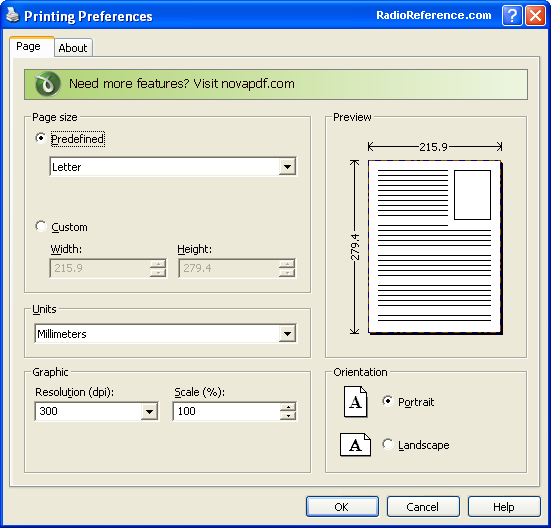
doPDF installs itself as a virtual PDF printer driver so after a successful installation will appear in your Printers and Faxes list. To convert to PDF, you just have to print the document to doPDF, the free pdf converter. Open a document (with Microsoft Word, WordPad, NotePad or any other software), choose Print and select doPDF. It will ask you where to save the PDF file and when finished, the PDF file will be automatically opened in your default PDF viewer.
Latest Reviews

Aegis69 reviewed v8.4.935 on Oct 22, 2015
Used to be 3MB now 60MB, you figure it out. They are installing all the crap in the universe on your computer just to make money, not to add any features. Find version 7 if you can. ZERO rating

johnusa reviewed v8.4.935 on Sep 25, 2015
This ridiculous program is getting bloated and growing larger with each new version.
It is now a HUGE 62 MB in size, its scary.
johnusa reviewed v8.2.929 on Apr 6, 2015
What in the world happened to this program? It is now a HUGE program about 40 MB.
I have an older version #7.3.393 that is one-tenth the size, only 4 MB (yes only four). I got it a bout a year ago.
Look for another program, here is a good place to start:
http://www.techsupportal...pdf-writer-software.htm

rajib79 reviewed v8.1.923 on Jan 27, 2015
i follow the instruction and it works. :D

war59312 reviewed v8.1.921 on Dec 22, 2014
Like others have said, version 7 is last good build.
Version 8 is crapware and fileforum should not even be hosting it..
Version 7 rating is 5 and version 8 is 1.

Enlightenment reviewed v8.1.921 on Dec 19, 2014
version 8.x sucks because of cr*pware that is bundled with it.
I highly recommend version 7.3.398 which doesn't have the cr*pware! Find the older version then you'll be happy!

egg83 reviewed v8.1.920 on Nov 25, 2014
What happened? With version 8, size of program has multiplied and some other stuff is installed as well. Am going back to 7.x version of this program.

balanceinmotion reviewed v8.0.915 on Sep 24, 2014
good stuff

jack_alexander reviewed v8.0.915 on Aug 5, 2014
This stopped being 'The PDF Printer' when they started the package deals of junk one doesn't want and now they are trying to trick you with an online installer. I know malware and this is now malware.
Why update. DoPDF 7 works perfectly on Win 8.1.1 64bit!

conleym reviewed v8.0.911 on Jul 3, 2014
Since version 8.0.907, I've been receiving a message to use Control Panel to uninstall doPDF before running the installer. I did that the first time ... it's still NOT there ... but I keep getting the same message and can't get the newer build installed. I even used REGEDIT to remove keys related to doPDF, to no avail.

Aegis69 reviewed v8.4.935 on Oct 22, 2015
Used to be 3MB now 60MB, you figure it out. They are installing all the crap in the universe on your computer just to make money, not to add any features. Find version 7 if you can. ZERO rating
johnusa reviewed v8.4.935 on Sep 25, 2015
This ridiculous program is getting bloated and growing larger with each new version.
It is now a HUGE 62 MB in size, its scary.
johnusa reviewed v8.2.929 on Apr 6, 2015
What in the world happened to this program? It is now a HUGE program about 40 MB.
I have an older version #7.3.393 that is one-tenth the size, only 4 MB (yes only four). I got it a bout a year ago.
Look for another program, here is a good place to start:
http://www.techsupportal...pdf-writer-software.htm
rajib79 reviewed v8.1.923 on Jan 27, 2015
i follow the instruction and it works. :D
war59312 reviewed v8.1.921 on Dec 22, 2014
Like others have said, version 7 is last good build.
Version 8 is crapware and fileforum should not even be hosting it..
Version 7 rating is 5 and version 8 is 1.
Enlightenment reviewed v8.1.921 on Dec 19, 2014
version 8.x sucks because of cr*pware that is bundled with it.
I highly recommend version 7.3.398 which doesn't have the cr*pware! Find the older version then you'll be happy!
egg83 reviewed v8.1.920 on Nov 25, 2014
What happened? With version 8, size of program has multiplied and some other stuff is installed as well. Am going back to 7.x version of this program.
balanceinmotion reviewed v8.0.915 on Sep 24, 2014
good stuff
jack_alexander reviewed v8.0.915 on Aug 5, 2014
This stopped being 'The PDF Printer' when they started the package deals of junk one doesn't want and now they are trying to trick you with an online installer. I know malware and this is now malware.
Why update. DoPDF 7 works perfectly on Win 8.1.1 64bit!
conleym reviewed v8.0.911 on Jul 3, 2014
Since version 8.0.907, I've been receiving a message to use Control Panel to uninstall doPDF before running the installer. I did that the first time ... it's still NOT there ... but I keep getting the same message and can't get the newer build installed. I even used REGEDIT to remove keys related to doPDF, to no avail.
jack_alexander reviewed v8.0.907 on May 21, 2014
Version 8 is loaded with other programs from NovaPDF. There was no choice during installation. Even with 'Clicky" working...
Do what I did. Uninstall the trash and doPDF 8 and find a copy of version 7.
conleym reviewed v8.0.905 on Apr 25, 2014
Installed 8.0.905 in Win 8.1 64bit ... appeared to go normally, but got four threat warnings from files installed in the package downloaded from fileofrum. TrendMicro removed those four files. Did a test print from the program and it appears to work normally without those files, and without any error messages.

shoek reviewed v8.0.905 on Apr 24, 2014
Can't install the new version 8.0