File Details |
|
| File Size | 0.8 MB |
|---|---|
| License | Freeware |
| Operating System | Windows (All) |
| Date Added | May 10, 2012 |
| Total Downloads | 32,101 |
| Publisher | Pavel Cvrcek |
| Homepage | MozBackup (Mozilla Backup) |
Publisher's Description
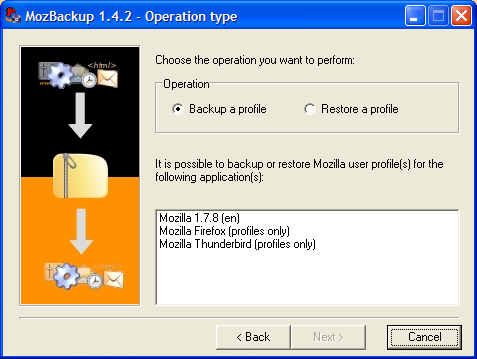
MozBackup is a simple utility for creating backups of Mozilla Firefox, Mozilla Thunderbird, SeaMonkey, Mozilla Suite and Netscape profiles. It allows you to backup and restore bookmarks, mail, contacts, history, extensions, cache, etc.
Latest Reviews

gatorfan95 reviewed v1.5.2 Beta 1 on May 12, 2012
Great little app.
@rogerz44 I dont believe you even tried it. I've been using if for several years and it has always worked perfectly for me

rogerz44 reviewed v1.5.2 Beta 1 on May 10, 2012
Piece of junk. I lost all my Thunderbird folders and messages when I tried to restore. Don' t think you're protected because you're not

some guy reviewed v1.5.2 Beta 1 on May 10, 2012
great stuff!

junkcatcher reviewed v1.5.1 on Apr 10, 2011
Very useful program but looking dated, to get best use of it customise its' .ini file.
I wish the .ini file offered more options to enable backup profiles to be pre-set up for non techie users.
Be aware it will only restore to the same version number of the Mozilla software that the backup was created from.
Somebody should create a Mozilla addon to do the same job in both Windows and Linux.

Kimoeagle reviewed v1.5.1 on Mar 31, 2011
I've been trying to contact this site for over a week now, without success.
The previous software is excellent. Is it THAT popular, or is there a technical problem?

Input Overload reviewed v1.5.1 on Mar 30, 2011
Nice program. most useful, works without problems.
some guy reviewed v1.5.1 on Mar 30, 2011
A must have ! would love to see a Linux version :)

kstev99 reviewed v1.5 Beta 1 on Mar 12, 2011
I use this this program quite a lot. Makes perfect backups of your profile including preferences, bookmarks, extensions. Very easy to restore when setting up a new computer. Excellent Program!

Vimes reviewed v1.5 Beta 1 on Mar 10, 2011
Excellent and most useful

evolution76 reviewed v1.4.10 on Dec 14, 2009
It does what it says....good program

gatorfan95 reviewed v1.5.2 Beta 1 on May 12, 2012
Great little app.
@rogerz44 I dont believe you even tried it. I've been using if for several years and it has always worked perfectly for me
rogerz44 reviewed v1.5.2 Beta 1 on May 10, 2012
Piece of junk. I lost all my Thunderbird folders and messages when I tried to restore. Don' t think you're protected because you're not
some guy reviewed v1.5.2 Beta 1 on May 10, 2012
great stuff!
junkcatcher reviewed v1.5.1 on Apr 10, 2011
Very useful program but looking dated, to get best use of it customise its' .ini file.
I wish the .ini file offered more options to enable backup profiles to be pre-set up for non techie users.
Be aware it will only restore to the same version number of the Mozilla software that the backup was created from.
Somebody should create a Mozilla addon to do the same job in both Windows and Linux.
Kimoeagle reviewed v1.5.1 on Mar 31, 2011
I've been trying to contact this site for over a week now, without success.
The previous software is excellent. Is it THAT popular, or is there a technical problem?
Input Overload reviewed v1.5.1 on Mar 30, 2011
Nice program. most useful, works without problems.
some guy reviewed v1.5.1 on Mar 30, 2011
A must have ! would love to see a Linux version :)
kstev99 reviewed v1.5 Beta 1 on Mar 12, 2011
I use this this program quite a lot. Makes perfect backups of your profile including preferences, bookmarks, extensions. Very easy to restore when setting up a new computer. Excellent Program!
Vimes reviewed v1.5 Beta 1 on Mar 10, 2011
Excellent and most useful
evolution76 reviewed v1.4.10 on Dec 14, 2009
It does what it says....good program

The_Blinded reviewed v1.4.10 on Dec 14, 2009
MozBackup is very simple to use, works great, backup and recovery are excellents. Defects? Currently none.

QQFarmer reviewed v1.4.10 Beta 1 on Nov 16, 2009
Oh finally I can get rid of FEBE, which has behaved horribly on Firefox 3.6b2. Many thanks to the author of this wonderful application.

mamashan reviewed v1.4.9 on May 20, 2009
Worked great! I have a very robust account in my Thunderbird as I use it for business. It transferred all my mail accounts, all my saved folders, all my addresses and special address books, all my templates that I use for mailing out digital products, and all my custom folders where I save particular emails. I was transferring from Windows XP to a Windows Vista Ultimate system. I set up to save the backup file to the new computer and was able to do this through my network. Once done, I installed the MozBackup on my new Vista and chose the restore option. Couldn't believe it worked and saved me tons of time and trouble.

us3r reviewed v1.4.9 on Mar 13, 2009
Much better than FEBE extension for Firefox or TEBE for Thunderbird.

roj reviewed v1.4.9 Beta 1 on Feb 16, 2009
Now that he's actually tested it and fixed his stupid recursive directory bug (as of the alphas) it's finally useful. It munged Thunderbird restores previous to that and the lack of proper testing was inexcusable.
FIVE stars for a finally useful tool. It should also be standard issue for all of the ZillaLand stuff.

simko reviewed v1.4.9 Beta 1 on Feb 16, 2009
great litle apps to bad the developer dont get more donation, awesome time saver of course you can do anything the program do manually but hey im lazy :D
Also like everyone says why hasnt mozilla incorparated a easy profile backup addon for its products is a big ?

Amdis reviewed v1.4.9 Alpha on Dec 25, 2008
I agree with ballyhairs, this one should become a part of Firefox. It is an absolute time saver.

ballyhairs reviewed v1.4.9 Alpha on Oct 29, 2008
Its really a must have, I wonder why this whole thing is not a Firefox built in option!
some guy reviewed v1.4.9 Alpha on Oct 28, 2008
a must have plain and simple

DKDude reviewed v1.4.9 Alpha on Oct 28, 2008
Can't live without this program, it's a must for people who use FF and TB.

Kevin_S reviewed v1.4.8 on Jul 20, 2008
I love this program. I re-ghost my pc at least once a week. (I install a multitude of Windows versions for development and testing.) MozBackup makes installing Firefox / Thunderbird a SNAP! I wish Mozilla would incorporate this program into their source. It's THAT good!
Excellent program - thank you for developing it!

Antichrist reviewed v1.4.8 on May 19, 2008
I used to use this, and it was great, but I use FEBE now. I like how FEBE is a FireFox addon and can be scheduled to backup automatically. But that's not to put MozBackup down, it's great too. They're just different.

anonymous_user reviewed v1.4.8 on May 19, 2008
New version is excellent.

dejavu reviewed v1.4.8 on May 19, 2008
Perfect!

Sven123456789 reviewed v1.4.7 on Sep 28, 2007
Knew about this program for awhile, but never gave it a shot till now. Well it seemed to work fine. It backed up both my Firefox and Seamonkey profiles. Extensions and all. I've started fooling around with newer beta versions of these browsers, and you pretty much must delete the valid ones to check them out. This comes in really handy restoring them when you go back to those browsers.

dimab reviewed v1.4.7 Beta on Aug 21, 2007
does just what it says.
i've moved profiles several times between computers and works great. even all extensions moved over w/o any issues. great app!

foobah reviewed v1.4.7 Beta on Aug 21, 2007
Its good, but not perfect.
I've been using the Febe ff extension for a year or so now, much better.

Howell reviewed v1.4.7 Beta on Aug 21, 2007
Worked flawlessly with Firefox 2.0.0.6 with full backup (inc. extensions).
Backup of one computer restored on another : everything is OK :D
Great tools !!! Deserve a 5+ ;)
simko reviewed v1.4.7 Beta on Aug 21, 2007
use 1.4.6 if you dont use stuff that is fixed in this version.
that one works flawless even with all the extension i use.
gonna report more about this latest build 1.4.7
When i have tried it some more.

Psychlone reviewed v1.4.7 Beta on Aug 21, 2007
This is a great idea, but it failed in it's execution for me.
I installed and ran it for the first time just now...choosing to backup my Firefox profile to another HDD in my system. It hung at just over 50%, ate up close to 20MB and used 50+ % of my CPU cycles...never moved for 10 minutes until I canceled it. (yes, everything else was closed when I began...no major processes running, no open apps, etc.)
This shouldn't be such a hard thing to do - I've backed up my Mozilla profiles since I began using Firefox and Thunderbird a couple years ago - it's nothing more than copy/paste from C:\Documents and Settings\%username%\Application Data\Mozilla to a new folder anywhere on any HDD in your system (or even a USB key, etc.) - It's easy to repair also...after a format, I install Firefox/Thunderbird, then copy/paste the backup directly back to the application data folder...done. (it actually only takes a few seconds, even with quite a bit of info in the profile - with 18.3MB existing in my current profile, the .PCV file that it was creating was over 30MB when I stopped it with almost 50% left to go on the progress bar! - What exactly was it saving???)
So, why did this program hang and not finish it's job, as well as soak up so many CPU cycles?
+1 for a great concept, easy to use GUI and smooth install
(-)4 for lack of execution.
Psychlone

Metshrine reviewed v1.4.5 on Aug 26, 2006
Why mozilla hasnt put any sort of export/backup or restore feature into any of these programs is beyond me. Thank you author! I use this daily for my incrimentals!
To vimes, you can, simply copy the profile folder; "c:\documents and settings\USERNAME\application data\opera" or "c:\program files\opera". Either or will work
Vimes reviewed v1.4.5 on Aug 26, 2006
This is one of those utilities that is a must have. A superb application that works well.
Now if only I could backup my Opera settings as easily as Firefox...

pelluchan reviewed v1.4.5 on Aug 26, 2006
(MozBackup 1.4.5)
- Fix: Some bug fixed.
(MozBackup 1.4.5 Beta)
- Add: Support for extensions:
* Adblock Plus (subdirectory adblockplus)
* Google Toolbar (subdirectory GoogleToolbarData)
* ChatZilla (subdirectory ChatZilla)
* Prebar (file prefbar.rdf)
- Add: Support for Microsummaries (see: http://wiki.mozilla.org/Microsummaries)
- Add: Support for Phishing Protection
(see: http://www.mozilla.org/p...s/bonecho/anti-phishing/)
- Add: Support for client-side session and persistent storage.
(see: http://www.whatwg.org/sp...t-work/#scs-client-side)
- Add: Support for new storage of search setting.
- Add: Support for sessions.
- Fix: Problem with backup emails (Thunderbird Nightly Builds)

chspnll reviewed v1.4.5 on Aug 25, 2006
I have used this application before in one of its earlier iterations to move bookmarks and profiles, passwords, etc., over to my laptop. Problem was, an automatic upgrade occurred on the laptop so I could not move data back. I will test this to see what the state of affairs are.

zee7 reviewed v1.4.4 on Apr 17, 2006
GreaseMonkey! Yay! Finally. Thanks!

pyridox reviewed v1.4.4 on Apr 17, 2006
This program simplifies backing up Firefox profiles. You can of course do this manually, but this simplifies things.

rburly reviewed v1.4.4 on Apr 17, 2006
Thought this might be helpful (from the website):
Changelog (since MozBackup 1.4)
-------------------------------
(MozBackup 1.4.4)
- Same like beta.
(MozBackup 1.4.4 Beta)
- Add: Support for Firefox 2.0 Alpha1 (Bon Echo)
- Add: File bookmarks.bak to backup process.
- Add: Support for extensions:
* Clippings
* Crash Recovery
* Download Manager Tweak
* File Title,
* ForecastFox
* Greasemonkey
* HTML Validator
* Lightning
* Menu Editor
* Mouse Gestures
* Sage
* Signature
* Slim Extension List
* Stylish
* Tab Mix Plus
* Tabbrowser Extensions
* Web Developer
- Fix: Some small bugs.
- Fix: Rename "E-mail settings only" to "Accounts settings only".

sn0wflake reviewed v1.4.4 Beta on Jan 19, 2006
Great utility but what's new in this version?

Klusternisse reviewed v1.4.4 Beta on Jan 18, 2006
nice program
Metshrine reviewed v1.4.4 Beta on Jan 18, 2006
Great program, easily makes up for the lacking functionality that should have been in the thunderbird and firefox applications.
Metshrine reviewed v1.4.3 Beta 2 on Oct 24, 2005
Great program that does something that should have been included in both firefox and thunderbird since the product inceptions. Thanks to the creator for picking up where the mozilla team has been slacking.
Yes, I know you can simply copy your profile folder but I've tried that several times (restoring it to its original place) and its been more trouble getting it working again than it should be.

tehmul reviewed v1.4.1 on Jul 14, 2005
My mail folders are never kept in the standard place. This program still manages to back 'em up.

anomoly reviewed v1.4.1 on Jul 14, 2005
I am using deer park alpha 2 & it doesn't work. Just get a usb keychain & put firefox & thunderbird portable on it & use them every so often. Though I will say that this should have been an integral part of the browser loooong ago. 5 for doing what needs to be done.

TomRC reviewed v1.4 on Apr 30, 2005
This one is great. Easy and fast backup of your
firefox and thunderbird stuff. I love it.
To all you hackers: Could you imagine that there are
people which doesnt want to browse trough the
entrails of there systems?

GeneralLeoFF reviewed v1.3.1 on Jul 28, 2004
This program is not at all usefull. The best way to backup is to just go in application data and locate the main mozilla, firefox, or thunderbird folder and just copy them to someplace else. this will backup EVERY aspect of the programs. Bookmarks, plugins, toolbar layouts, email settings, saved local email. all of it. I just go in there once a week and make a rar file of those folders and store them on my second hard drive someplace. To restore you just copy em back into application data.

ckasprzak reviewed v1.3.1 on Jul 23, 2004
why use that when you can get it from:
C:\Documents and Settings\Chris\Application Data\Mozilla ?? All you have to do is enable show hidden folders because Application Data is a hidden folder.

c0ldfusi0n reviewed v1.3.1 on Jul 7, 2004
Useful to some extent.. I don't see the point of backing up your history, cookies, certificates and other internet cache related stuff. Now if it would back up extensions, themes, configuration (toolbar layout, etc) THAT would be something. Worth the try, not worth keeping, sadly.
Note: Tested with Firefox 0.9.1 and Thunderbird 0.7.1.

faceoff reviewed v1.1 on Oct 22, 2003
Very nice! I waited for it a long time.

Darken reviewed v1.1 on Oct 22, 2003
Nice utility! An excellent tool for a backup of his settings, passwords, cookies,...