
File Details |
|
| File Size | 3.0 MB |
|---|---|
| License | Commercial Demo |
| Operating System | Windows 7/Vista/XP |
| Date Added | March 17, 2021 |
| Total Downloads | 39,255 |
| Publisher | Adobe Systems, Inc. |
| Homepage | Adobe Photoshop Lightroom |
Publisher's Description
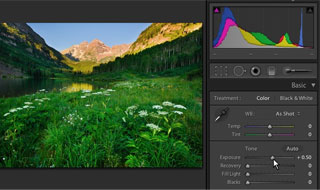
Adobe Photoshop Lightroom is the efficient new way for professional photographers to import, select, develop, and showcase large volumes of digital images. So you can spend less time sorting and refining photographs, and more time actually shooting them. Its clean, elegant interface literally steps out of the way and lets you quickly view and work with the images you shot today, as well as the thousands of images that you will shoot over the course of your career. Because no two photographers work alike, Adobe Lightroom adapts to your workflow, not the other way around.
Lightroom lets you view, zoom in, and compare photographs quickly and easily. Precise, photography-specific adjustments allow you to fine tune your images while maintaining the highest level of image quality from capture through output. And best of all, it runs on most commonly used computers, even notebook computers used on location.
Latest Reviews

uberfly reviewed v5.5 on Aug 1, 2014
Gold standard. In this case you get what you pay for. Extensive abilities and well thought out.

DDRAMbo reviewed v5.5 on Jun 27, 2014
In recent years I've been using this a lot with my state-of-the-art win7 32-bit system with 4GB RAM, which should be sufficient for viewing/editing at most around 15 or 20 pics no larger than 4.5MB ea (while not running any other software), but Lightroom continues to have some kind of memory issues that I'm sure they would prefer to associate with 'deficiencies' in my computer, even though it has all new hardware less than 2 years old. It will choke when exporting one or more photos with an error stating there's 'insufficient memory'. That's right, sometimes it chokes on one photo. No other major photo editor has a problem like this in my experience (and I'm still going back and forth between these apps as new versions come out), including ACDSee, Corel PSP, Dx0 Optics, CorelDRAW, Zoner Pro and even Photoshop itself.
Of all of these, for quick and dirty editing and 'downsizing' the results for web submission, I'm beginning to prefer ACDSee. It is very fast and I think some of the functions are less complicated, plus it has lots more features.
I assume that most folks will find some features of one or another of these apps preferable. Lightroom, for example, has better digital noise cleanup and chromatic distortion (commonly known as purple fringe repair, which Lightroom lets you select directly from the image) than Dx0 Optics, so you have to read reviews or try most of these before you buy.
Just be sure to get an app that has some built-in system to automatically protect your original images from edits you make, unless of course, you know for sure you won't need to go back later on. Even Google's free Picasa has this feature. All of these have some system like this except PS, PSP and CorelDRAW.

Karol Mily reviewed v5.5 on Jun 27, 2014
It is possible to change UI theme color? Too dark for me.

BooM13 reviewed v5.4 on Apr 30, 2014
Probably the best program for editing and correcting photos

chrispaul reviewed v5.3 on Feb 17, 2014
good

TomasF reviewed v4 Final on Mar 9, 2012
A solid upgrade to an excellent product

adamsguy reviewed v3.5 Release Candidate on Aug 26, 2011
I must say I cant afford this overpriced program.
uberfly reviewed v3.5 Release Candidate on Aug 25, 2011
Had previously purchased ACDSee Pro and Bibble looking for the right solution. If you dig into Lightroom, it's miles ahead of its nearest competitors. The ability to create a running, always available string of edits on an image, but never modifying the actual original is great for me. Best money I ever spent.

trevithick reviewed v3.4 on May 2, 2011
I recently tested LR with every inyention of buying it since it was recommended by a friend who is a setious photographer,
No slick interface here, in fact if you're a fan of Windows Explorer's tree structure, you'll be lucky to find your photographs. I detest the way LR manages photos.
LR has some great features if you're willing to spend the time learning the obtuse interface and spend hours going through all your work tagging, editing, etcetera.
The single feature I found to be almost universally great was the Auto WB button. It seldom failed to improve my images.
As many have previously noted, LR is too expensive for what it offers. At the end of my 30 day trial I uninstalled it and have no intention of purchasing.

some guy reviewed v3.4 RC1 on Mar 16, 2011
nice product but over priced will stay with Scarab Darkroom
http://fileforum.betanew...b-Darkroom/1252534369/1

uberfly reviewed v5.5 on Aug 1, 2014
Gold standard. In this case you get what you pay for. Extensive abilities and well thought out.
DDRAMbo reviewed v5.5 on Jun 27, 2014
In recent years I've been using this a lot with my state-of-the-art win7 32-bit system with 4GB RAM, which should be sufficient for viewing/editing at most around 15 or 20 pics no larger than 4.5MB ea (while not running any other software), but Lightroom continues to have some kind of memory issues that I'm sure they would prefer to associate with 'deficiencies' in my computer, even though it has all new hardware less than 2 years old. It will choke when exporting one or more photos with an error stating there's 'insufficient memory'. That's right, sometimes it chokes on one photo. No other major photo editor has a problem like this in my experience (and I'm still going back and forth between these apps as new versions come out), including ACDSee, Corel PSP, Dx0 Optics, CorelDRAW, Zoner Pro and even Photoshop itself.
Of all of these, for quick and dirty editing and 'downsizing' the results for web submission, I'm beginning to prefer ACDSee. It is very fast and I think some of the functions are less complicated, plus it has lots more features.
I assume that most folks will find some features of one or another of these apps preferable. Lightroom, for example, has better digital noise cleanup and chromatic distortion (commonly known as purple fringe repair, which Lightroom lets you select directly from the image) than Dx0 Optics, so you have to read reviews or try most of these before you buy.
Just be sure to get an app that has some built-in system to automatically protect your original images from edits you make, unless of course, you know for sure you won't need to go back later on. Even Google's free Picasa has this feature. All of these have some system like this except PS, PSP and CorelDRAW.
Karol Mily reviewed v5.5 on Jun 27, 2014
It is possible to change UI theme color? Too dark for me.
BooM13 reviewed v5.4 on Apr 30, 2014
Probably the best program for editing and correcting photos
chrispaul reviewed v5.3 on Feb 17, 2014
good
TomasF reviewed v4 Final on Mar 9, 2012
A solid upgrade to an excellent product
adamsguy reviewed v3.5 Release Candidate on Aug 26, 2011
I must say I cant afford this overpriced program.
uberfly reviewed v3.5 Release Candidate on Aug 25, 2011
Had previously purchased ACDSee Pro and Bibble looking for the right solution. If you dig into Lightroom, it's miles ahead of its nearest competitors. The ability to create a running, always available string of edits on an image, but never modifying the actual original is great for me. Best money I ever spent.
trevithick reviewed v3.4 on May 2, 2011
I recently tested LR with every inyention of buying it since it was recommended by a friend who is a setious photographer,
No slick interface here, in fact if you're a fan of Windows Explorer's tree structure, you'll be lucky to find your photographs. I detest the way LR manages photos.
LR has some great features if you're willing to spend the time learning the obtuse interface and spend hours going through all your work tagging, editing, etcetera.
The single feature I found to be almost universally great was the Auto WB button. It seldom failed to improve my images.
As many have previously noted, LR is too expensive for what it offers. At the end of my 30 day trial I uninstalled it and have no intention of purchasing.
some guy reviewed v3.4 RC1 on Mar 16, 2011
nice product but over priced will stay with Scarab Darkroom
http://fileforum.betanew...b-Darkroom/1252534369/1

tetovari reviewed v3.3 on Feb 11, 2011
tetovari

tremanbabo reviewed v2.6.1 Build 639867 on Jun 19, 2010
nice

tomkaten reviewed v2.6.1 Build 639867 on Jan 27, 2010
LR is good, but people are right, it is overpriced.
For more info, check out this link:
http://www.twin-pixels.c...xo-capture-one-bibble-5/

Aladin3 reviewed v2.6.1 Build 639867 on Jan 26, 2010
It is worth of this money, I personally think even not an amateur photographer. Lr gives to us an example how those programs have to look... But I am not buzing it because there are many unfinished things...

jspratjr reviewed v2.6 Build 632038 on Dec 18, 2009
Agree, excellent product but others (as mentioned) are just as good for a fraction of the cost - people who pay $300 for this "think" they are getting something better because it's more expensive - as others have mentioned, MANY cheaper, just as good alternatives. Another overpriced Adobe product (they are good products, just not worth the asking price).

Diam0nd reviewed v2.2 on Dec 16, 2008
Great product that is overpriced as greatly.
I complete agree with the commentor below me: Tenoq. If you have a closer look at LR, you won't find THAT much REALLY unusual tools. The main thing about LR is the usability: it designed to follow a certain flow starting from cataloguing and ending at publishing. So yeah, it is structured greatly. BUT would I pay $300 for greatly designed application? Not really. I would pay something, but 300 is a tad too much if you ask me.
Bibble Pro > *
imho

Tenoq reviewed v2.1 on Oct 26, 2008
Great product, but the price makes no sense. Sorry to all the others trying to justify it, but it's not 10 times better than the $30 ones. It's not even 10 times better than Picasa. It is significantly better, but there's no justification for it costing as much as an entire MS Office suite.
Diam0nd reviewed v2.1 on Oct 23, 2008
One of the best in business. Great tool, but terribly overpriced.
Still, my choice is Bibble Pro.

photonboy reviewed v2.1 RC on Sep 24, 2008
I'm impressed.
The functionality is really progressing nicely.
As for performance, I'm looking forward to evaluating this combined with Photoshop CS4 and testing GPU processing as well as 64-bit versions.
$300?
Listen, a LOT of work goes into this product. People have been using Adobe products for some time so obviously there's a need. For professionals, time is money. There are a lot of lower-priced products and even free ones for more basic needs. Anyone bashing the price obviously is not in a position to need or even understand the full functionality of this product.
Diam0nd reviewed v2.1 RC on Sep 23, 2008
I think it's a great tool for a photographer. BUT, a few points:
1. It's very overpriced (in a sense that you can find very similar kind of functionality for a MUCH lower price)
2. I would not use this tool for serious archiving, but rather a special tool like Microsoft Expression Media
3. I prefer Bibble Pro over this, since it's offers a ton more functionality and settings (if LR has a lot of settings and flexibility, I would say Bibble has a TON of them), AND costs less
But overall, it's a great and quality tool AND one of the best on the market of course, not question about it.
uberfly reviewed v2.0 on Aug 3, 2008
It a professional's tool people. LOTS under the hood. If you want to only spend $29.95 you have other options.
Tenoq reviewed v2.0 on Aug 1, 2008
Great product, crap price (like nearly every Adobe product).
I've thoroughly enjoyed beta testing Lightroom 2 - the dual-display support is fantastic when cataloging your photos.
But seriously - $300 for a photo management program? ARE YOU NUTS?!

Yakumo reviewed v2.0 on Jul 29, 2008
New features -
Local adjustment brush
Flexible print packages
Multiple monitor support
Extensible architecture
Volume management
64-bit processing support
details - http://www.adobe.com/pro...oshoplightroom/features/
po4ko - your running on myths, vista64 and server 2008 64 are excellent OSs with excellent support
Diam0nd reviewed v2.0 Beta on Apr 2, 2008
This program is definaltely a solid one, but in my opinion is way to simple and lacks a ton of functions and tweaks that other raw editors have.
So this is a good effort, but I personally choose BIBBLE PRO.
And another small piece of advice, if you're serious about photography DO NOT use LR as your catalog software, since it DOES NOT fit for serious cataloguing. For that I'd suggest checking out Expression Media v2.
And the price: they are crazy. this program lacks the features to cost 300 dollars.

po4ko reviewed v2.0 Beta on Apr 2, 2008
Introducing 64-bit support must be certainly interesting. Nowadays most Windows systems are 32-bit however, and 64-bit support is appalling (drivers, etc.), so the Mac OS X users would benefit from it most, I guess.
I'm currenly trying out LightZone from Light Crafts (www.lightcrafts.com), and I consider choosing it instead of Lightroom.

Kahuna reviewed v1.2 on Sep 16, 2007
I have been an avid photographer and "post-processer" of images for some time. I have or have tried just about all the more well known image software out there.
I have to say Lightroom 1.2 is tops in my book. I love the way I can manage my photo's and make changes but yet not affect the original file.
I particularly love the way it hands RAW images and have added LR as the first step in my image process. More often than not it is the last step but if needed I can fire up Photoshop CS3 and finish up the last few steps.
I have not had any significant resource issues with my computer the typical file size I handle is 10 megs. Occasionally I will take on some larger files but I have no lag complaints worth mentioning.
I do recommend reading a lot of tutorials and viewing some handy podcast to get a better understanding of the program.
Diam0nd reviewed v1.2 on Sep 15, 2007
Impressive.

SamppaX reviewed v1.2 on Sep 14, 2007
Works great! Starts fast and really nice and cool features that spice up your images.
Guys and girls remember that you actually need to know how to use this program effectly. I went to adobe seminar and learned very nice tricks. When you know how to use this nicely, It's just almost perfect.
But yes, I agree that price is kinda high for this kind of app but well... It's Adobe.

Lawrence01 reviewed v1.2 on Sep 14, 2007
I really like using this program, I bought it when it was at rev 1.0 and I'm glad to see the updates come. Its runs great on my dual core AMD, and I have thousands of photos taken with my canon 20D in the highest resolutions and it runs pretty good.

zridling reviewed v1.1 on Jun 28, 2007
Only Adobe can build an app that can bring my Quad-core/8G RAM machine to a screeching halt. Might as well throw a brick through your monitor.

simko reviewed v1.1 on Jun 27, 2007
Saying its crap is just poor bs anyway ther is a lot of people that liek program myself included but i dont use it as a pure photo database organizer software either.
Also acdsee doenst work in the same way so for some it may better and for other it wont cut it.
People need to say more than that a program is crap to be thrustworthy when it comes to software reviews.
More details please.

extremely well reviewed v1.1 on Jun 27, 2007
ACDSee Pro 2.0 beta 2 was released just yesterday...and is SO much better than this piece of odorless crap. ;)
zridling reviewed v1.0 on Feb 20, 2007
I'd spend money on this over Elements, but good lord, $200 is about $100 too much for this app, as ACDSee Pro does the same things with a simpler UI. Love the easy photo editing, and the navigation isn't bad. But like every Adobe app, they seem to think that overcharging for it makes it better. For now, it's Picasa with a dark, squared interface, so save your money until version 3.0

rhy7s reviewed v1.0 on Feb 19, 2007
To the poster complaining about size; Capture One is like 58MB, Bibble 32MB, Lightzone 24MB, SilkyPix 22MB. For the workflow enhancements and other features beyond basic RAW conversion you get with Lightroom the download size seems quite frugal really by comparison. It would be a 5 for me if there was more thought put into multi-monitor support and also network/multi-user/multi-site capabilities.

lucianct reviewed v1.0 on Feb 19, 2007
it was free while in beta stage. now it costs $199, but they forgot to update the license type

DudeBoyz reviewed v1.0 on Feb 19, 2007
How is this better than the alternatives? $199 for this? You have GOT to be kidding.
For some reason, 22 meg seems like a lot of size for something like this. Style over Substance? The Mac OS X version is only 9 meg. Huh.

yokozuna reviewed vBeta 4.1 on Nov 28, 2006
Horrible organizer and so-so RAW developer. I know it is a beta (and therefore it is free...) only, but the results of RAW processing do not compare, in most cases, to the freeware version of SilkyPix http://www.isl.co.jp/SILKYPIX/english/download The paid version of SilkyPix is better in almost every aspect - maybe except the marketing side of the story.

Yos reviewed vBeta 4.1 on Oct 22, 2006
Pretty slick GUI compared to the competition (Bibble, Nikon Capture, formerly Raw Shooter...) but I don't care much how it looks compared to how it works. I like how Lightroom handles shoots and collections that can make batch processing easy but this makes the program very sluggish when there are a lot of files in a shoot. I also found that sometimes it counts more images in a shoot than there are raw images. The slideshow is a nice feature but a little out of place in a workflow application. All in all...very good for a beta. I can only hope that Adobe won't over-price Lightroom (like they do with Photoshop) when the final version ships.

LeXTeRiTY_X reviewed vBeta 4.1 on Oct 21, 2006
Looks good so far. Just like f-Spot on Linux.

bufftbone reviewed vBeta 4.1 on Oct 21, 2006
I think tickleonthetum said it best!
I don't take thousands of pictures a week, well maybe some weeks, but I only use this program on occasion. It suits my needs just fine. It's a great program that Adobe has going and it'll only get better. Hopefully when they start charging for it, it doesn't coat a whole lot :)

zhengx reviewed vBeta 4.1 on Oct 21, 2006
Is there a software like this so I can manage all my files including images?

mharvey reviewed vBeta 4 on Sep 25, 2006
I decided to check this out to see how "Raw Shooter" was incorporated. I can not install the beta. I think that not supporting Windows 2000 is a mistake.

tickleonthetum reviewed vBeta 4 on Sep 25, 2006
Ok, some clarification... this is NOT for the everyday person who takes the odd photo here and there, or just at weddings. This is for professional photographers who take thousands of pictures a week. This is not something to be compared with ACDSee, etc, but with things like Apple Apature.
It is NOT a replacement for Photoshop, you can not stick your head on someone elses body for a laugh.
This is for serious professional photographers to work with their images for professional distribution.
If you don't understand it, then you don't need it. Move along, don't rate it down.

linkdup reviewed vBeta 4 on Sep 25, 2006
Obviously all you guys aren't the target audience. Photoshop and Lightroom are two completely different concepts.
Personally I see lots of potential in this app. Keep it comming Adobe.
zridling reviewed vBeta 4 on Sep 25, 2006
Adobe is losing it. ACDSee has already mastered this. Just check their Pro version. What a colossal waste of money, resources, and everyone's time.

zewt reviewed vBeta 4 on Sep 25, 2006
Unless you are a professional photographer that shoots 10s of thousands(maybe 100's of thousands) of hi-res RAW images every year, and are concerned about your color workflow, then you might not fully appreciate a product of this type.

dono1216 reviewed vBeta 3 on Jul 29, 2006
Like many other people I don't quite understand the whole purpose of the program. For a file browser/comparer/sorter/whatever, I use breezebrowser or Pixort.

aashay reviewed vBeta 3 on Jul 20, 2006
Jeezz...what is this?? How the hell is this supposed to be different from Photoshop? No explanations on the Adobe Labs site of what it is supposed to do. Crap load of a memory hog..This rhino of a program sucks 840MBs of my 1GB RAM & feels so sluggish even on both my Athlon X2 & P4 Core2Duo (loaded with 2GB RAM) machines..Whatever this program does can be easily done in FastStone..which I must say is impressive. The sad part is that they did the foolish mistake of releasing a Mac version before the Windows one (Ever heard anyone Beta testing for Mac!! Jeez!!) It has got a fused Macromedia Flash look to it. I wouldnt like to waste anymore time with this hog crap! Stay far far away from it people!!

zee7 reviewed vBeta 3 on Jul 19, 2006
LightRoom is basically a glorified file browser and slide show tool. I can't fault the GUI -- it's quite nice actually, especially compared to many of its hard-edge, generic looking competitors, but as a productivity tool LightRoom falls way short.
LightRoom's lack of features necessitate one having to run two or even three additional programs in order to get things done. Why bother? FastStone Image Viewer, my photo browsing/batch coverting/workhorse tool of choice, is superior in every way (and free).

bobad reviewed vBeta 3 on Jul 19, 2006
I can't believe a program with such a simple function could be so bloated and such a memory hog. Nothing seems right about the GUI or the way it runs. If you want a good image viewer/light editor, FastStone is by far the best, and will always be free.

FlAshdobe reviewed vBeta 3 on Jul 19, 2006
Pretty sweet little program, works flawlessly on my pc, the ram usage is a bit much!
yokozuna reviewed vBeta 3 on Jul 19, 2006
Sorry to say but the beta does not impress me much. I just tried to convert some RAW files produced by my cameras (Fuji & Leica, I know, I know, Leicas are produced by Panasonic...). The colours of Fuji converted files are washed out, much worse than these produced by Adobe Camera Raw 3.4 (a class for it's own IMHO). Leica's RAWs are simply horrible. Adobe must work a lot to make the app not only usable but also useful.

Pixelsmack reviewed vBeta 3 on Jul 19, 2006
My review of Beta 3 for Windows is very short, here is why.
We've been complaining about the lack of a Windows version for quite a while. SO maybe this is some sort of joke from the programming staff?
We finally get one and I, as well as many others in the Adobe forums, cannot get past importing some pictures without it crashing. (it actually quite quickly and silently--vanishes)
ROCK IN!

utomo reviewed vBeta 3 on Jul 19, 2006
There must be significant features over the ACDsee.
if not, people will choose the ACD see which is famous and used by many people.