
File Details |
|
| File Size | 35.8 MB |
|---|---|
| License | Freeware |
| Operating System | Windows Vista/XP |
| Date Added | May 10, 2012 |
| Total Downloads | 114,542 |
| Publisher | Apple, Inc. |
| Homepage | Safari |
Publisher's Description
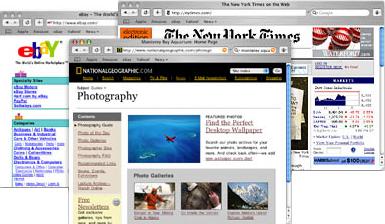
Safari offers you a superior Web experience with outstanding performance. Even the most complex of pages load at breakneck speed. In fact, it loads pages more quickly than any other Mac Web browser. But that's not all. Safari uses the advanced interface technologies underlying Mac OS X to offer you an all-new view of the Web, one that's much easier to use.
Latest Reviews

Sven123456789 reviewed v5.1.7 on Jun 9, 2015
This is dead-er than Fred

Blaxima reviewed v5.1.7 on May 11, 2012
Apple software on Windows should simply be called a virus as it is every bit as invasive.

CyberDoc999 reviewed v5.1.7 on May 11, 2012
try Maxthon....
Safari is junk

Music4Ever reviewed v5.1.5 on Mar 27, 2012
By far the worst browser in the history of the universe - I know I go on about it but I had to restore a C image just to get rid of it. If you try it, you have parts of it for good.

FatBastard reviewed v5.1.4 on Mar 12, 2012
It doesn't get any worse than this!
Music4Ever reviewed v5.1.4 on Mar 12, 2012
Dreadful browser at least for a PC anyway, no reason whatever to use this on a PC.

johnusa reviewed v5.1.2 on Dec 1, 2011
Pure Apple garbage.
Stay away from this horrible browser.
Apple should never write software for a PC as they suck at it.

Bala7 reviewed v5.1.1 on Oct 12, 2011
dictionary definition of Bloatware!
Why must Apple bundle other apps (including Bonjour) with Safari in order to work on Windows? This is one ugly exe.

Inray reviewed v5.1.1 on Oct 12, 2011
Utter garbage...

Input Overload reviewed v5.1 on Jul 21, 2011
If you try this browser make sure you have an image backup as after uninstallation it leaves 100 Billion registry items behind. It’s also totally un-customisable. I can’t think of a reason ever to try it again. Once was enough.

Sven123456789 reviewed v5.1.7 on Jun 9, 2015
This is dead-er than Fred
Blaxima reviewed v5.1.7 on May 11, 2012
Apple software on Windows should simply be called a virus as it is every bit as invasive.
CyberDoc999 reviewed v5.1.7 on May 11, 2012
try Maxthon....
Safari is junk
Music4Ever reviewed v5.1.5 on Mar 27, 2012
By far the worst browser in the history of the universe - I know I go on about it but I had to restore a C image just to get rid of it. If you try it, you have parts of it for good.
FatBastard reviewed v5.1.4 on Mar 12, 2012
It doesn't get any worse than this!
Music4Ever reviewed v5.1.4 on Mar 12, 2012
Dreadful browser at least for a PC anyway, no reason whatever to use this on a PC.
johnusa reviewed v5.1.2 on Dec 1, 2011
Pure Apple garbage.
Stay away from this horrible browser.
Apple should never write software for a PC as they suck at it.
Bala7 reviewed v5.1.1 on Oct 12, 2011
dictionary definition of Bloatware!
Why must Apple bundle other apps (including Bonjour) with Safari in order to work on Windows? This is one ugly exe.
Inray reviewed v5.1.1 on Oct 12, 2011
Utter garbage...
Input Overload reviewed v5.1 on Jul 21, 2011
If you try this browser make sure you have an image backup as after uninstallation it leaves 100 Billion registry items behind. It’s also totally un-customisable. I can’t think of a reason ever to try it again. Once was enough.
FatBastard reviewed v5.1 on Jul 20, 2011
I don't like this browser

New Doraemon reviewed v5.1 on Jul 20, 2011
s***ful thinking.

stylemessiah reviewed v5.0.5 on Apr 15, 2011
If you like your PC, do not install this crap and its crapware/adware
Apple are famous for stealth installing things with the PC version of Safari
Use anything but this to browse the internet.
Times like these you really need a 0 at FF