
File Details |
|
| File Size | 3.5 MB |
|---|---|
| License | Shareware, $19.95 |
| Operating System | Windows (All) |
| Date Added | December 4, 2024 |
| Total Downloads | 13,912 |
| Publisher | NTWind Software |
| Homepage | WinSnap |
Publisher's Description
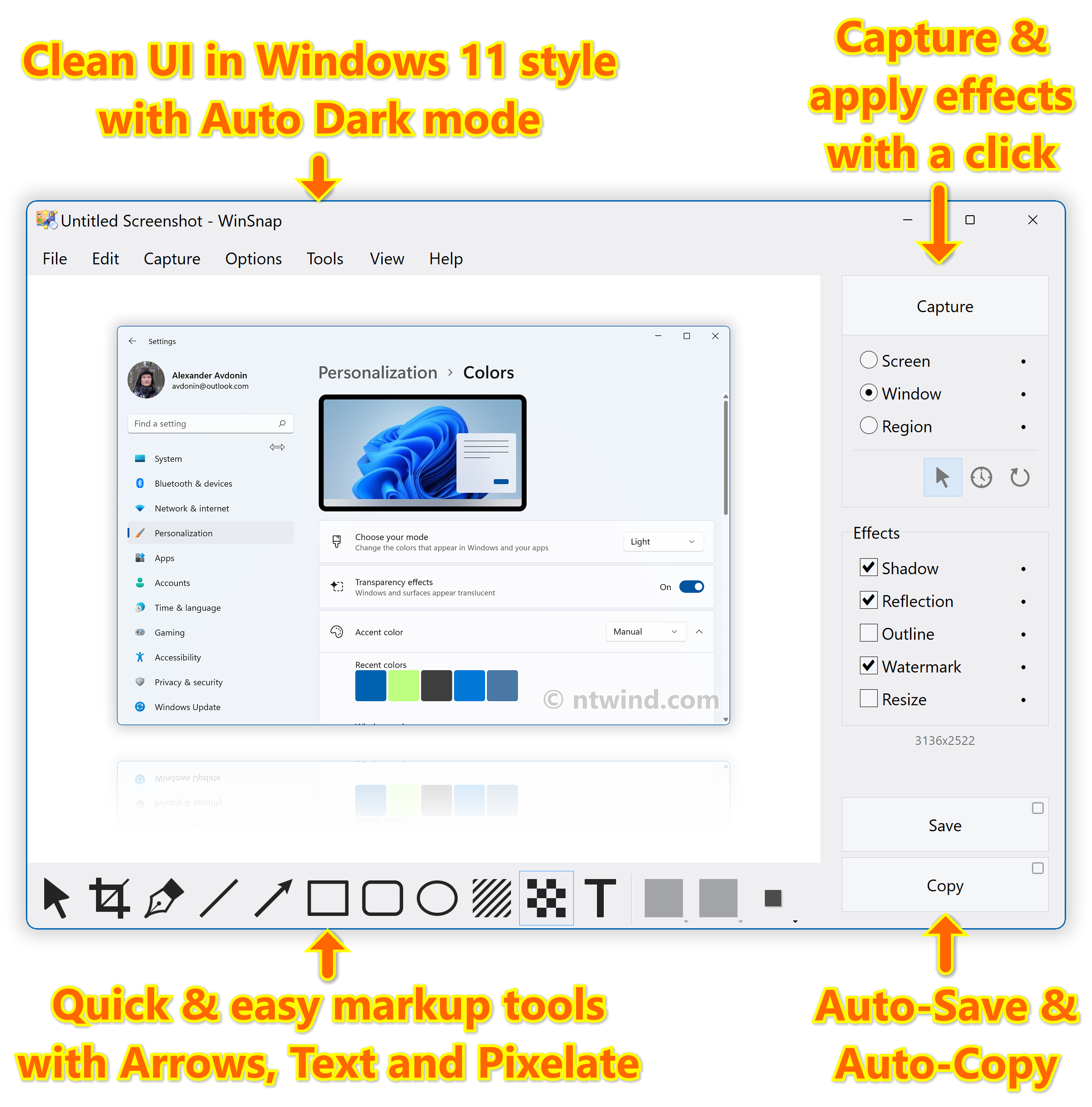
WinSnap is a small enhancement utility for taking and editing screenshots. It can easily capture windows of non-rectangular form with the background of your choice, automatically perform simple canvas transformations and coloring effects, add professional smoothing shadows in Photoshop style and more. Also it supports variety of image formats and provides advanced auto-save options.
Latest Reviews

dray56 reviewed v6.0.1 on Mar 29, 2023
I Really Like IT

jacobjackson reviewed v4.0.8 on Aug 24, 2013
winsnap is good

NyaR reviewed v4.0.8 on Jun 18, 2013
This is a great software, I have been using it for over a year. Although it lacks some features of pickpick, which is NOT freeware, it makes up for it in speed. Advanced editing should be done in advanced editing apps, anyway. This app is great for capturing screenshots and stylizing them so they are ready to go.

shantanu reviewed v4.0.1 on Jan 25, 2012
PicPick (http://www.picpick.org/) is really better than this; and not just because PicPick is freeware for home users; the post capture tools are just "not there yet"
Another alternative is Greenshot (http://getgreenshot.org/)
My choice; PicPick ... use it all the time, very effective!

gmartau reviewed v3.1.2 on Sep 23, 2009
Make a nice screenshot in seconds. Very useful for screenshots made for web pages.

dhry reviewed v3.1.2 on Sep 23, 2009
And while you're at it, sift through THIS.
{pauses}
During your sifting, please also remember to make a comment about the actual program in your review, yes? Anyway. Whahey - v3.1.2's out! Last free version yeah boyee.

Zero-Point reviewed v3.1.1 on Aug 18, 2009
Are you seriously going to post a review to restate that you are furthering your own recommendation for each version? That seems very sad and petty.
Now we have to sift through all of your frivolous reviews.
dhry reviewed v3.0.9 on Jun 19, 2009
Oops. 3.0.9's out. Time to recommend getting the last free version again. *8-)
dhry reviewed v3.0.4 on Feb 24, 2009
Fourthing my own original recommendation to avoid this version and get the last free one *8-)

cmotdibbler reviewed v3.0.1 Beta on Dec 16, 2008
Thirding the recommendation for the last free version (1.1.10) which does plenty.
dray56 reviewed v6.0.1 on Mar 29, 2023
Pros: This Works really Good
Cons: none let
Bottom Line: I Really Like IT

jacobjackson reviewed v4.0.8 on Aug 24, 2013
winsnap is good
NyaR reviewed v4.0.8 on Jun 18, 2013
This is a great software, I have been using it for over a year. Although it lacks some features of pickpick, which is NOT freeware, it makes up for it in speed. Advanced editing should be done in advanced editing apps, anyway. This app is great for capturing screenshots and stylizing them so they are ready to go.
shantanu reviewed v4.0.1 on Jan 25, 2012
PicPick (http://www.picpick.org/) is really better than this; and not just because PicPick is freeware for home users; the post capture tools are just "not there yet"
Another alternative is Greenshot (http://getgreenshot.org/)
My choice; PicPick ... use it all the time, very effective!
gmartau reviewed v3.1.2 on Sep 23, 2009
Make a nice screenshot in seconds. Very useful for screenshots made for web pages.
dhry reviewed v3.1.2 on Sep 23, 2009
And while you're at it, sift through THIS.
{pauses}
During your sifting, please also remember to make a comment about the actual program in your review, yes? Anyway. Whahey - v3.1.2's out! Last free version yeah boyee.
Zero-Point reviewed v3.1.1 on Aug 18, 2009
Are you seriously going to post a review to restate that you are furthering your own recommendation for each version? That seems very sad and petty.
Now we have to sift through all of your frivolous reviews.
dhry reviewed v3.0.9 on Jun 19, 2009
Oops. 3.0.9's out. Time to recommend getting the last free version again. *8-)
dhry reviewed v3.0.4 on Feb 24, 2009
Fourthing my own original recommendation to avoid this version and get the last free one *8-)
cmotdibbler reviewed v3.0.1 Beta on Dec 16, 2008
Thirding the recommendation for the last free version (1.1.10) which does plenty.
dhry reviewed v2.1.3 on May 12, 2008
Seconding the recommendation of using the 1.1.10 last free version. Either that or the last free version of Faststone Capture (which is what I use, since it allows you to draw eg. red circles on screenshots when showing people what to click or what to look at in that screenshot, etc)

2ears reviewed v2.1.1 on Mar 19, 2008
File not free, it offers a very smooth workflow and, most of all, correctly capture alpha blending and thus produce true alpha blended png files without any background, contrary to all current freewares in that area.
Beside thta, it is perfectly portable on an USB key.

guti reviewed v2.0.8 on Aug 7, 2007
Finally with a native x64 version.
Excellent!