
File Details |
|
| File Size | 270.5 MB |
|---|---|
| License | Freeware |
| Operating System | Windows 7/8/10/Vista |
| Date Added | March 31, 2023 |
| Total Downloads | 41,295 |
| Publisher | Ton Roosendaal |
| Homepage | Blender |
Publisher's Description
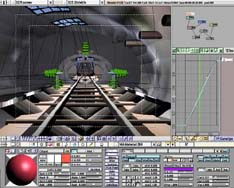
Blender is the free and open source 3D creation suite. It supports the entirety of the 3D pipeline modeling, rigging, animation, simulation, rendering, compositing and motion tracking, video editing and 2D animation pipeline.
Latest Reviews

empirical reviewed v2.83 on Jun 15, 2020
I have mixed feelings about this release. After spending many years learning and practicing with the interface of the 2.6 and 2.7 series another complete interface overhaul has occurred with the 2.8 series. Spent many hours and bought a few books to learn the 2.6 and 2.7 interface version of this program. Also sent them a donation.
With 2.8 series I am totally lost again, nothing works the way I learned in earlier versions with this new interface. Cannot figure out how to get any decent renders produced. The interface for textures, surfacing, and backgrounds is totally different, although I have learned to pick up on the mesh modeling and sculpting,
Since this program is free I guess there is no reason to complain.
Simply bite the bullet and start all over again or stick with earlier versions.

Aegis69 reviewed v2.78b on Feb 10, 2017
Unbelievable software, probably the best open source project anywhere
Aegis69 reviewed v2.71 RC1 on Jun 16, 2014
PLEASE UPDATE THE SCREEN SHOT I'LL EVEN MAKE ONE FOR YOU!!!!

lwvtutor reviewed v2.70 on Mar 21, 2014
Absolutely must have!

Qlib reviewed v2.70 RC2 on Mar 18, 2014
the workflow is still like being fisted by a cactus.. but at least there is progress...

chrispaul reviewed v2.69 on Feb 17, 2014
4 stars
Aegis69 reviewed v2.69 RC on Oct 7, 2013
Please update the program image.. that picture is from 5 years ago.

olivergiving reviewed v2.68a on Sep 25, 2013
nice

Vany reviewed v2.67a on May 22, 2013
why is the x64 version missing there?
Aegis69 reviewed v2.64 on Oct 3, 2012
I was a 3D geek and I knew a bunch of programs, 3DMax, Maya, Carrara but I was not a master of any of them, when it came time for me to do a serious project I wanted to do something that required more knowledge then I had any any one of those other programs, so I finally sat down and forced myself to learn Blender.
Damn I'm glad I did, its far easier and in some ways a lot more powerful than some of those other programs, and every single part of it is free, 100% free, including all addons that you might need for any demands of your project. I now use only Blender, all the other stuff went out the window.

empirical reviewed v2.83 on Jun 15, 2020
Pros: Looks pretty and fancy.
Cons: Totally different interface from earlier versions. Cannot open blend files from earlier versions in 2.8 series and vice versa. This interface change is so different I believe this version should have a totally different name than Blender.
Bottom Line: I have mixed feelings about this release. After spending many years learning and practicing with the interface of the 2.6 and 2.7 series another complete interface overhaul has occurred with the 2.8 series. Spent many hours and bought a few books to learn the 2.6 and 2.7 interface version of this program. Also sent them a donation.
With 2.8 series I am totally lost again, nothing works the way I learned in earlier versions with this new interface. Cannot figure out how to get any decent renders produced. The interface for textures, surfacing, and backgrounds is totally different, although I have learned to pick up on the mesh modeling and sculpting,
Since this program is free I guess there is no reason to complain.
Simply bite the bullet and start all over again or stick with earlier versions.
Aegis69 reviewed v2.78b on Feb 10, 2017
Unbelievable software, probably the best open source project anywhere
Aegis69 reviewed v2.71 RC1 on Jun 16, 2014
PLEASE UPDATE THE SCREEN SHOT I'LL EVEN MAKE ONE FOR YOU!!!!
lwvtutor reviewed v2.70 on Mar 21, 2014
Absolutely must have!
Qlib reviewed v2.70 RC2 on Mar 18, 2014
the workflow is still like being fisted by a cactus.. but at least there is progress...
chrispaul reviewed v2.69 on Feb 17, 2014
4 stars
Aegis69 reviewed v2.69 RC on Oct 7, 2013
Please update the program image.. that picture is from 5 years ago.
olivergiving reviewed v2.68a on Sep 25, 2013
nice
Vany reviewed v2.67a on May 22, 2013
why is the x64 version missing there?
Aegis69 reviewed v2.64 on Oct 3, 2012
I was a 3D geek and I knew a bunch of programs, 3DMax, Maya, Carrara but I was not a master of any of them, when it came time for me to do a serious project I wanted to do something that required more knowledge then I had any any one of those other programs, so I finally sat down and forced myself to learn Blender.
Damn I'm glad I did, its far easier and in some ways a lot more powerful than some of those other programs, and every single part of it is free, 100% free, including all addons that you might need for any demands of your project. I now use only Blender, all the other stuff went out the window.

nilst2006 reviewed v2.62 RC1 on Feb 10, 2012
A friend did show me Blender and what it could do. I say.-"WOW !". Really nice stuff i will try to learn use. :)

hariskar reviewed v2.61 Beta on Dec 2, 2011
Great program! It is open source, not just freeware

dsp_418 reviewed v2.61 Beta on Dec 2, 2011
The latest release is another milestone, kudos to the developers.
Ocean Sim, Cycles (new realtime render engine), Dynamic Paint and Camera Tracking - all included in this incredible small package.
Forget the screen shot above, they'll never update it here on fileforum.

DKDude reviewed v2.59 RC on Aug 9, 2011
GREAT program.
It's a pity that they do not update the pictures on this site, new versions are much more slick and nice to use.
Go here for more recent images of the program.
http://www.blender.org/features-gallery/features/

some guy reviewed v2.57 RC2 on Apr 6, 2011
update the screen shot !
Aegis69 reviewed v2.57 RC2 on Apr 5, 2011
One of the best 3D applications out there, and 100% free!
blendercookie.com will teach you everything you need to know, I learned everything I know about poly modeling from those tutorials.

mertst reviewed v2.56 Beta on Dec 31, 2010
Blender is a very capable program
dsp_418 reviewed v2.50 Alpha 2 on Mar 5, 2010
Please, update that screen shot it really old!
2.5 interface is way far better. The new particle system is being reshaped by http://jahkaparticles.blogspot.com/ (support this guy!) and other cool new particle features here: http://farsthary.wordpress.com/ (and support this guy too!)
Besides that, other cool new features and improvement.
Just test it out by yourself. Try a recent svn from: http://www.graphicall.org/builds/index.php
Blender rocks!
Aegis69 reviewed v2.50 Alpha 2 on Mar 4, 2010
Update your thumbnail for this application to this and I guarantee a lot more people will give it a try;
http://i.imgur.com/PybXD.jpg

SuzzyWoozy reviewed v2.5 Alpha on Nov 24, 2009
well, I did't want to about this Alpha, but unfortunately there seems to be some misconceptions regarding blender that I really want to clarify: if you need to start playing with a 3D program (and you don't have any previous experience in 3D) then you should know that this is the most user (noob) friendly program, hands down. Note: this reffers to version 2.49 and not 2.5, tough.
2.5 will get there eventually, but will need some time.
Netean: it is a shame that you had to waste hours learning the interface, when you could easily get through it in 20 minutes, using the right tutorials (youtube or blender manual) giving also your previous experiece in 3d.
I suggest starting from here: http://showmedo.com/vide...rms&fromSeriesID=31
If someone needs to follow up this 2.5 version, here's the roadmap:
http://www.blender.org/d...nder3d.org:+Latest+News)

netean reviewed v2.5 Alpha on Nov 24, 2009
Undoubtedly Blender is a very capable program, just looking at the features, and the gallery of users' work attest to that.
However it's interface... oh dear, what a disaster.
I'm sure if I just spend "some time" with it and numerous tutorials, I'll get the hand of the interface, but I really shouldn't have to. Having grown up using Original DOS 3d Studio, then lightwave, then 3ds max, Alias, Maya and Cinema 4d, I've used 3d programs before. I know how to do stuff Having learned the interface of methodolgy of one app I can move reasonably easily to another, sure I might not know how to use it completely, but I'm familiar enough to pick up most 3d modelling/rendering applications, build a model and render it.
But not with Blender. I shouldn't need to sit down and spend literally hours, wading through tutorials just to learn how to use the interface, I should be able to transition easily to it, knowing the basics of how to get stuff done and picking up the unique features of the app as I go.
As it stands right now, the interface is a barrier to learning the app. It's impenetrable lack of intuitive features mean it can't get a good rating.
If you're willing to invest a lot of time, and I do mean a lot of time, learning the interface then I'm sure you'll be rewarded with a capable application, but if this is your first exposure to 3d modelling and rendering you won't be able to transfer your newly learned skills easily into another application.
Yes it's free and that is great, but with such a monumental barrier to wide adoption it will (sadly) always been as the poor persons 3d option.
now having said all that. 2.5 goes a LONG way to addressing some of those issues, the interface has made major inroads and now resembles a lot of other 3d apps. It's not there yet, still a lot of work to do, but finally, the interface is getting usable-ish..
On my machine the UI was new UI was hideously unresponsive, very slow. quite buggy too, (but it is alpha software so that's expected)
SuzzyWoozy reviewed v2.49a on Aug 7, 2009
hope this will also help understant where this program stands:
http://toastbusters.blog...ual-to-competition.html

anomoly reviewed v2.49 on Jun 2, 2009
Take a look at this page for a real understanding of it's capabilities
http://www.blender.org/f...-gallery/feature-videos/
Or even this one
http://www.blender.org/features-gallery/movies/
Pretty nice for free
SuzzyWoozy reviewed v2.49 RC2 on May 12, 2009
I was reading through all the below reviews and it seems to me that most of the reviewers are people not familiar with any 3D designer tool. Complaining about the interface is (to say at least)... superficial. It is not more complicated than others, just different and trust me it is quite ergonomic one you spend some time learning it. Same goes for 3D Max, and all the other competitors.
The issue with this program is not the interface (I could say that is a plus, but is just a matter of preferences after all) but what this gem is able to do:
This is not PBrush... if you're able understand more than 3 of the below comparison criteria, you are ready to properly review this program, otherwise please refrain from it:
http://wiki.cgsociety.or.../Comparison_of_3d_tools
Please also review bamby1983's review somewhere below for some strong points in reviewing this program; for me it is a 5 star worth.

Betachecker reviewed v2.49 RC1 on Apr 25, 2009
Only 4 stars cause it is too hard to learn
Aegis69 reviewed v2.48a on Oct 23, 2008
Yeah, that was tough to find...
http://www.youtube.com/w...AqY&feature=related

AnthonySPT reviewed v2.48 on Oct 15, 2008
Yes the UI is kind of suck. Sometimes brilliant coders are not good at creating user interfaces that make sense to users that didn't write the code. (Yes I dabble in the world of UI theory.)
However, people interested in using this product, just spend an afternoon/evening at YouTube and watch the tons of 'instructional' videos people have put together that will help make sense of things.
Also for what this is, it is quite powerful.
netean reviewed v2.48 on Oct 15, 2008
HOw does this still manage to attain a 4.7 average rating, when pretty much everyone hates the interface and gives it 3 or less?

Akuma reviewed v2.48 on Oct 15, 2008
Only a 3. Simply because the user interface makes it very difficult to learn, it's so unintuitive :/
Qlib reviewed v2.48 RC1 on Oct 3, 2008
I would give it 5, but the consistant TOTAL LACK of improvement in the crucial area of GUI/WORKFLOW/USEABILITY .. means it wont...

cricri_pingouin reviewed v2.48 RC1 on Oct 3, 2008
I can only reiterate what has been said: I am not an artist, but when I first used 3DS Max, I could draw a box, move it around and rotate it around within a couple of minutes of installation, without referring to any documentation.
Blender, like The GIMP, is one of those software that have great capabilities for free, but which interface make it unusable unless you are ready, and can afford, to spend a lot of time learning how to use it.
I spent (wasted?) 15 minutes using Blender, still couldn't figure out how to create a simple box. Can't I simply look for help, starting with Google? Of course I did, but if I need to do so every single time I try to achieve anything, then I'd much rather purchase a licence of 3DS Max and see my investment quickly amortised by not consistently wasting time searching what part of the counter intuitive interface I need to use and how. After all, time is money, wasting time means wasting money, and thus having Blender for free is not such a valuable attribute anymore.
netean reviewed v2.48 RC1 on Oct 2, 2008
it's free, well done. 10 out 10 for effort.
I'm not a noob, nor a pro But I can pick up Cinema 4d and make it do stuff (albeit simple) - I can pick up 3ds max and make it do stuff, same with bryce, maya, lightwave et al. (and I've tried them all)
Blender... I can install, I can run... then... then... dunno, can't do anything even remotely useful enough to encourage me to continue learning about it and that's the problem
It may be powerful, it may be amazing, but it's so damned unintuitive that I just don't want to try even try and invest the time time to fathom it out. Clearly I'm not alone in that regard and that is a real real shame, as there are a lot of talented people trying really hard to make this a great application.
But the interface is the single biggest problem - people don't use because it's too big an investment in time - therefore they don't support it, therefore fewer people contribute to development.

bamby1983 reviewed v2.47 on Sep 28, 2008
Well to be honest, I'm quite a n00b when it comes to Blender, but here's something that both sides of the debate might want to consider. I know it's a long, long story, but I hope the critics here understand what I'm trying to say through it.
I remember the first time I decided to use 3D Studio Max. It was after a surgery and I was on crutches and didn't know what to do with all my time. I had no clue about CG, no idea about what Photoshop even was and just suddenly decided to learn Max.
When I installed the trial version and first opened the Max screen, I saw the 4 views and a panel on the right with stuff like "box, sphere, cone, etc." written on it. I clicked a random button and expected something magical to happen. Why wasn't anything happening? I clicked something, didn't I? This program must suck!
Then I started looking up tutorials. I learnt basic modeling and texturing but couldn't figure out what all those crazy tutorials meant when they said I should "render" the image. What in heaven's name is rendering? Why do these guys have to use such complicated terms? This program sucks!!!
Then I finally learnt how to render a single frame. I saw my first rendered frame on the screen (it looked pretty fancy for a n00b) and I was on top of the world. And why not? I rendered a 3D image! Omg I'm a pro!
Then I created an animation. Believe it or not, it took me several days to figure out how to render an animation. All those websites kept ending the tutorial by saying, "Step 10: Render the animation." None of them explained how. At this point I decided that I had put up with enough. I was all ready to give up, but I had told far too many people about how I was an animation "pro," so my ego wouldn't let me give up. I tried and tried and finally a really helpful guy on a blog (God bless his soul!) explained it to me in extreme detail.
From there onwards, I finally got the hang of the software, and while there was always more to learn (and there always will be), I realized for the first time that it's just those first 2 or 3 months that hurt, after which your comfort levels seem to rise.
The software is an unintelligent piece of code written by a bunch of intelligent human beings. The software won't adapt to you. YOU have to adapt to IT.
Today, after over 3 years and 8 months of using 3 Studio Max, both as an obsessive hobby and professionally in a large architecture company, I've realized what an idiot I would have been to give up back then just coz I couldn't figure out how to render an image sequence or a movie file. As yes, I've also realized that after working with Max for years, I'm STILL a n00b!
I guess what I'm trying to say is that the initial resistance to Blender's GUI (or rather the lack of it as some tend to put it) is exactly that - it's INITIAL. The resistance will wear down with time and it's the actual software that you'll see beneath the GUI. I know how frustrating a new GUI can be - I tried switching to Maya thrice and hated it each time. But a few weeks of effort coupled with some serious anger management could reap rewards for years to come.
I'm not recommending Blender in any way. All I'm saying is that just as a book shouldn't be judged by its cover, Blender shouldn't be judged solely on the basis of its GUI.
On a slightly more negative note, I've looked through a large number of images and animations rendered using Blender, and while some are reasonably pleasant, I found that none can even remotely compare with the outstanding realism portrayed by Max, especially while dealing with characters or large scenes. Is this because of Blender's limitations or is it because of the lack of talent, given that Blender is still relatively new? I don't mean to be rude, but I honestly haven't seen a single image made using Blender that looks so realistic that it would make me wonder whether it's a real photograph. I've seen and made hundreds with Max.
I understand that Blender is free, but if, for a moment, we DON'T consider the cost aspect, is there anyone here who has used BOTH suites extensively that can say that they feel Blender is more capable than Max with respect to ultra-realism?
Sorry for the insanely long post, people. :)

tickleonthetum reviewed v2.47 on Sep 9, 2008
Powerful: Yes
Fast: Yes
User Friendly: NO!!!
This is a great free program, packed with advanced tools that cater for almost any requirement. However, and it's a big however, it is VERY hard to learn and use. It seems as if the programmers specifically went out of their way to make this 'different' to any other software. It's all very good being individual but this is a step to far. The basic layout of any program using a windows system has become standardised for a reason... it works. This? Not so much.
Complex does not equal better, individual/unique does not equal better.
Qlib reviewed v2.47 on Aug 25, 2008
its great for being free.. but its still like a elephant enema to use.. a lot like gimp really.. _fairly decent features wrapped in a user interface only a landfill could love_..
come on.. "does everything maya does"? not even close.. but its still nice for being free.. despite being horrible..I much prefer Wings3D if I have to be free..oh yea.. trueSpace 7.6 is free now that microsoft has bought caligari..
Aegis69 reviewed v2.47 on Aug 25, 2008
Does everything maya does, you just have to have enough brains to figure out a new interface... geez people complain lots over nothing.

monzi reviewed v2.47 RC2 on Aug 11, 2008
Simply the worst 3D program in the world. End of story
some guy reviewed v2.47 RC2 on Aug 8, 2008
I agree with the guy below the user interface I think is horrible it needs to be more friendly.
It looks like you need to take a college class just to learn it.

DudeBoyz reviewed v2.47 RC1 on Aug 6, 2008
A powerful application that is continually improving in most areas. However, the interface is just killing me.
I'm not an expert in usability studies, but I think this app would be much more useful if the learning curve was not so high. It just doesn't feel very intuitive, and that hampers productivity, at least for me.
If there is one thing that could push this program over the top, I believe it would be an overhaul of the interface. As it is, I fear it is just too daunting for most potential users.
Qlib reviewed v2.46 on May 20, 2008
well Pegusis2, it wasnt exactly made from scratch. It was "bought" free from a company that had developed it for in-house use and as such is weird as fukk for anyone who DIDNT work at that company, capable but weird and nightmareish..oh how I do wish they would just rip away the gui and build that from scratch with a workflow that ppl outside geekworld can feel even remotely attracted to..
maybe in ver 5.... although after recent developments with GIMP I have my doubt, its changed.. sure.. just.. not much of an improvement...
and.. arrgh?!?! 2.46's first install and startup caused a BSOD that totally threw my XP SP3 into chaos, had to run a restore ghost image ... wtff? I thought thats what betas and release candidates was for.... still, works now though after some fuffing about..

Earwicker reviewed v2.46 on May 20, 2008
Completely defeats me, but the results look fabulous.

Prospero424 reviewed v2.46 on May 20, 2008
Awesome program for the price (free!). It's quite capable and even polished.
However, I'm not aware of a single major professional animation studio that uses Blender, and it does what it does in a unique way that doesn't often translate to the industry-standard applications and suites.
If you're looking for a free alternative for your own use, this is great! If you're looking to get into professional animation; getting a foothold in the industry, not so much.

Pegusis2 reviewed v2.46 on May 19, 2008
I can't say much about the program, but I have looked over some of the pictures and movies that have been created with it and Wow comes to mind. If someone wants to take the time to create that kind of art from a Free program it can't be all that bad. Sometimes you must do a little Reading to learn how to use the tools of the trade, a little elbow grease might we say. I am very impressed with the graphics the program created.
netean reviewed v2.46 RC4 on May 8, 2008
I agree with Qlib.. Free - brilliant. It's also got some brilliant features, and no doubt about it, it is very powerful. But it neither looks nor behaves likes any other 3d application out there.. For that matter, doesn't behave like any other application (3d or otherwise) out there.
You can't just open it and work out how to use it - you HAVE to go through hours of tutorials - something that isn't true of other 3d apps (you may need tutorials to get good and to use all features, but you can pick up any 3d app and work out the basics)
Blender is an app that I always want to be able to use for my 3d work, I want to support it, and I install it regularly in the hope that this will be time I'll "get it".. but after many many frustrating hours I admit defeat (again) and go back to my other apps (generally, Cinema 4d, but also lightwave occasionally)
Qlib reviewed v2.46 RC3 on May 2, 2008
Blender is THE biggest pain in the arze EVER when it comes to 3D software.. its great that its free.. its got a lot of great features but its also THE GREATEST PAIN IN THE ARZE to use.. so just like GIMP they need a MAJOR gui overhaul..
still giving it a 3 for the free and feature bit.. but it needs a lot of changes to become anything I can use in my companys workflow...and I dont really recommend it to newbies either as they quickly get frustrated and quit..

Howell reviewed v2.45 RC2 on Jul 27, 2007
Blender is THE reference for Free 3D software ;)
FYI, OFFICIAL all 2.45RC versions are here : http://download.blender.org/release/Blender2.45rc/
So this is a GENUINE Blender RC version ;)

Freakish reviewed v2.45 RC2 on Jul 26, 2007
Is this a mistake?
There is no mention of RC2 or even RC1 of 2.45 on any Blender sites. I'm hesitant about downloading.
EDIT: Thanks but this shows the RC1 as being released on 27 of July, And there is no official RC2 build, so the headline is incorrect.
But at least you got the correct links to download, unlike BetaNews.

Amazed reviewed v2.44 on Jul 6, 2007
I'd like to say Blender is simply the most amazing 3d tool. This tool is simply brilliant, I can't praise it enough. It really is a tool worth paying money for but you don't have to pay a cent. It's got a heap of features that the commercial apps have such as Nurbs, Zbrush and Mudbox type sculptor inbuilt! The interface is really easy to use, in my opinion even better than 3d commercial apps! Once you read this tutorial you will believe me.http://www.blender.org/tutorials-help/tutorials/tutorial-folder/blender-user-interface-tutorial/ It can be customized and themed how ever you like, you can easily change font sizes and color the interface as you wish.. Sure it's different, it makes it easy to work with in 3d with so many different sections and functions! You can remove the windows you don't want, and work with only one if you like, and if you want another one or more, you can place them where you like by splitting the frame where you choose. The interface is really amazing and flexible.
The guys who write bad reviews might be those who bought expensive 3d commercial software, or just don't want to go read a simple tutorial, or don't want to accept that an open source project like this can be just as good?? I don't know but if you want to learn 3d don't listen to them, be smart and go download Blender and read the link I listed concerning the interface, do some more tutorials and download the manuals, and examples. If you learn Blender you'll learn all the necessary funatmentals in 3d sculpting and animation. With a little patience, and study you'll be on your way to making a cool 3d object, scene or even a movie like the The Elephants Dream (made in Blender with amazing reviews) probably even better because that was made with earlier versions of Blender which has now become even more powerful!
In summary this is a great tool that professionals can use with lots of features. The cloth plugin, which is almost complete, will make this FREE software even more amazing! The end effect will be that it will drop the prices of commercial applications, such as 3dsmax, and Maya, even more! Say thanks to Blender for that. More and more professional 3d animators will start to use Blender in the future. Get ready for it! Save yourself 1000's upon 1000's of dollars go with Blender! As a creative human, it really does amaze me that Blender is truly free.

LeXTeRiTY_X reviewed v2.44 on May 16, 2007
I've used Max, Maya and Anim8tor aswell, but stick to Blender.
I'm used to it and it's open-source.

Alex1974BR reviewed v2.44 on May 14, 2007
Cinema 4D is the BEST!

dTkPAEz reviewed v2.43 RC4 on Feb 15, 2007
Blenders interface really does suck a bit and is definitely intimidating for a new user, but its certainly worth learning as it is an awesome program with allot of power (especially for the price). Learning the shortcut keys helps allot. I love this app but I do believe the interface has stopped me from getting into it asmuch as I might have otherwise (was going to have another crack at it soon, bcoz of its amazing game stuff). So hearing about 2.5 getting new customizable UI stuff is very exciting and I cant wait to see what all the talented themers and users come up with.
Great app that shouldnt be discounted just because of its interface...all applications have to be learnt to be used.

Crispy777 reviewed v2.43 RC4 on Feb 15, 2007
I don't know anything about this program, haven't downloaded it, so it propably sucks, because I can't use it, so I give it 1 star. But I am entitled to do so because I am an self-proclaimd 'professional'. Wonderful people here. :)
Blender is a wonderful tool!
DudeBoyz reviewed v2.43 RC4 on Feb 14, 2007
How does the interface and functionality compare to Animation Master from HASH, Inc?
That is the one I'm most familiar with.
http://www.hash.com/2007web/
I do want to support Open Source as much as I can, but not sure what the learning curve is.
I will update the score as I test more and get more feedback.
Thanks

artisanicview reviewed v2.43 RC2 on Jan 24, 2007
Qlib, every 3D package today have a different workflow and UI. Actually you cant apply yours Maya knowledges to use 3DMax or Lightwave. If you have learned Maya and want to use 3DMax, YOU NEED to learn 3DMax to use. Knowing Maya you will dont be able to use 3DMax. Every 3D program need a proper learning. To use Blender you need to learn Blender.
And YES, Blender have a great UI and workflow, designed for SPEED. But your point of view its OK. If you dont like, dont use. Nobody will constrain to learn to use. But its sad the fact that you are making judgetments without to know the subject. Maybe you can take a look at the further 2.5 version of Blender who will have a refactored UI with more customizable UI and customizable shortcuts, so you will be able to customize Blender to fit better your needs and workflow.
Qlib reviewed v2.43 RC2 on Jan 21, 2007
Radu Coc, do you run your own studio with 30+ employees?.. no? well when you do, then you can tell me to learn first..

Radu Coc reviewed v2.43 RC2 on Jan 20, 2007
Qlib, I see you are a n00b with Blender. About the UI and workflow, is much better than you think. Once you are used with Blender you can understand what Im talking about. The Blender workflow is better than what you can find in a lot of "Pro" software. You will dont see any advanced uer who will say Blender have a bad workflow. First learn, after that talk!
Qlib reviewed v2.43 RC1 on Jan 7, 2007
for its size and being free.. blender does impress.. I still cant help but really detest it and its workflow.. its like having an enema done by the titanic.. its just really painful to deal with.. even gimp is less of a pain than this.. but .. still good for what it is.. if only they would fix the gui and workflow.. g**d***..

HelgeFossmo reviewed v2.43 RC1 on Jan 3, 2007
Changes can be found here:
http://blender3d.org/cms...s_since_2_42.771.0.html
Radu Coc reviewed v2.42 RC1 on Jun 20, 2006
In this release, Blender is introducing a Node based Compositor module, something unique in the open source 3D world and somehow similar with Adobe After Effects. Well the Compositor module is in a werry incipient stage but alreade promesing. I hope this module will evolve in something similar to the biggers payed compositors.
Also, with this release, materials can be edited using the same Node sistem (Node Based Materials).
For the users with modern chipsets I recomand the Optimized SSE2 builds from:
http://www.graphicall.org/builds/index.php
And here is a kind of changelog:
http://www.blender.org/c...nce_last_ver.727.0.html

gruiiik reviewed v2.42 RC1 on Jun 20, 2006
Really great product, but a little hard to understand. Anyway, it's like producting CG is easy ;).
To ModderXManiac: Blender core is written in C, but addon (plugin) can be written in python. Ha, and python is not laggy at all.

alphatrigon reviewed v2.42 RC1 on Jun 19, 2006
great product and nice racist comment ckasprzak...I guess no other creed of people like rice...gee

ckasprzak reviewed v2.42 RC1 on Jun 19, 2006
All over this like an asian man on RICE!

ModderXManiac reviewed v2.42 RC1 on Jun 19, 2006
There are graphical artists that create 3d models, and then there are the programmers...
IF ANYONE WANTS TO KNOW WHY BLENDER OPENS DOS VIRTUAL MACHINE, READ BELOW AND GET USED TO IT.
Blender is written in python code which is not native to Windows let alone any platform this supports, therefore a virtual machine must run, that is why DOS Virtual Machine opens.
Now with virtual machine most would assume that means emulation, but don't be mistaken, this program performs incredibly well for python code, which is normally laggy and causes slight system hangs, but this performs incredibly well for any python app, let alone one of Blender's complexity.
Sure, say 3DSMax and Maya are better, but we're talking differences in money here that go up to thousands if you factor in the licensing for both, when this is completely free.
For those of you who pirate 3DSMax, just get used to this interface, you'll find it's more productive than meets the eye once you learn it, and it's just legit, how much better can it get?

guitardave78 reviewed v2.42 RC1 on Jun 19, 2006
Been playing with this for years. not sure the previous reviewer has used it. For a free 3d program this has more in it than you could ever wish for. It is not Maya, or 3ds but who cares it is free, does everything a user of free software could ever need and then some!!
Keep it up guys, you deserve very good things!

twosheds reviewed v2.41 on Jan 26, 2006
Ghastly interface, bad DOS startup, unstable, worst file open dialogue (if you can call it that)I have ever seen in any program.
Pegusis2 reviewed v2.41 on Jan 25, 2006
Get off the POT!!! For crying OuTLouD! Does anyone actually come here to talk about the actual product or pick on what everyone else has to Say? I say Z'd You say Zee so what... ? Grow Up AlReAdy DoH HeaD! Slap up side da head for da idiot who's got to PiK uP on GraMer... you smuck! The program is very VeRy NiCe... :o)
I luv to muck around in Grafics! So pick on dat!

precurgent reviewed v2.41 on Jan 25, 2006
Actually ModderXManiac was correct. The phrase "Blender have the worst user interface ever" refers to a singular product, not the person or team behind it. But it is not appropriate to pick on people for such things anyway.

drumcat reviewed v2.41 on Jan 25, 2006
Cool proggie.
ModdieX, be advised that in certain areas of the world, his English was correct. Have/has if he's referring to a team or collective is correct. USA English refers to teams as singular, i.e. Microsoft has no guts to give up info to the government. Non-USA English always talk about teams as pluralities, since it's not one person, i.e. Google have no morals for selling out to China.
So before you swing away, consider that while USA English is your language, it's not wrong because someone else learned differently.
dsp_418 reviewed v2.41 RC1 on Jan 18, 2006
Ok, I'm a Cinema 4D user and I'm trying to use Blender as well.
A totally different way to work with Blender: but this doesn't means worse. At the beginning it's confusing but most probably is not due to a Blender fault while a long time spent working on other software.
If you can skip the weird feeling approaching Blender, then you'll discover a fast and very useful gui.
A part of this matter, with Blender you'll get:
- very good render quality
- stable fast and cross-platform 3d package!
- many scripts / plugins
Don't miss the orange project!

danilloOc reviewed v2.41 RC1 on Jan 18, 2006
ModderXManiac,
I'm sorry if my grammar is not good as you
expected.(English is not my native language)
I really tried the softwares listed in my
other review and i really feel disappointed with
this program. I respect your opinion and hope
that you respect mine.
ModderXManiac reviewed v2.41 RC1 on Jan 18, 2006
First off, if your going to gripe abou the quality of an application, you might as well do it with proper grammar,danilloOc.
"but Blender have the worst user interface ever"
You mean it HAS the worst interface ever? Given your lack of grammar, I doubt you have and ever will have anywhere near as much money as needed to buy those apps you listed.
I second Don Juan explaining the interface is designed for pace of work.
And the dos window is needed because blender uses a programming language separate from windows, it's python I believe.
We're talking differences worth thousands of dollars, when this is free and will remain free forever, you can't even compare, WHY CAN'T YOU PEOPLE REALIZE THIS?!

Don Juan reviewed v2.40 on Dec 24, 2005
With reguards to danilloOc's review. First I don't understand why every time a program comes along with an interface that doesn't try to mimic the non free software that people are used to, they say it sucks. If you took any time to learn this app you'd see that this interface allows for a much faster pace of work, but because it's so different, you do have LEARN it before you complain about it behing horrible. That prompt window isn't useless, thats where the actual application is running, although it would be nice of them to hide it. I'm still learning to use this, but from the videos I've seen, it can keep up pretty well with those animation suites that cost thousands of dollars.
danilloOc reviewed v2.40 on Dec 23, 2005
Tried 3ds max, Cinema 4D and Blender but Blender have the worst user interface ever and i don't understand why we need to keep a useless promp window open we will not use it, i know it's free but if you can pay for 3ds max or Cinema 4d, it's years ahead blender in my personal opinion.Sorry for the bad review but it's my personal opinion after test it for some days (i tested the 2.4 beta and this version).

ecjs reviewed v2.40 Alpha 2 on Nov 3, 2005
Not really user-friendly. But I heard it was powerful.

mmebane reviewed v2.37 on Jun 1, 2005
Definately the best free 3D modeling suite.
The changelog for 2.37 can be found here: http://www.blender3d.org...Blender_2_37.496.0.html
Also, the company is listed on Betanews as Not a Number, but Blender is now controlled by the Blender Foundation.

Joffi reviewed v2.36 on Mar 30, 2005
The latest round of bug fixes makes this a must have. Feature rich and richer with each release. Excellent community that are always willing to help. Opensource wins again.
Having trouble downloading? Click the homepage link to the right. Click the "Here you can download Blender 2.36 for all platforms" link on that homepage which points to http://www.blender3d.org/cms/Blender.31.0.html for a large list of mirrors.
People who rate a program a 1 based on their own inability to click an on an url should be banned from reviews.

robmanic44 reviewed v2.35a on Jan 26, 2005
I have used this on my linux box and it can create some killer desktop and browser effects. Reminds me of Dogwaffle and that's a real compliment.

hideki reviewed v2.35a on Nov 20, 2004
Very fine piece of software, with a lot of features.
It is also improving very rapidly, as well, with new feature in every release!
ModderXManiac reviewed v2.35a on Nov 20, 2004
Pretty good tool. I still prefer Maya over Blender anyday, but its a $500 diference. Nothing can beat a freeware Rendering tool.
I wouldnt recommend this to the average n00b.

IoN_PuLse reviewed v2.35a on Nov 20, 2004
Been using it for years, keeps getting better and better.
![..::][Ben][::..](https://www.gravatar.com/avatar/9c9c0553cebfe04f3c9873209288666a?s=16)
..::][Ben][::.. reviewed v2.35a on Nov 20, 2004
Great and easy to use freeware 3d editing prog.

jrepin reviewed v2.33a on Jun 11, 2004
I like it a lot. Something so powerfull and fast for free and under GPL licence. Just keep on doing the excelent job folks!