
File Details |
|
| File Size | 10.8 MB |
|---|---|
| License | Shareware, $24.95 |
| Operating System | Windows (All) |
| Date Added | April 6, 2023 |
| Total Downloads | 488,239 |
| Publisher | Tonec Inc. |
| Homepage | Internet Download Manager |
Publisher's Description
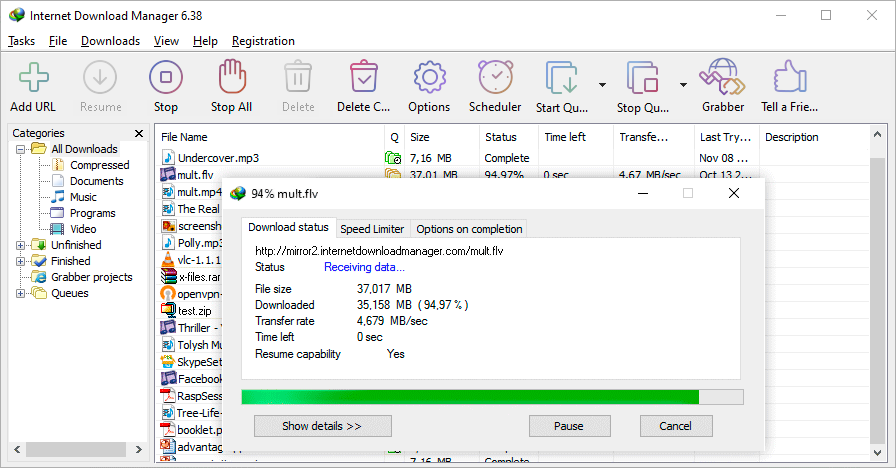
Internet Download Manager (IDM) is a tool to increase download speeds by up to 10 times, resume and schedule downloads. When you click on a download link in a browser, IDM will take over the download and accelerate it. After installing "IDM integration module" browser extension, just continue surfing the Internet, and you will be amazed how easy it is to download everything you want from your favorite web sites. IDM will resume unfinished download from the place where they left off. Comprehensive error recovery and resume capability will restart broken or interrupted downloads due to lost or dropped connections, network problems, computer shutdowns, or unexpected power outages.
Internet Download Manager has a smart download logic accelerator that features intelligent dynamic file segmentation and safe multipart downloading technology to accelerate your downloads. Unlike other download managers and accelerators IDM segments downloaded files dynamically during download process and reuses available connections without additional connect and login stages to achieve best acceleration performance.
IDM integrates seamlessly into Chrome (and Chrome based), Safari, Firefox, Edge, Opera and all other popular browsers to automatically handle your downloads. IDM supports HTTP, FTP, HTTPS and MMS protocols.
The program also features Download Video and Audio panels that appear on top of a web-player in your browser and can be used to download streaming videos from sites like YouTube, MySpaceTV and others. Supports all popular streaming video protocols.
Simple graphic user interface makes IDM user friendly and easy to use.
Other features include multilingual support, ZIP preview, download categories (including custom), built-in scheduler, sounds on different events, HTTPS support, queue processor, enhanced virus protection on download completion, built-in download accelerator, download quotas, dark theme and many others.
Latest Reviews

garamgatha reviewed v6.41 Build 2 on Jun 23, 2022
all though the best app to download

mymydewoo reviewed v6.39 Build 7 on Oct 26, 2021
It's an app worth trying out now

Fasilend reviewed v6.38 Build 12 on Nov 25, 2020
IDm is the best download manager out there.Check out the following articles to know how to integrate or install IDm into opera and chrome browsers.
How to Integrate or Install IDM into Opera Browser
https://fasilodream.blog...-internet-download.html
How to Integrate or install IDM into Google Chrome
https://fasilodream.blog...-internet-download.html

stave15 reviewed v6.32 Build 6 on Feb 13, 2019
IDM allows you to prioritize downloading any file. It lets you download files directly while playing media files in your browser. It easily makes easy integration with all web browsers including Internet Explorer, Firefox, Opera, Chrome.

kstev99 reviewed v6.28 Build 14 on Jun 28, 2017
Excellent ! The only thing that I wish it had were a download history function. Free Download Manager was able to go back and look at history. With IDM, when you delete the lost of finished downloads they are gone and no way to look up where you got a particular file.
I still give it a 5, and in no way recommend FDM.

marty reviewed v6.27 Build 5 on Feb 15, 2017
I might be the only one who likes this program as well. Fully integrated with FF and Chrome and constantly updated. Maybe doesn't have a 5x increase in D/L speed for me but definitely can double it.
kstev99 reviewed v6.27 Build 3 on Jan 26, 2017
Excellent program !! Integrates well with all browsers and the developers update it regularly.
marty reviewed v6.26 Build 10 on Nov 19, 2016
Another bad review for a great program.

tim_tester reviewed v6.25 Build 12 on Feb 16, 2016
i get bluescreen windows vista
marty reviewed v6.25 Build 10 on Dec 30, 2015
I agree with the people who are happy with the program. I actually bought 3 licenses and its worked on every Windows OS I have - including Windows 10.
Small problems (compatibility with Firefox betas) are rapidly fixed and the progrlams has increased my download speeds up to 50%.

garamgatha reviewed v6.41 Build 2 on Jun 23, 2022
Pros: all though this app is very good for downloading
Cons: but it increases boot time
Bottom Line: all though the best app to download
mymydewoo reviewed v6.39 Build 7 on Oct 26, 2021
Pros: I really like this app, it saves more time in downloading
Cons: It remains continuous when the device is turned on, so it takes up a little space
Bottom Line: It's an app worth trying out now
Fasilend reviewed v6.38 Build 12 on Nov 25, 2020
Pros: Excellent Downloader.
Cons:
Bottom Line: IDm is the best download manager out there.Check out the following articles to know how to integrate or install IDm into opera and chrome browsers.
How to Integrate or Install IDM into Opera Browser
https://fasilodream.blog...-internet-download.html
How to Integrate or install IDM into Google Chrome
https://fasilodream.blog...-internet-download.html
stave15 reviewed v6.32 Build 6 on Feb 13, 2019
Pros: Best download program
Install download
Cons: Nill
Bottom Line: IDM allows you to prioritize downloading any file. It lets you download files directly while playing media files in your browser. It easily makes easy integration with all web browsers including Internet Explorer, Firefox, Opera, Chrome.
kstev99 reviewed v6.28 Build 14 on Jun 28, 2017
Excellent ! The only thing that I wish it had were a download history function. Free Download Manager was able to go back and look at history. With IDM, when you delete the lost of finished downloads they are gone and no way to look up where you got a particular file.
I still give it a 5, and in no way recommend FDM.
marty reviewed v6.27 Build 5 on Feb 15, 2017
I might be the only one who likes this program as well. Fully integrated with FF and Chrome and constantly updated. Maybe doesn't have a 5x increase in D/L speed for me but definitely can double it.
kstev99 reviewed v6.27 Build 3 on Jan 26, 2017
Excellent program !! Integrates well with all browsers and the developers update it regularly.
marty reviewed v6.26 Build 10 on Nov 19, 2016
Another bad review for a great program.
tim_tester reviewed v6.25 Build 12 on Feb 16, 2016
i get bluescreen windows vista
marty reviewed v6.25 Build 10 on Dec 30, 2015
I agree with the people who are happy with the program. I actually bought 3 licenses and its worked on every Windows OS I have - including Windows 10.
Small problems (compatibility with Firefox betas) are rapidly fixed and the progrlams has increased my download speeds up to 50%.

Fafner76 reviewed v6.25 Build 9 on Dec 29, 2015
I bought this on Dec.20 2013 and I never had to pay again so far. I guess the "1 year" thing is just for big version jumps? Anyways, it works as expected, gets updated constantly and that's what counts. Enough sillyness from ppl who maybe even never used it.

darkwzrd1 reviewed v6.25 Build 3 on Nov 17, 2015
Its an easy program to CRACK but I purchased a license awhile AGO (because how much I used it) and have been completely satisfied. They update the program consistently and I've never had a problem. Keep up the GOOD WORK!

alervd.p reviewed v6.25 Build 2 on Oct 24, 2015
some guy you're such a stupid and greedy user.
IDM authors must work for you fixing incompatibilities with newer versions of browser for free?

smuttinata reviewed v6.23 Build 5 on Mar 11, 2015
After version 6.21.17, batch download no longer works for me. It's become such a crappy program.

some guy reviewed v6.21 Build 19 on Jan 26, 2015
subscription base is more like it your updates only last a year then you need to re buy it, the plug-in breaks via your browser updates and then make the program useless . The program it's self is very good but due to the greed of the company they failed ...
some guy reviewed v6.21 Build 15 on Nov 7, 2014
pros
has the best download detection discovery download rate beats the others !
Cons
if you buy it your updates are not lifetime !

Desalegn Amanuel reviewed v6.21 Build 9 on Sep 12, 2014
My name is Desalegn Amanuel
I have used the software downloaded over time but over time experience ,I notice the Internet download manager (IDM) money outstanding features.Use simple ,compact ,suitable For the operating system ,browser. In general, the IDM is great .I will use IDM to any of my computer ,and I will encourage my friends to use the IDM. Even in my country, Ethiopia (Africa) with slow internet connection it works in amazing speed. you can download it by using this link http://www.internetdownloadmanager.com/

BANDIT- reviewed v6.19 Build 8 on May 1, 2014
Good. & gets 4* .................. B U T .. $25 bucks = 1*
Copy/Paste the WHOLE string below Incl " " into Google........... Enjoy.... ~_^
"(open-source|freeware)" inurl:download manager
OR. Copy/paste this string into the Address bar of your browser & click GO
noobs .. DO NOT include @. It is only there to Kill the link from ff.beta
@https://www.google.co.uk/search?num=100&q="(open-source|freeware)"+inurl:download+manager
Straight for the Juggular.
@http://www.opensourcealternative.org/alternatives/internet/open-source-alternative-to-internet-download-manager/
http://s20.postimg.org/dl25b5p71/DISCLAIMER.png

minklein reviewed v6.19 Build 5 on Apr 3, 2014
I don't know, EagleGet is free and does pretty good. Has the same download capabilities and video capture.

Raimondas reviewed v6.16 on Jun 11, 2013
They changed update policy: if you buy it - you will get free updates for 1 year. Earlier it was life time licence. This company wants your money so bad ... lol
The price betanews states is not correct. My credit card was charged 26eur and it is a bit too much for 1 licence for 1 year, I think.

dubstepmaker reviewed v6.15 on Feb 14, 2013
definitely the best download manager i have used!

Singer-p reviewed v6.12 on Dec 15, 2012
Internet Download Manager is the best I have used, even though it cost you money, but this one time expenditure is worth it. I have used since long and its works smoothly and without any glitches on windows 7 and windows 8. Its recent version supports the windows 8 and IE 10 integration.
IDM takes down download from Chrome, I E , firefox instantly and downloads it at an acclerated speed, I personally felt it increased speed three-five times on and average which means a lot.
You can pause the download and continue it the next day, you can also resume downloads in case of network failure or any other cause.
Without saying much further would recomend you to download the software as it comes with a free trail for 1 month and experience it for yourself. I bet that you would be fascinated by its effecient functioning and would surely purchase it. IDM's support is also very nice and they provide timely update to keep you on the pace with upgrades of operation systems and browser.
Surely, in one go I would say ------ IDM rocks!

Music4Ever reviewed v6.12 Beta 8 on Aug 5, 2012
With a half decent internet connection download managers are now an anarchism. Needed if you are still on dial-up but if you are you have my full sympathy all 200 of you. Fast fibre is now the norm & even with ADSL it's still unneeded.

tjbond reviewed v6.08 Beta on Nov 30, 2011
Used to download from Hulu and CBS, but not anymore, so I give it a thumbs down. As websites get smarter, so should this product, but it's falling behind. Still works well with other sites like novamov, or I'd say it's totally useless.

sararocs reviewed v6.07 Build 10 on Sep 10, 2011
I have used this download manager for years....XP......Vista........windows 7 and it has always performed reliably and with great speed. I rate it excellent!

CyberDoc999 reviewed v6.06 Beta on Apr 22, 2011
I would buy this if I could get it to work
most of the time it just crashes

zapatero reviewed v6.06 Beta on Apr 22, 2011
Does not work with Chrome 12.
zapatero reviewed v6.03 Beta 12 on Dec 2, 2010
Does not work with Chrome 9.

nokar381 reviewed v6.02 Beta 3 on Oct 17, 2010
O OO it is very easy please check this URL and enjoyyyyyyyy.
http://www.ziddu.com/download/11981914/IDM internet download maneger.rar.html

kerryadelfred reviewed v6.01 Beta 6 on Aug 26, 2010
hiii
i m new in this forums and i just need a help in it
and i wish that this site will response me well,,,
________________________
"Want to get-on Google's first page and loads of traffic to your website? Hire a SEO Specialist from Ocean Groups seo pecialist
"

Terijan reviewed v6.01 Beta 5 on Aug 12, 2010
nice download manager, i love it.

gate1975mlm reviewed v6.01 Beta 5 on Aug 11, 2010
I love IDM!!
However I hope they will someday soon add an option to be able to right click on videos on web pages and select "Download This Video" like Realplayer has.
I want this because I do not like the "Download This Video" popping up all over web pages.
Would also like an option to "Select All".
And last would like to see IDM compatable with more web sites. Like being able to download Quicktime HD Trailers.

ghostrider951 reviewed v6.01 Beta 5 on Aug 10, 2010
zap....................it DOES work with FF4 beta2. Just need to update extensions to IDM 7.11

dotnetnightmare reviewed v6.0 Beta on Jul 29, 2010
Beta 1 had "PC Freezing Power"! Beta 2 is AWESOME!! It works with Opera & Chrome as well as Safari. It works just like it does in IE or FF now in ALL browsers with proper downloading of Flash sites & no more annoying extra tab in Opera. I finally deleted all my Mozilla software and made the complete conversion to Google as this was the only thing stopping me.
GOOD JOB!!!!!!!!!!!!!!!!
CyberDoc999 reviewed v6.0 Beta on Jul 28, 2010
does not work with firefox
zapatero reviewed v6.0 Beta on Jul 28, 2010
It does not work in Firefox 4 beta 2, produces frequent crashes of the browser.

stevvie reviewed v6.0 Beta on Jul 27, 2010
The best download manager i have tried, and I've tried a FEW ;) .
This Beta 6 adds comparability with Minefield Beta3Preview's that got broke by Mozilla along with a wrath of other addons.

JustForMyMemory reviewed v5.18 Build 8 on Jan 27, 2010
in fact it is fast and smarter than any other download managers. i did not have any problem so far.
CyberDoc999 reviewed v5.18 Build 5 on Nov 13, 2009
Does NOT work with the newest Fire Fox.......
Just hangs and locks up.
It does work with the older versions of Fire Fox like 3.0

betasun reviewed v5.18 Build 4 on Oct 16, 2009
I have many broken and corrupted downloads with recent versions .
also some resumables not resumes .

GerritWittesaele reviewed v5.18 Beta on Aug 10, 2009
Since Free Download Manager has been abandoned in quite some buggy state, we can't do other than return to this payware.

360baike reviewed v5.17 Build 5 on Jul 14, 2009
A quite classic tool, I must say.Worth to recommendation.
I have read a blog about another tool, I did not quite understood, it seems to help download even faster.
http://downloadnext.wordpress.com

logop8x reviewed v5.16 Build 2 on Apr 3, 2009
Great!!!!

LakotaElf reviewed v5.15 Build 4 on Dec 17, 2008
The ratings in software allot due to the differing opinions. no one can agree on anything for the most part. Some insist this is better and others do not. typical world and most of the opinions in on beta news at least are from uninformed people who just like to crab about anything. This is excellent software, works well, nothing more needs to be said, does what it says it will do.
zapatero reviewed v5.15 Build 2 on Nov 25, 2008
IDM is very good, faster then the competition. Most of recent reviews here give it a 4 or 5, but the rating has been 3.4 for months (or years). Why?

Tricatel reviewed v5.14 on Jul 26, 2008
It's a great app, well worth the money.
But it lacks some basic feature most of it's freeware alternatives have :
* Option to Shutdown/Restart the system after Queue completes.
* Way to few options, for example to check downloads by default (why do we always have to check them, we chose to download them, didn't we ?)
* Remembering of Window sizes.
* Almost impossible to move files up/down in the Queue.
* Horrible connection behaviour when downloading reaches 99%+ resulting in requests for only a couple of bytes.
gate1975mlm reviewed v5.12 Build 11 on May 13, 2008
@ bodean You are dead wrong :)
IDM is great even if you use High Speed Internet!
I use IDM all the time when I am downloading lots of files from RapidShare.
It also makes my downloading way faster!!!
IDM is a must have if you like to download lots and lots of files! "FAST"

Carlospr reviewed v5.12 Build 11 on May 13, 2008
@ bodean
No it isn't.
It can organize downloads, what files download first, stop all downloads and resume them with a press of a button, download all files/images in a page easily (rather than click one link at time)and so on.
There are a lot of things such kind of software can do even if you have a fast connection.

bodean reviewed v5.12 Build 11 on May 12, 2008
This is for people who use dialup.
If you have anything OTHER THAN dialup, this is a complete waste of software.
zapatero reviewed v5.12 Build 8 on Feb 21, 2008
IDM is worth the $25.

Rafel reviewed v5.12 Build 6 on Jan 23, 2008
@digitalking: Can you see Buy Now?
It isn't free.
Is the best DM, but is shareware.
I prefer Orbit, for free,hehehe.
gate1975mlm reviewed v5.12 Build 5 on Jan 22, 2008
Plain and simple the best!

mentallo666 reviewed v5.12 Build 4 on Jan 10, 2008
The BEST. Been using it for over 3 years now. Essential

fuhayer reviewed v5.12 Build 2 on Jan 9, 2008
the best download manager i have used till now !
fast and very good integration to the programs.
gate1975mlm reviewed v5.12 Build 2 on Jan 8, 2008
WoW IDM is the best download Manager I have ever used! Its very simple to use and FAST!!!
This really does make downloading of big files a lot faster!
Highly recommended :)

digitalking reviewed v5.12 on Jan 1, 2008
This is the fastest free downloading program I have used. I have tested them all, including Orbit. Low resources, easy to use menus, and it's free!!!

dsilvertx reviewed v5.12 on Dec 21, 2007
I've used several download managers, but this one has the best features, fastest segmented downloading, most accessible download library I've found. Updates are frequent and add value to the program. It ain't pretty, but it IS good.

Tao2005 reviewed v5.11 Build 9 on Dec 5, 2007
Works well, only a few bugs. The UI is basic, and not at all attractive. I`ve seen better, used better. Unless you like the othet features. Don`t bother
Carlospr reviewed v5.11 Build 8 on Nov 18, 2007
It seems reliable. It didn't crash even for several download at once. There is a free and nice alternative but at least for me it was crashing all the time after test several builds.
This program also has an interesting feature specially useful for me: it parses all links in a web page so you can select what to download or not.
I agree the interface needs an overhauling, including an addition of high resolution icon for the system tray and a better looking font for the interface (the current font is something like Windows for Workgroups 3.11 used... C'mon!).

Wintings reviewed v5.11 Build 7 on Oct 3, 2007
I agree with Moeb1us, it's "look" is very ugly but the program really does the business when it comes to downloads -- lightening fast.
If they gave it a facelift I'd award it a 5 rating.

evilfreakz reviewed v5.11 Build 5 on Jul 28, 2007
yeah, i think you are rite ant99, you need to re-install the IDM CC extension to make it works in FF (thx^^), but i think this problem has been fixed in this new version (which i believe it's build 5), nice job in releasing quick fix^^

ant99 reviewed v5.11 Build 4 on Jul 25, 2007
I have it working just fine. Very likely you will need to reinstall "IDM CC" mozilla extension. Pick "File->Open File..." menu item in the main menu of your browser and open idmmzcc.xpi file from IDM root folder ("C:\Program Files\Internet Download Manager\" by default).
evilfreakz reviewed v5.11 Build 4 on Jul 24, 2007
Is it me or do i miss something here? I can't seem to find context menu to download flv file... Otherwise, i would have given the perfect score..;)

PackyPFC reviewed v5.11 Build 4 on Jul 23, 2007
Hmm, downloading flv video with firefox doesn't work with this new version. There is no option in context menu to save flv. :/

moeb1us reviewed v5.11 Build 2 on Jun 25, 2007
even though this is the best and most functional
download manager on the web, the icons that make up the GUI are so 1995 and are shockingly ugly lol
i did manage to find some really nice icons on deviant art as there wasn't much selection on their official website.
they have no community forums which i think would be a good idea, come to think of it there website is pretty ugly as well, also has a 1995 look.
conclusion: robust program, ugly GUI(icons)

dcarter reviewed v5.11 on Jun 21, 2007
This is by far the absolute best download manager
I have ever used! Believe me when I say I have used them all. As for the interface....who cares, its a download mgr., not Vista!

SEABOY101 reviewed v5.11 on Jun 20, 2007
i was DAP fan then changed to be a FlashGet fan but all seem so small compare to the better download manager IDM...
IDM Rocks

tannenwheel reviewed v5.0.9.5 on May 5, 2007
this is the fastest one (just a feeling) and i appreciate the low level hook that gets some files from eg opera no other download manager could get. (though sometimes it will make opera freeze for about 25 seconds, on some sites, like sourceforge, i believe)
i also use it, because of the commandline support for directory, url, referrer and more options. i add most files with a script, so i can rename them based on patterns of their url. something no downloadmanager can do on their own. (if they support "marcros", they only do so for directories, not filenames).
idm will also create a directory if it does not exist.
however it breaks my heart that none of you are whining about the utterly insane userinterface of IDM. who is paying you to swallow that?
no APPS key in the file list. no "underlined keys" in the menus or on dialoge buttons. no ALT/menu. clicking on tray will show but not hide a shown window. and you can change the directory for a running download (properties dialog) but the info in the listview (respective collumn) won't be updated.
it is like a painting of a three year old. pretentious. "this is a GUI. believe it, will ya?"
no mercy for such ignorance about design.
mentallo666 reviewed v5.0.9.5 on May 3, 2007
Best DL Manager there is. No other app uses the kind of integration that IDM uses. A+
zapatero reviewed v5.0.9.4 on Mar 16, 2007
It is very good.

iphigenie reviewed v5.0.9.1 Beta on Feb 20, 2007
I registered it years ago and have been very happy with it. It just works, even with non mainstream browsers like kmeleon or opera. It works with downloads from protected sites. It just works.

vixen69 reviewed v5.07 Beta on Nov 20, 2006
I agree with arossetti.. been using if for about 4yrs now, it IS the best in its class. I've tried (and keep trying) most/all ;) other progs but always come back to IDM.

deadmonkey reviewed v5.05 Beta on Sep 5, 2006
Seems to do the job just fine however I see no features in this product that Free Download Manager does not have so I see no reason to pay for a product when an alternative does the same thing for free.

Stevefarrell reviewed v5.04 on Aug 4, 2006
this is my favourite download manager but since i updated it to this version whenever I download sopmething it says the file already exists even if it doesnt exist already. I give it 4 because of this bug

arossetti reviewed v5.04 on Aug 4, 2006
Been using this for 4+ years, and it's still the best of its class.
Stevefarrell reviewed v5.04 Beta on Aug 2, 2006
I have been using this program for over a year now and have no problems with it. I dont have any problems with it being slow rejoining downloaded files like others either

hiforce reviewed v5.03 Build 2 on Jul 25, 2006
Pros:
- Very good link-grabber
- Lightweight
Cons:
- Hard-disk killer (no write-buffer = writes continuously to the HD)
- Not really customizable

nefarious1 reviewed v5.03 Build 2 on Jun 10, 2006
IDM seems to be extremely fast indeed--and not just an empty claim, as with most download utils.
I can appreciate that adding a layered socket provider (LSP) provides a good way to intercept downloads from a variety of programs, but I don't really like installing LSPs (due to the potential for conflicts and uninstall issues). The IDM LSP didn't give me any problems, though, and I'm not saying it would for me, or anyone else.
I hate the fact that all downloads are logged (with a .LOG file), and that log stays in place, unless MANUALLY removed. The help file states that the General tab provides logging options, but that isn't the case. There are no logging options at all.
The only reason I didn't keep and buy IDM is that it is painfully slow at combining file pieces when a download is done. Combining the 3.1-GB Windows Vista ISO file, for example, took a long time indeed (I didn't time it, but it was probably 20 minutes or so, maybe even more). You might say "Sure, that's a huge file, what do you expect?" But then I configured IDM to use 4 segments at most, and downloaded a 5-MB file that way. Combining that small file from 4 pieces didn't take 20 minutes, but it took long enough that I became annoyed, and seriously doubted any benefit provided by the increased download speed.
Yes, I realize I can disable segmented downloading. That's beside the point.
And before someone makes the comment I know would be coming--no, my system is not low-spec, or badly maintained.
I also question the way they tout the "regular price" as $29.95, and claim that $24.95 is a "special offer" that expires on June 9, 2006. Since everywhere I look, the price mentioned for IDM is $24.95, I can only conclude that this is a deceptive marketing practice they're using.
betasun reviewed v5.03 on May 31, 2006
Its very fast in catching the links to download but the speed of download with dial up is the same as Star or Get right and some others .also i dont like the childish GUI .

blue96813 reviewed v5.02 Build 12 on Apr 22, 2006
Be using IDM for 4+ year. not doubt about this program from the start. Very easy to configure. No annoying feature that confuse user. I see a good future with IDM. Alway up to date with bugs and new features.

.hk reviewed v5.02 Build 12 on Apr 21, 2006
Best download program. Better than DAP!

osric reviewed v5.02 Build 12 on Apr 21, 2006
- doesnt support mms
- too costly
arossetti reviewed v5.02 Build 10 on Apr 12, 2006
I've been using it for years. Simply the best. Easy to use, easy to manage. Bravo.
.hk reviewed v5.02 Build 9 on Apr 9, 2006
Very Simple. Not complicated and very easy to change the setting. IDM is the best download manager in the market. Nothing beats it. Download Accelerator Plus Sucks! Dont ever use it!
vixen69 reviewed v5.02 Build 7 on Mar 7, 2006
IDM is the *fastest* with excellent browser integration and it even downloads from sites which say you can't use downloaders :)

ss_dpt5 reviewed v5.02 Build 6 on Mar 4, 2006
IDM is a cool program and its download speed is awesome.
Osric, Dumaiso and other FDM lovers, why do you hang around this IDM user review section with your FDM? FDM is terribly slow, unstable and doesn't take over most downloads. It cannot be even compared with IDM. FDM has its own user review topic, and if I see you continue with your ads here, I will ask my all friends who are IDM fans to tell what they think about FDM. Believe me that you may expect a hundred of bad FDM reviews every week. I wonder why Betanews editors allow posting ads in other product reviews. Your review is not a review of IDM, it's one hundred percent pure advertisement of another product.
osric reviewed v5.02 Build 6 on Mar 4, 2006
Why would anyone buy a download manager?? I've tried it out but I haven't found such a speed difference that I would actually shell out money for this.
Hey, no need to fire me with criticism. If you have got the dough and you are really bothered about speed difference then go ahead and purchase it. For the rest of us there is FDM - faithful as ever.

benyahuda reviewed v5.02 Build 5 on Feb 8, 2006
I normally use the Opera 9.0 browser and either its' native d/l manager which starts immediately instead of taking 3-4 seconds to initialize and get started like Gigaget and it also downloads approx 10% faster even after Gigaget starts. I ran them side by side on the same downloads to test this. I also use Internet Download Manager 5.02+ (now) which integrates with Opera, IE, Mozillla, Netscape etc to run natively integrated into the browsers and runs about 10% faster still running side by side in my own testing.
I only tried a few files for examples but they were the same files at the approximately same times from the same sources and the true download KB speeds averaged:
Gigaget on both IE 7 and Opera 9 - no higher than 311KB with a 3-4 second wait to get started. Its' worst performance was on its' own (Gigaget.com) servers at 88-92KBS, I did not use this in the average as it was out of character with the other results and when I tried IE 7s' native manager on this server the results were similar. I felt this server had its' own issues which should in all fairness eliminate it from the test.
IE 7 Beta 2 native - 348KB no wait to get started
Opera native - 359 KB an even faster start than IE 7s manager.
IDM 5.02 on both Opera 9 and IE 7 - 405KB with the same near instant start. (less than 1 second).
I also tested DAP/Net Transport Pro at this time. It came in dead last of the 5 managers I tested at this time with an average speed of 288KB on IE 7, I did not try it with Opera at this time.
All these speeds should be as nearly 'real world relevant' as all downloads were tried on each setup through the same servers at as nearly the same times as possible. System Mechanic Pro was used to monitor net conditions and the conditions remained so nearly the same for the entire period as to be for all intents and purposes equal.
This review can also be found a few pages away as I was testing Gigaget at the same time and to be fair I thought it would be of value here also as one of the other d/l managers was this release of IDM.

Hillard reviewed v5.02 Build 5 on Feb 7, 2006
Does what it says except for the 500% claim (minus 1 star). A very nice product, although there are other products out there that are free and don't time out that can do the same thing as this one.

Prospero424 reviewed v5.02 Build 4 on Feb 6, 2006
Well, I mostly use Free Download Manager, but I do use IDM for a very few sites because it basically guarantees me the highest speed possible. I don't know why, but FDM and every other download manager I've tried just will not get me full speed with, say, Easynews. IDM gives me over 5 megabits every single time.
-1 point for having a slightly clunky interface

dumaiso reviewed v5.02 Build 2 on Jan 24, 2006
I didn't like it. There is no download manager better than Free Download Manager which is freeware and far better than the others.

NyaR reviewed v5.02 Build 2 on Jan 24, 2006
BY UP TO 500 PERCENT!

Zankur reviewed v5.02 Build 2 on Jan 24, 2006
i think its a supercool piece of software,i think as by last post,dude idm is probably the only download manager which doesn't need flashgot to download from ff.
Its advance intergration and detecting new apllication feature is just fantaboulous!
And for god sake don't compare with free alternatives...
arossetti reviewed v5.01 Build 2 on Dec 21, 2005
I've been using this since the version 3 days. I still like it better than any other I've tried, though I do use FDM for my other PC's just from a cost standpoint.
BTW, the rating isn't a value thing, it's supposed to be based on a simple "does the program do what it claims it does, and how well does it do so". In this area, this is certainly one of the best.
Also, flashgot now supports this download manager, for at least the last 2 versions.

soots reviewed v5.01 on Dec 18, 2005
why not try f.m.d. just as good and its free,this one is a ."5".

dwby reviewed v5.01 on Dec 17, 2005
Seems like this program is getting bad reviews because it is shareware.
I have to say, it is the best at download managing. It is the fastest I must say. Light on resources. Never had any problems except for one. Which was my mistake any way lol.
Download it and try it out. You won't be turning back! It's like Ad Muncher is to ad filtering.

crashoverride reviewed v5.00 Beta on Nov 27, 2005
This seems to be a nice program, but I don't think I'll be shelling out the bucks for it. Tried to use the Free downloader and appearently it doesn't work with the Firefox 1.5 RC3.
Zankur reviewed v5.00 Beta on Nov 26, 2005
Well,another good addition to ots advance integration is site grabber!but apart from it as mentioned here there's hardly any face-lift,and for re-designed download engine,idm developers know better.
however,it still does what it does best....ie downloading...

m2mdoh reviewed v4.07.2 on Oct 6, 2005
.: guyz, i really want u 2 try diz out!it is a great software!!it automatically ask for permission after one click of ur wanna-download-thing..amazingly fast,but..u know,shareware version guys.. =( :.

JeRrYFaR reviewed v4.0.7 on Sep 12, 2005
I say use either or.. they're both great download managers..
Only problem w/ IDM is I can't get it to work properly w/ Flashgot..

matrixclown reviewed v4.0.6 on Aug 7, 2005
I use firefox and I was bummed when my new computer downloaded at a agonizingly slow 100kps on broadband now truthfully its not that bad but im only 13 so I'm ofcourse a speed freak... I tried other programs and they mostly all came with spyware and other things and I couldnt figure out how to work them mainly cause they weren't compatible with firefox or mozilla... I trie dthis one and now Im downloading on average of 550-600kps plus it was easy to set up just install press one or two buttons and magically it takes over your downloads.... I give it a best buy (even though im still on the freeware version) and a must for anyone who downloads a lot.... I give it my complete and highest recomendation... heck I made this account just for reviewing this item

freeman_mow reviewed v4.0.5.2 on Jul 11, 2005
nice-looking gui. simple and functional. i currently use internte download accelerator 4.1.2.845 which i bought after i used a trial version for some time.
works great if u do not use it often. sometimes it freezes on ftp conections and it is limited on a number of conections per file. i shall give internet download manager a try. maybe i will buy it also, if i like it.
arossetti reviewed v4.05 on Jul 3, 2005
Blackhole,
Linux must be really awful then...
Stevefarrell reviewed v4.05 on Jul 1, 2005
ive been using this program with over a week now and it does exactly what they asy it does. im on 9mb/s cable internet and this program makes downloads lighthing fast.
I have one problem though. i dont have a credit card and nobody i know has a credit card so when the 30 day trial ends i cant buy it. still gets my 5 points for doing what its supposed to do though.
i love this program.
arossetti reviewed v4.04.4 on Jun 16, 2005
Still the best, though FDM is certainly a nice freeware alternative for additional PC's. My main rig, however, has used IDM for 3 years.
Zankur reviewed v4.04.3 on Jun 8, 2005
I think IDM has some features,like link capturing from even ant-leech plugin sites is awesome.IDM is sole download manager which can capture any link,which other download managers can't!!
FDM however remains the best "freeware" download manager in town.
And the thing about interface and stuff,i believe download managers are suppose to download files at fast and efficient pace,and not to give ones eye a pleasure like a"pin-up" girl!! U don't keep starin at download manager while it downloads file, so plz!!

Inray reviewed v4.04.3 on Jun 4, 2005
dave_seager_idm,
No tray icon d/l status tooltip (progress, speed, b/w allocation etc). A totally useless icon.
There is no way to remove IDM icon from systray.
Not a single d/l window for all active downloads.
No queue autostart when downloading multiple files.
Download window resize is just a joke.
Silly huge icons
Besides the above UI specific issues, I can list a number of other IDM problems if you like.
Anyway that's my honest opinion.

aladdin reviewed v4.04.2 on May 23, 2005
The best ever, even with WindowsXP 64 Edition, which is based on the Windows Server 2003 technology.
The best, no ifs or buts about it!!!

dave_seager_idm reviewed v4.04 on May 17, 2005
Irany,
What do you mean under "buggy and ugly user interface"? explain, please. It is possible to switch for small buttons if you right click on the toolbar. What else?
Inray reviewed v4.04 on May 17, 2005
Fast and trusty download manager it has no more features than those necessary, that's the good points.
The bad: Buggy and ugly user interface, unstable operation when used with Windows 2003, very limited user configuration and annual updates fees.
I paid for this d/l manager, but not using it any more.

nirmalv reviewed v4.04 on May 16, 2005
I can't believe people whining about the U.I. This download manager has feautres that nothing else has
1,It doesn't have to send multiple GET or PASV commands for each block it downloads. There u will usually get about 10% greater download speed with it.
2, It has dynamic segmented downloading. All of us know that even in multi-threaded downloading the time to complete the download will depend on the slowest thread.This program dynamically reduces the block alloted to the slowest threads.Beat that !!
arossetti reviewed v4.04 on May 16, 2005
sweathog,
It can remember download locations. Go to downloads_options_then the downloads tab and you can select the default location for each category. Or, if you're like me, first show all the categories (View_showcategories) then delete them (highlight, right-click, delete) and everything will be downloaded to the default "general" location, and you can sort them out on your own later.

sweathog reviewed v4.03.4 on Mar 2, 2005
It's fast and I paid for it. But part of the reason it's fast is that while you are spending time hunting for the last custom download folder the program didn't remember, it is downloading in the backgroup. Why can't it remember the last download folder instead of automatically assigning it to pre-set categories?
Also in Windows 98 it apparently re-writes entries to the registry everytime you reboot, so you have to wait while the registry is updated. Otherwise, it's a decent product. But like others say, I could use a facelift and better ergonomics.

akulich reviewed v4.03.4 on Jan 27, 2005
I will take functionality any day. Being a "pretty" app means nothing. I have tried a bunch of dl managers and this ones speed tops them all. I will be registering this one. Give it a try.
arossetti reviewed v4.03.4 on Jan 26, 2005
Annual upgrade fees? I paid 24.95 over 2 years ago and have yet to be charged anything additional.
Oh, and by the way, plain UI notwithstanding, this is far and away the best download manager bar none. And frankly, even the UI isn't THAT bad. Plain, yes, but at least it's fairly clear for scheduling downloads and viewing curent info on in process and completed downloads.

ssb reviewed v4.03.2 on Jan 26, 2005
It's definitely the fastest and ugliest download manager available.
I can rate it with 3 because of ugly UI, limited functions and annual upgrade fees. Besides them all, it's very trusty and stable.
Inray reviewed v4.03 on Dec 9, 2004
Great speed but awful user interface and ergonomics.
Come on you guys, spend some hours reading Windows UI design guide... http://msdn.microsoft.co...us/dnwue/html/ch00a.asp

Nigma reviewed v4.03 on Dec 9, 2004
I've been using this for a long time and I can tell ya it's the best.

ArKay74 reviewed v4.03 on Dec 9, 2004
It's fast, alright. Some things I dislike though.
- Installer FORCING me to reboot (hello? where is the 'I will reboot later' option?)
- Automatical creation of directories under "My Documents"--I never put my downloads there, why create those directories before giving me the chance to configure my own download path?
Apart from that, good job :)
Inray reviewed v4.02 on Sep 22, 2004
Most download managers say that increase downloading speed. That not true in most cases. Actually i've used many of them and still not found one that is really faster than plain IE download.
IDM is the exception of that rule. Using advanced low level protocol engine, it really speedups downloads. It the fastest manager ever tried and very reliable, although it lacks some extra features, like site management, mirror searching, GUI customization, history management etc.
Think of it as a powerfull downloader, no more no less.
IDM integrates with the system itself, not only with specific browsers, thus can be used by any browser or other application that uses the internet to download files. Very interesting.
Things i don't like are, poorly designed user interface, no tray icon progress info and weird protection method.
The last allows a limited number of activations (3) on the same computer, before asking you to call support for new S/N.
Anyway that's not a problem, IDM support team is responsive and helpful.
I liked IDM and registered it. It's absolutely the fastest gun.

zridling reviewed v4.02 on Sep 18, 2004
Wow, this app is fast! I read the content and tests on their website and it was true to my experience. It's very good, but I give it a 4 because of its high cost ($25-30).

paul_retr reviewed v4.01 on Jun 16, 2004
It's a great download,glad I have it. A really neat tool to organize your downloads. I needed sometin like this, and i got it. With everything that I download, it's Great! Recommend to everyone. The coolest downloader ever!
Zankur reviewed v4.01 on Apr 30, 2004
IDM has done it!Eureka,Eureka!Now it can catch links from apps like kazaa,morpheus,etc!and manymore.Now,it's universal download manager!
Just download it and forget about speeds,catching links etc!
Nigma reviewed v4.00 on Apr 3, 2004
Definitely better than DAP or getright or any other downloader.

Bachalor reviewed v4.00.8 Beta on Mar 22, 2004
"only $24.95", why ONLY?. Is this not enought money for this kind of software?? In my opinion the enough money is for such a software. I use LeechGet (FREE for students), recently test wise NETTRANSPORT (also freeware).
Sorry, but my pocket-money is only limited, I don't have any rich parents :-)) -:))

Dirk van Hoofen reviewed v4.00.8 Beta on Mar 22, 2004
Maybe it works, but the Sharewareversion has some strong restrictions.
Therefore isn't possible for me to be able to test the program with all functions in detail. The program has problems with data which are diverted.
Call from a HTML file linked together for example.

DarthVeda reviewed v4.00.2 beta on Feb 27, 2004
After installing this program, I couldn't download files through FTP using other programs like FileZilla or FTP command utility. After the RETR command was issued the program would just timeout downloading.
I uninstalled this and everything went back to normal.
If it wasn't for this problem I would give it 4.
Nigma reviewed v4.00.2 beta on Feb 26, 2004
The best download manager ever! I'm using it for a long time and I'm happy with it :)

rbee reviewed v4.00 Beta on Feb 20, 2004
Great download manager. I've tried ALL of the others, but I keep coming back to IDM. The interface may not be that great and it lacks a few features in other programs (hopefully that changes with this new beta), but its the fastest and uses the least system resources.